Category

Andrea Tarrell

I’m going to let you in on a little secret. It’s taken me my entire career to learn this.

The silver bullet to success with marketing automation is…

THERE ISN’T ONE, DAMMIT. STOP LOOKING FOR IT.

The temptation of the shiny object

Our industry is obsessed with hyperbole and the next big thing.  If I had a dollar for every time I heard:

“The playbook is broken…”

“Everything has changed…”

“Modern marketers are doing [fill in the latest buzzword].”

…then we could all be spending our days doing something a little like this:

Don’t get me wrong — thinking about the future is vital.

But if you’re looking for the martech equivalent of that “one weird trick to lose your belly fat in 30 days,” you will be disappointed.

There’s no substitute for strategy and disciplined execution

When things aren’t quite working the way you hoped, it’s tempting to succumb to the lure of this “playbook is broken” messaging.

But the companies that are killing at aren’t fluttering from shiny object to shiny object.  They’re crafting a thoughtful strategy.  And then they’re executing.  And then revising the plan.  And then executing some more.

The fundamentals are as relevant as ever

Sure, a lot of things have changed.  We need to grow and evolve.  We need to be ahead of market shifts and the competition.  And that’s on top of (not in place of) rolling up our sleeves and doing the hard work involved in the foundational tasks of digital marketing.

There is still so much bad marketing out there — and this is actually a good thing.  In many market spaces, you will leapfrog the competition just by executing the basics well.

I can’t tell you how many companies I hear ranting and raving about the “next big thing” – AI, machine learning, bots, augmented reality – and then you turn around and look at their website and it’s some amateur shit. Or they don’t even have a content calendar or a written marketing plan.

There’s an abundance of room at the top — so claim your spot!

Okay, okay </rant>.

The main point I’m getting at is that there’s so much opportunity for companies who understand digital marketing and customer experience to get ahead and win.  And the beauty of digital marketing is that it rewards people more for the width of their brains than the width of their wallets.

So here’s to the marketers out there fighting the good fight and showing up every day to ship amazing work. I’m rooting for you, dudes!

I get excited when working with a new client and seeing that they have BEAUTIFUL emails.  But that excitement quickly withers when upon further inspection, these emails are a collection of image snippets.

Ick.

Marketers with a more traditional background often design or gravitate toward emails that look like flyers and print advertisements.

This can be problematic for a number of reasons I’ll dive into here. If you are going to deploy image heavy emails using Pardot, keep in mind that:

1. Outlook is going to hide your images

A picture’s worth a thousand words… unless it doesn’t load in Outlook.

If your emails are opened in Outlook (which is utilized by a large share of B2B prospects) images are blocked by default.  So instead of the snazzy design you slaved over, your prospects will see something like:

blocked image.png

No bueno.  You need more than imagery alone to catch people’s attention in Outlook.

2. Load times will suffer for image-heavy emails

Patience is a virtue that most of us are suddenly lacking when you put an iPhone in our hands.  According to KissMetrics, 40% of people will bail if a page takes more than 3 seconds to load.

Know that load time with image based emails – especially high resolution ones – is going to take a hit.  This will be even more of an issue if you’re targeting buyers in rural or developing areas.

Consider this beauty vs. speed trade off in your approach.

3. You don’t need images for simple text on a background or for your CTAs

If you have simple text with a background (even an image background) this doesn’t need to be an image.  It can just be text, with some HTML to style it according to how you want it to appear on the page.

This is most important – and fortunately, easiest to fix – for call to action buttons.  Instead of designing your button in Photoshop or another graphics tool, use a bulletproof button generator to design a more email-friendly version.

pixilated CTA

By creating these buttons in HTML, these will load from the get-go (no Outlook image blocking) and will be clear and crisp on any device without impacting load times.

4. Fewer images means fewer of your messages trapped in spam filters

If your email is all or mostly images, email clients aren’t able to “see” what the content is.  As a result, your messages may be marked as spam.

There’s no magic number or hard-and-fast ratio here, but a good rule of thumb is to target 80% text and 20% images.

5. Choose the right image format for high quality and speed

The three most common image formats in digital are PNG, JPEG, and GIF.  If you want to get into the weeds, Litmus breaks down the pros and cons of these options.

In most cases, PNGs are best for email. They can be compressed without losing quality, they support transparency, and they’re supported by virtually all browsers and email clients.

6. You can leverage alt text to add context

When an image is blocked or can’t load for some reason, most email clients will show a blank frame with the alt text displayed.

It takes a little extra time, but you can use this to your advantage.  Populate the alt text to provide context to what the viewer should expect to see.

Alt Text.png

7. Text lends itself better to inbox searches

If your users open your email and think “I’ll get back to this later,” using text for key info helps them search and find your message down the road.

If the majority of your email’s copy is embedded in images, you’re providing users with a lot less “real text” to parse.  Things like your company’s name, event titles, dates, headlines, etc. should ideally be in text for maximum searchability.

8. It takes more time to update graphics based emails

It’s hard to generate a text version from an all image email.  Pardot requires you create both an HTML and a text version of your message to maximize deliverability.  But when you hit the “Import text from HTML” button… you’ll get the pre-header text and not much else. You will need to re-type any embedded copy so that it will show up in the text version of the message.

If you catch a typo in an HTML based email, you can make that edit quickly in Pardot.  Not so for a franken-email of Photoshop snippets – you have to get back in the image editor, make your copy change, save, re-upload to Pardot, and replace the image in the email.

A sliced image email also creates all kinds of challenges for perfecting alignment.  Try zooming in and out on your browser, and looking at the template on your phone, and you’ll notice that devices don’t always get the alignment quite right or even the same.  You can spend hours trying to determine how to get rid of that one bit of wonky white space for one random person.

9. Ultimately, good performance is good design

If you can’t tell, I lean heavily toward erring on the side of text over heavy graphics when designing an email template.

But this is an opinion based on my experience, and your mileage may vary based on your content and audience preferences.  Be sure to A/B test, check out how your templates render on different devices, measure your results, and adjust based on the metrics you’re seeing.

Where do you fall on this debate?

Image-heavy emails – like ‘em or loathe ‘em?  Are there pros and cons I missed?  Or pet peeves you’re itching to share?

Let us know in the comments! 

A few weeks ago, I shared a post on Pardot and GDPR compliance.  Since then, a few people have asked me how this relates to CASL and if it’s more or less stringent.

So if you’re wondering:

“Ottawa comply with CASL?”

…then pour yourself a Molson and let’s break it down, eh? 

PS fair warning, the Canadian jokes do not elevate in their level of sophistication as this goes on, so manage your expectations, please.

The Keys to the CASL

“Strict” and “onerous” are the two most common adjectives I see paired with explanations of the Canadian Anti-Spam Law (CASL). Why?  Because it’s pretty darn complicated, and creates a structure for gaining consent that applies to all “commercial electronic messages” – not just email.

CASL applies to both companies in Canada and to any companies marketing to citizens of the Great White North.  The legislation first went into effect July 1, 2014, and has had a staged rollout.

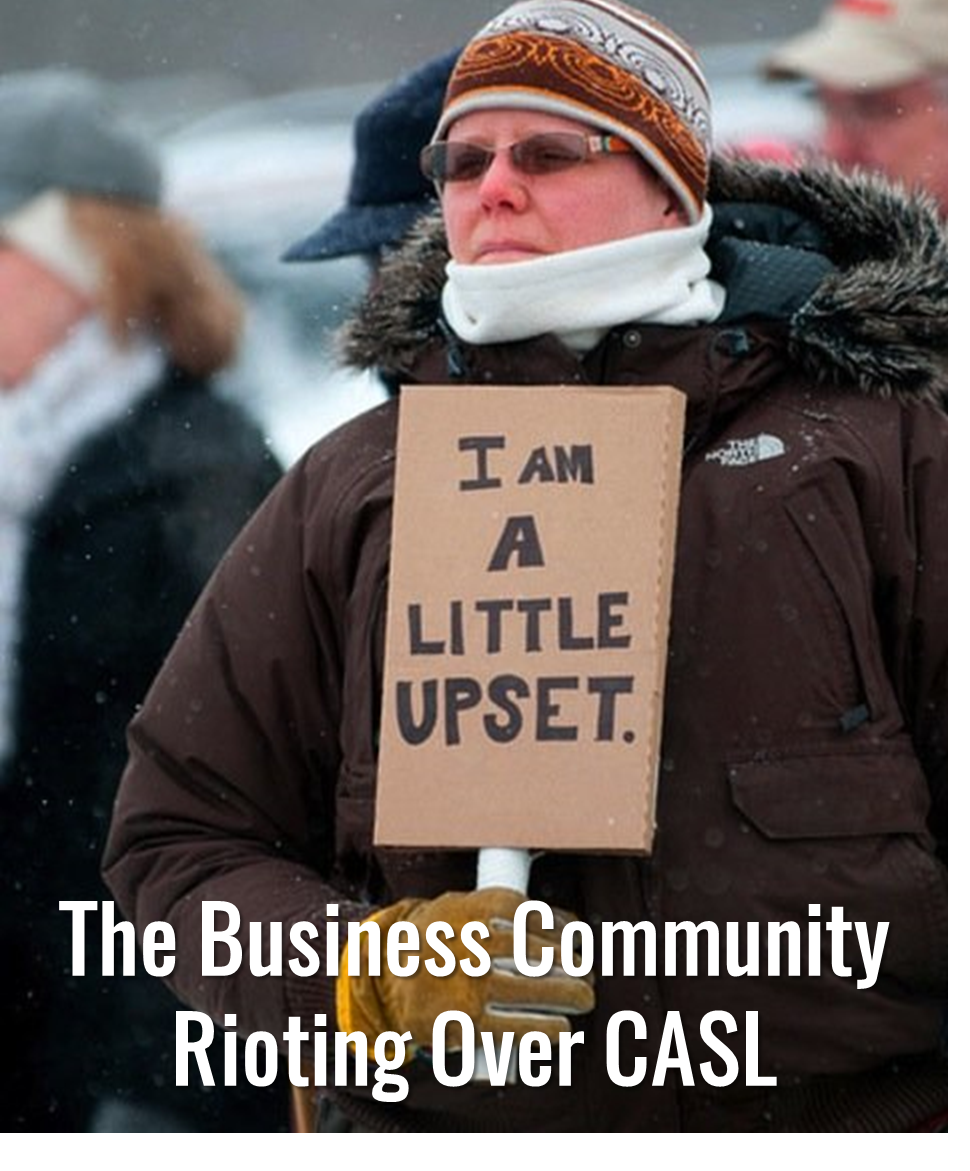
The last wave of provisions were scheduled to go into force July 1, 2017, and would have allowed lawsuits to be filed against individuals and organizations for alleged violations of CASL.  There was significant pushback from the business community, though, and this piece pulled back at the last minute for parliamentary review (which is part of the reason why you’re still hearing about it this year.)

CASL Riot

So, CASL governs commercial electronic what now?

Commercial electronic messages include anything sent to an electronic address — including emails, instant message accounts, and some social media accounts.

Phone calls aren’t relevant under CASL, so Drake and his hotline bling can carry on.  Text messages, however, ARE governed by CASL.

There is an exemption in the law for BBM (Blackberry Messenger) – go figure.  And fax numbers aren’t covered under this legislation (whew).

CASL has rules for two kinds of consent: express and implied.

First, the easy one.  Consent can be implied for:

  • Friends and family
  • Employees and contractors
  • Customers that have been active with you in the last 2 years
  • Someone who’s inquired about your company’s services in the last 6 months
  • Charitable and political fundraising efforts
  • Legal, warranty, and recall stuff
  • Transactional emails (like receipts and confirmations)
  • Recipients that conspicuously publish their contact info without saying “don’t spam me”
  • Referrals – but you have disclose the full name of the person who referred you, and you only get to play that card once

If your contacts don’t meet one of the above criteria, you need express consent to market to them.  This consent can be given either orally (the late Mayor Rob Ford would approve), in writing, or electronically.

When requesting express consent, you have to include:

  • Who you are (name of person or organization)
  • If you’re acting on behalf of someone, who that person or organization is
  • Way for people to get in touch with you to get more information
  • The ability to opt-out of all types of communications sent by you, your organization, or third-party partners
  • An opt-in checkbox that the user actually checks — no pre-filling

What else do I need to do to skate to where the puck is going here?

In addition to getting CASL-compliant consent for the folks on your list, keep in mind that:

  • You’re required to maintain records of how you got consent.
  • Commercial electronic messages must include your name, your mailing address, phone number, email, and website URL. And if you’re reaching out on behalf of someone else, their name too.
  • All messages need to include an unsubscribe mechanism, and unsubscribes need to be processed in 10 days.
  • You can’t make people give you more than their email address to unsubscribe (so no required “why are you leaving us?” stuff)
  • You can’t make people log in somewhere or visit multiple pages to submit an opt-out request.
  • Express consent applies until someone unsubscribes. Implied consent applies until 2 years after a client/business relationship is terminated, or 6 months after a prospect inquiry.

Penalties for CASL non-compliance

If you think Canadians are nice, you haven’t read up on CASL penalties.

They include criminal charges, fines up to $10M, and personal liability for company officers and directors.  Yikes.

Ignore CASL at your own risk — there’s nowhere to hide, and there’s nowhere Toronto. (Okay sorry, that one was really bad.  And sorry for interrupting to say sorry. How Canadian of me.)

The Pardot Admin’s CASL action items

As Ontario native Shania Twain would say, “from this moment on,” CASL is the law of the land – onerous or not.  To stay in compliance, consider:

  • Adding an “express consent” opt-in checkbox to all of your Pardot forms
  • Using variable tags to add the info required by CASL to your email templates. Physical address and unsubscribe link are already required by Pardot, but be sure to add in website URL and phone number.
  • Adding custom fields to track things like Permission Type (express vs. implied) and Date of Confirmed Opt-In.
  • Using automation rules in Pardot or workflow rules in Salesforce to update your custom fields so they reflect the current implied opt-in status for clients/prospects.
  • Running an permission pass for the Canadian portion of your list (companies with addresses in Canada, emails with .ca, etc.) to get the express consent you need to continue contacting them
  • Documenting your plan for all this, in case Prime Minister Trudeau comes calling

I’m sorry to any Canadians reading this who I may have offended.  At least the wah-mbulance will be covered under your amazing healthcare.

Got questions?  More Canadian puns?  Horror stories of your CASL compliance journey?

I recommend poutine it in the comments!

Salesforce is good at selling Pardot.  So good, in fact, that some customers that sign on really aren’t ready to make the leap.  A year later when they’re re-upping their contract, they look at the Pardot line item and think:

“What have we even done with this?”

I’m a huge Pardot fan.  Pardot is the stuff marketing dreams are made of, really and truly – but only if you’re ready to do the work to make it work.

Here are 10 questions to gauge if you’re REALLY ready to make the leap:

1. What does success look like?

I’m a big believer in starting with the end.  What is your vision for this thing, and how will you know when you’ve “arrived”?  What does it look like when you’re firing on all cylinders, and what are the success metrics that show it’s working?

 2. Do I generate enough leads? 

“Enough” in the context of lead volume means more than your team can realistically act on alone. This is different for different businesses – but as a rule of thumb, about 100/month is when automation starts to make a lot of sense.

3. Do I have enough content?

“Enough” is subjective with content too, but I would say you should at least have something worth sending on a monthly basis, or be prepared to create this content.

4. Do I have actual processes that merit automation?

You can’t automate processes that don’t exist. Are you making up a process or testing new messaging?  Don’t automate it yet.  Test it, using the humans on your team, and see what’s effective.  When you find what works, document it, and let’s automate it.

5. What is the state of my subscriber data?

Do you have a list you can actually market to?  Have they opted in to hearing from you?  Do you need a little Sales Cloud clean-up work to make the most of your Pardot investment?

 6. Do I have the right skills on staff?

Marketing strategy, design, copywriting, data management, basic coding are a few skills you need to be successful. Which of these can you manage in house?

7. What outside resources can I leverage?

For the areas where you may want to supplement your team’s expertise and bandwidth – who can you lean on?  Would your needs best be served by a freelancer, a marketing agency, or a technology consultant?

8. Am I confident in the level of support from executive management?

“Executive buy-in” is more than just getting the budget.  Do you share a vision and have commitment to launching a successful marketing automation program? [More on this here.]

9. Can I get sales on board?

The criticality of getting support from sales leadership cannot be overstated.  Your VP of Sales or CCO’s posture toward Pardot can make you wildly successful, or completely hamstring your efforts.

10. What’s my timeline?

Standing up a Pardot environment is the first deadline.  And beyond “go live,” what are the milestones you want to hit?  What’s your ramp up timeframe, and what results do you need to demonstrate, by when?

Don’t have the answers… yet?

If you’re considering Pardot (or just signed on) and any of the above questions have you scratching your head, you’re not alone.

Feel free to drop me a line, and we can whiteboard it together!  In the meantime – what other questions are top of mind?  Share it in the comments!

A few weeks ago, MailChimp announced that the default for its subscriber lists will be single-opt-in.  This is a reversal from its past policy to require double opt-in – and it’s kind of a BFD.  MailChimp users can still choose to use a double opt-in, but they have to go in and set it up. 

Many other platforms (Pardot included) default to single opt-in, so that’s not the strange part.  What makes this move puzzling is that it comes at a time when marketers and legislative bodies around the world are pushing so hard in the opposite direction.

CASL, GDPR and other compliance hoopla are making many marketers – especially those with a global footprint – re-examine their definitions of “permission” and their processes for gathering it.

So why now, MailChimp?  And for those of us marketing on the Pardot platform, what insight can we gather from this?

Wait remind me, what is double opt-in?

Double opt-in requires the user to take a secondary action to confirm their subscription to a list.  So for example, user fills out a sign up form, gets a confirmation email, and then they have to click a CTA that amounts to to “yes, I really do want to subscribe.”

If list quantity is the main goal, the added “friction” of double opt-in does mean you’ll lose some folks along the way.

But it’s great for list quality.  When [email protected] or [email protected] fill out your forms, they’ll get a confirmation email, and for obvious reasons, won’t click to confirm their subscription.  So weeding out these email addresses on the front end is really helpful.

The net effect of double opt-in is higher response rates, better deliverability, and fewer spam complaints – but again, the tradeoff is slower list growth when you lose the people that don’t complete the final step.

How does double opt-in relate to compliance?

To my knowledge, none of the regulations impacting email marketers explicitly require double opt-in.  But what they do require is proof of consent if you land yourself in court – and the audit trail of the user filling out a form, opening an email, and clicking through is pretty solid documentation of affirmative consent

Courts in Germany, for example, have ruled that single opt-in isn’t acceptable proof of consent — because in theory, someone else could submit your email address via a web form.  As a result, double opt-in has become pretty much standard in Germany, with 75% of email marketers leveraging it for added validation.

So why, MailChimp, why?  Some theories.

This trend-bucking, against-the-grain decision is puzzling.  Let’s think through some possible things that may be motivating them to swim upstream:

1) Their users want it

In their communications about this change, MailChimp has implied that user preference was the driving force.

Um, of course their email marketers want single opt-in.  Just like some email marketers (Pardot ones included) want to purchase shady lists to spam everyone and their mom, and just cover their ears when they hear it’s not a best practice.

If anything, user preference is shifting TOWARD double opt-in.  And double opt-in has been Mailchimp’s default for years.  There’s definitely more to the story about this change.

2) It means more revenue

MailChimp’s Pro Marketer package is priced based on number of subscribers.  If its users can grow their lists faster, then MailChimp can charge more.

Hm.  Seems like a conflicting incentive.

3) Their performance data is slipping

Making marketers successful, at the end of the day, is how these platforms will stay in business. In a follow up communication about the change, MailChimp’s VP of Product stated, “the majority of companies have moved to single opt-in,” and posits:

“[R]ecipients have become re-educated on how email marketing confirmation works. Today, most people don’t expect or look for a double opt-in confirmation message when they subscribe to a newsletter. Indeed, we’ve seen double-opt-in rates within MailChimp slip to 39%. This means 61% of people start but do not finish the double opt-in process.”

I’m going to disagree with the assertion that consumers expecting to be spammed constitutes “re-education.”

I also don’t see a lot of companies choosing to move from double opt-in to single. Usually the reverse happens as a company’s marketing program matures and they realize that all of the Disney characters filling out their forms aren’t quite qualified leads.

But if marketers using MailChimp are struggling to hit their metrics, and opt-in rates are a barrier – okay, I can see why this would inspire a change.

Okay, back to Pardot – what’s an admin to do?

One of the biggest myths about marketing automation is that it’s a “set it and forget it” deal.  Nope.  Digital marketing is in a state of constant change, as are consumer expectations – so continually checking that you’re keeping up with best practices is part of the job we signed up for.

MailChimp’s news should inspire Pardot admins to do a few things:

  • Get up to speed of GDPR, CASL, and other relevant laws in countries where you market
  • Consider implementing double-opt-in if you’re going to have to get on the GDPR bus sooner rather than later
  • Consider implementing double-opt-in if your list quality needs a boost

Nebula Consulting has a great Slideshare on how to configure double opt-in in Pardot, so rather than rehasing, here’s a link to check it out.

Any thoughts to add to these speculations?  How have you decided to handle opt-in processes?  Let us know in the comments!

Left to my own devices, I’m the kind of person who saves everything to her Desktop and has at least 5 Word docs titled “Notes Latest V2a” at any given point in time.

I’ve learned the hard way that this is NOT a good plan if you’re managing assets in a Pardot org.  (Kicking this can down the road means lots and lots of technical debt in your future! No bueno.)

It is SO worth it to take the time to build a coherent folder structure and standard file names.  Even if it’s boring and adds a few seconds to your process.  Your future self and team members will thank you for it.

General foldering best practices in Pardot

Pardot folders operate the same basic way they do on the hard drive of your computer.  A definition from Pardot:

Folders are a top-down organizational feature that house campaigns, emails, and other marketing modules together. Folders let you segment and nest marketing elements in a way that makes sense for your team.

Every piece of marketing content created must be placed in a folder.  And there’s a big catchall one called “Uncategorized” that is basically the Pardot equivalent of my messy desktop.

Side note: most people will find this to be fairly self-explanatory and intuitive, but it’s a little bit of a re-frame from what former Marketo users are used to. Marketo is very folder-centric and uses these to create programs and relate assets to each other.  That’s not really what Pardot’s trying to do – their version of folders are mostly just an organizational tool.

Options for Pardot folder structures

Folders are basically a blank canvas for organizing to your heart’s desire.  The only real limits are that you can have max 10,000 items in a folder, and up to 16 levels of subfolders.

But come on – do you really need deeper nesting than:

 Folder A >  Folder B >  Folder C >  Folder D >  Folder E >  Folder F >  Folder G >  Folder H >  Folder I >  Folder J >  Folder K >  Folder L >  Folder M >  Folder N >  Folder O >  Folder P

Common organizational structures I’ve seen include:

Heads Up: folders & scoring categories

A critically important thing to note is that folders are the basis for Scoring Categories.  Quick refresher: Scoring Categories allow you to break down the overall prospects scoring into subcategories – so that you could have separate scores for each of your product lines, or different business units, etc.

If you’re planning on using Scoring Categories at some point down the road, build your folders around the categories you will likely use (like product or business unit).  Worry about the points system later – and this will save you from a massive reshuffle when you’re ready to revisit that.

Naming conventions in Pardot

If you’ve already been using Pardot for a while, a great place to start with this is looking at how your team is naming files on their own.  If it’s good/useful – boom, document it.  If it’s a mess, then work the team to come up with a naming protocol.

Detailed file names are vital for searchability.  You will have some users that navigate to assets using the folder structure every time, and others that will type a few keywords in the search bar to filter down to what they’re looking for.  Standardized naming sets both groups up for success.

Data points you may want to work into your names could be:

  • Name/title
  • Campaign type (i.e. tradeshow, webinar, advertising)
  • Company division / business unit
  • Industry / vertical
  • Date
  • Region
  • Language
  • Audience (i.e. Client, Late Stage Prospects, etc.)

So for example, if you decided you wanted to set your naming convention to be:

Company Division – Name/Title Campaign Type – Audience – Date

This would translate into something like:

Employee Benefits – Complying with the ACA Webinar – Clients – July 2016

General tips & gotchas

Use dividers

Use some kind of dividing character so that your name doesn’t become one big string. I’m partial to – or |. Underscores are also a common divider – but personally I think they are harder to read.

Avoid over-reliance on tags

Tags are NOT a substitute for proper foldering and naming conventions. You have very limited reporting and search capabilities with tags.  They’re useful in a pinch, but I repeat, DO NOT make them the center of your organizational structure.

Consider whether date is really relevant

If you’re creating a template (an email, for example) that is going to be used in multiple initiatives over time, I’d suggest skipping the date as part of your name – it gets confusing.  You’ll always have the system created and last modified dates to refer to.

The briefer, the better

Try to keep names as short as you can, and put the most important/descriptive parts toward the front. Asset names can go up to 255 characters, max. But you’ll only see about the first 42 characters when you’re referencing in automation rules and completion actions, and about 20 characters when referencing in Engagement Studio.

Don’t set it and forget it

You’re not done when you decide on a plan and roll it out. Oh no.

Appoint someone Keep-It-Organized Cop or Organizational Officer, or whatever you want to call it – and check at least monthly to be sure things are being classified correctly to avoid a big pile up to sort out later.

Over to you: what do you think?

How is your process working?  What tactics have you tried in an effort to stay organized?  Any horror stories?

Let us know if the comments!

No more posts to show