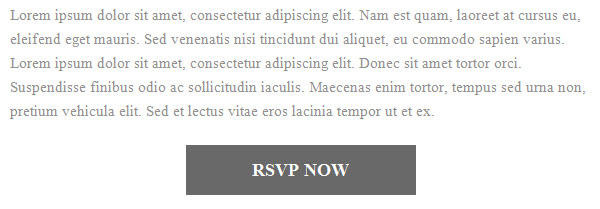
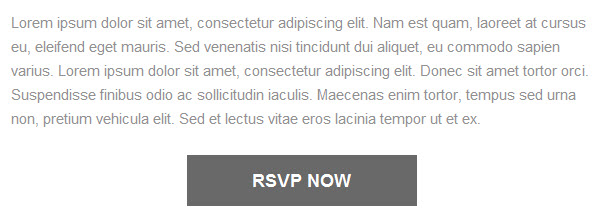
Some versions of Outlook are defaulting the font to Times New Roman, even if the font family fallback is defined in the code.
font-family:'Roboto',Arial,Verdana,Sans-serif;"
This only happens when using custom, non-websafe fonts.
The fix
Outlook will not render your non-websafe font, but you can force it to use your fallback font. Copy and paste this code into the HEAD section of your email. Update the font-family with whatever your fallback font is.
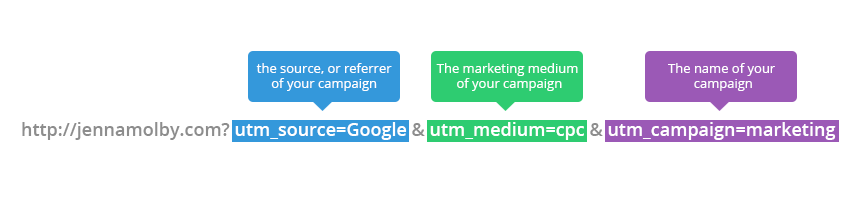
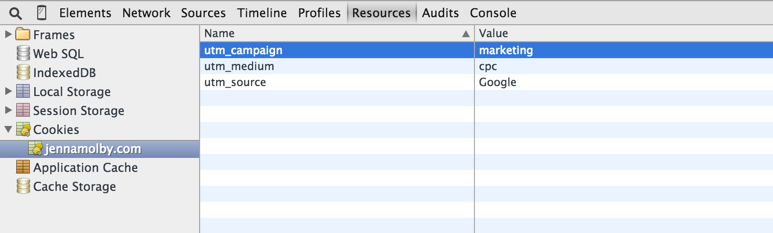
A couple months ago I wrote a tutorial on how to use UTM parameters to capture lead source. The tutorial is an in-depth overview of how to capture URL parameters when a lead visits a landing page directly but if a lead visits a different page then fills out the form, those URL parameters won’t be captured. To fix this issue, you can store cookies in the lead’s browser and configure the form fields to pull from the cookie values instead of the URL parameter.
In this example, we will be setting 3 different cookies.
utm_source
utm_medium
utm_campaign
Parse the URL
The URL parameters need to be parsed so the cookie values can be set. This can be done using javascript.
// Parse the URL
function getParameterByName(name) {
    name = name.replace(/[\[]/, "\\[").replace(/[\]]/, "\\]");
    var regex = new RegExp("[\\?&]" + name + "=([^&#]*)"),
        results = regex.exec(location.search);
    return results === null ? "" : decodeURIComponent(results[1].replace(/\+/g, " "));
}
// Give the URL parameters variable names
var source = getParameterByName('utm_source');
var medium = getParameterByName('utm_medium');
var campaign = getParameterByName('utm_campaign');
Setting the Cookie Values
In order to set the cookie values, jQuery and the jQuery Cookie Plugin must be on the page.
// Parse the URL
function getParameterByName(name) {
name = name.replace(/[\[]/, "\\[").replace(/[\]]/, "\\]");
var regex = new RegExp("[\\?&]" + name + "=([^&#]*)"),
results = regex.exec(location.search);
return results === null ? "" : decodeURIComponent(results[1].replace(/\+/g, " "));
}
// Give the URL parameters variable names
var source = getParameterByName('utm_source');
var medium = getParameterByName('utm_medium');
var campaign = getParameterByName('utm_campaign');
// Set the cookies
if($.cookie('utm_source') == null || $.cookie('utm_source') == "") {
$.cookie('utm_source', source);
}
if($.cookie('utm_medium') == null || $.cookie('utm_medium') == "") {
$.cookie('utm_medium', medium);
}
if($.cookie('utm_campaign') == null || $.cookie('utm_campaign') == "") {
$.cookie('utm_campaign', campaign);
}
// Grab the cookie value and set the form field values
$(document).ready(function(){
$('input[name=utm_source').val(utm_source);
$('input[name=utm_medium').val(utm_medium);
$('input[name=utm_campaign').val(utm_campaign);
});