
Engagement Studio is one of the best things to happen to the Pardot platform since I’ve been a customer. But it’s a bit nuanced… and without paying attention to the details, there are a few “gotchas” that can trip you up.
A few “did you know” things to keep in mind:
1. Triggers are Time Limited by the Program Start Date
 You add a trigger to a program to answer the question, “Has the prospect done this?”
Triggers “listen” for things like form fills, landing page submits, and link clicks.
But there’s one critically important thing to note here – they wait to see if your prospect did this only since they entered the program.
In other words, it’s not yes/no did they do the action the trigger is listening for, it’s “did they do the damn thing” since you hit start.
2. Landing Pages Trump Forms
When you’re using a Pardot form on a Pardot landing page, think carefully when you’re adding triggers related to this.
Landing pages in Pardot always trump forms. If your form is on a Pardot landing page, a form view or completion does not satisfy a form trigger. You have to use a landing page trigger instead.
Does this make intuitive sense?
Um… no. At least not to me. But the Pargods have spoken, and this is the way it is.
3. When People Drop from the List, They Drop from the Program
Engagement Studio Programs look pretty bad ass with super intense branched logic. But more often than not, when I see an ESP that forces you to pull out a magnifying glass, there is usually criteria that could have been controlled more simply and elegantly via the original lists feeding the program.
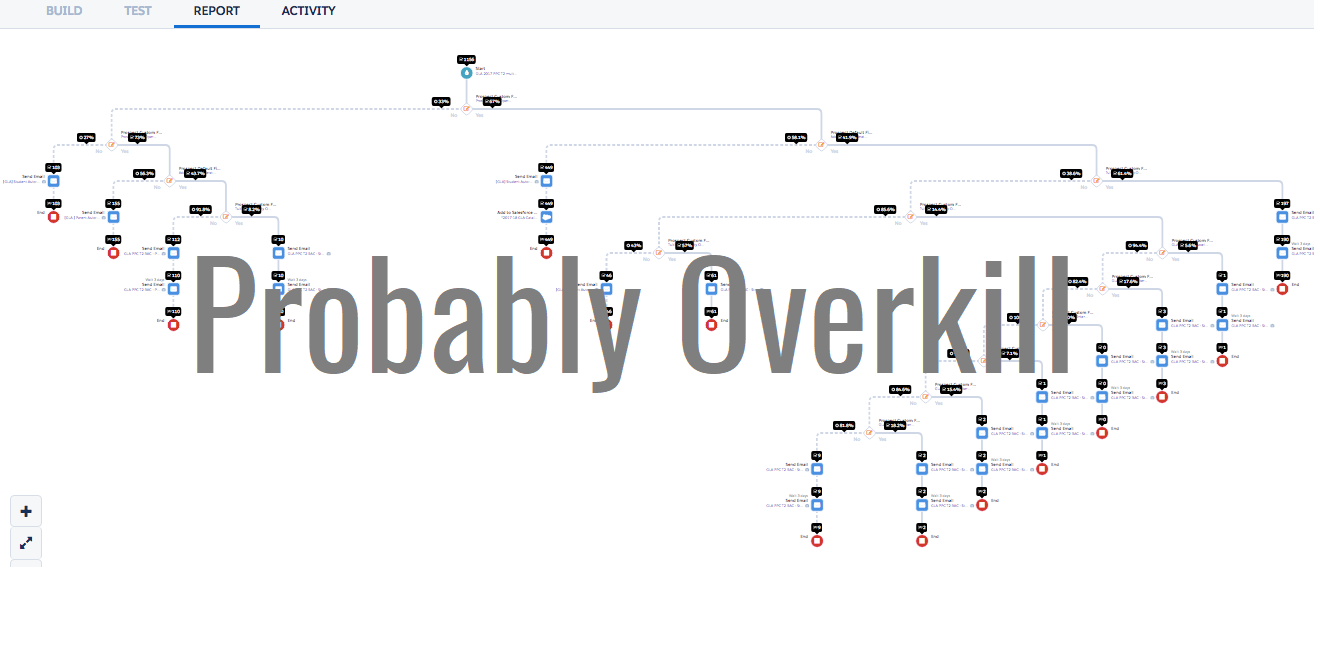
For example, if you wanted to remove a prospect from a program based on an action or a field value, you COULD use a trigger or rule to branch this out and send them to the end of the program.
Or, you could add exclusion criteria via a dynamic list or suppression list that applies to the whole program. This is usually MUCH more manageable and less prone to error.
4. You Can Add People Back
If someone is in your Engagement Studio program, but then they get dropped from the list feeding the program (due to someone manually removing them, them being added to a suppression list, or them no longer meeting the inclusion criteria for the list) — don’t despair.
You can add people back. If a prospect is removed and then added back later, they start back at the step where they left off in the program.
If the prospect was in the middle of a waiting period, the clock does not reset. If someone was on day 2 of a 5 day wait when they were removed, for example, and then they’re added back 10 days later – Engagement Studio doesn’t make them sit through the last 3 days of their wait. It recognizes it’s been over 5 days and moves them on to the next step.
5. If You Want to Add on Later, Plan Ahead
You may want to launch your Engagement Studio Program before all of your nurture content is 100% ready. This is totally cool, and actually something I would recommend doing (future blog coming on this).
The thing is, if your prospects reach the end step in the program before you get to building and scheduling that “someday” content, they’re donzo. That prospect will never progress further in the program, even if you build out more steps.
To work with this constraint, consider adding a hugely long wait step at the end of the program. Like a tag that you’ll apply 365 days later:

This will effectively act as a buffer that stops the prospect from ever getting to the end of the road. Then if you want to add more steps later, you can do some jockeying to get the timing right to get the content out to them.
6. Opt Outs & Bounces Do Weird Things to Tracking
If a prospect isn’t mailable, they keep moving through the program, but they don’t get emails. So for example, if you had an email send action followed by an “add to Salesforce campaign with a status of sent,” the email wouldn’t send if they’re unmailable, but they would be added to the campaign.
To avoid this scenario, you can include unmailable prospects as a suppression list so that they’re removed from all program activity. Or you can use rules to separate unmailables from the pack and skip steps that don’t apply.
7. If You Pause a Program, You Pause the Wait
Let’s say a prospect is on day two of a five-day wait in a step. And then the program is paused for 10 days.
Once the program is restarted, the prospect will finish the remaining three days of the wait before moving to the next step.
8. Weekends are Included in Waits
If you enable “send emails during business hours only,” weekends are still included in the count of days when wait step timers are ticking down.
For example, if Email #1 goes out on a Friday, and you have a three day wait step, it will count Saturday and Sunday as part of the wait and send on Monday (rather than counting Monday as the first business day in the wait.)
9. You May Have to Turn on the Feature to Send the Same Template More than Once
Depending on how your org is configured, you may only be able to send email templates once to a person through Engagement Studio (or through the legacy drip programs, for that matter.) This poses a major challenge in some cases. For example, if you wanted to send an email template as the first touchpoint, then send a week later to non-openers.
Fortunately, this is behavior that you can change if it doesn’t fit your process and if you do want people to be eligible to get the same message more than once. To change this, click the little gear icon in the upper right to access Settings, then click edit from the Account Information screen.
Scroll down and you’ll see this little checkbox available to edit:

The verbiage on this checkbox is slightly different in newer orgs (they lose the Drip reference), but you get the idea.
What Other Things Have Tripped You Up in Engagement Studio?
The devil is definitely in the deets with Engagement Studio. Take advantage of the new testing feature to preview when your messages will go out and validate that you’ve gotten the wait steps right.
Have you come across any other “gotchas” or surprises as you’ve worked in Engagement Studio? Any questions or ideas you’d like to discuss?
Let me and your fellow readers know in the comments!