Category

Technology

Marketing Cloud Engagement is a great tool and it offers a wide range of functionality and various capabilities. But, as with all software, there are always limitations that leave you wanting more. That’s where Marketing Cloud extensions become essential.

Thanks to the strong Salesforce ecosystem, the openness of the platform, and the love it receives from its customers, users, and enthusiasts, there are so many extensions, apps, and add-ons that can help enhance your Marketing Cloud experience.

Listed below are some of my favorites from my seven years of working with Salesforce Marketing Cloud (SFMC).

Top Marketing Cloud Extensions

SFMC Companion

This Chrome Extension is a fond favorite of mine and it is particularly useful for those “busy” Marketing Cloud accounts and for anyone who spends hours down rabbit holes trying to understand whether a particular Data Extension is still being used, or is even still relevant.

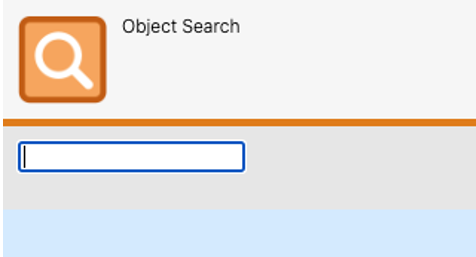
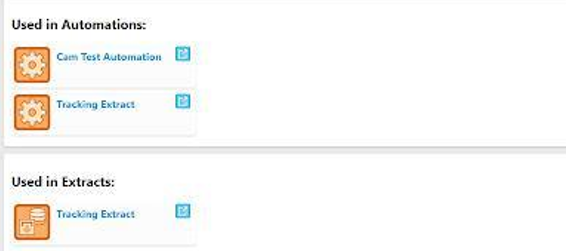
SFMC Companion offers a useful search functionality that allows you to look for any asset or object using a free-text search field. Furthermore, whilst on any SFMC asset or object, the ‘Inspect’ tool will show all components referencing or using that particular asset or object.

Thanks to SFMC Companion there is no longer a need to have several tabs open simultaneously just to understand whether a Data Extension can be deleted. 

Evergage Launcher

This might technically be cheating as it’s practically a necessity for implementing Marketing Cloud Personalization but I’ve always enjoyed using it.

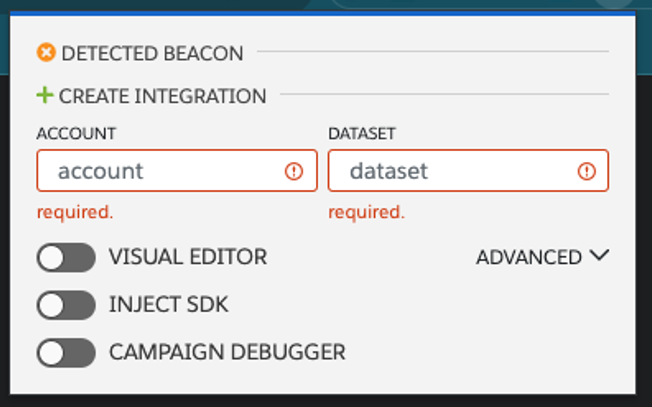
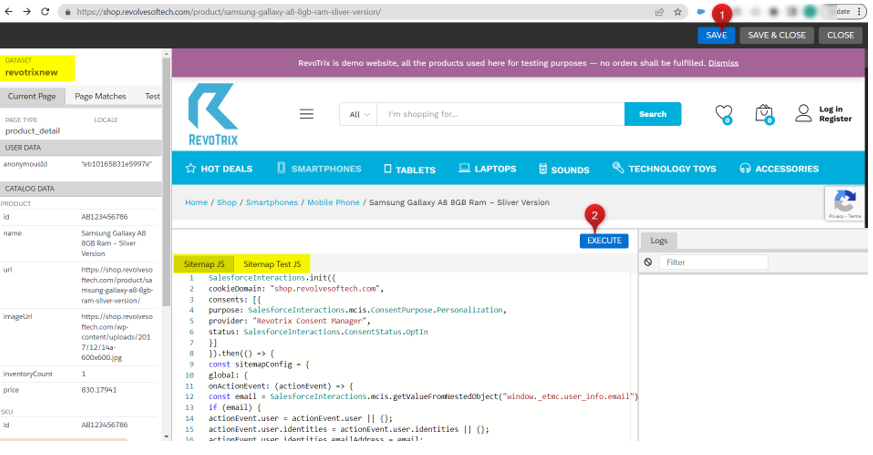
This extension helps identify whether the Marketing Cloud Personalization (MCP) SDK has been added to the website, so you no longer need to pester your IT team, and it is also where you can launch the Visual Editor. 

The Visual Editor is by far the easiest way to build your JS Sitemap, which is a huge part of any MCP implementation. Users also have the ability to see their work whilst on the page – this comes in handy when creating personalization campaigns, another feature accessible via the Evergage Launcher. 

Salesforce Inspector

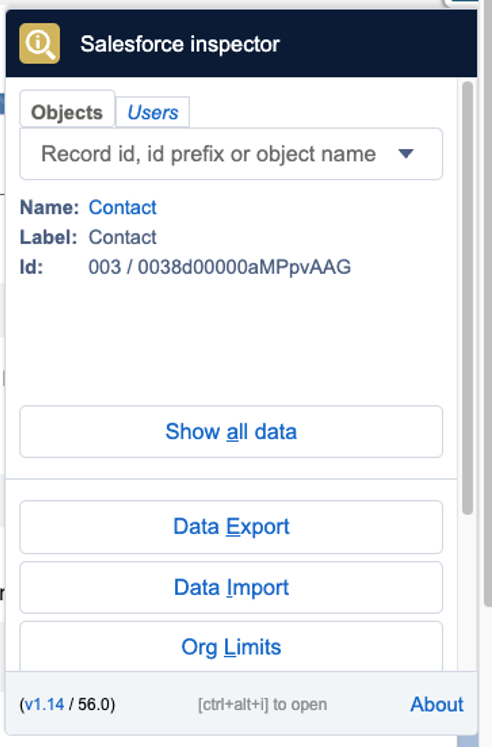
Whilst this is not specifically related to SFMC, it is worth installing. Most SFMC accounts use Salesforce CRM data (it’s very rare not to have Marketing Cloud Connect).

Therefore, with such a reliance on Core Salesforce data, this extension can save you a lot of time. If you quickly need to check the API field names or the field type, or even example values, Salesforce Inspector is your tool.

Furthermore, Salesforce Inspector lets you easily import and export data which is incredibly useful if you need to prepare test data for UAT.

Top Marketing Cloud Apps

It’s worth mentioning that for the following section, I’ve loosely used the term “Apps” as it covers everything from App Exchange products to Mobile Apps.

Query Studio

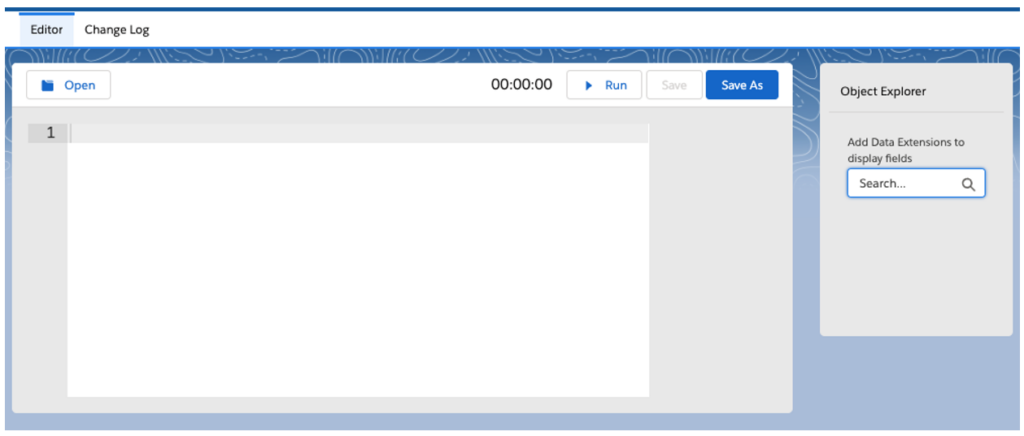
Perhaps one of Marketing Cloud’s best-kept secrets, but Query Studio is an incredibly useful app to add to your SFMC instance. If you’ve ever wanted to test your SQL skills without having to create an automation, then this might be for you.

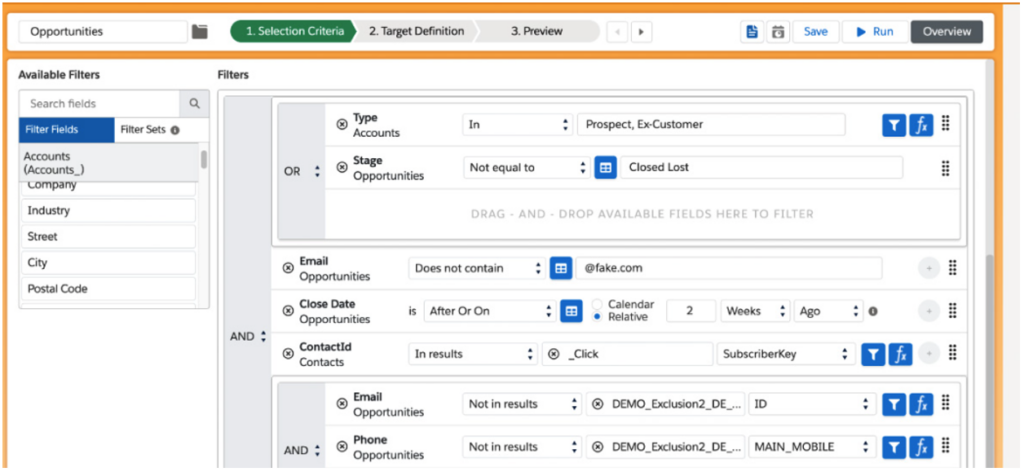
Query Studio allows you to quickly build queries in the Marketing Cloud without needing to create and configure an automation. Once you’re happy with your selection, Query Studio can use your query to create Data Extensions automatically.

Marketing Cloud Mobile App

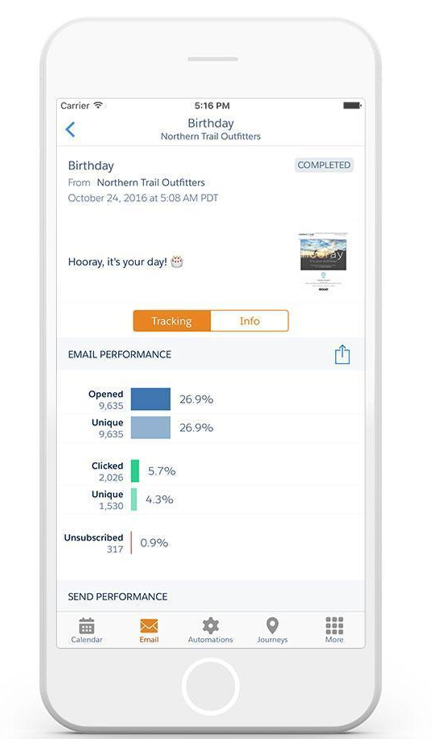
Ever needed to quickly track email performance or to check that you definitely paused that Journey, but you don’t have access to your laptop? The Marketing Cloud Mobile App might just be able to help.

However, whilst it’s useful to have instant access to your SFMC account with just your phone, it is worth pointing out that there are some SFMC features that are not available in the mobile App, so don’t throw away the laptop just yet.

You can find the app in both the Google Play Store and Apple Store.

SiteCore

Technically two for the price of one as there is both a Web CMS app and a DAM app but they’ll both help bolster your SFMC instance with the world-leading CMS. Although, it is probably worth pointing out that these apps are far from cheap.

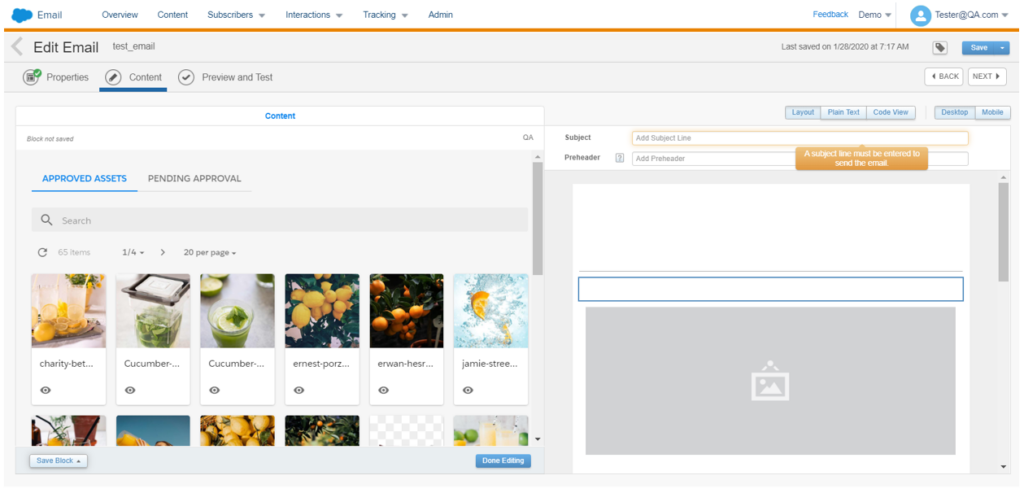
If, however, you’re lucky enough to have one of these licenses, you can drag-and-drop approved SiteCore assets directly from the SFMC Email Editor. Alternatively, you can send contact data and behavior back to your Sitecore Experience Database to close the loop on asset performance.

DESelect Segment

Full disclosure, I’ve never had the pleasure of working with this particular app but I had to include it as it solves, what I think, is one of the biggest issues SFMC clients face when procuring SFMC… segmentation. DESelect brings drag-and-drop segmentation to Marketing Cloud and reduces the need for marketing teams to have SQL knowledge.

Again, it’s worth pointing out that whilst there is a free version available you will have to pay to increase usage, users and features (i.e., saturation control and deduplication). However, depending on your team’s skillset this app could well be worth considering.

Bonus Content

If the technical skills aren’t your team’s forte and AMPscript is constantly causing you trouble, check out ampscript.io, a useful tool that helps validate AMPscript code and highlights any AMPscript that may result in potential syntax errors.

Get more details about AMPscript in this blog post from Kayla Border.

Top Marketing Cloud Add-Ons

SalesWings

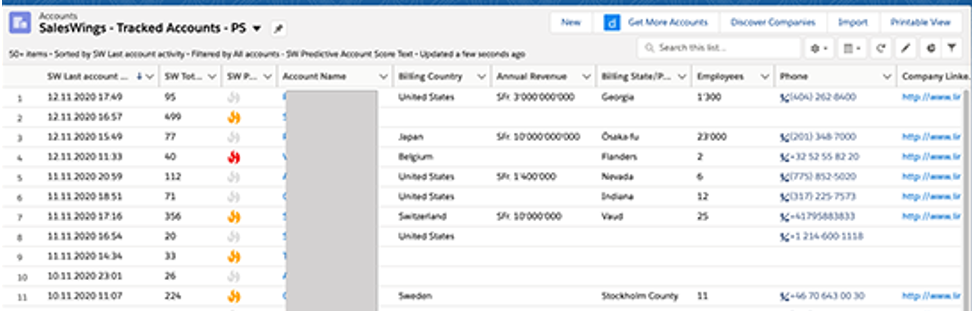
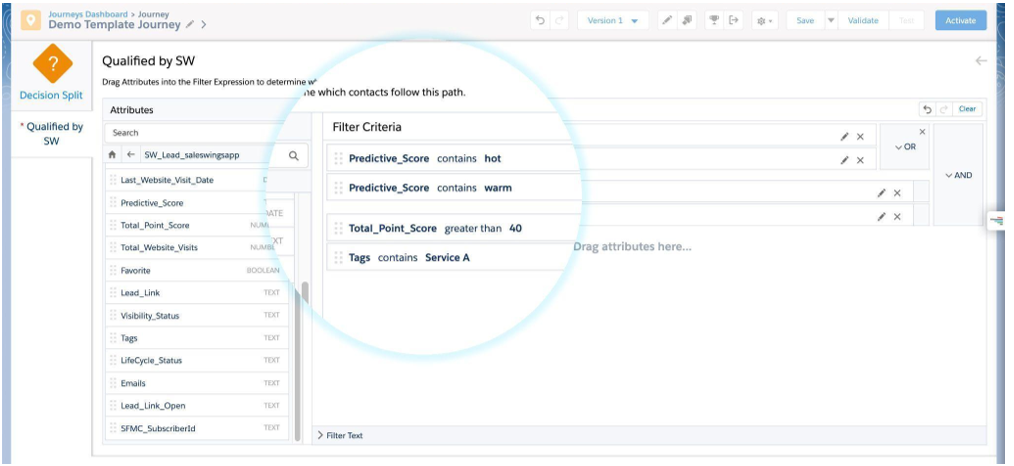
Ever needed Lead Scoring in SFMC? Say hello to SalesWings! This add-on is easy to install and is a highly cost-effective way of plugging the SFMC Lead Scoring hole.

SalesWings tracks website activity and couples it with data from CRM before scoring and grading customers using a flexible scoring model. SalesWings data can be shared with Salesforce CRM as well as used in future SFMC segmentation.

Litmus

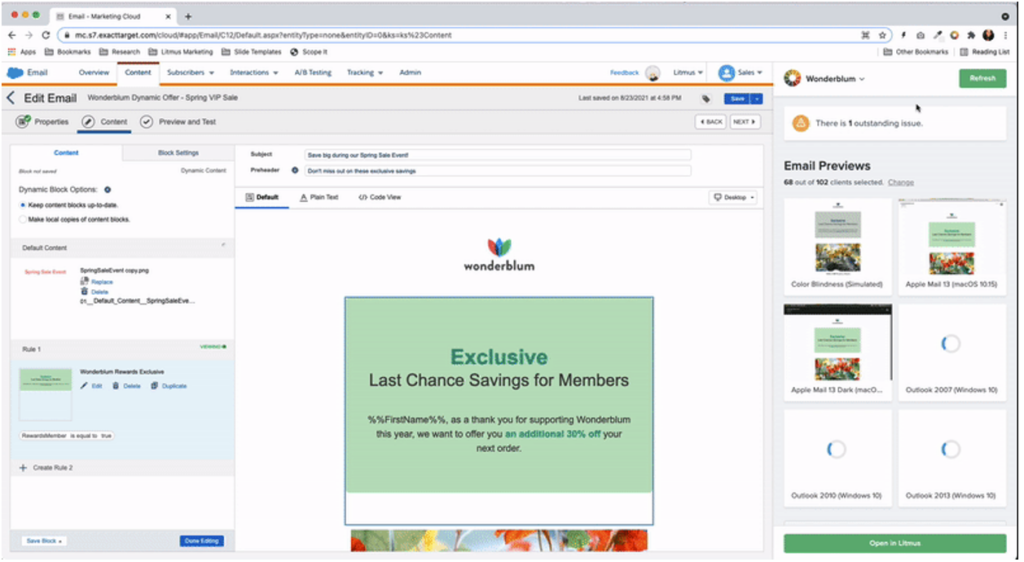
If you’re lucky enough to have both a Litmus and SFMC account, then you should definitely consider integrating the two. Yes, SFMC allows you to preview emails, but with an integrated Litmus account, you get so much more.

With an integrated account you can sync emails from the Litmus builder to SFMC or build in SFMC and test as you go. You can test dynamic content and individual personalization with the integrated email previews and, perhaps most impressively, share email performance with Litmus to create a single view of performance.

Use Marketing Cloud extensions to make the most of the platform

Going back to my previous comment, all software products have their limitations, but it is Salesforce’s ecosystem that has encouraged enthusiasts to build upon its offerings which, as shown above, has led to some innovative solutions that could give your SFMC instance that much-needed capability boost.

So if you’ve been contemplating if the grass is greener on the other side it could be worth exploring the depths of the Salesforce Community — chances are there is already a solution to your problem out there.

If you’re new to Marketing Cloud Engagement, you may be feeling overwhelmed. Salesforce’s powerful marketing platform can do a lot. And that comes with a steep learning curve.

I’ve been on my Marketing Cloud Engagement journey for a while now and still feel the sense of having so much to learn. My learning journey has consisted of hands-on experience, boot camp-style training courses, and of course, all the Trailheads. 

Florida Dreamin’ Session – How to Write like a Marketer: Intro to AMPscript for Salesforce Marketing Cloud

I knew when I was given the opportunity to attend this year’s Florida Dreamin’, finding Marketing Cloud Engagement sessions was at the top of my event bucket list. That’s why I was super excited to attend Tatiana Romanko’s presentation, How to Write like a Marketer: Intro to AMPscript for Salesforce Marketing Cloud.  

Romanko took a complex topic and simplified it, making her content easy to understand by providing real-world use cases every marketer could relate to. This session was a great introduction to AMPSprcipt for Marketing Cloud Engagement users who are still on that learning curve, and even seasoned veterans took away a thing or two. 

What I especially loved about her session is that, like me, Romanko doesn’t have a coding background. Her message really resonated with me: with hard work and hands-on experience, you too can learn the technical intricacies of Salesforce Marketing Cloud. 

What is AMPScript? 

Before jumping right into a complex topic, Romanko set the stage with a quick introduction to AMPscript. “AMPscript is Marketing Cloud’s proprietary scripting language for advanced dynamic content in emails, landing pages, SMS, and push messages.”

“AMPscript expands Marketing Cloud functionality to help you create the one-to-one, personalized communications that are so coveted by digital marketers. https://trailhead.salesforce.com/content/learn/modules/ampscript-for-nondevelopers/get-to-know-ampscript

AMPscript is used to:

  • Personalize emails using subscriber or contact data.
  • Create complex, highly dynamic emails using conditional logic.
  • Clean and format data.
  • Add real-time information to emails such as date or time.
  • Track impressions.”

(source: https://trailhead.salesforce.com/content/learn/modules/ampscript-for-nondevelopers/get-to-know-ampscript

What is AMPScript used for in Marketing Cloud Engagement?

AMPScript does a lot. At Sercante, we use it to help our clients with personalizing their emails, creating dynamic content, and much more. What I liked about Romanko’s session is that she really honed in on three common use cases that every marketer can relate to. 

Personalization

If you’re a marketer, you already know the power of personalization. One study found that emails featuring personalized subjects are 50% more likely to be opened. AMPScript in Marketing Cloud Engagement allows you to use your subscriber data to personalize your marketing. 

Creating a personalized greeting in Marketing Cloud Engagement through a personalization string isn’t complicated. What I liked about Romanko’s use case is she focused on something I often times see clients overlook: what happens when you don’t have a subscriber’s first name? In this case, we could use AMPscript to set a generic value (Customer) as our greeting if we don’t have this data. 

Formatting Your Data

As a marketer, I’ve seen customers input their data in every way imaginable. Romanko gave the example of asking someone to provide their favorite color. In this instance, we could get a few different variations: 

  • Pink
  • pink
  • PINK

So what happens when we go to pull this data into an email? It could end up looking like we either don’t know our basic grammar, or come across like we are YELLING at our reader. 

Romanko highlighted AMPScript’s ProperCase function here, “which capitalizes the first letter in the specified string and any other letters in the string that follow any character other than a letter. It converts all other letters into lowercase.”

AMPScript Resources

As you can see, Romanko gave some great use cases for using AMPScript. She also provided her audience with some really great resources on where to go to learn more:

Soak in all the lessons learned at Florida Dreamin’

Be sure to check out these other posts from my fellow dragons who attended Florida Dreamin’ with me and shared details about their favorite sessions there.

Dreamforce 2023 has come and gone, and wow, it did not disappoint. Not only was this my first Dreamforce, I had the honor of co-presenting the Marketing Cloud Release Highlights session with two amazing members of Salesforce product team:  Ruth Bolster, product marketing manager, and Whitni Freeman, lead solution engineer.

In this session, we covered key Winter ’24 release highlights across each of the Marketing Cloud products:

  • Data Cloud
  • Intelligence
  • Engagement
  • Account Engagement 
  • Personalization

Here’s a recap of the Marketing Cloud Winter ‘24 release features covered…

Highlight #1: Segment Intelligence (Data Cloud)

Source: Salesforce

A new Data Cloud for Marketing feature, Segment Intelligence connects and harmonizes customer and marketing performance data — like revenue data, first party data, as well as paid media data — so you can understand how your segments are interacting with your marketing.

Using out of the box dashboards, you can see how segments are performing across channels, and gives you an executive understanding of how segments are performing across channels.

Plus, you can use Einstein to optimize existing segments, or create new ones based on performance data.

With all that data in one place this allows marketers to have a more holistic view of how segments are doing, without being bogged down by time consuming data management and reconciliation. And having those insights to optimize channel performance by segment – that level of visibility and adaptability means more impactful and relevant marketing campaigns, which leads to better marketing ROI. 

And the built in dashboards and connections means that marketers can get started right away!

This feature will be available for select customers starting in October, and will be available to all customers later this winter. 

Highlight #2: AI-Powered Segment Creation (Data Cloud)

Source: Salesforce

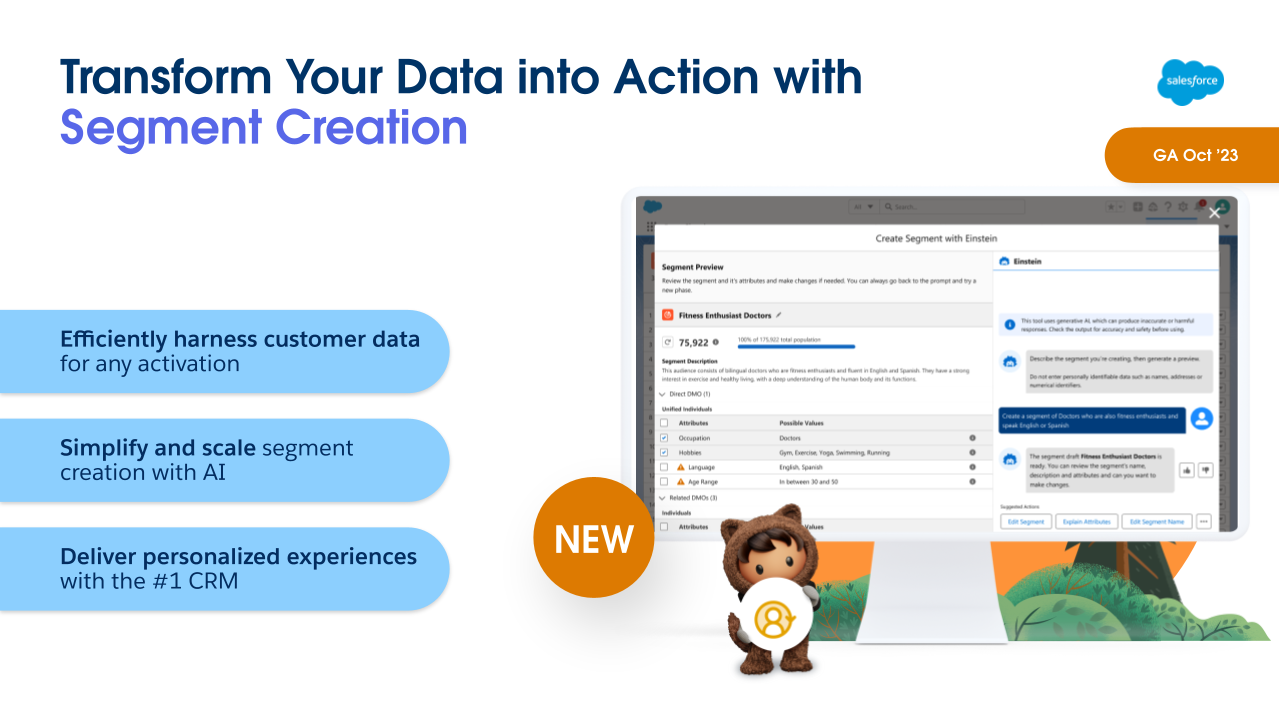
Another Winter ‘24 feature for Data Cloud for Marketing is Segment Creation. Powered by Einstein, this allows marketers to build complex segments using a descriptive prompt. 

So, for example, I can just tell Einstein “Big spenders in North America who made a purchase in the last 3 months and love hiking”, and it will generate the segment for me, showing what that segment looks like, and the attributes used.  

This means that marketers can build their segments without having to be a data scientist to do it. Being able to pull data based on specific criteria has often required technical knowledge of the data model to know where to look, and SQL skills to query the data to know how to access it. This feature will allow marketers to be more self-sufficient to get the data they need when they need it. 

This will be Generally Available in October for Data Cloud Customers.

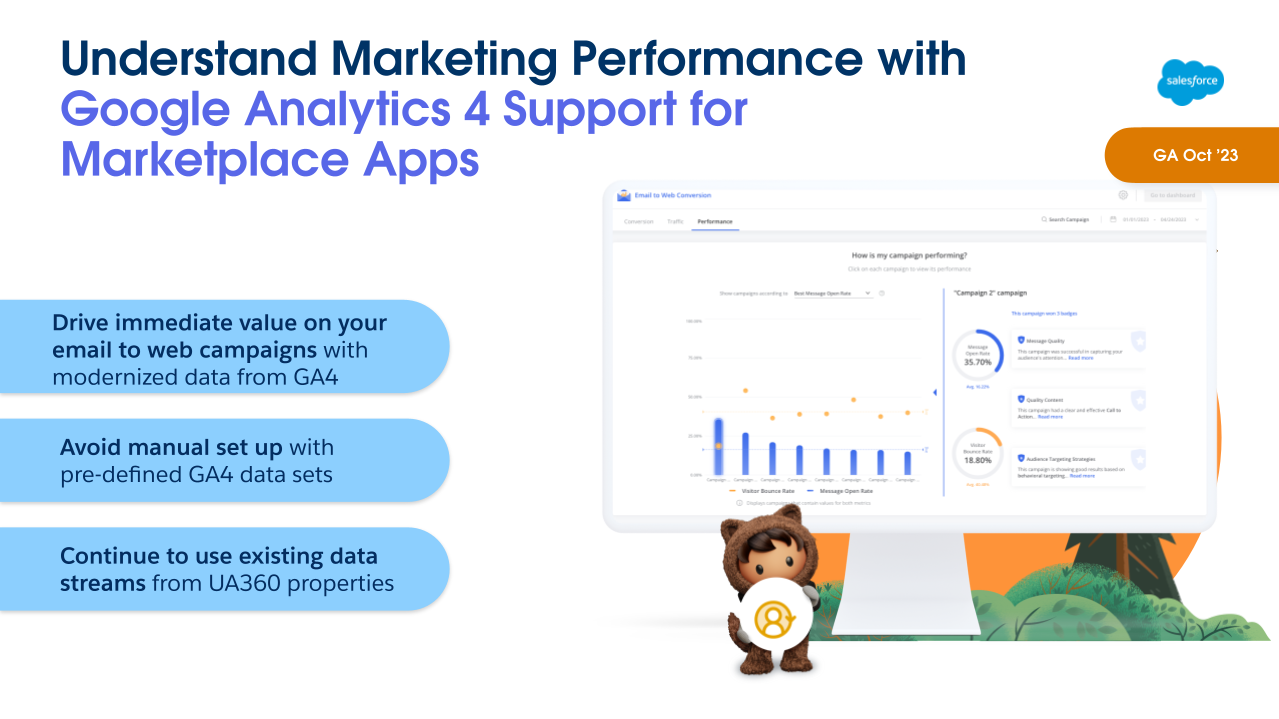
Highlight #3: Intelligence GA4 Connector (Intelligence)

Source: Salesforce

As of Winter ‘24, Marketing Cloud Intelligence will have a built-in GA4 connector and pre-defined data sets available to ingest GA4 data. Marketing data is the foundation of Marketing Cloud Intelligence. Its data models, dashboards and guidance are built for marketers. There are already more than 100 native connectors available, and now with GA4 data connector this is a natural addition to the platform to have relevant marketing data in one place.

How this will work: When setting up data streams, GA4 properties will appear under the ‘Website’ dropdown. These new properties will be supported in API connectors as well as Marketplace apps.

Marketplace apps will replace previous UA 360 websites and support the new GA4 web properties, dimensions, and other fields for data retrieval. 

One thing to keep in mind: Due to the differences between GA4 and UA properties, the new connector will pull different, yet very similar, datasets into the platform when the GA4 property is selected, so your visualization may need to be tweaked when setting up the data stream for the first time. Marketplace will discontinue support of UA360 properties after the GA4 support begins. 

Highlight #4: Trigger Action on GA4 Data (Engagement)

Source: Salesforce

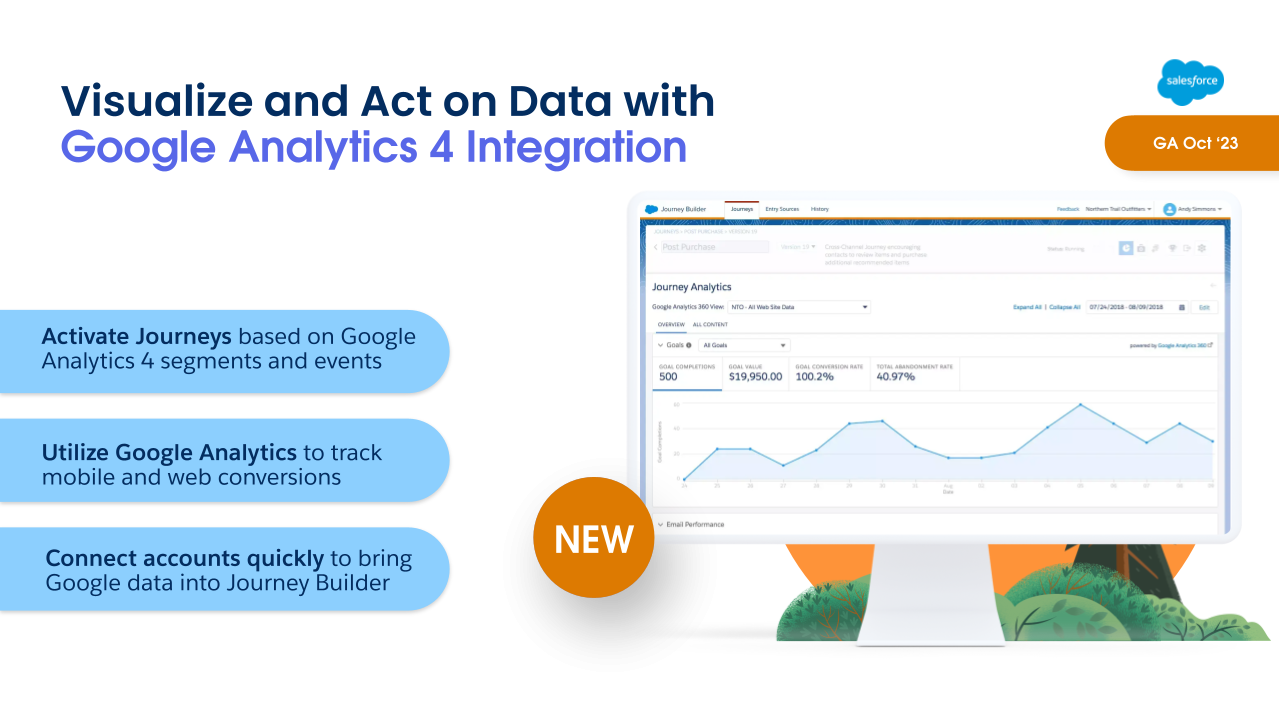
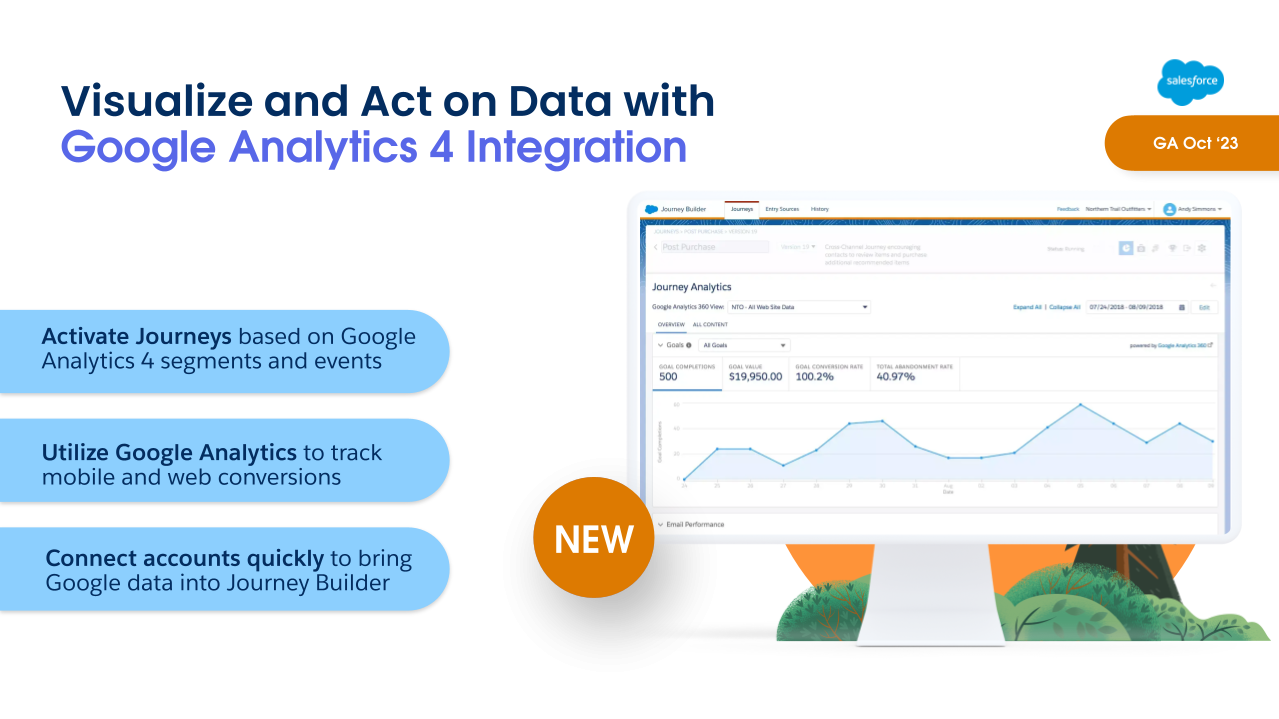
Marketing Cloud Engagement has some goodies in the Winter ‘24 Release as well. The first is Google Analytics 4 Integration, which lets marketers activate journeys based on Google Analytics 4 segments and events.

This new integration will include two key features in one:

  • Visual dashboards embedded within Engagement reporting so that marketers can see real time impact on revenue, AOV, and conversion metrics. 
  • Audience activation, which allows marketers to create engagement and re-engagement campaigns based on customer interactions using that GA4 data.
    • So for example, if you had a customer that viewed your product pages for backpacks and hiking boots, then abandon the session, you can use audience activation to trigger an abandoned browse journey.  This also allows you to get cross-channel insights across mobile, web, and email.

There is a fully paid version which includes both Reporting and Audience Activation.  There is also a free version that will feature the Reporting feature only.

Highlight #5: AI-Powered Email Content Creation  (Engagement)

Source: Salesforce

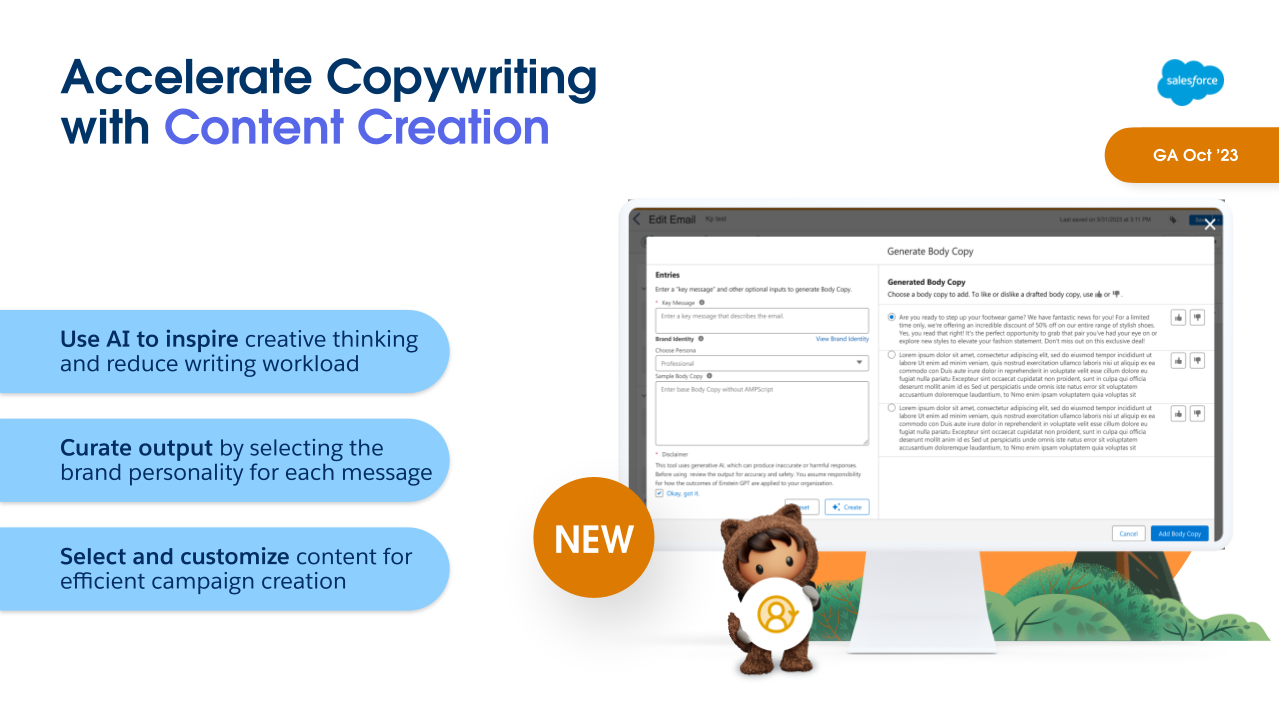
AI is coming to Marketing Cloud Engagement with Email Content Creation, including Typeface partnership!

Marketers can set up and specify personalities with brand voice and tone, and using natural language prompts can get draft ideas on subject, body copy and images. With the ability to give feedback on what works and what doesn’t this lets the model learn and improve over time.  

Marketers can consider this a tool to help them get a first draft in place. They still have control over the content throughout. They’re given choices based on their prompts, which they can use, like or dislike. 

That human element and judgment is a crucial part of the whole process.

Content Creation will be available in Marketing Cloud Engagement this October, and it is currently scheduled to be in Marketing Cloud Account Engagement next February

Highlight #6: Transfer Assets from Sandbox to Production (Account Engagement)

Source: Salesforce

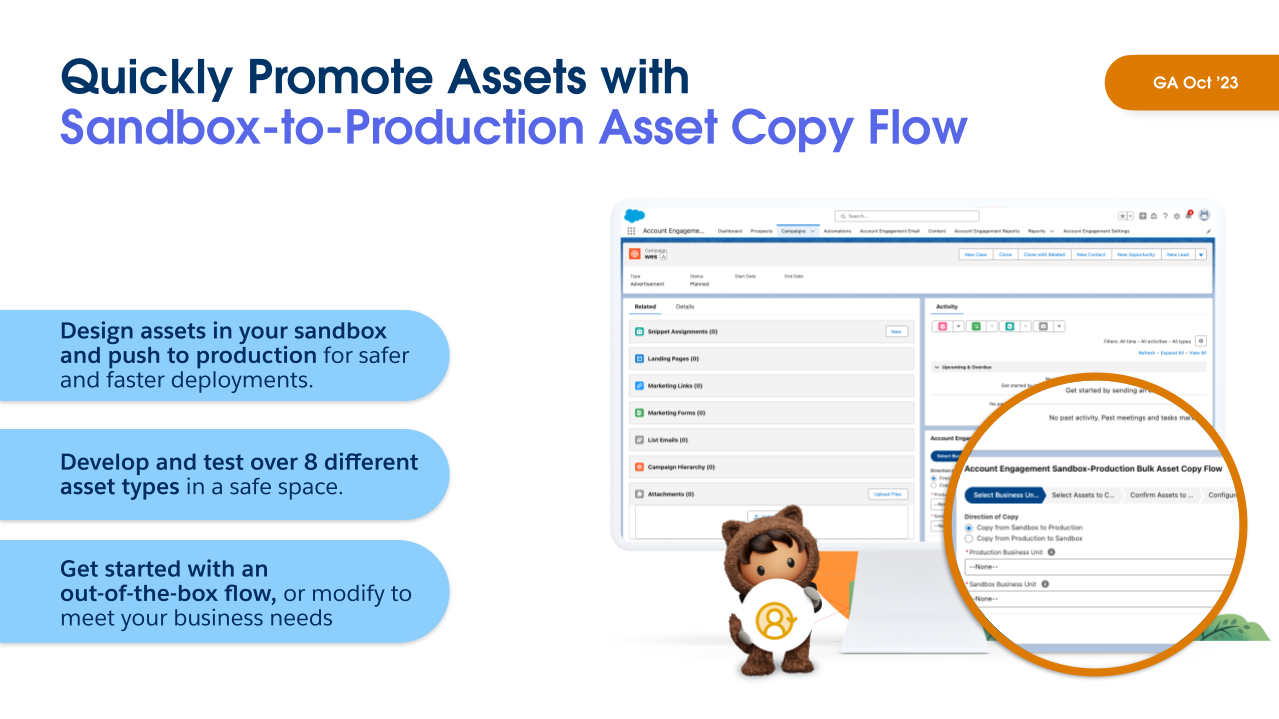
Speaking of Account Engagement… With the Summer ‘23 Release  we saw the ability to move assets between business units, which is fantastic! But that still left a gap with sandboxes. Anyone that has used Salesforce sandboxes has been used to building and promoting configurations, and unfortunately that hasn’t been possible with Account Engagement sandboxes, which has been painful to work around. Any assets built in a sandbox had to be built again in production, which is of course time-consuming and also prone to error if something is missed.

In the Winter ’24 release, marketers can now copy assets from sandbox to production using Salesforce Flow. After installing the flow on your campaign, all you need to do is select your sandbox environment and your production environment, select your assets, and then copy it over. And this supports 8 asset types, including email templates, dynamic content, form handlers, custom redirects, custom fields, landing pages, and more.  

This allows for a more useful Account Engagement sandbox, to perform all asset testing and avoid conflicts – and all that test data – when trying to build in production. Not to mention saving time because you won’t have to build assets multiple times. You can even use this to set up a QA process, giving a subset of users access to build in the Sandbox only and then have another subset of users review the assets and push them to production when approved.

This was first mentioned in Erin Duncan’s post on Winter ‘23 Highlights for Account Engagement. 

Highlight #7: Real-Time Event Stream (Personalization)  

Source: Salesforce

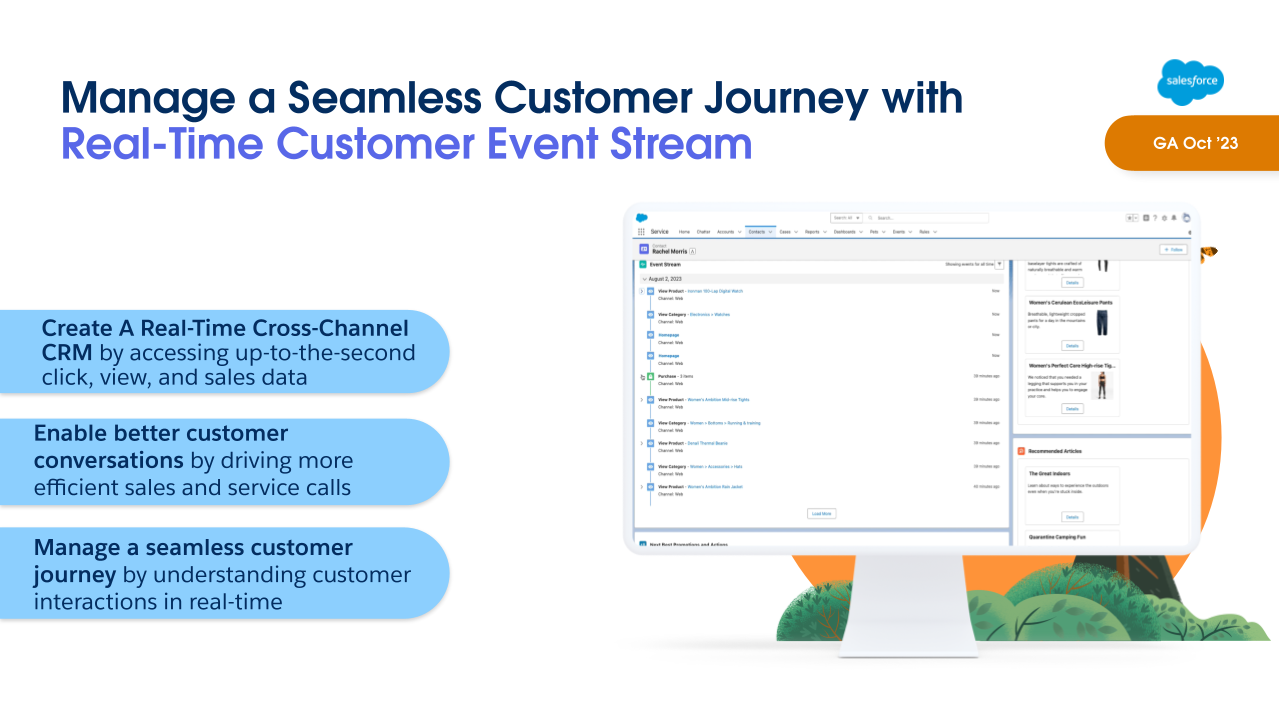
With Winter ‘24 Release, Personalization will now include Real Time Customer Event Stream, a Lightning component that can be added to record pages, giving users a real-time view of the marketing assets that a lead or contact has interacted with. 

This gives sales and service teams better insight into the types of content their customers have been engaging with. They can then have more relevant and informed conversations with them about their current needs and interests, and provide a better overall customer experience.

Learn more about the Marketing Cloud release highlights

If you want to learn more about the Marketing Cloud release features covered, here are a few resources:

What do you think about these Marketing Cloud release highlights? Let us know in the comments.

The marketing intelligence engine for Salesforce Marketing Cloud Engagement and Account Engagement (Pardot) is Datorama. It enables data-driven organizations to bring diversified marketing performance data together, unify it through advanced data harmonization techniques, and create rich visuals for better decision-making. 

Note: Salesforce recently rebranded Datorama to now be called Marketing Cloud Intelligence. However, we’re referring to the tool as Datorama in this blog post.

Common Foundational Data Challenges Marketers Face

Lack of a unified view

There is a lack of a unified view of marketing investment, performance, and results. There’s just this huge expansive document and visual of all Martech that exploded throughout the years. Channels and technologies for managing these channels are continuing to increase and continue to do so. There is no one individual within a marketing organization that can possibly be tasked with overseeing everything.

Lack of real-time performance insights

There is a lack of real-time performance insight to optimize ROI and results. A majority of time for many organizations is spent on data corralling, manipulating data, and data preparation for presentations. It takes a bit of time to act — the time for improving results is actually diminished.

Lack of alignment and governance

Who needs access to what information and when? The more we become globalized as a civilization, and the more growth of channels, it makes it not only more difficult to digest the information to one platform but also challenging to distribute it to the right people at the right time. Enterprises and organizations consistently deal with agency partners including Pardot SIs, media agencies, and marketing agencies. Governance and diverse access is needed with sensitive information.

How Datorama can save the day

A unified view across different channels

Below is a table with all the siloed analytics and channels that Datorama is able to connect. There is a big need for a unified view. One singular information can be privy to all manner of marketing performance data and then make fundamental business and marketing decisions based on that one comprehensive data set.

Siloed AnalyticsSiloed AnalyticsSiloed AnalyticsSiloed AnalyticsSiloed AnalyticsSiloed AnalyticsSiloed AnalyticsSiloed Analytics
Paid Digital AdsPaid Traditional AdsProgramm-atic AdsAgency ReportingEmail, Mobile, SocialWeb Analytics
SalesCRM, Loyalty, Service
Instagram AdsComscoreTubeMogulPDFsSalesforce Marketing CloudAdobe Analytics
Salesforce Commerce CloudAWS
Info FourNielsenAppNexusGoogle Sheets
LinkedInGoogle Analytics
SAP
SQL Server
Google SheetsTURNMicrosoft Excel
YouTubeSalesforce
The Trade DeskFacebook

Datorama Smart Time Shift

Once the foundational legwork has been done, turn the paradigm and spend the majority of your time on analysis. You’ve created data standards for each different channel. It eliminates consuming most of your time in data integration, cleansing, preparing, etc., in order to then make a decision. Oftentimes, it’s comparatively a rushed decision based on all that information.  

Data governance

Data is important! User roles and permissions are integrated within the system so the aspect of who and when someone accesses the data will be relevant to security and confidentiality.

Benefits of Datorama

  • Data warehouse –  After data is ingested, it gets stored in a local data warehouse
  • ETL (Extract, Transform, and Load) Builds default data models to account for email, web, program analytics, etc., and gives the power to users the tools to blend all the information together.

Conclusion

Datorama is a powerful analytics tool that threads different data from a variety of sources into one platform. It’s able to save you tons of time with data preparation, corralling, and manipulation.

Check out Ryan DeShazer’s original video here. Find more cool stuff for marketers at MarDreamin!

No more posts to show