Category

Andrea Tarrell

Wondering what to get that marketing automation guru in your life?  Well, unless you can bundle up some inbound leads… here are some gifts that are sure to please:

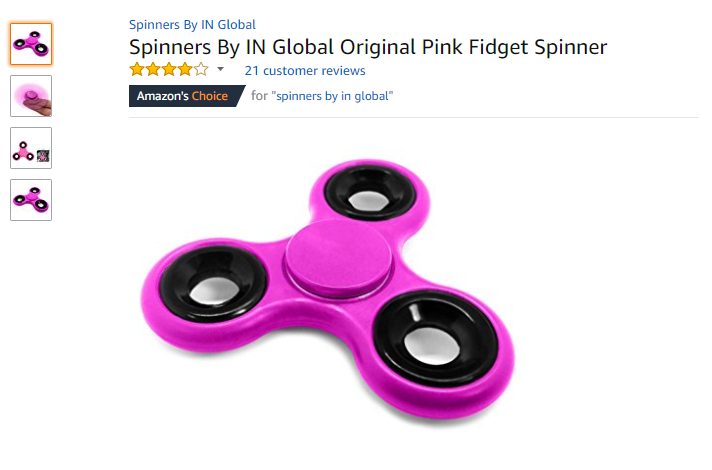
1. A Fidget Spinner

The perfect distraction when you’re staring at the screen waiting for automation rules and dynamic lists to refresh.

Fidget Spinner

Price: $3.99 on Amazon  

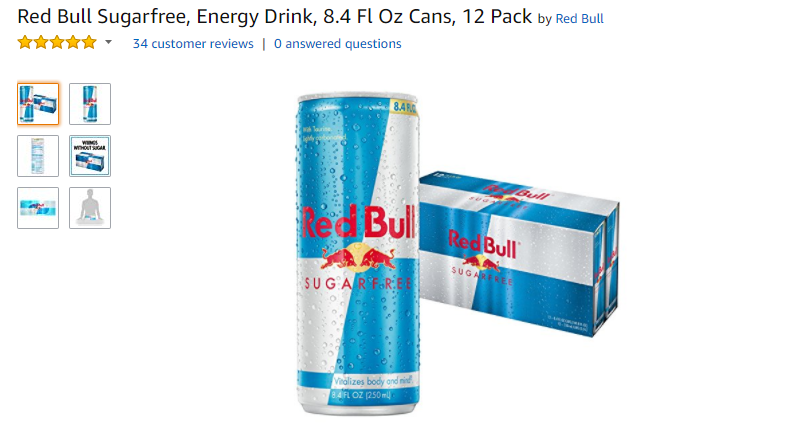
2. A Case of Red Bull

There’s not enough caffeine in the world for this line of work…

Red Bull.PNG

Price: $33.99 on Amazon

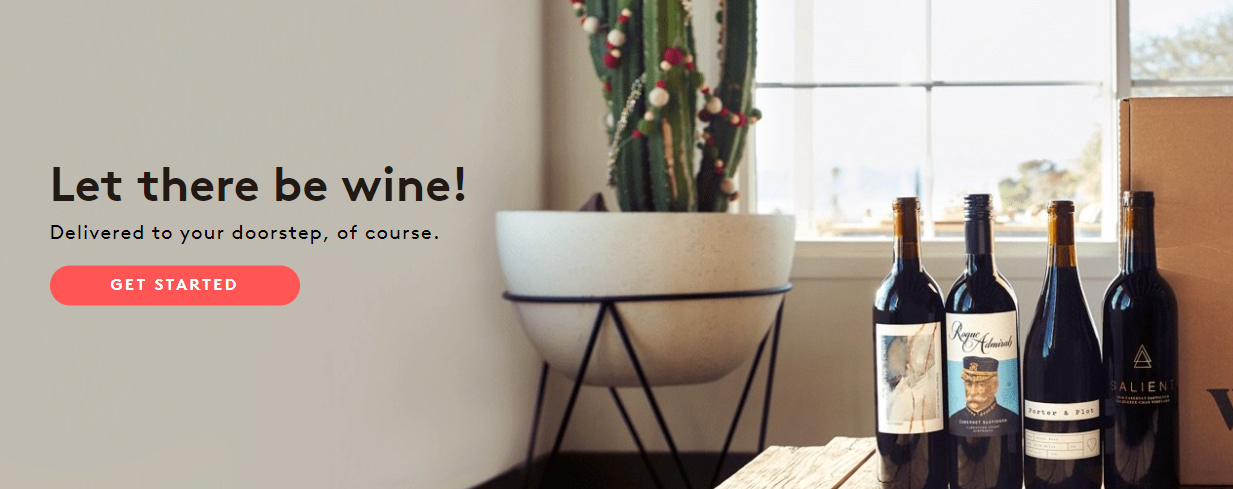
3. Wine of the Month Club

For when the Red Bull just isn’t doing the trick… Winc’s gotcha covered.  Let there be wine INDEED.

Winc.PNG

Price: Starts at $13 per bottle from Winc 

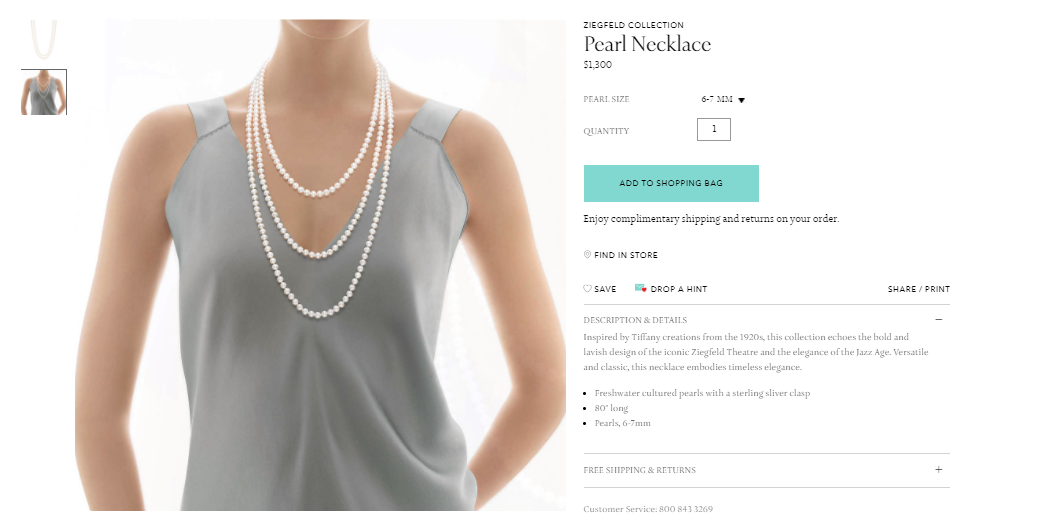
4. A Pearl Necklace

To clutch fervently during those white knuckle ohgodohgodohgod moments when you press “Send Now” on a particularly large list email.

Peals.PNG

Price: $1.200 from Tiffany’s.

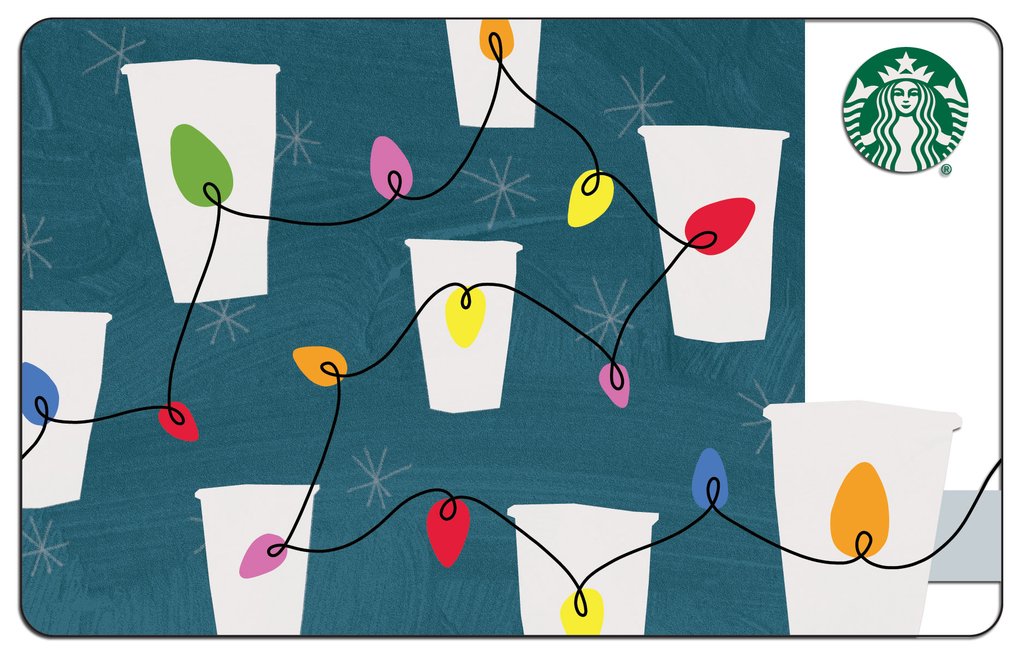
5. Starbucks Gift Card

So they can get their Salesforce Saturday on, obviously.

Starbucks-String-Lights-Gift-Card.jpg

Price: You name it, dude.

6. Udemy Dance Classes

For spontaneous happy dances as they watch their holiday email metrics roll in.  YUP, Udemy dance lessons are a real thing. 

Udemy.PNG

Price: $12 and up on Udemy

7. THIS Holiday Sweater

I’m not calling this an ugly Christmas sweater because it is a beautiful masterpiece….

Sweater.PNG

Price: PRICELESS. Where can we get these?! 

More holiday cheer from the Ohana

On that note… I’d like to resurface this gem that some #SalesforceOhana put together last year to share their holiday spirit.  I’ve watched it a million times, and it still cracks me up. 

It doesn’t mention Pardot… so challenge accepted for next year. 

Happy Holidays, all ye Pardot lovers!

Okay, before people start clutching their pearls, let me clarify…

A/B tests are not a waste of time. But bad ones are. And there are a lot of bad ones.

Pardot makes it easy to run A/B tests on things like subject lines, body copy, color, images and more (in Pro edition or higher).  But the ease of configuring these tests in the system does not make them easy to do right.

Your time is precious. If you’re running A/B tests and  collecting very little and/or slightly pointless data, you’re expending valuable energy that could be leveraged elsewhere.

Like doing fun Pardot things that actually do have an impact. Or napping.

What good email marketing A/B tests look like

Well run A/B tests have a few things in common:

  • They test a meaningful hypothesis
  • They collect enough data to make a decision on
  • They isolate one variable
  • They’re executed successfully
  • They’re interpreted successfully

Simple in theory.  For digital marketers with a budget and a gazillion things on their plates though, there are a lot of small ways to get tripped up.

Here are times when you should skip the A/B test — and not feel bad about.

1. If the audience isn’t big enough

Let’s say you run an A/B test, and twice as many people click through on Version B.  We have a clear winner, right?

It seems like a simple yes, but there’s some nuance here. The real answer is something more like “um, maybe.”

The size of the overall send and the difference in the two response rates determine whether your results are statistically significant – aka your threshold for “sure enough that you should take action on it.”

Kissmetrics has a free tool that is my go-to for determining the actionability™ of A/B test data and determining next steps.

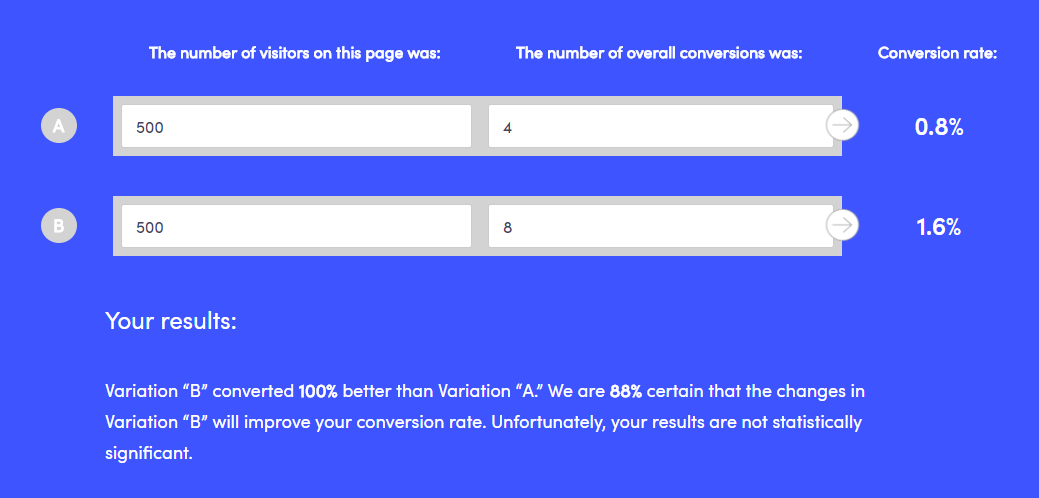
For example, if we take the 2X improvement mentioned above for a sample size of 1,000, we see that it doesn’t pass the smell test:

AB Test 1.png

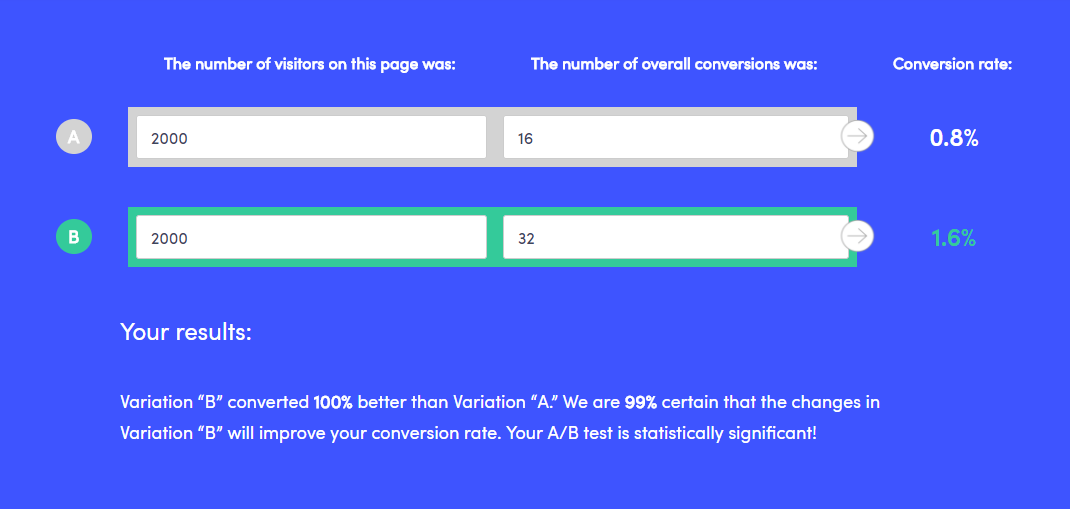
With a larger sample and the same conversion rates, though, we get a different result:

AB Test 2.png

The bottom line: before you commit to a pivot in strategy based on an A/B “winner,” make your numbers are truly meaningful.

2. If it compares apples to oranges

If Email A is radically different from Email B, and you do have a statistically significant result – then what?

What was it that caused your audience to respond better to Email A? If you have too many variables, it’s impossible to say. Try changing ONE thing in each test, and iterating as you go on .

Examples of things to vary could include:

  • Call to action verbiage (like “RSVP” vs. “Save Your Seat”)
  • Email layout (one column vs. two column, image placement, etc.)
  • Personalization options – (i.e. “Hi Jon” vs. “Dear Mr. Snow”)
  • Headline
  • Subject line
  • Pre-header text
  • Different offers / discount terms (i.e. 20% off vs. get 2 months free)

3. If the clock is ticking

Is your email time sensitive, or do you have other messages planned to that same list segment?  If so, it might not be a great candidate for A/B testing.

Pardot lets us pick what percentage of the list we want to test and how long we want to test before declaring a “winner” and sending to the remainder of our contacts.  I’ve worked with several clients who A/B test all of their emails, but then when you go back and look at the results, a different “winner” would have been selected if they would have given their test a bit more time.

If you can, give your test a full 24 hours. Data from MailerMailer indicates that it takes people longer to open messages that one might expect.  Here’s their breakdown of when emails were actually opened:

  • 13.7% within the first hour of sending
  • 54% within the first 5 hours of sending
  • 83% within the first 24 hours of sending
  • 90% within 2 days
  • 100% within about 2 weeks

Apparently, not all of us are checking our phone with Pavolvian compulsion during meetings.  Maybe your audience is, though – so consider analyzing your Pardot data to try to understand how long your audience tends to open/click through on your emails following a send.

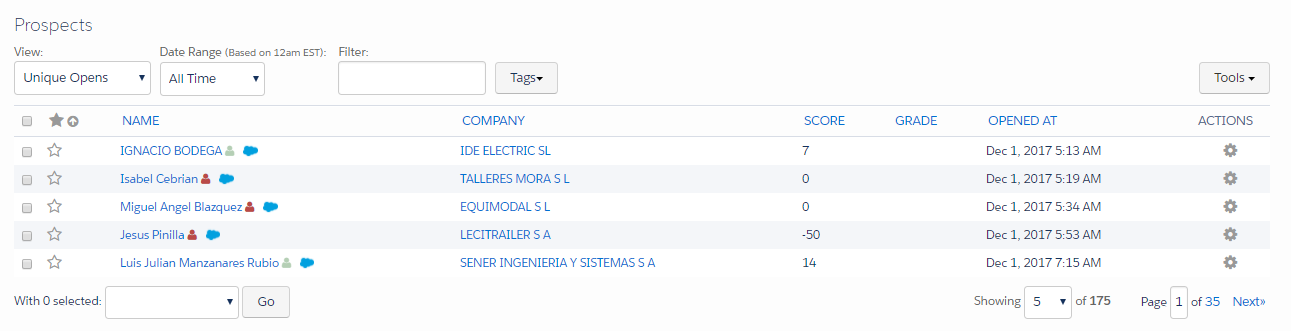
You can see this info under list email reports:

Image 3.png

If you can’t give your email test 24 hours (because you’re promoting a super special secret flash sale that ends at midnight or something like that) then give it as long as you can.

How late can you declare a “winner” and send the remainder without your email being untimely or overlapping with other planned sends?

4. If you don’t plan to do anything with the data

“Oh B won?  Cool.”

Don’t A/B test for the sake of A/B testing.  It’s a completely useless exercise if you don’t do anything with the information you’re gathering.

If you don’t have a hypothesis or a plan to act on the results of your A/B test… then don’t do it.

The net impact is that you’re adding a lot of time to your process and not learning that much.

We each have limited number of hours in our day, so give yourself permission to do something other than fussing over A/B variations whose outcome you’re apathetic about.

How do you do A/B testing in Pardot?

Over to you — how are you leveraging A/B testing in your digital marketing, particularly with Pardot?  What’s worked, and what’s tripped you up?

Share in the comments!

Seriously, do it… I dare you.

Public service announcement: Great marketers don’t make things pretty.

They make them strategic.

They make them compelling.

They make them generate revenue.

They make them measurable.

They make them lovable.

And yes, this might involve making pretty things — but it’s not the crayons and watercolors that fill and accelerate your pipeline.

Using Eventbrite to manage your events, and Pardot for your emails and marketing automation?

The good news: they integrate! The bad news: only sorta.

Let’s break it down.

Setting up the Pardot-Eventbrite connector

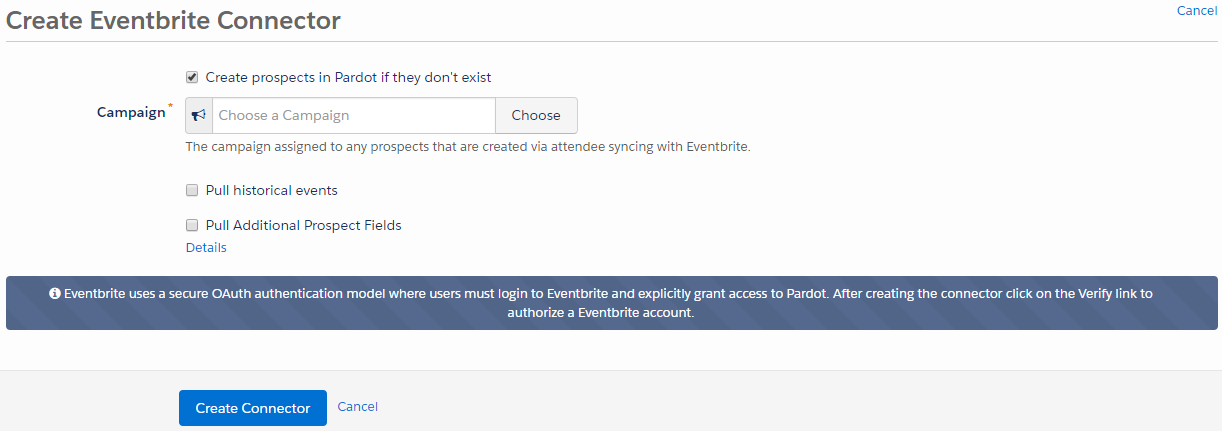
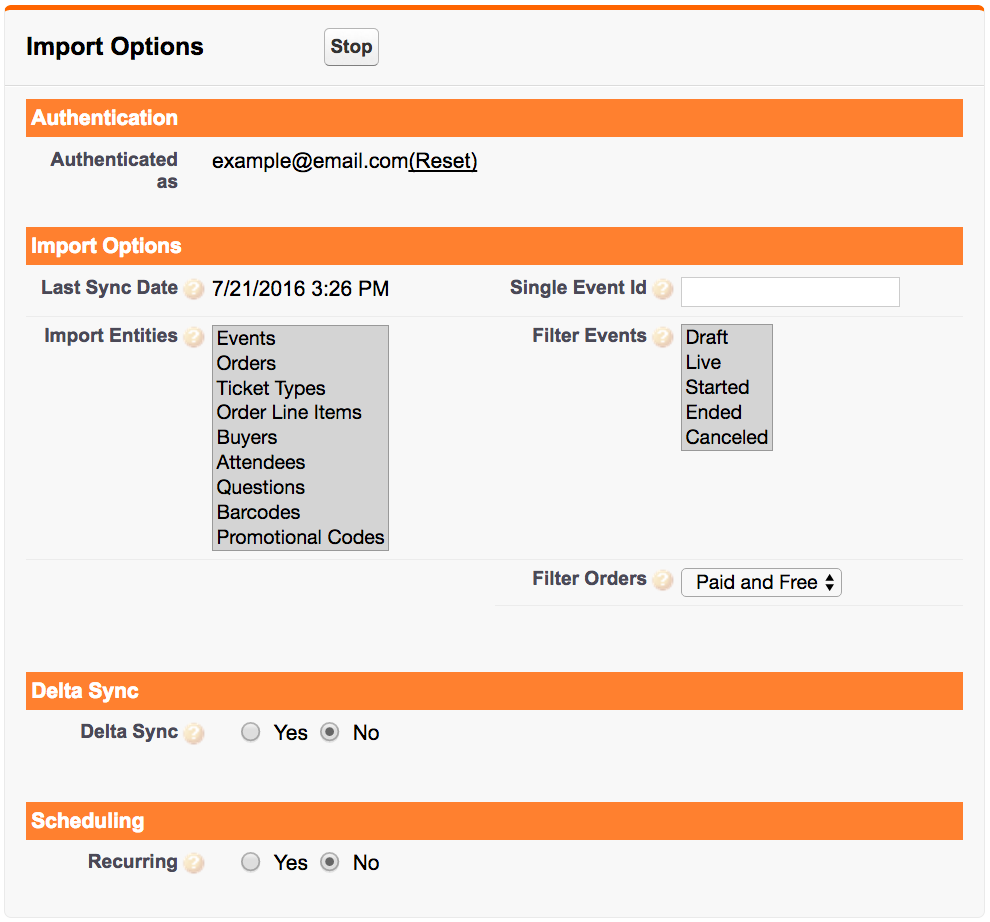
If you’ve been using Eventbrite to manage event sign ups and payment processing, it’s a piece of cake to set up Pardot’s out-of-the box connector.  Just navigate to Admin > Connectors, click the Add Connector button, and you’ll be prompted with this when you select Eventbrite:

Pardot Eventbrite Connector.png

After you save the connector, click “Verify” and it will ask you to authorize the connector to work with your Pardot account.  Then you’re off to the races!

What the Pardot-Eventbrite connector can do

The connector is one way – from Eventbrite to Pardot only.  Once configured, the connector will sync Eventbrite events into a prospect’s activity history, and create a new prospect record for any first-time attendees that aren’t yet in your system.

Easy-to-access reports from within Pardot let you monitor sign ups, and will even show whether they were checked in at the event.  You can also incorporate event attendance into your scoring model.

Key limitations of the Pardot-Eventbrite connector

You can’t use it in automation rules or completion actions

You can’t do some critically important things with the Pardot Eventbrite connector.  For example – for every major marketing initiative, I recommend clients set up a Salesforce campaign and leverage completion actions or automation rules to sync prospects to that campaign.

But Eventbrite can’t be referenced by either completion actions or automation rules.  So there’s no way to automate getting event attendees to the right campaign.

If you wanted to send prospects who register for an Eventbrite event to Salesforce campaign, you’d have to do it manually in Salesforce, or navigate to the event report in Pardot and use a table action to select attendees and send them to a Salesforce Campaign.

You can’t use it in dynamic lists for suppression

Eventbrite can’t be used in dynamic lists either.  So if you’re sending your event invites out through Pardot, but want to suppress people who have already signed up, you’d have to manually create the list to suppress using a table action.

It obscures campaign tracking

The Eventbrite connector can only be associated with one Pardot campaign.

And any net new prospects added by the Eventbrite connector will get added to that campaign, overriding any previous Pardot cookies that would have indicated an earlier “first touch.”

Alternative #1: Using Pardot-native forms

If you want to be able to access the full range of Pardot’s automation capabilities, consider using native forms to manage your event sign ups.  For really straight forward use cases, this actually works really well.  A couple of things to keep in mind:

No payment processing

There’s not a great way to do payment processing with native Pardot forms.  If this is a must have, stick with Eventbrite or another events tool.

Think about a process for adding guest RSVPs

If you’re hosting events that people are bringing guests to, design your forms accordingly.  A surefire way to wreck havoc on your Pardot cookies is to create a form that people submit, and then refresh to register another colleague.

If you expect people to bring guests, either add a field where they can key in “other guest” info, or create the form in kiosk mode so that visitor association doesn’t take place.

Adapt your campaign records in Salesforce to mirror your Eventbrite KPIs

If there are critical metrics you like to review in Eventbrite, work with your Salesforce admin to determine if/how to capture those in your Salesforce campaigns.  Could you set up a special record type with extra fields?

Alternative #2: The Eventbrite connector for Salesforce

Since the Pardot/Eventbrite interface leaves much to be desired, consider installing the Salesforce Eventbrite connector. This is free, but isn’t really supported by either party — so you’re kind of on your own when it comes to putting it into action (well, not totally on your own… feel free to reach out to me if you need help).

With this connector, you can sync more data from Eventbrite to Salesforce than you can from Eventbrite to Pardot:

Salesforce Eventbrite Connector.png

You can also control at the field level what information to bring over from Eventbrite.

When setting this up, you can map Events to native Salesforce Campaigns and Orders to Campaign Members.  From there, that campaign data will sync over to Pardot and you can reference it in automation rules, dynamic lists, and more.

Alternative #3: Build something yourself

When at first you don’t succeed… consider messing with the API.  Not for the faint of heart, but there is likely a custom solution you could develop if you have a unique workflow that is important enough to you to pay to automate.

Workato, Zapier, and other middleware providers offer tools that can make this easier for non-dev admins to try to take on.

How are you managing events in Pardot and Eventbrite?

What has been your experience with the Pardot Eventbrite connector? Any secret workarounds or tricks that I’ve missed? Let me (and your fellow readers) know in the comments!

“You guys, we can’t.  It’s like actually illegal.”

–Me, to a room full of raised eyebrows, doing my darndest to convince sales reps not to spam everyone and their mom.

Several recent blogs here at the Spot for Pardot have been posted about GDPR, CASL, and other kinds of email compliance considerations.  But what will REALLY happen if you break these laws?

I mean, I see stuff come through my inbox all the time that I KNOW I did not opt into receiving.  And no matter how many times I hit the unsubscribe link for a major hotel chain (who shall not be named), my inbox still seems flooded.

Pardot has a strict Permission-Based Marketing policy, and they take it seriously.  If you send an email with a 10%+ bounce rate, get ready for a sternly worded email.

But is the government really going to come after you if you’re a Spammy McSpamface?  What is the actual risk of this?

Love your subscribers like no one is watching

Before we visit the Land of the Worst Case Scenario, let’s level set.

Does it matter if the feds will be pounding on your door?  Even if no one ever got their hand slapped, do you REALLY want to be that guy?

Your subscribers are a precious resource.  Treat them like the magical special unicorns that they are, email them only stuff they asked for, and if they want to break up with you, don’t make it super hard or weird.

In short: be cool.

With that reminder top of mind, let’s dive into the actual question, shall we?

The worst-case scenarios for spammers

The potential fines and legal headaches – in theory — if you ignore international spam laws are significant.  Here’s the worst case for violations:

The United States’ CAN-SPAM

$40,000 per email

Canada’s CASL

$10 million CAD, plus civil and criminal charges for individuals and corporations involved

The EU’s GDPR

Up to 4% of a company’s annual revenue

Australia’s Spam Act of 2003

Up to $1.7M AUD

Italy

Up to 3 years imprisonment (yes, really)

How spam laws have actually been enforced

CAN-SPAM

Individual citizens can’t initiate any kind of legal action under CAN-SPAM — only the Federal Trade Commission (FTC), state attorneys general, or in some cases, an internet service provider.

The first spammer to go down under CAN-SPAM was an 18-year-old who wrote a program to send 9 million spam DMs over MySpace. After he did this, he approached MySpace and asked for a job helping them preventing others from doing this.  They said “boi bye” so he threatened to tell other people how to do it.  Hence the lawsuit.

Since then, there have been dozens of cases where the FTC has issued fines and filed chargers against spammers.  But almost all of them that I could find were SPAM, spam.  Like the scum of the earth, people sending unsolicited porn, illegal diet pills ad, or doing something pretty objectively scammy.  I couldn’t find a case of what I would consider a “legitimate” corporate marketing program getting in trouble for CAN-SCAM non-compliance.

CASL

The first company that the Canucks threw the book at under CASL was a firm called Compu-Finder.  Compu-Finder was promoting business training courses on topics like management, social media and professional development – so a little more “mainstream” than the guilty parties we see being punished by CAN-SPAM.

Where did Compu-Finder go wrong?  Well for starters, they emailed tons of people that never subscribed.  And their unsubscribe link was just for fun – they didn’t actually remove people from their list who requested in.

A full 26% of consumer complaints in this industry segment were for Compu-Finder.  Whoops.

They’re paying for the error of their ways in the form of a $1.1M CAD fine.

EU Privacy Directive

The EU’s current privacy and spam regulations are incredibly complex, and are about to get another layer of complexity piled on with GDPR.

As I researched companies that have actually been prosecuted under the EU Privacy Directive though, it seems like the primary people getting picked on are the giants – Facebook, Google and the like.

There have been some online jewelry companies in Spain and a Dutch public broadcaster who have been fined, but I could find very little on the specifics.

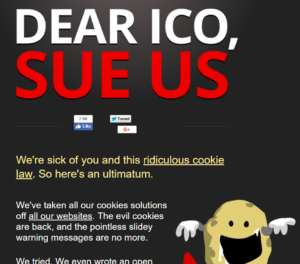
Even for those who want to comply with the relevant EU laws on spam/cookies/privacy, it’s very difficult… borderline unattainable.  In fact, this company just gave up trying and is flagrantly inviting a lawsuit to put the rules to the test in a court room: http://nocookielaw.com/

The bottom line

You’re probably not going to be carted away in a paddywagon if you send crappy, unsolicited emails.  But you’re not doing yourself any favors, either.  Your metrics will suck, and subscribers will still hit that spam button and hurt your sender reputation.

So police yourself (and those on your team) and practice good email karma.

Oh and by the way… do not, I repeat, do not take this blog as legal advice.

If you’re worried, or holding a cease and desist letter in your very own hands, or actively considering something shady — please talk to a real lawyer and not your internet friend who’s researching this in sweatpants while catching up on Stranger Things II.

Is it stuck in your head now?  Good.

I’m building a content calendar for 2018 and I want to hear YOUR burning Pardot, Salesforce, and marketing automation questions.

What have you always wondered?  What problem are you trying to crack?  What do you want to hear stories about? Let me know in the comments.

As a Thank You

Did you submit an idea?  If so, here’s your reward:

Goodness, the 90s were a magical time…

No more posts to show