Category

Heather Rinke

If you’re exploring Agentforce or Data Cloud, but feel unsure where to start—or how to ensure real outcomes—you’re not alone. In our recent webinar, “A No-Nonsense Guide to Launching Agentforce & Data Cloud,” we heard from marketing, RevOps pros, admins, and IT professionals across industries who are in the same boat.

The good news? You don’t need to launch a massive initiative to get started. But you do need a strategy. To help guide yours, I’ve shared the key concepts from the webinar where I spoke alongside Sercante’s VP of Growth & Alliances, Lauren Noonan, and Data Cloud Practice Director, Austin Frink, for our proven approach to creating a strategy for Agentforce & Data Cloud that sets you up for success.

A No-Nonsense Guide to Launching Agentforce and Data Cloud
Watch On Demand

Why having a strategy for Agentforce and Data Cloud is imperative

Implementing Agentforce or Data Cloud without a clearly defined strategy is like building a house without blueprints. According to RAND, over 80% of AI initiatives fail—not because the technology doesn’t work, but because teams skip over the foundational work of aligning their tools to real problems, realistic goals, and existing infrastructure.

What we’ve often experienced is that implementing these tools without a clear strategy often exposes existing challenges:

  • Data silos become more obvious.
  • Misaligned processes are harder to ignore.
  • Adoption falters because people don’t see the value.

When we’ve asked organizations about their vision or what they want to accomplish, we’ve heard many who say, “I want an agent” or “I want a unified profile.” While those are great aspirations, they are just starting points. A successful implementation requires more than a desire for automation or consolidated data. It requires a full vision of the why, the what, and the who.

Setting an impactful vision

Instead of focusing on the tool, focus on the challenge, the opportunity, and the people involved.

Ask yourself:

  • Why do we want an agent or a unified profile?
  • What business challenge are we solving?
  • What do we want the agent to actually do? / What will the data be used for?
  • How will the data or AI support better decisions?
  • Who will benefit, and how?

When considering these questions, be specific. If your starting point is, we want to have better segmentation or to deliver more personalized experiences, dig deeper. What would you like to segment by? Are there specific segments you’re focusing on for a business need? What part of the customer experience would you like to personalize more? Uncovering the more specific needs that lie within will help shape a more actionable vision.

Other questions you can consider for getting started to identify your use cases are:

  • Where are the friction points in your customer journey?
  • What repetitive tasks are your teams spending time on?
  • What segmentation or personalization capabilities are limited by your current data?

Use this framework to build your vision statement. Your vision should capture:

  • WHAT: The capabilities you’re adding
  • WHY: The impact those capabilities will have
  • WHO: The people in your organization who will benefit

This vision becomes your team’s north star. As you outline the use cases for Agentforce and Data Cloud, you will also need to define how they will impact the business.

Anchoring your Agentforce & Data Cloud use cases to business value

Lauren Noonan emphasized during the webinar, that this step is often missed, but it’s key to alignment. The use cases that drive meaningful business value are the ones that sustain momentum and stakeholder support.

To help frame your use cases in terms of the level of impact, consider impact levels such as the following:

  • High: Critical to strategic goals or revenue
  • Medium: Important contributor to organizational priorities
  • Low: Helpful improvements, but not game-changing

For example, one Agentforce use case that would be considered higher impact would be streamlining lead qualification and routing.

Use Case: AI-Powered Lead Qualification & Routing Agent
Scenario: Deploy an Agentforce assistant that engages with inbound demo requests, asks qualifying questions (budget, timeline, decision-maker status), and routes hot leads to the correct rep in real-time based on region, product, or account type.
Why It’s High Value:

  • Directly impacts pipeline acceleration and conversion rates
  • Reduces lead response time, which is closely tied to revenue performance
  • Supports strategic goals around improving sales velocity and rep productivity
  • Teams Impacted: Marketing Ops, Sales Development, Revenue Leadership, Prospects, Customers

Notice how the above framing points to impacts such as increased pipeline velocity and speed to lead which leads to higher conversion rates, all tied to revenue.

Medium to low-impact Agentforce use cases might include ones that result in internal efficiency gains, such as streamlining campaign brief creation or surfacing answers to FAQs faster using articles from your knowledge base. However, these lower-impact use cases are often a low-risk and lower level of effort to deploy, so they can be a great starting point as small efficiency gains do add up and free up your team’s time to focus on higher-impact initiatives. Continue to weigh this as you frame your roadmap of priorities.

The other detail to call out from the lead qualification and routing Agentforce example is that it outlined the people who would be impacted. Which is often overlooked, but absolutely necessary when creating your strategy.

Considering the level of impact on your people

Agentforce and Data Cloud aren’t just technical implementations—they’re changes to how people work. According to CIO Dive, 42% of businesses have scrapped most of their AI initiatives in the last year, where studies have shown that the teams that see success are ones that are customizing their use cases and prioritizing them according to their needs and impact. As Lauren shared in her previous article on how to create your AI roadmap, “your unique AI path is the only one that matters.”

You have a unique set of people at your organization with different skill levels, needs, and talents. Not considering a change management plan for how your Agentforce and Data Cloud rollout will be applied will often lead to low adoption rates, causing a low level of success and your initiative to fizzle out.

That’s why it’s so important to assess:

  • How will workflows shift?
  • What training or enablement will be needed?
  • How disruptive will this be to current roles?

Then classify the level of impact on your people:

  • High: Many roles and processes change significantly
  • Medium: Moderate impact with some changes to roles or responsibilities
  • Low: Minimal disruption to current workflows

Evaluating the level of business value alongside the level of impact on your people will help determine which use cases you might want to prioritize first based on the level of effort to deploy.

During the webinar, we showed the chart below as a visualization of the ideal intersection point, which is medium-to-high business impact and low-to-medium people impact, with a lower level of effort to deploy.

A chart that shows the business impact on the x-axis and the people impact on the y-axis with the level of of effort ranging from low to high above. On the chart, Customer Self-Help is plotted on the low to medium business impact level and medium people impact with a lower level of effort. Sales coaching/productivity is mapped at higher level of effort, business impact and people impact.

Take your considerations of the people impact a step further with this on-demand MarDreamin’ Session: Empowering Your People: Nailing Change Enablement for AI Rollouts by Director of Change Enablement at Sercante, Debra Engles. 

The other aspect of your strategy that needs to be considered is the dependencies involved with deploying your use case for Agentforce and Data Cloud.

Understanding your dependencies

As Austin Frink and I emphasized in the webinar: implementation depends on more than just ideas. You need to understand the full picture of what it’ll take to make your use case a reality. That full picture includes the infrastructure that you have, including:

  • Technology: What do you already have? Where are the gaps?
  • Data: Do you have the right data sources? Are they integrated? Is the quality strong enough?
  • People & process: Who owns what? Where will the lift be felt most?

Dependencies aren’t necessarily roadblocks, but more factors that will help you to decide where you might want to start when it comes to implementing technology like Agentforce and Data Cloud.

The last piece to consider when defining your strategy is the metrics you’ll use to measure the impact of your Agentforce and Data Cloud initiative.

Defining your metrics for measurement

Your metrics will be used to help prove the business values that you defined earlier. For every use case, identify one or two key success metrics. Before you start your Agentforce and Data Cloud project, measure where you are right now to get a baseline, so that you can benchmark later on and compare your level of improvement.

Some ideas:

  • Customer satisfaction
  • Campaign performance
  • Churn rate

Ideas of metrics that could be associated with our Agentforce use case example of lead qualification and routing, would be speed to lead, conversion rate, and sales cycle time. If your use case will focus more on efficiency gains, consider the amount of time it takes your team to perform the task without the agent implemented, and then measure the hours of time that are saved as a result.

Pro tip: When bringing your strategy to stakeholders, share what your team will accomplish with the time gained back. This goes beyond just thinking through the metrics, and it will be key when articulating the full picture of the impact that implementing Agentforce and Data Cloud can have on your business.

Identifying a success metric is one part of it, you also want to make sure you have defined how that metric will be tracked and validated. For example, will it come from Salesforce, Data Cloud or an external system? Consider, are you capturing the fields that are needed for that metric today?

Also, don’t forget to capture a pre-project snapshot of your metric. Without a clean, documented baseline gathered before any implementation, you lose the ability to accurately show ROI.

Common misconception: you don’t need to start with a massive rollout

One of the most common misconceptions when teams are thinking about implementing Agentforce and Data Cloud is that it requires a massive rollout and overhaul. However, this is not the case.

You don’t have to ingest all your data to use Data Cloud. You don’t need to first implement Agentforce into every aspect of your business.

Start with:

  • 1–2 use cases
  • Lower people impact
  • Medium-to-high business value

Clearly defining your use cases will inform you of the data that you’ll need, which will then point to the data sources required. The use case will then point to the agent that you’ll need and the teams or subsect of a department that will be impacted. 

As the CMO of Mogli, Christina Scarmeas, shared during her conversation with us about how her team approached implementing Agentforce, “It’s okay to take a crawl, walk, run approach.”

Using AI and Agentforce to Make it Easier to Text on Salesforce
Watch On Demand

Which is why Sercante service offerings such as an Agentforce Quickstart or Data Cloud In-A-Box are so helpful for teams. They enable you to start small, accelerate time-to-value, and showcase the impact, to then scale the initiative to other areas of the business.

Let’s get started with your approach to Agentforce and Data Cloud

To recap, a successful approach to Agentforce and Data Cloud includes:

  • A clear, problem-driven vision
  • Use cases tied to real business value
  • Understanding the people impact
  • Mapping your technology and data dependencies
  • Identifying the metrics that will be used to measure impact

Having this all defined will help to serve as your team’s north star to guide a successful approach to Agentforce and Data Cloud.

Now I know how it can be overwhelming to think through all of this, especially with multiple department goals and initiatives, so if you’d like support with creating your Agentforce and Data Cloud strategy, reach out to the Sercante team. We’ll listen to understand your goals, challenges, and help bridge the gap between your vision and reality, for an impactful Agentforce and Data Cloud rollout.

Create Your Roadmap with the Experts
Contact Us

Several data breaches affecting a wide range of companies that use Salesforce have been reported in recent weeks. These incidents have impacted organizations across various sectors, including technology, retail, and insurance. The exposed data has varied by victim but has commonly included customer contact information, internal business records, and even sensitive data like API tokens and credentials.

Sercante clients can be assured that our systems have not been impacted by these recent attacks, however we want to make sure that Salesforce customers are aware of these incidents and are equipped to safeguard their instances.

How the Breaches Occurred

The recent breaches are not due to a vulnerability within the Salesforce Core platform itself. Instead, threat actors have used sophisticated social engineering and supply chain attacks to gain unauthorized access. 

One common method has been targeted voice phishing (vishing) campaigns. In these attacks, bad actors impersonated legitimate employees or IT support staff to trick victims into downloading a malicious replica of Data Loader and granting access to their Salesforce environments.

In a recent and widespread campaign, attackers leveraged compromised OAuth tokens for a third-party application, Salesloft Drift. By exploiting the integration between the app and Salesforce, the threat actors were able to export large volumes of data and credentials from numerous corporate Salesforce instances in what is called a “supply-chain attack”. . The attackers were able to steal “digital keys,” or authentication tokens, from the Drift app. They then used these stolen keys to access and steal data and credentials like passwords, API keys, and access tokens for other services that could be used to compromise other systems integrated with Salesforce.  

This highlights a critical risk: while the core platform may be secure, its connections to third-party apps can introduce vulnerabilities.

Risk to Salesforce Customers

The primary risk to Salesforce customers lies in the potential for stolen data to be used for further attacks. Customer contact information and other details can be weaponized in targeted and highly convincing phishing and social engineering campaigns to gain access to other corporate systems. The exposure of sensitive information like API tokens and credentials poses a significant threat, as it can be used to compromise connected systems, such as other cloud platforms or internal networks.

UPDATE: If you are a Drift customer – Salesloft has announced plans to shut down its Drift chatbot following their recent security breaches. This no doubt presents a challenge to your website engagement strategy.  The Sercante team is well-versed in the various conversational platforms that integrate seamlessly with Salesforce and can help you navigate this transition.

Recommended Actions for Protection

While Salesforce has taken steps to restrict the use of “uninstalled connected apps”, customers should take steps to protect themselves from similar threats:

  • Reauthenticate Drift Connections: Salesloft Drift customers will need to reauthenticate their Salesforce integration with Drift. It’s also advised that any and all authentication tokens stored in or connected to the Drift platform should be considered potentially compromised and update them immediately. 
  • Rotate all credentials and keys: Immediately change any passwords, API keys, and other access tokens that were stored in your Salesforce instance
  • Investigate your Salesforce account: Look for any unusual activity in your Salesforce login history, audit trails, and API access logs from early to mid-August 2025. Look for suspicious logins or data access patterns, particularly from the user account associated with the Drift integration.
  • Audit Third-Party Apps: Audit your connected apps to make sure they are secure, and make sure that all third-party apps connected to your Salesforce account have only the minimum permissions they need to do their job and revoke access for any app that is no longer in use.
  • Secure APIs and Integrations: When configuring new integrations, restrict API access by defining trusted IP ranges and ensuring that connected apps have the most restrictive scope possible.
  • Apply the Principle of Least Privilege: Limit user permissions to only what is necessary for their job role. Restrict administrative access and minimize the use of permissions like “Modify All Data.”
  • Be on high alert for phishing: Warn your employees to be extra cautious about any unexpected or unusual emails, phone calls, or messages. The attackers may use the stolen contact information to try and trick people into giving up more sensitive data.
  • Rinse & Repeat: Security isn’t a set it and forget it function. It takes constant and consistent vigilance to protect your systems and data. 

While the core Salesforce platform is secure, recent data breaches are a reminder that a company’s security is only as strong as its weakest link, which is often a third-party app or a human being. To stay safe, you have to be proactive. By using strong security practices, enforcing strict access rules, and training your team, you can drastically improve your defenses. Ultimately, keeping your data safe is a team effort—you, Salesforce, and all of your employees have a role to play.

If you’d like a guide to help you navigate how to optimize data protection in your organization with Salesforce, reach out to the Sercante team. Our experts can be your guide for impactful next steps.

As a marketer, you’re eager to use AI for better segmentation, smarter campaigns, or generative content. But a huge piece that can’t be ignored when you’re getting started with AI is getting your data AI-ready.

Up to 87% of AI projects never make it to production, and the top reason is poor data quality (Akaike Technologies, 2025). On the flipside, companies that invest in data quality see a 50% improvement in AI project success (Deloitte AI Institute, 2024).

Meaning your data matters now more than ever. But this isn’t about letting your data hold you back from innovation. It’s about getting a clear, actionable plan for how to improve your data while you get started with AI, so you’re setting yourself up for success and maximizing its value.

Why data quality can’t be an afterthought

AI is only as effective as your business strategy and your data. Data is at the heart of AI, and is used to learn from and gain insights that it uses to perform tasks.

Therefore, when data quality is an issue, that can mean:

  • Incorrect predictions and flawed insights
  • A hit to customer trust when personalization fails
  • Internal teams losing confidence in the tools and systems they’re using

Therefore, taking the time to prioritize your data is worth it to ensure AI is learning from and pulling in accurate insights to power your analytics, workflows, and customer experiences.

Common culprits of bad data (and how to spot them)

Most data issues fall into a few predictable categories. If you’ve ever built a Salesforce report and wondered, “Why does this feel off?”, one of these is probably the reason.

Duplicate records
Multiple versions of the same contact or lead, often with partial or conflicting information. Not only does this skew your reporting, it can lead to awkward missteps in customer communication.

Incomplete data
Records missing key fields like title, lead source, or industry. When critical information isn’t captured or required, it limits your ability to segment, personalize, or even report accurately.

Inaccurate data
Outdated job titles, incorrect email addresses, or other bad intel that throws off targeting and undermines trust.

Inconsistent formatting
Examples: “U.S.” vs. “United States” vs. “USA” in a country field. These inconsistencies might seem small, but they wreak havoc on reporting and automation.

Data silos
On average, companies are juggling data across 367 apps. That can create disconnects between your CRM, marketing automation platform, website, support tools, and more, meaning no single source of truth and missed opportunities for smarter AI use.

If you’re reading this and thinking, “I recognize all of these culprits in our org.” and are feeling overwhelmed, let’s take a deep breath. You don’t need to clean your entire data house in one day.

The Step-by-Step Guide to Get Your Data AI-Ready

You can work in manageable chunks. It all starts with framing the first AI use cases you want to get started with, because this will determine the data you need and thus prioritize where you’ll want to focus for optimizing your data.

Step 1: Identify your AI use cases

Think about: what do you actually want AI to help with? Look at your day-to-day. What’s repetitive and time-consuming? Do you find yourself taking a long time to create campaign briefs, segment audiences, or draft variations of copy to personalize communication?

Once you start creating your list of potential opportunities for AI, start to consider who is involved in the process, what is the goal that AI will help you achieve, and are there any dependencies around it?

As the Sercante team shared during their session, AI Roadmap: The Strategy for Driving Growth with AI, consider the level of effort involved with each use case and the impact on the people involved. You want to aim to prioritize your first use cases that have a relatively low level of effort and a lower impact on your people. This will enable easier pilots and experimentation, so you can see what the initial results are and then make tweaks or scale from there.

Once you know your top 1–2 use cases, you’ll have a clear view of what data will be needed.

Step 2: Perform a data audit

After you understand the data that will be needed, it’s time to audit that data and check for the common culprits. Are there any duplicates, inconsistencies, inaccuracies, or just data that is missing? Check for the signs of dirty data across the key objects and fields that will need to be used for your AI use case.

Here is my go-to checklist for an audit that starts to get your data AI-ready:

  • Identify key data objects and fields
  • Define data quality metrics
  • Identify & categorize data issues
  • Document critical data sources and data points
  • Assess field usage
  • Review knowledge sources for accuracy and AI accessibility 
  • Review permissions – who can see what
  • Assign effort levels & quick wins 

Some tools that can help with this process are Data Quality Analysis Dashboards (find it on the AppExchange here), OrgCheck, and other third-party tools on the AppExchange that can assess for data quality and field usage.

Step 3: Establish data standards

Once you uncover the issues, you want to put processes and standards in place to prevent future messes. Documentation that has proven to be effective for teams is creating a data dictionary or a style guide.

Whichever you implement, the data documentation should:

  • Answer who is using this data and what this data is being used for
  • Establish clear rules based on business requirements
  • Define acceptable values, formats, and relationships
  • Foster alignment across teams around the data standards

All teams that are involved in using the data should have an understanding of what the proper usage is and how to maintain clean data now and in the future.

Step 4: Cleanse and normalize the data

Now the cleaning begins. Remember to approach this in manageable chunks. Focus on the data that is needed for your top AI use cases first. The actions you need to take for this step will be determined by what you uncovered in your data audit, but here is a general checklist that you can use as a guide:

  • Clean up / merge duplicates
  • Delete obsolete data
  • Correct missing values, errors, and inconsistencies
  • Perform mass updates
  • Leverage data cleaning tools or scripts
  • Update knowledge sources
  • Don’t forget to back up your data first!

Tools you can use to help with this process are native duplicate management tools or third-party ones on the AppExchange. There are also third-party tools on the AppExchange for data cleaning and data enrichment that I recommend checking out before diving into this step.

If during your data audit you discovered that silos and disparate systems are a huge issue, and you’re wondering if you’d be a good fit for a customer data platform (CDP) like Data Cloud, reach out to the Sercante team. We can help you navigate what to consider and create your strategy for how to approach the technology in a way that sets your team up for success.

For a preview of our approach to systems like Data Cloud, check out our session on demand, A No-Nonsense Guide to Launching Agentforce and Data Cloud.

Step 5: Build systems to prevent future issues

It seems like the work to clean your data is never done, however, you can do your due diligence to put systems and processes in place to prevent major issues in the future that would hinder your team from getting the full value out of AI.

Prevent bad data entry 

Where possible, use picklists to help standardize your data and restrict access to maintain data integrity. Make field requirements for records to be saved with helpful error messages to remind teams of your data standards.

Create data validations or automated updates. For example, setting up a Salesforce Flow that automatically checks the format of an email address when a new Lead is created.

Execute training and create enablement

Make sure that all teams involved with the data are educated on data entry best practices and the importance of data quality. Refer back to your data standards to reinforce the alignment among the teams.

Evaluate data integrations

Remember those data silos? If these continue, data issues will persist and cause your team to continue to do manual cleanup, which is what you’re trying to avoid. 

Look at the systems that are disconnected and see what integrations can be made to automatically keep data synced. This is also where a CDP may be considered.

Establish a regular data audit cadence

You want to prevent your database from reverting to the original state you found it in when you first started your data audit. Therefore, aside from putting these systems in place to prevent future data issues, you’ll also want to set a regular cadence for yourself to check your data for the common culprits to uncover any small issues before they turn into major ones.

Clean data means smarter, more effective AI-driven marketing

Getting your data AI-ready is a critical piece to getting the most value out of AI. It’s not about achieving perfection to the point where it gets in the way of getting started with AI. It’s about creating a foundation through manageable chunks that will enable the AI to effectively deliver for your team and your customers. 

Data quality is essential for any successful AI-driven marketing strategy, and by using this step-by-step guide, you can take practical, ownership-driven steps to collaborate with your Salesforce Administrator, sales, IT, and customer success teams to improve data readiness.

Autonomous AI is transforming the way organizations operate, and Salesforce’s Agentforce is at the forefront of this revolution. The product was made generally available by Salesforce in October 2024. Whether you want to streamline case management, enhance lead nurturing, or delight customers, Agentforce empowers businesses to accomplish more with fewer resources. In this post, we’ll share five practical tips to help you successfully implement and use Agentforce. 

Feeling anxious about diving all in with Agentforce? Contact the Sercante team for an Agentforce readiness assessment. That way, you can be sure you’re getting set up for success before you implement Agentforce in your org.

Understanding Agentforce

Before diving into the tips, let’s take a closer look at what Agentforce is.

Agentforce enables autonomous AI agents to perform tasks without human intervention, acting as digital workers within Salesforce or external customer channels. These agents enhance productivity by automating routine tasks and assisting with complex ones. With tools like Agent Builder, you can customize agents using pre-built topics and actions or create entirely new ones tailored to your organization’s needs.

Agentforce integrates seamlessly across the Salesforce platform, leveraging Data Cloud for reasoning and learning. Out-of-the-box agents include Service Agents for case deflection, with more capabilities to be released in December 2024, such as SDR and sales coaching agents.

Unleashing the Power of Agentforce: Five Steps to Get Started

Follow these five steps to get started on the right foot when you dive into Agentforce.

Tip 1: Identify Use Cases

Start by identifying where Agentforce can deliver the most value in your organization. Ask yourself:

  • How are you using your CRM today?
  • What are the current pain points in your processes?
  • Are there routine tasks that could be automated to free up team capacity?
  • Are there new processes you’ve avoided due to resource constraints?

Examples of use cases include automating FAQ responses for service teams, generating campaign briefs for marketing, or assisting sales reps with lead prioritization and moving deals faster.

Then for each use case, think about what would be needed to transition to an agent:

  • What job should they do?
  • What actions will they need to take?
  • What actions should they NOT take?  (This is just as if not more important to make sure you have defined the lane where an agent should operate within that use case)

Your responses to those questions are going to help you to understand the level of effort involved in use case. This in turn is going to help you to prioritize based on the level of effort and potential value

Tip 2: Define Success Metrics

To gauge the success of your Agentforce implementation, establish clear goals and KPIs. 

Questions you can ask:

  • What does success mean? How will we know we have addressed our problem? 
  • What metrics are we tracking today that we want to see improvement on?
  • Are there additional metrics that will let us know we are seeing success?

For example:

  • Reducing average case handling time by 20%
  • Improving lead response times
  • Increasing campaign ROI by automating content creation

Ensure you have baseline data for comparison and that the necessary measurement tools are in place to help you track success.

Tip 3: Assess Your Data

Your AI agents are only as good as the data they access. For the use cases identified, evaluate your data readiness:

  • What data do need? 
  • Where is it located? Is it in your CRM, Data Cloud, or other external systems?
  • Is it accessible from your CRM? If it’s stored in an external system, do you have APIs in place to get that information?
  • Is the data clean, accurate, and up-to-date?
    • Follow this blog post for tips on how to keep your imported Pardot prospect data clean.
  • Do you have a single view of the customer across systems?
  • Lastly, are knowledge bases and metadata structured for easy access? 
    • Agents need knowledge to inform how they will operate and answer questions. This is all of the background configurations your agents actions will rely on — flows, prompts, and Apex for example — they need to also be clearly identifiable and accessible. 
    • When you add actions to your topics, it uses the descriptions to help fuel the instructions. The naming conventions of your resources will also make it easier to determine what the inputs and outputs need to be.

Data and metadata are the backbone of AI performance, so this is an important area to pay attention to.

Tip 4: Start Small

After completing the previous steps, you may have more than one great use case to start with. Here’s where you ask yourself: What are the quick wins that we can get started on that can move the needle and that we can expand on as we mature?

It’s really easy to get caught up on how this can solve ALL the things. There are many challenges to starting a complex process all at once. If a lot of effort is required to get the data in place or to get the actions set up, it will be more difficult to roll out, not to mention making it potentially disruptive and prone to issues 

Avoid the temptation to tackle complex processes right away. Instead, focus on a simple, high-impact use case to pilot Agentforce. There are many out-of-the-box topics and actions that make getting started easier. For example, automating a single FAQ response or generating summaries for sales reps.

Starting small helps build confidence, momentum, and organizational buy-in, and it also reduces the risk of missteps.

Tip 5: Nail Down Clear Instructions

When designing agents, clarity is key. Use the Agent Builder to create and test well-defined topics and actions:

  • Topics – Include precise instructions for classifying user requests, setting guardrails, and outlining scope.
  • Actions – Clearly define what the agent should do, including required inputs and expected outputs.

Salesforce Agentforce Topic Instruction Best Practices

Instructions are the foundation for grounding how agents perform. They set the guardrails for how the agent should behave and give the agent the context it needs to do its job. 

Here are a few best practices for writing Agentforce topic instructions:

  • Start simple
    • Start with the main use case first to ensure the agent is performing as expected. Then, add in more detail to address edge cases. Be sure to test existing instructions for any conflict. You don’t want to confuse the agent! 
  • Use plain language
    • Use concise natural language to describe what your action does. Keep it to 1-3 sentences, and it can include the goal of the action, any use cases, and the objects or records it uses or modifies. 
    • In general, the more relevant detail you include in your instructions, the easier it is for the agent to differentiate between actions. Also, be sure to vary the words you use. For example, use a mix of “Get,” “Find,” “Retrieve,” or “Identify” for actions that will query records.
  • Avoid industry or company jargon
    • Write like you are instructing someone who doesn’t know your business. Even terms like ‘qualified lead’ could mean something different from one organization to another. Give context where necessary, and reference clear criteria using the data it will have access to. 
    • For example, instead of vague terms like “qualify lead,” specify conditions such as “lead status equals MQL.” 
    • The agent isn’t not going to know your business processes either, so be explicit about the sequence of instructions or any conditions a conversation must meet for an agent to apply an action.
  • Think of all the paths
    • You want to go through every possible permutation to determine the actions required. For example: a customer reaches out because they didn’t receive their order. 
    • First think about the order status ( Order Shipped, Delayed, Not Found, Processing). If the status is Shipped then there could be different tracking statuses (In Transit or Delivered for example). If the order is showing as Delivered, was it delivered to the customer’s correct address? Was it stolen? …and so on.
  • Remember the Guardrails
    • Keep the Agent in its lane by providing clear instructions on what the agent should not do to prevent unwanted responses. In cases where the agent is customer-facing, be sure to also give clear direction on when an interaction should be routed to a human.

Test these instructions thoroughly in the Agent Builder’s testing environment to ensure your agents behave as expected.

Ready to Explore Agentforce?

Agentforce offers an exciting opportunity to enhance productivity and streamline operations. By identifying the right use cases, preparing your data, and starting with manageable projects, you can set your organization up for success.

Want to learn more? Check out Salesforce’s Agentforce Trailhead and virtual workshops to get hands-on experience. Need expert guidance? Contact the Sercante team for an Agentforce readiness assessment.

In the Summer ‘24 Release, Salesforce launched the beta version of Einstein for Flow, which is a generative AI tool that helps Salesforce admins, regardless of their programming experience, to easily create functional Salesforce Flows via natural language prompts. 

New to Flow? Check out An Introductory Guide to Salesforce Flow for Marketers

How Einstein for Flow works

Einstein for Flow is a generative AI tool that helps Salesforce admins, regardless of their programming experience, to easily create functional Salesforce Flows via natural language prompts. You simply describe your flow requirements in plain text instructions, and Einstein does its thing to interpret those instructions and generate a draft flow for you.

Salesforce Einstein for Flow Requirements

To take advantage of Einstein for Flow, you’ll need to ensure:

  • Your org supports Einstein for Flow. This feature is available with:
    • All Einstein 1 Editions
    • Enterprise, Performance, and Unlimited Editions with the Einstein for Sales, Einstein for Service, or Einstein for Platform add-on.
  • Users who will use Einstein for Flow must have permission to use Manage Flows.
  • You also need to make sure you have enabled Einstein Generative AI in your org.
  • You will also need to opt in from the Einstein for Flow (Beta) setup screen.

Creating a Flow with Einstein for Flow

  1. When you click New Flow, select Let Einstein Help You Build and click Next.
  1. Enter a prompt with instructions on the flow you want to build.
  • In the Instructions section, describe the task or process you want to automate. Provide as much detail as possible to try to get better results.
  • Not sure how to write your instructions? Expand the Get Started with Sample Instructions section.
  • For more tips on how to craft your prompts, see the Prompt Tips section below.
  1. After a few seconds, the flow is created, and a feedback modal is included on the canvas.
  • See the Helping Einstein Improve section below.
  • You’ll also notice that ‘This flow was created by generative AI.” banner is located at the top of the page, so that it’s clear how this flow was built.

Tips for Building a Great Prompt

When writing your prompt instructions, there are some guidelines for getting started:

  • Start the instructions with “Create a flow.”
  • Effective instructions include:
    • The type of flow to create
      • for example, “Create a record-triggered flow that….”
    • When the flow starts or if it has screens.
      • for example, “…that starts when a lead is created…” 
    • The names of objects and fields to use for criteria and actions.
      • for example, “… create a task for the Lead Owner” instead of  “..create a task for the sales rep”
    • The actions you want the flow to take.
      • for example, “…send an email to the Lead owner…”
    • The criteria and logic to use to identify specific records.
      • for example, “…accounts with an annual revenue over $500,000…”
  • Provide as much detail as possible.
  • Start simple and expand from there. Stick to basic instructions that the resulting flow needs a small number of elements to implement. Confirm the resulting flow is built as expected before adding more complexity to your instructions.
  • Don’t forget to use proper grammar and spelling!

Helping Einstein Improve

Einstein for Flow is still learning how to build accurate flows. Some flows created by Einstein for Flow won’t be built the way you expected. Here’s how you can give feedback:

  • Start Over – If the output doesn’t meet your expectations, you can generate a new output by starting over. You can use the clipboard icon to copy the previous prompt if you want to tweak it in the next version. The generated output from the previous attempt isn’t saved and the new output replaces it.
  • Provide Feedback – You can also give your feedback about what’s wrong with the flow. That helps Einstein for Flow continue to improve and build increasingly accurate flows.

Einstein for Flow Considerations

  • Flow Types supported include:
    • Screen Flow
    • Record Triggered Flow
    • Schedule Triggered Flow
  • Support building flows that include:
    • Standard and custom objects & fields
    • 3-6 custom objects
    • Create, Update, and Get Records, Screens and Send Email
    • Record variables, formulas, email templates
    • Fault paths
  • Einstein for Flow uses their CodeGen model for its natural language processing. 
  • Keep in mind that this is feature is in beta and as a generative AI tool it’s still learning. It’s a good idea to review all aspects of your flow to ensure accuracy. Check for things like field names and dates are correct, for example.

Additional Resources to check out:

The Future is Bright 😎

While this is still in its early stages, the potential looks to be awesome as a tool that can: 

  • Help those who are less technical or new to Flow get up to speed more quickly
  • Give more advanced admins a starting point that they can run with instead of starting completely from scratch

And the possibilities don’t end there. Imagine a world where we had a genAI tool that could:

  • Scan a flow and summarize what it does. As a new admin, how amazing would it be to scan the flows in your new company’s org to get up to speed more quickly!
  • Evaluate a flow against best practices. Think of how much easier it would be to find and resolve hardcoded IDs or DML elements in a loop!
  • Creating tests for the flows built

(*these are my opinions only and not tied to Salesforce’s roadmap for this tool, although I hope the Flow team keeps this wishlist in mind 😉.)

What has you most excited about this tool? What would you love to see this feature do in the future? Let us know in the comments.

The Salesforce Summer ‘24 Release is on its way! Let’s dive into the top declarative features and updates for admins.

In line with messaging from Salesforce, the Summer ‘24 Release includes new and enhanced features that all center on the relationships between CRM, data, AI, and trust.

Salesforce Summer ’24 Highlights

Security & Access

Get a Summary of a User’s Permissions and Access

Viewing what access a user has will be easier with the User Access Summary. Accessible directly from the user details record, you can see what a user has access to without having to spend multiple clicks checking each profile, permission set, public group, or queue.

Other great Security & Access Updates:

Customization

Set Conditional Visibility for Individual Tabs in Lightning App Builder

Now you can control visibility to tabs and their contents in the Lightning App Builder, based on specific criteria, giving you another tool to customize the user experience, and what users can see and when. 

View Field History Tracking from Setup

Admins can now view and control field history tracking across objects in on place, from the Setup menu. From here you can view and control the objects that have tracking en tracked, and enable, view and update the fields. 

Other Customization updates worth mentioning:

Sales Productivity

Do More in the Intelligence Views

More functionality is coming to Account, Contact, Lead and Pipeline Intelligence views to help users do more in one place. Now it’s possible to perform mass actions like Add to Campaign or Send Email, and inline editing of the same field, from these Intelligence views.

Organize and Find Records Easily with Personal Labels

Users can apply their own private labels to records to help them organize, track, and find the records they need quickly and easily. Labels work on several objects including:

  • Account
  • Campaign
  • Contact
  • Case
  • Email Template
  • Lead
  • Opportunity
  • Task
  • …and more

The once added to the page layout, a Labels related list will appear on the record page, allowing users to add their labels. Then the Labels tab provide a view to all of the records that have that Label applied.

Note: Users will need access to the Labels object. This is enabled by default in standard profiles but will need to be granted in custom profiles or permission sets.

Flows

Flow Management 

Automation Lightning App

The Automation Lighning App includes a Home page showing recently modified flows, and flow errors, as well as quick links to flow topics on Trailhead and to the Flow Community. 

The app also includes a Flows tab where list views to access standard and custom list views of existing flows. From here you can open a flow, open the latest version, change the owner, or delete the flow.

Note you may have to enable this features from Setup > Process Automation Settings, and checking the Enable the Automation Lighting App checkbox.

View Flow Details from a Lighting Page

When using the Automation App and list views, you’ll notice that clicking on a flow shows the details on a Lightning record page. This lets you take advantage of customizing your page layout as I’ve done in the screenshot below. 

Organize Your Flows Based on Categories and Subcategories That You Define

Another new flow admin feature, new Category & Subcategory text fields are now available on the Flow object, and accessible when creating custom list views, which can be a handy tool for organizing long lists of flows. 

Control User Access to Specific Flow Elements

Use new permissions to enable users who don’t have the Manage Flows permission, to use specific flow elements when building segment-triggered and form-triggered flows. Elements supported include:  Assignment, Collection Filter, Collection Sort, Delete Records, Get Records, Loop, and Subflow. 

Keep in mind that these permissions are available for Enterprise and Unlimited Edition with Marketing Cloud Growth. 

Flow Builder

Check for Duplicates Before Creating Records in a Flow

The Create Records element in flow just got more intelligent for preventing duplicates. Now you can first check to see if another record with specific criteria exists before creating a new record.  If an existing record is found, the field values are applied to the existing record, otherwise a new record is created. 

Before you would have to use a Get element to search for an existing record and a decision to check if anything was found before creating a new record. Having this all rolled into one element makes the flow build and maintenance much simpler and more efficient.

Required fields automatically added for Create elements

Another cool feature spotted in the pre-release org is that Create elements also automatically include required fields.

I didn’t see this feature mentioned in the Release Notes, but as this could be a super helpful I’m hoping it will turn up in the Release. Admins can probably relate to the headache of building a flow that creates a record, hitting error when a required fields are not included, then having to go back the flow to make sure that field is populated… maybe more than once!

A couple of notes to consider for this to be useful: 

  • Only fields that are marked required at the field level are included. Fields that are flagged as required on the page layout are not included. 
  • Also, the element may include other non-required fields. For example when creating a Lead, the IsConverted and IsReadbyOwner fields were also added to the element automatically.  This may be something only seen in the pre-release org, so it may look a bit different in the actual release.

Other cool Flow Builder Updates:

Screen flows

New Action Button Component (Beta)

Now you can Add an Action Button to a flow screen to run and retrieve information from an active autolaunched flow, without leaving the screen. This is a huge win for creating a better user experience. Before you’d have to use one screen to collect some information, then click next to do the necessary actions and display the output on a second screen. 

Other Updates

Other Notable Updates

A few other updates in this release that are worth noting.

Default No-Reply Email Required

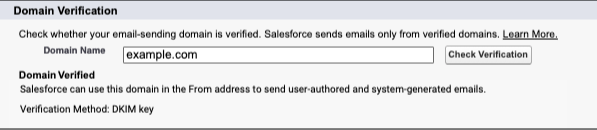
To stay in line with increased email security standards, orgs are required to create and verify a Default No-reply address in their Organization-Wide Email Address settings (replacing [email protected]). This will affect any orgs that send emails from Salesforce. Think automated emails like Lead or Case assignment, or even emails sent from a flow. This is will be enforced starting in Winter’25, meaning that some emails may not send, so its a good idea to set up a default no-reply email address sooner rather than later.

Get Ready for the Salesforce Summer ’24 Release

This is just a handful of platform features planned for the Salesforce Summer ‘24 Release. If you’re interested in diving in to learn more about the updates in this release, I highly recommend reading through the full release notes

You can also check out our post on the Salesforce Summer ’24 Release for Marketing Cloud Account Engagement (Pardot) here.

Which Salesforce Summer ‘24 features have you the most excited? Let us know in the comments!

No more posts to show