Category

Jordyn Jaffer

Earning the Salesforce Marketing Cloud Email Specialist Certification is the first step to becoming a full-fledged Marketing Cloud consultant. But, it doesn’t come easy. 

Salesforce Marketing Cloud has robust capabilities. And there are lots of nuances and specific features to understand before you can pass the test. So a word of caution, this isn’t something you can cram for the night before if you don’t have experience working inside the platform.  

Getting hands-on Salesforce Marketing Cloud experience

As someone who has worked within Pardot their entire marketing automation career, I was in a unique position when I decided to start studying for this exam.  Fortunately, Salesforce Trailhead had just started using their Trailhead Simulator tool on Marketing Cloud modules.  

Even though I couldn’t do anything in the simulator like I could with a regular Trailhead playground, it was still beneficial to get an actual look into Marketing Cloud when I didn’t have access otherwise. Between the Trailhead Simulator and many YouTube Marketing Cloud product demo videos, I was able to have a decent understanding of the Marketing Cloud environment and how to build and send an email through Email Studio.

For Pardot peeps dipping their toes in Marketing Cloud

For anyone else coming from Pardot when studying for this exam, I recommend also comparing concepts between the products.  

It was helpful to connect Marketing Cloud terminology to the Pardot terms I used on a daily basis in order to understand Marketing Cloud better without having the full-hands on experience that is necessary for this exam.

As mentioned throughout this article, you should make sure you have a great understanding of Marketing Cloud and Email Studio by trying to get as much hands-on experience as possible, even if you don’t have access to an actual Marketing Cloud environment.

The following guide includes all the things you should study as you’re preparing for the Marketing Cloud Email Specialist Certification exam from my Pardot-centric perspective.

As always, hands-on practice is going to equip you with the experience and knowledge you need to pass the test. Combine that with real-world application you can get by networking with people who use it regularly, and you’ve got yourself the golden ticket to passing. 

Marketing Cloud Email Specialist certification exam topics and weighting

Here’s what the Marketing Cloud Email Specialist exam grading breakdown looks like.

  1. Subscriber & Data Management: 28%
  2. Marketing Automation: 19%
  3. Content Creation & Delivery: 18%
  4. Email Marketing Best Practices: 15%
  5. Email Message Design: 13%
  6. Tracking & Reporting: 7%

Subscriber & Data Management

Key Concepts and Terminology

  • Lists
  • Data Extensions
  • Subscriber Key: a unique identifier for a subscriber
    • If email address, each email address can only exist once
    • If populated by another unique identifier (customer number, CRM ID, etc.), each subscriber key can only exist once and email address can be used multiple times ***best practice
  • Primary Key: Uniquely identifies row of data in Data Extension
    • Not required
    • Enables marketers to add/update data when importing to DE
    • When a field is marked as a Primary Key, that field becomes required
    • If no Primary Key, the only way to import data is to Overwrite all data in the DE
  • Send Relationship: Can be understood as the answer to “In this Data Extension, which field defines the person that is being sent to?”.
    • The “person” relates to the Subscriber Key, so this is typically chosen for the send relationship
  • Sharing and Visibility
  • Profile and Subscription Center
    • Profile Center:  Web page where subscribers enter and maintain the personal information that you keep about them. When you import a list in Email Studio, you can import attribute values for your subscribers. Subscribers can see this information in the Profile Center and update and add to it.
    • Subscription Center: Same concept as an email preference center
  • Import Wizard: Used to manually import information from files into Data Extensions or Lists
  • Import Activity: A step available in Automation Studio that allows you to automate file imports to update Data Extensions or Lists. The files typically come from the Import folder in an FTP account
  • Data Filter: A group of criteria that segments a subscriber list or data extension. Used to apply complex segmentation rules to your subscriber lists or data extensions
    • Data Filters can be used in Filter Activities in Automation Studio
  • Filter Activity: Apply the logic of a data filter you select to create a group or data extension in Automation Studio
  • SQL Query Activity: A step available in Automation Studio that retrieves data extension or data view information matching your criteria by using SQL statements, then includes that information in a data extension

Lists

  • All subscribers belong to the All Subscriber list
    • Contains email address, subscriber key, status and any attributes created
  • You can create as many lists as needed
    • You can create groups within each list to further segment the lists
  • Public lists show in the Subscription Center
  • Subscribers can be added to lists manually or through a file import
  • List attributes = name, address, etc. 
    • Cannot exist without a subscriber

Data Extensions

  • Data extensions are tables that contain data
  • Subscribers can be added to data extensions or updated through the SOAP API
  • Data kept in a data extension relates to a subscriber but does not fit in the subscriber profile and preference attributes for one of these reasons: 
    • Subscribers have one-to-one info whereas data extensions can have one-to-many
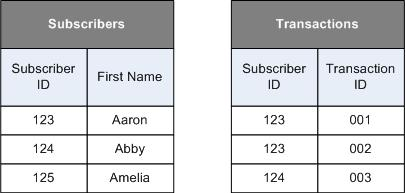
  • Info is related to subscribers through a 3rd piece of information in the data extension
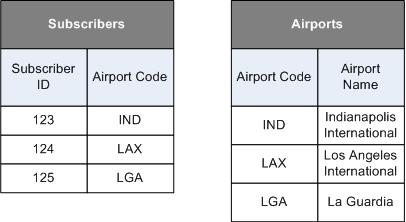
  • Data relationships relate your data extensions to each other and subscribers
    • These are necessary for information to be used in emails
  • External key = a unique value that identifies data relationships

Lists vs. Data Extensions

  • Data Import: Data is scrubbed at import for lists and scrubbed at send time for data extensions
  • Structure: Every data extension has their own structure and can contain different fields, while each list has the same attributes
  • Both can use Import Activities
  • Both accept text, date and numeric data types
  • Use the list model when: 
    • Lists have 500,000 subscribers or less
    • Prefer simplicity over performance
    • Don’t need to import quickly
    • Limited number of subscriber attributes
  • Use the data extension model when: 
    • Lists have 500,000+ subscribers
    • Want to support multiple subscriber data sets
    • Send global messages
    • Want fast import speeds
    • Sending triggered messages
    • Use SOAP or REST API
    • Want a flexible subscription model
    • Don’t need to add subscribers manually

Unsubscribes

  • Global unsubscribe
    • Managed by Salesforce Marketing Cloud
    • Subscriber has requested not to receive any type of communication from any account, regardless of sender
    • Most email addresses on list are spam traps or spam complaints

Marketing Automation

Automation Studio

  • Used to execute multi-step marketing and data management activities on an immediate, triggered, or scheduled basis
  • Makes email sends, SQL queries, file imports and more happen automatically
  • Overview page: 
    • Shows each automation’s status
    • Shows error information in line with the corresponding automation 
    • Allows you to run automations on an individual basis if necessary
  • Configure and manage automation activities on the Activities page

Journey Builder 

  • A campaign planning tool that enables you to design and automate marketing campaigns
  • Similar to Engagement Studio Programs but with more features like sending SMS messages and targeting with paid ads

Behavioral Triggers 

  • Let you add customers who abandoned items/services to data extensions
    • Uses Amazon Web Services (AWS)
    • Stores data for 30 days

Triggered Sends

  • Sends an email in response to a subscriber’s action.

Content Creation & Delivery
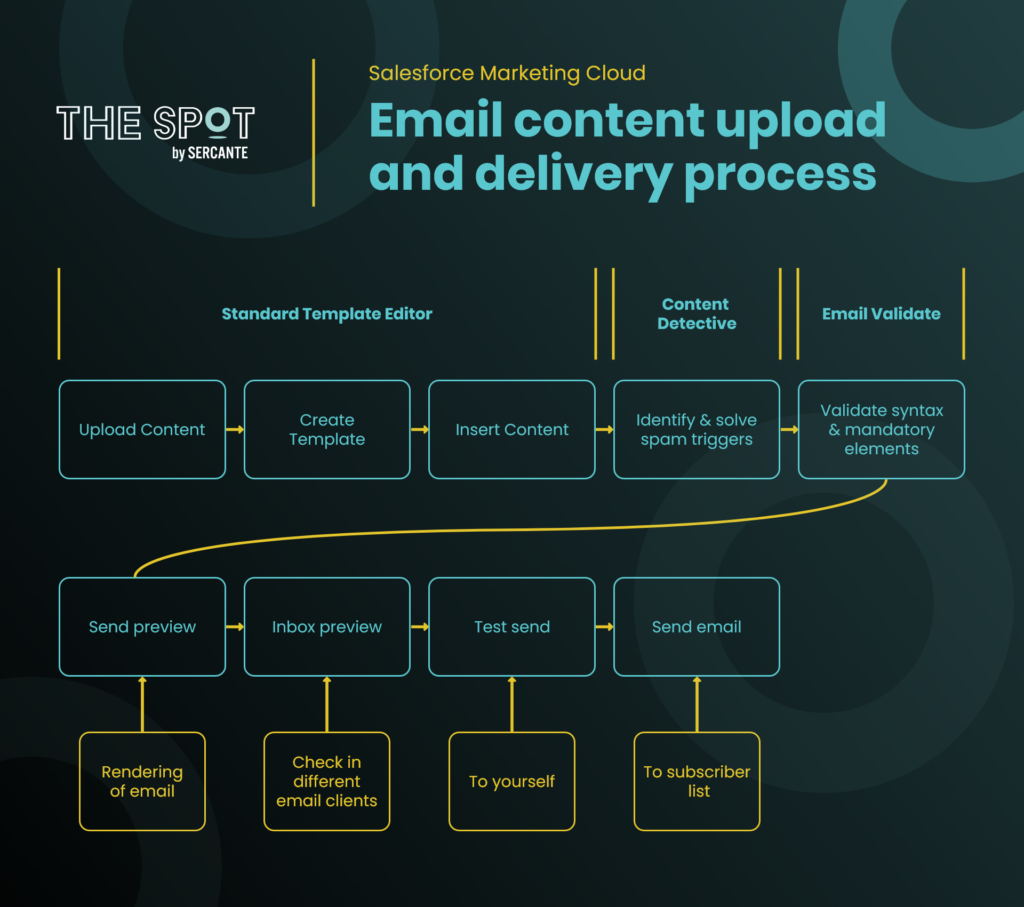
  • Emails are created in Content Builder
  • There are four creation methods: 
    • Template – Choose a template you have created
    • HTML – Paste your custom HTML code
    • Text Only -Create from text only or a code snippet.
    • Existing Email – Use one of your Classic or Content Builder saved emails
  • Personalization Strings let you insert subscriber attributes into emails
    • Can appear in the subject line, preheader, or in the content
    • Also called merge fields or substitution strings
    • Can insert system data personalization strings using AMPscript
  • AMPscript is the proprietary SFMC scripting language
    • Used for personalization, formatting values, relational data, inserting/updating data
    • Case sensitive
    • Must be in a block with open and close delimiters
  • Send Flow guides you through the necessary steps to send your email
    • Step by step process of selecting an audience, send time, etc.
  • Subscriber Preview is a rendering of an email as it will be viewed by a recipient. Can see previews for any subscriber.
  • Test Send allows you to send an email from the Subscriber Preview to your own inbox to view how the email appears in your email client.
    • If you unsubscribe from a test email that you send or access the subscriber’s profile center and make changes, those changes permanently apply to that subscriber
    • If the subscriber you select for the preview has a status of unsubscribed, bounced or held, the generated preview does not deliver any test send

Email Message Design

  • A/B Testing tool sends two versions of your email to two test audiences from your subscriber list. It tracks which version receives the highest unique open rate or highest click-through rate over a specified time period and sends that version to all remaining subscribers.
    • Can test: 
      • Subject line
      • Preheader
      • Different emails
      • Content
      • From name
      • Send time
  • Content Detective is a tool in Email Studio that helps you identify spam triggers in your email content
    • Mirrors the logic used by spam-filtering software to identify words, phrases, and patterns that are likely to trigger filters and recommends a resolution to each identified problem
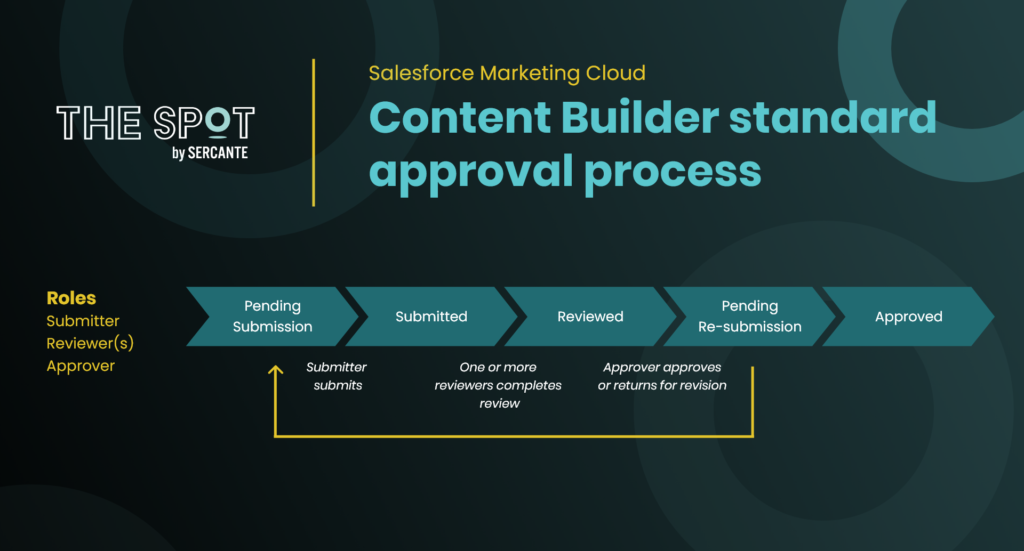
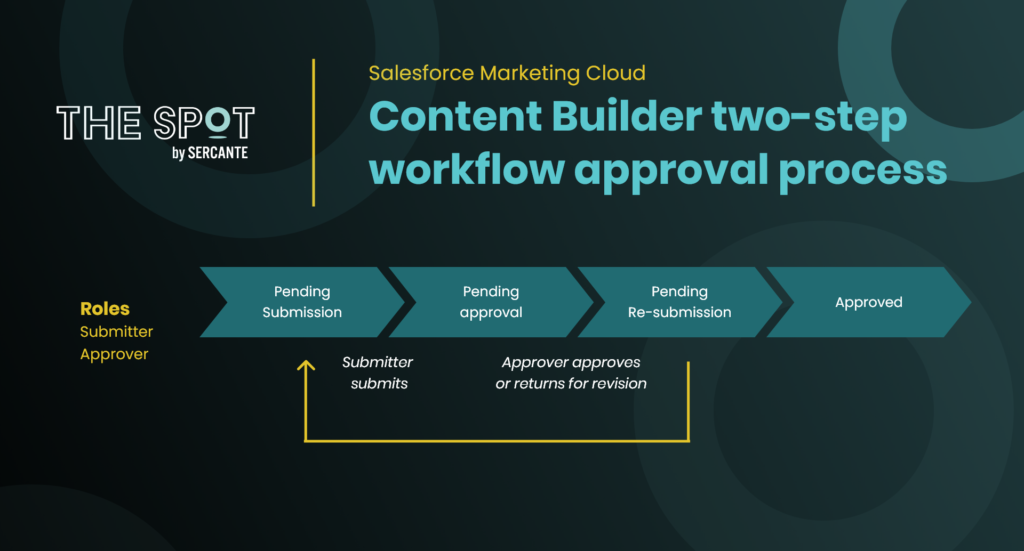
  • Approvals in Content Builder lets you create a process to review and approve content
    • Submit an email into a process which requires an approver to approve it before it can be sent to an audience
    • Can be launched from Email Creation Flow, the Content Builder grid, or the Approvals dashboard
    • Can use a standard or two-step workflow:
      • Standard: Submitter, one or more Reviewers, Approver
      • Two-Step: Submitter, Approver

Tracking & Reporting

  • Tracking is a collection of your email data that allows you to view metrics such as email sends, opens, clicks, undeliverable messages, email forwards and other metrics
    • Can create a subscriber list from tracking data to monitor subscriber and list performance or target list with future emails
    • Data is stored for 6 months
    • Uses a 1×1 pixel transparent GIF image in emails to track information
      • Automatically inserted into every email unless you use an HTML-Paste template
    • Tracking data for deleted subscribers and contacts is retained in anonymized format and can’t be linked to a specific record
    • Can select multiple emails and compare high-level metrics for each message
    • Conversions Tracking allows you to track the customer traffic and revenues generated by links within your emails
      • Requires you to insert tracking code into your website
  • Reports can be run through the Tracking tab in Email Studio and send to your inbox or FTP
    • You specify the parameters, file format, delivery method, and when to run the report
    • Reports can be automated through Automation Studio

Go forth and pass the test

Now that you know what to study, it’s time to get to work. But remember, simply memorizing these concepts isn’t going to get you there. You have to combine studying with hands-on experience and real-world application. 

Can’t get hands-on experience in Marketing Cloud? Salesforce has a few simulators you can use in Trailhead to get a feel for it.

Freaking out about the exam? Or have tips for your pals? Let us know about it in the comments.

The Salesforce Spring ‘22 Release has been out for nearly a month now, and it included important features for marketers who are on the Salesforce platform.  

We get three major releases from Salesforce each year — Spring, Summer and Winter. Each Salesforce release includes upgrades and enhancements that affect Salesforce orgs in different ways. 

So, if you’re using and managing marketing operations for your company or organization and want to know more about Salesforce, then you’re in the right place. We’re going to cover everything you need to know about the Salesforce Spring ‘22 Release if you’re a marketer who uses Salesforce.

Salesforce Spring ’22 Release: Highlights for Marketers

Marketers who use the Salesforce platform are getting lots of attention from the Salesforce Spring ‘22 Release. 

Some updates are changing the way we work to meet evolving technology demands. Others are saving us time by connecting the dots in a logical way. 

All we know is, this release includes big updates for people in the marketing world.

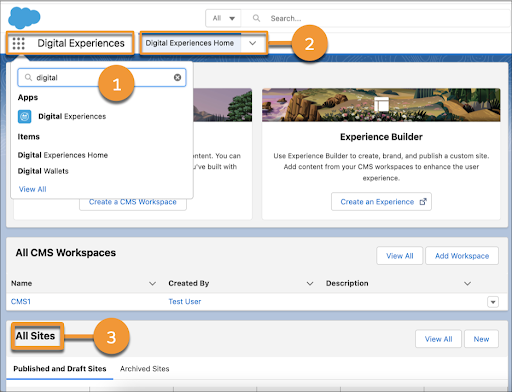
Highlight #1: Salesforce CMS Name Change to Digital Experiences

If you’ve enabled the new Pardot Lightning Email Builder or Lightning Landing Page Builder already, then you’ve heard of Salesforce CMS. 

Salesforce CMS was a tool within Lightning Experience that provides the ability to curate and share content, manage multiple languages, and control who can create what content. However, along with a slew of Salesforce product name changes, Salesforce renamed the tool Digital Experiences to stay consistent with the former Community Cloud change to Experience Cloud. 

There are no changes to the features that were available with Salesforce CMS, and Salesforce even allows users to type Salesforce CMS in the App Launcher to reach Digital Experiences.

Image Credit: Salesforce

Highlight #2: Salesforce Reporting Updates

Marketers on Salesforce have so many options when it comes to viewing marketing reporting metrics. Every tool in your tech stack has some sort of native reporting tools. But that data is limited to the tool.

Feeding that data into your marketing automation platform (MAP) gives you access to more insights when you can combine datasets. But you’re still limited.

But connecting your MAP to Salesforce platform reporting tools unlocks a whole world of data insights. We’re talking about sharing data from Pardot and Marketing Cloud with Salesforce Reports and Analytics Studio (Tableau CRM). 

Here are the reporting updates marketers on Salesforce will want to know about.

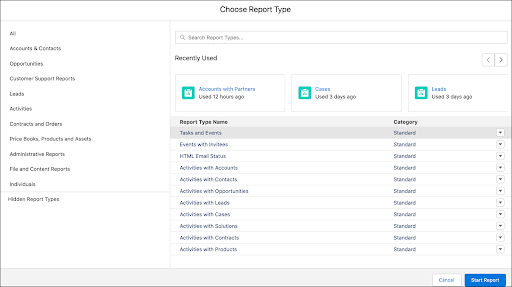
Improvement #1: Easily Find the Right Report Type for New Reports (Beta)

Building reports in Salesforce can be very confusing at first if you don’t know what report type to look for. So, this improvement is definitely an exciting one. 

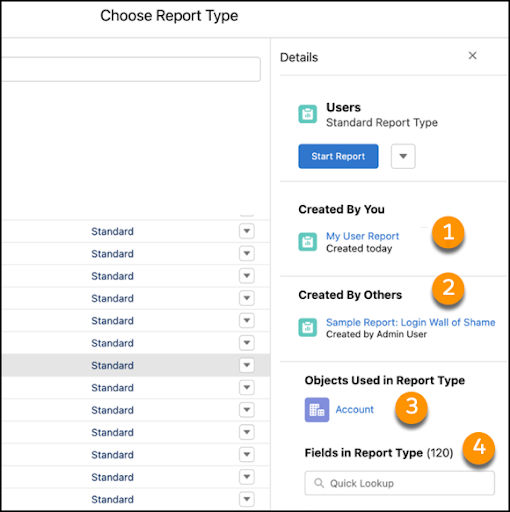
With the new enhanced report type selector, users can view their most recently used report types and see if a report type is standard or custom.

Image Credit: Salesforce

Another feature provided in this update is the ability to view the objects and fields available with the report type. And you can also see what reports have been created by yourself and other users using the report type.

Image Credit: Salesforce

Improvement #2: Edit Multiple Fields Inline on the Report Run Page (Beta)

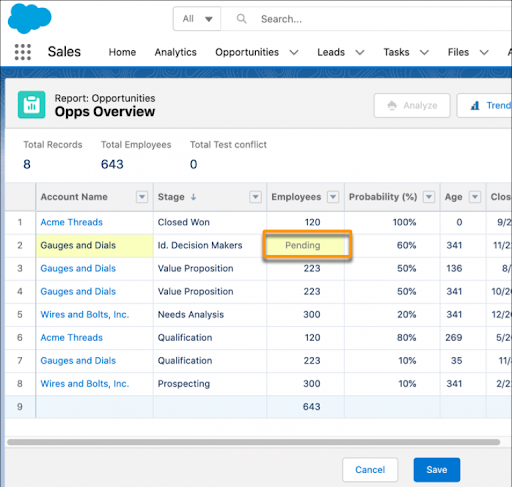
Salesforce users and marketers both have a need to update information on the fly while viewing a report in Salesforce. This new feature provides the ability to edit fields within your report on multiple records. 

You can make as many changes as you want, as long as the field is not locked, and then save all of the changes at once without rerunning the report. Fields that are related to other fields within that same record will update those additional fields as well once you save your changes within the report. 

The example below is a preview of what happens when the Account on an Opportunity is updated and the Employees field shows as pending. Seeing this screen means the field will update as well once the record is saved.

Improvement #3: ​​Automatically Tune Your Dashboards to Your Business Goals with Dynamic Gauge Charts (GA)

If you have ever used a Salesforce Dashboard to track your campaign metrics, then you might have used a Gauge Report chart before. 

Gauge charts typically track performance toward a certain goal that you set in place when the dashboard was created. This new feature will provide you with the ability to track your performance dynamically instead of setting a singular goal for the year. 

This means Salesforce will use your report metrics and dynamically update your goal as it responds to your business and performance whether it is a positive or negative change.

Improvement #4: Personal Information Security Updates

Marketers should always ensure that their customer data is compliant and respects the customer’s personal preferences. With that in mind, Salesforce has released a new update to help hide customer’s personal data from other customers who are in the same portal or community. 

Enabling Enhanced Personal Information Management will replace the current Hide Personal Information setting available in Setup and will secure even more PII data on the User record. The new feature provides the ability to select which standard and custom fields are considered PII in your Salesforce org.

Companies should be aware that customers will no longer have access to their own personal data in the community or portal for the fields you select to hide on the User record. This feature will become enforced in all Salesforce organizations during the Winter ‘23 release.

Salesforce is getting bigger and better all the time

B2B marketers who come to Salesforce are usually looking to scale their efforts and grow in a way that makes sense. These latest enhancements from the Salesforce Spring ‘22 Release get marketers closer to those goals by saving them time and resources. 

Contact the team at Sercante to get help implementing these enhancements in your Salesforce org. And leave us a comment below to let us know what you think about the Spring ‘22 Release.

I seriously felt imposter syndrome as a professional in the Salesforce and Pardot community — but I overcame those feelings by learning everything I could through Pardot training courses and blogs.

As a new member to the Sercante team and overall Salesforce consulting ecosystem, I was struggling with imposter syndrome over the past few months. 

Part of that is because my journey with Pardot hasn’t been the most conventional. I had a big skill gap from taking two years off from using the platform. But, I’ve been able to combat imposter syndrome by sharpening my Pardot skills. 

My Pardot journey and the imposter syndrome that followed

Jordyn Jaffer
Jordyn Jaffer at Atlanta Braves Opening Day in 2019

I became an accidental Pardot admin back in 2018 when I was working for the Atlanta Braves. That’s when they implemented Salesforce and Pardot for customer and email marketing management. 

I learned as much as I could from our implementation partner and through modules on Salesforce Trailhead. But, I hadn’t yet achieved expert-level knowledge. And I didn’t feel like I could engage with the Pardot community due to my lack of knowledge in Pardot features the Braves didn’t use. 

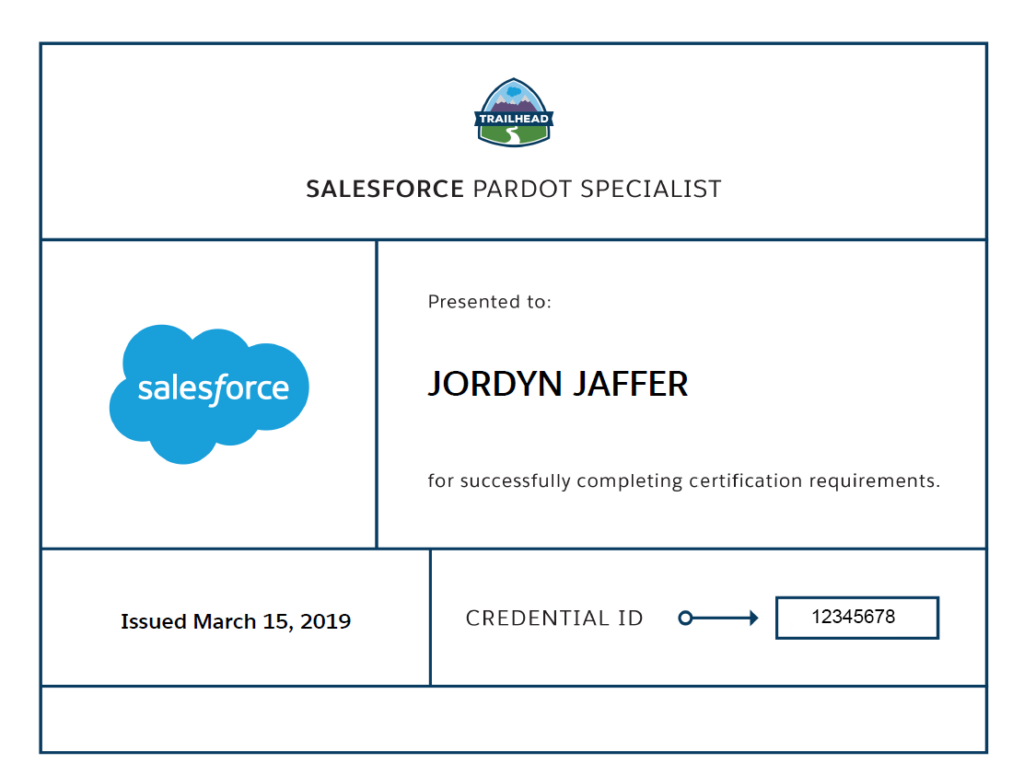
I earned my Pardot Specialist Certification while working for the Atlanta Braves. But, I decided to leave the Atlanta area in late 2019. I moved to the Northeast, which is where I’m from.

Pardot specialist certification

Learning Pardot while working as a Salesforce admin

I quickly found a job as a Salesforce & FinancialForce administrator for a specific department at Northeastern University, my alma mater. Northeastern didn’t use Pardot, so there was no way for me to continue learning within an actual Pardot environment. 

I knew I wanted to get back into the Pardot ecosystem eventually, but I didn’t know when.  So, I applied to join the inaugural Salesforce Marketing Champions class as a way to prove to myself that I can still be attached to Pardot. 

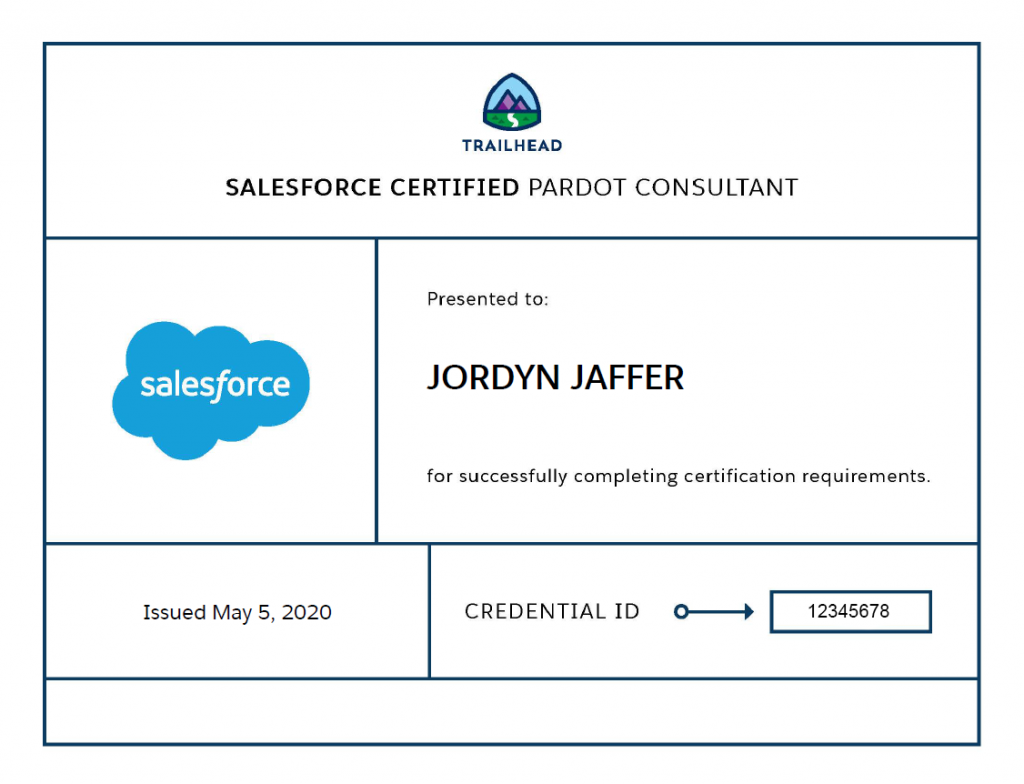
I regretted submitting my application right away. I didn’t think Salesforce would pick someone with less than two years of Pardot experience and who wasn’t even working with Pardot at the time. Luckily, I was chosen to join the Marketing Champions class and soon after achieved my Pardot Consultant Certification by continuing to study as much as I could.

pardot consultant certification

Finding my way back to working with Pardot

sercante logo

Fast forward to September 2021, an old colleague from the Atlanta Braves recommended that I join the Sercante team. I was fortunate enough to be offered the job and joined a team that mainly focuses on guided implementations with clients. 

After learning more about the members of not only my team, but the entire company, I slipped back into being anxious and wondering if my boss would believe that I didn’t know as much about Pardot as I said during my interview. There were so many concepts that I didn’t have actual experience with. I worried about being able to articulate things correctly during my client calls. 

Fortunately, I found my way to the right place. There are a vast number of resources available within the Pardot community (and within Sercante) that helped me fill the gaps. These Pardot resources eased my anxiety, and I know I’ll use everything I learn for the rest of my time in the Pardot ecosystem.

What is imposter syndrome?

You just read the long story about my Pardot journey and may be wondering, “What is imposter syndrome anyway?” 

As I referenced above, imposter syndrome can be feelings of anxiety over not knowing certain topics and being called out for that knowledge gap. It can also come in the form of putting yourself down even though you have evidence of your success and knowledge. 

If you have ever felt like luck was the main factor when reflecting on your achievements, then you may be struggling with another form of imposter syndrome.

Why people in tech jobs experience imposter syndrome

A 2018 study showed that 58% of people working in technology jobs experience imposter syndrome. Within that survey, 66.88% of people working at Salesforce said they have experienced the feeling of imposter syndrome.

One reason that people in tech feel may like impostors is because they have a different background from the people they work with. Or they may have recently started working in a new position and they are feeling doubtful about their ability to take on new responsibilities and manage new tools.

Imposter syndrome is usually prevalent within the Pardot ecosystem. That’s because there’s limited knowledge of the platform outside of those who use it. Like other Salesforce cloud admins, many Pardot admins get thrown into the role when their company migrates or upgrades their marketing automation tool. 

The “accidental admin” roles can make people feel like they’re on their own and don’t have anyone to discuss issues or ideas with. It can also be very depleting to train your coworkers on a platform that you don’t have much experience on. Without having other companies or admins to benchmark against, you may believe that you cannot possibly be considered as a valuable resource in the Pardot community.

How to continue to sharpen your Pardot skills and combat imposter syndrome

If you read “Pardot Admins & the Lurking Impostors” back in 2017, written by Andrea Tarrell (the CEO of Sercante), then you may already have an idea of how you can fight your imposter syndrome. We’ll be looking into those ideas in detail to help us determine the best strategies to hone your Pardot skills.

Here are my favorite resources for keeping my Pardot and digital marketing skillset up-to-date so I feel more confident in my work.

Salesforce Trailhead!

Trailhead logo

Trailhead is typically the first place I recommend to anyone who wants to learn more about Salesforce as a whole or an individual product offered by Salesforce. Although there is not a lot of content on Pardot as there may be on other products, there are still a couple trails and a Trailmix you can use to enhance your skills:

Salesforce Pardot community resources

Salesforce Pardot community resources (these are created and hosted by the Pardot team at Salesforce) are also a great place to learn information on various Pardot features.

There are tons of free webinars and downloadable content, as well as a detailed outline of what you need to know when first getting started with Pardot. I also highly recommend joining the Pardot Community Group where you can ask questions and get answers from other Pardot users around the world.

Pardot user groups

Along the same lines as using resources from Pardot, you can also join a Pardot user group that is based where you live. These are user groups that are led by community members who go through the Trailblazer Community User Group process.

It is very easy to see what user groups are active in various areas by going to the Trailblazer Community Groups page. I recommend checking out other areas as well as most user groups are still meeting virtually and are open to anyone to join. Most user groups are preparing their 2022 schedule right now, but here are six of the most active Pardot User Groups, in North America, from 2021 to look out for:

Get Salesforce certified

As Andrea previously mentioned in her article, “If a cert makes you feel better, do it.” Getting certified in various Salesforce products and features has helped me personally combat my imposter syndrome as it shows me that I do know my shit when it comes to certain topics.

The Pardot Specialist certification is the first cert recommended for anyone who has experience as a Pardot Admin. If you feel as though you are prepared to take the exam by the end of January 2022, you should take advantage of Salesforce’s 30% offer to save some money when signing up for your exam. I also recommend reading my colleague’s post on her tips to pass the Pardot Specialist exam.

Pardot Admin Bootcamp training course

Finally, I recommend signing up for Pardot training sessions from a trusted instructor or Salesforce partner to learn about topics more in-depth from Pardot experts.

Sercante offers Bootcamps for Pardot Admins and mini-workshops on specific Pardot topics. These courses are run by the consultants and experts who work at Sercante and provide hands-on experience that will help you retain the knowledge you learn.

Get the Pardot skills you need to feel a sense of belonging

Imposter syndrome is something that most people will have to deal with at some point in their professional lives. I know I have experienced it in each of my roles and am still struggling with it in my current role at Sercante. 

When it comes to battling imposter syndrome within the Pardot ecosystem, there are many resources that you can use to continually improve your Pardot skills and prove to yourself and others that you do belong.

If you are experiencing imposter syndrome as a Pardot admin, user, or consultant and have additional tips on how to combat it, we would love to hear from you in the comments!

It’s time to prepare for the Salesforce Spring ‘22 Release and how it will affect your Pardot instance.

We get three major releases from Salesforce each year — Spring, Summer and Winter. Each Salesforce release includes upgrades and enhancements that affect Salesforce orgs in different ways. 

So, if you’re using and managing Pardot for your company or organization, then you’re in the right place. We’re going to cover everything you need to know about the Salesforce Spring ‘22 Release for Pardot admins and users.

Salesforce Spring ‘22 release dates

Here are the Salesforce Spring ‘22 Release dates:

  • December 16, 2021: Pre-release org signup
  • December 22, 2021: Release notes available
  • January 7, 2022: Sandbox preview starts, release site available, and release Trailhead module launches
  • January 10, 2022: Release overview deck and feature matrix available
  • January 14, 2022: Release weekend
  • February 4, 2022: Release weekend
  • February 11, 2022: Release weekend
  • February 4-11, 2022: Release Readiness Live

Salesforce Spring ’22 Release: 6 highlights for Pardot users and admins

Pardot users and admins are getting lots of attention from the Salesforce Spring ‘22 Release. Some updates are changing the way we work to meet evolving technology demands. Others are saving us time by connecting the dots in a logical way. All we know is, this release includes big updates for people in the sales and marketing world.

pardot email builder enhancements

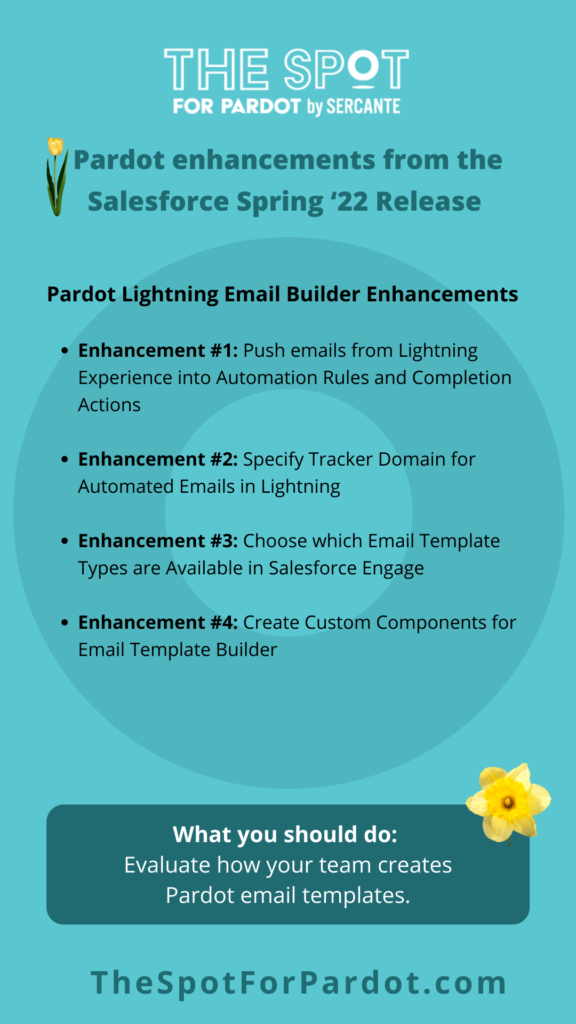
1. Pardot Lightning Email Builder enhancements

The newer Pardot Email Builder in Salesforce Lightning Experience is getting quite a few upgrades during this upcoming release. Salesforce is continuing to improve the connection between Pardot and the Lightning Email Builder in an effort to make it a seamless experience between the two.

Enhancement #1: Push emails from Lightning Experience into Automation Rules and Completion Actions

The Winter ‘22 release brought us the exciting news of being able to use Lightning Email Content in Engagement Studio when you mark those emails for “Automation” use.

After Spring ‘22, Salesforce has further enhanced this feature by enabling you to push emails from Lightning Experience into Automation Rules and Completion Actions in the same manner as you did when you enabled emails for Engagement Studio.

Enhancement #2: Specify Tracker Domain for Automated Emails in Lightning

Now that there have been enhancements in using your Lightning emails for various automation tools in Pardot, Salesforce is looking to provide other upgrades to the Lightning Email Builder.

This Spring ‘22 release will enable you to specify the tracker domain for automated emails in Lightning. All you have to do is create your emails and activate them for use in automations to receive the option to specify the tracker domain.

Enhancement #3: Choose which Email Template Types are Available in Salesforce Engage

Customers who have Salesforce Engage will also see an exciting enhancement that will further optimize their connection between the marketing and sales teams in their organization.

With the Spring ‘22 release, you can choose which Email Template Types you want to make available in Salesforce Engage. This allows you to specify whether you want Pardot or Lightning Email Templates available to your sales team. You can even determine which Lightning Email Template folders you want to make available for sales to ensure they cannot use templates in marketing-specific folders.

Enhancement #4: Create Custom Components for Email Template Builder

We were all excited to start creating emails in the drag-and-drop editor in Salesforce Lightning Experience. But then we encountered limitations with the components you drag into your template.

Spring ‘22 provides the option to create custom components for the new drag-and-drop editor. You’ll need to create a metadata package and ensure you test it in a sandbox before you deploy for use in your production environment.

What you should do: Evaluate how your team creates Pardot email templates.

These enhancements to the drag-and-drop email editor give Pardot marketers even more tools to push them toward the Lightning Email Builder. You should evaluate what your team’s current selection of email templates are and determine if some are better managed through the Lightning Email Builder. 

Document your team’s current processes and talk to them about what works and doesn’t work well for them. Also, pay attention to how much time they are spending on these tasks so you can determine if it makes sense to invest in upgrades or external resources.

pardot lightning builder enhancements

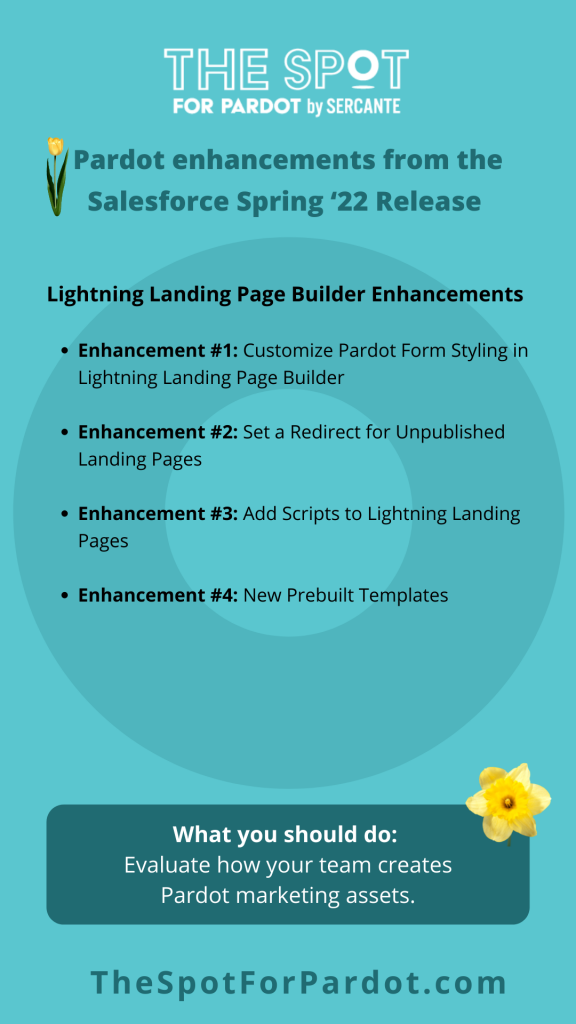
2. Pardot Lightning Landing Page Builder enhancements

Marketers were very excited to learn about the new drag-and-drop Landing Page Builder that Salesforce recently released. As with the Lightning Email Builder, Salesforce has ensured that you will continue to get improvements to this new tool.

Enhancement #1: Customize Pardot Form Styling in Lightning Landing Page Builder

The new Enhanced Landing Page Builder previously did not allow you to customize your Pardot Form within your Landing Page without adjusting the Layout Template code. With the Spring ‘22 release, you are able to edit styling such as colors, fonts, margins, and more within the Lightning Landing Page Builder by clicking on the new Style tab when you drag your Pardot Form into the builder.

Enhancement #2: Set a Redirect for Unpublished Landing Pages

When a Pardot Landing Page was previously archived, users were redirected to the website that is set up through Pardot Settings. The Spring ‘22 release provides an option to set a custom redirect URL for an enhanced landing page that you unpublish. 

You’re able to set this up by editing the redirect field before you unpublish the landing page.

Enhancement #3: Add Scripts to Lightning Landing Pages

The Lightning Email Builder will soon be able to support script code in either the header or footer of an individual landing page. When you publish your landing page, the code blocks are pulled into the source code for the landing page. 

Organizations will find this feature useful if they want to use JavaScript to support their Google Analytics tracking.

Enhancement #4: New Prebuilt Templates

The Lightning Landing Page Builder will now provide prebuilt layouts for your landing pages in the Spring ‘22 release. This new change will help you drag in new rows and columns easily as you customize your landing page. 

The breadcrumbs feature at the top of the editing panes will help you navigate to a row so you style and add new columns.

What you should do: Evaluate how your team creates Pardot marketing assets.

Similar to the enhancements to the Lightning Email Builder, these enhancements will help marketers move from the Pardot Landing Page Builder to the new Lightning Landing Page Builder. You should evaluate the Landing Pages you already have built and in use within Pardot and determine whether it is a good time to move those landing pages into the new drag-and-drop builder.

pardot email privacy changes

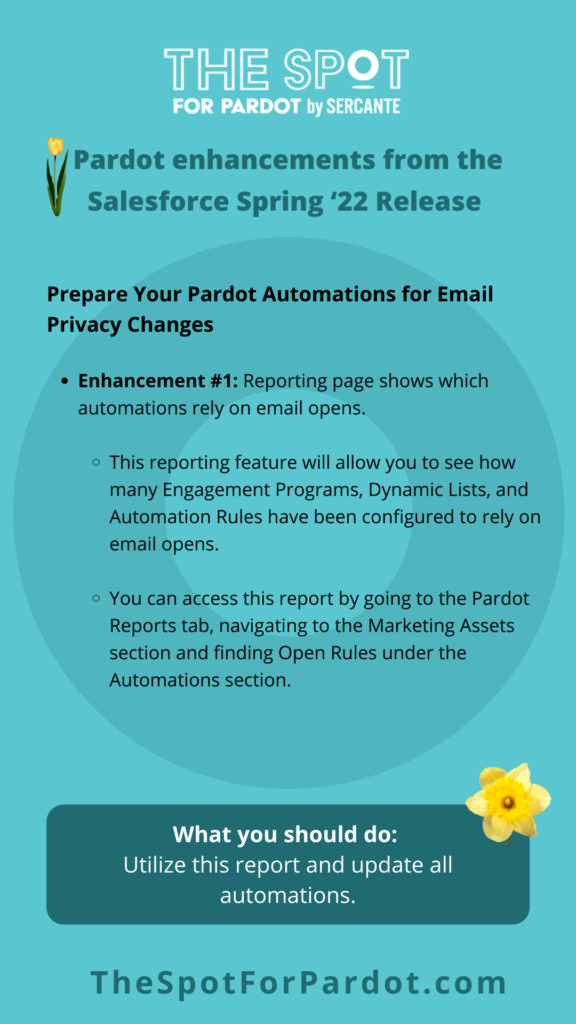
3. Get your Pardot automations ready for email privacy changes

As you may have heard, Apple has announced Mail Privacy Protection (MPP) in mid-2021 as a way to protect their users and hide email marketers from tracking the customers they send emails to. 

These changes will force email marketers to look at other email metrics, outside of email opens, to properly report on their email sends moving forward. Along with this, Pardot admins will need to do a full review of their automations to determine which rely on email opens so they can update the criteria appropriately.

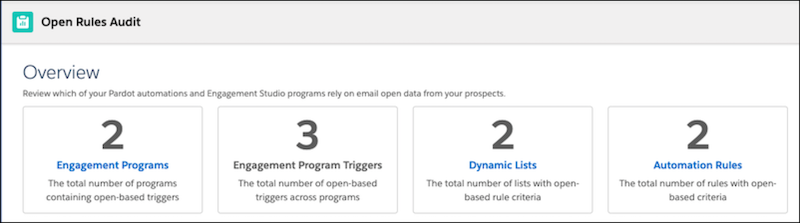
Fortunately, the Salesforce Spring ‘22 release will include a reporting page that will provide an overview of which of your automations rely on email opens at this time.

This reporting feature will allow you to see how many Engagement Programs, Dynamic Lists, and Automation Rules have been configured to rely on email opens. 

You can access this report by going to the Pardot Reports tab, navigating to the Marketing Assets section and finding Open Rules under the Automations section.

What you should do: Utilize this report and update all automations.

It is strongly recommended that you update any automation that relies on email opens to start looking at other high-value metrics, such as email clicks. You should also ensure that everyone who views reports on your email sends understand that email opens is not a reliable KPI anymore and should not be used to consider an email’s success.

4. Prepare for the retirement of Pardot drip programs

Pardot drip campaigns

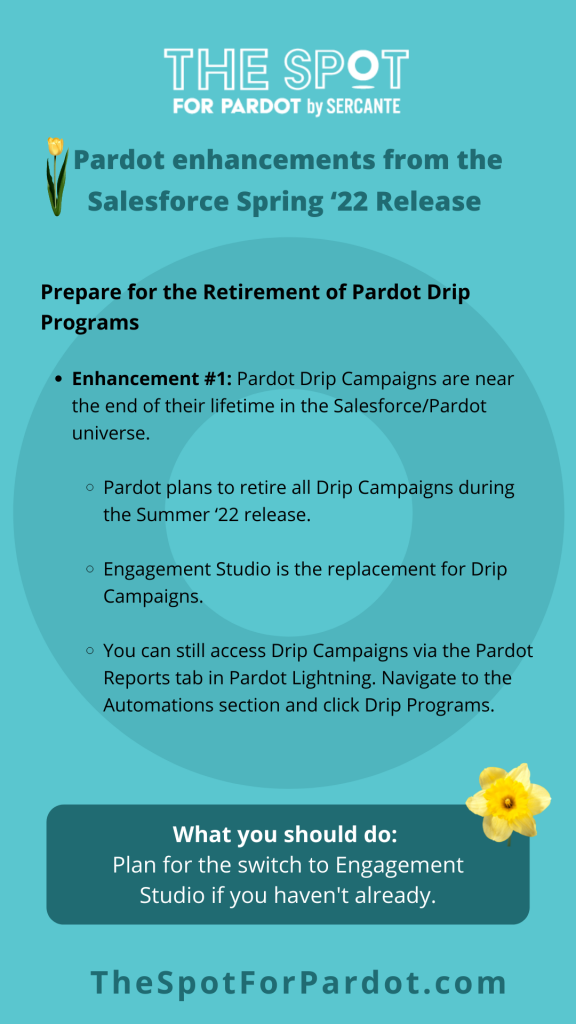
Pardot Drip Campaigns are near the end of their lifetime in the Salesforce/Pardot universe. Although they won’t be retired with this release, Pardot plans to retire all Drip Campaigns during the Summer ‘22 release. If you have never used the Drip Programs tool (now known as Engagement Studio), then the feature was removed with the Winter ‘22 release.

Pardot will still provide access to reporting for Pardot legacy Drip Programs, and the company has moved them to a new location with the Spring ‘22 release. Head to the Pardot Reports tab in Pardot Lightning, navigate to the Automations section and click Drip Programs. 

This option is not accessible to Pardot orgs that did not use Drip Programs previously.

What you should do: Start planning for the switch to Engagement Studio.

If you haven’t already made the switch to Engagement Studio, then now is definitely the time to start considering it.

Here are resources to prepare for switching to Pardot Engagement Studio:

pardot integrations

5. Extending Pardot through integrations

Salesforce is highly customizable thanks to integrations. And new ways to extend Pardot through integrations are going live all the time.

Here are a few Salesforce Spring ‘22 Release enhancements that use integrations to extend Pardot functionality.

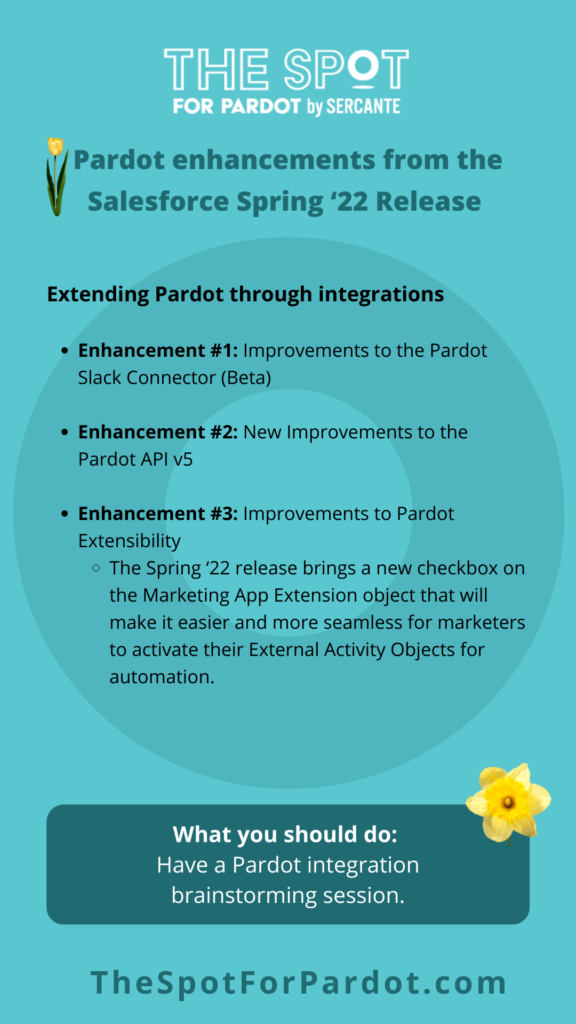
Enhancement #1: Improvements to the Pardot Slack Connector (Beta)

If you tried out the Pardot Slack Connector (beta) when it was introduced in the Winter ‘22 release, you may be excited to hear that we are already receiving improvements to the feature.

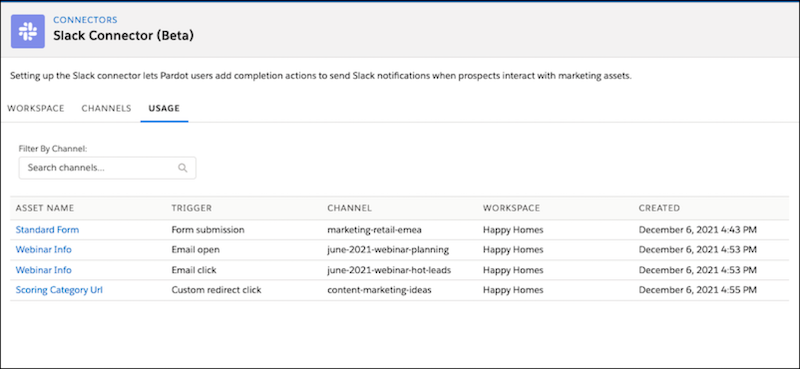
The completion actions that you were already able to set up to send Slack Notifications for your marketing assets are now available in the Pardot Lightning Email Builder Experience. There is also a new Usage tab available for the Slack Connector so you can get a complete view of which marketing assets are connected to Slack via Completion Actions.

Enhancement #2: New Improvements to the Pardot API v5

The Pardot API v5 became available in the Winter ‘22 release and will be seeing some improvements with the Spring ‘22 release. 

There will be 13 more objects available through the API and updates to 3 of the objects that were already accessible. This release will also bring a new Tracking and Consent JavaScript API that will give you control over how Pardot tracks page views.

Enhancement #3: Improvements to Pardot Extensibility

Pardot announced the release of Marketing App Extensions to collect prospect data in third-party applications and bring that data into Pardot during the Winter ‘22 release.

The Spring ‘22 release brings a new checkbox on the Marketing App Extension object that will make it easier and more seamless for marketers to activate their External Activity Objects for automation.

What you should do: Integration brainstorming session

Have a brainstorming session to discover ways you can use integrations more effectively in your Pardot instance. You can kickstart the session by completing the sentence “wouldn’t it be nice if Pardot…” as many times as you can. 

Then, rank those sentences you created and focus on the ones that will have the greatest impact on your marketing efforts. If implementing those integrations you identified through your brainstorming goes beyond your team’s capabilities, then reach out to Sercante Labs to find out how you can make it happen.

6. Additional features to look out for

Pardot included a few extra features in this release that don’t really fit any of our above topics, but are definitely still important to understand ahead of the release.

Here are a few additional Salesforce Spring ‘22 Release enhancements that can help with reporting and segmentation. 

Enhancement #1: Einstein Engagement Frequency

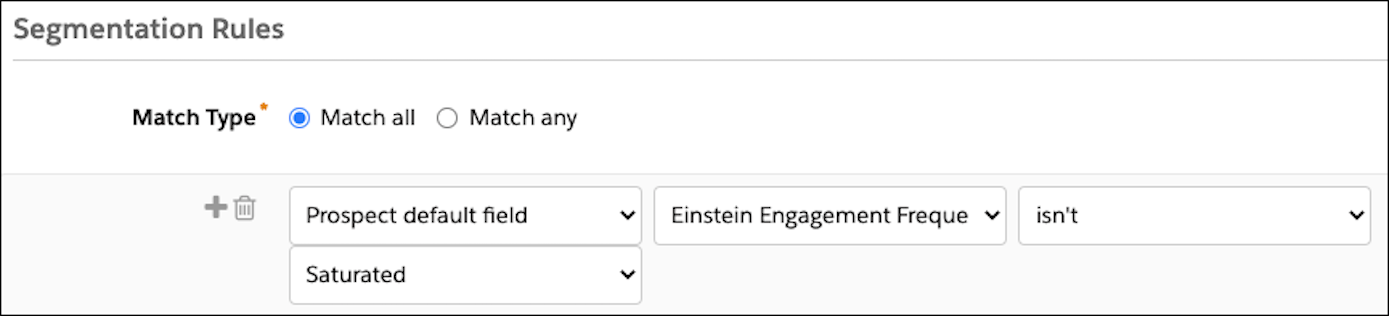
This feature (only available to Pardot Advanced and Premium Editions) helps reduce email fatigue by scanning individual prospect engagement behaviors to help you understand the optimal send for marketing emails. 

You will need to enable this feature through Marketing Setup in Salesforce and ensure you have enough data for the model to train itself within 72 hours. Once the model is trained, you will be able to use a new prospect field called “frequency category” to segment prospects in lists or Engagement Studio.

Enhancement #2: Einstein Account Tier

This feature (also only available to Pardot Advanced and Pardot Premium editions) helps you segment on your prospect accounts in a new way by using another model to start assigning tiers to your accounts. 

To use it, you will need to map the Account Tier field to a custom Pardot field to read in the values that the Einstein Key Accounts Identification model starts assigning to your Accounts. You’re able to easily use this field in any automation as the field will be listed under the “Prospect Account field” criteria type that you can choose. 

Enhancement #3: Improved Thresholds for Metrics Guard Filtering

This feature applies to all Pardot editions by improving filtering on what’s considered to be bot-click activity. The Metrics Guard will now look for any bursts of email open and email click activity that surpass thresholds that are put in place. Your team will no longer see activity from those IP addresses until the activity falls below the threshold again.

What you should do: Consider using these AI features to improve your email marketing and reporting capabilities.

These features are nice additions to any Pardot org. There is minimal work your team needs to do outside of setting up the features. Then you can sit back and enjoy the benefits they bring to your segmentation and reporting.

Pardot is getting bigger and better all the time

B2B marketers who come to Pardot are usually looking to scale their efforts and grow in a way that makes sense. These latest enhancements from the Salesforce Spring ‘22 Release get Pardot marketers closer to those goals by saving them time and resources. 

Adding more user-friendly design capabilities addresses a major pain point for many Pardot customers. And extending Pardot through integrations and feature upgrades is preparing Pardot orgs of all sizes for the future. Contact the team at Sercante to get help implementing these enhancements in your Salesforce org and Pardot instance. And leave us a comment below to let us know what you think about the Spring ‘22 Release.

Included in the Salesforce Winter ‘22 release is a beta feature that highlights the beginning of an integration between Pardot and Slack.

Salesforce officially acquired Slack on July 21, 2021, and the company is already looking to push out new features to integrate Slack with your Salesforce instance. The newest announcement regarding the integration between the two systems went into detail about how every company should have a digital headquarters and what features will soon be available.

Here is what you need to know so you can understand how Slack will work with Pardot.

Connecting Pardot with your company Slack workspace

What does the beta service include?

This beta feature allows your marketing and sales teams to receive updates in their Slack workspace when a prospect engages with your marketing assets. Through a completion action on your marketing asset, a new post will be shared within your Slack workspace informing your team of what asset the prospect interacted with and their basic contact information. When setting up the completion action, you are able to select which Slack channel you want your team to receive the notification.

Push notifications from Pardot to Slack via Pardot completion action

How do I enable the Pardot and Slack integration?

Before enabling the Pardot Slack connector, you will need to create a Slack app that will be installed in your Slack workspace so you can connect Slack to Pardot. If you are like me and have never heard of a Slack app, that’s fine! A Slack app should be created when you need to use Slack APIs to connect your workspace with a third-party service through an integration.

It’s recommended to create an app from an app manifest when setting up the basic Slack app, but it is possible to create your own. The Salesforce documentation for this integration includes JSON code for you to use in the manifest file. 

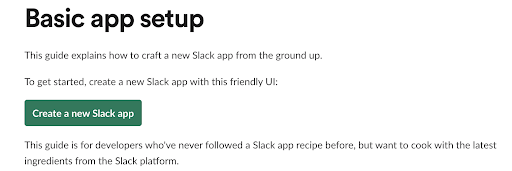
Slack provides an easy-to-navigate article that helps you create your Slack app for whichever Slack workspace you want to integrate with Pardot. By following the steps shown through the “Create a new Slack app” button, you will be able to create your own app within a couple of minutes.

Once your app is created, you will have to install it in your Slack workspace. This is so the Pardot and Slack integration is connected and ready to be used. Finally, you will have to generate a token and scope through your Slack app to add your workspace to the Slack connector in Pardot.

Enable the Pardot Slack Connector

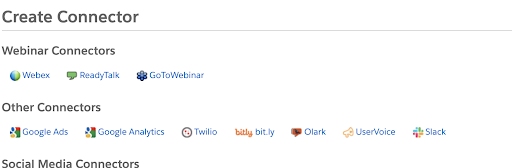
Now that we have everything set up on the Slack side of the integration, you should navigate to your Pardot settings through the Pardot Lightning App to enable the Pardot Slack connector. Once you have enabled this setting, Slack will be available as a Connector through your connector settings through the Pardot Settings tab.

Enable the Pardot Slack Connector
Pardot Slack Integration create connector

When you choose the Slack connector, you will be prompted to add a Slack workspace to integrate with Pardot. To connect to your workspace, you will have to use the bot token provided when you generated the token and scopes for your Slack app. Once your workspace is added to the Slack connector, you can then choose up to 10 channels from that workspace to connect to Pardot. 

You will need to copy the channel links in order to set them up through the connector. You can find these by right clicking on the designated channel within your Slack workspace.

Configure Slack Notification Completion Actions in Pardot

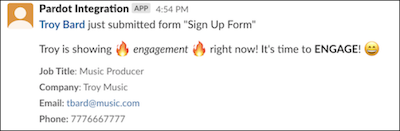
Now that you have your Slack workspace and channel(s) set up through the Slack connector in Pardot, you can use the “notify Slack channel” Completion Action on your marketing assets. When setting up your completion action, you are able to select which channel you want to post to as well as customize the message that is posted in the Slack channel. With each post, Pardot will also include the following fields for the prospect so your teams can easily identify them in Pardot:

  • Name
  • Job Title
  • Company
  • Email
  • Phone

These fields will show as blank values if they are not populated for the prospect who has completed the particular action you have set up.

Pardot Slack Integration sample message

Upcoming features

Salesforce announced Slack-First Marketing in mid-September and emphasized how the initiative will enable marketing teams to be able to collaborate through a shared digital workspace in Slack. 

Pardot Automation for Slack is the newest feature available for Pardot users to integrate with Slack. Although there is not much information on this new feature yet, we know it is expected to be available with the Spring ‘22 release and provides a shared view of your customer in Slack while streamlining notifications for the sales department.

Important things to know

Here are a few considerations you should keep in mind when you enable the Slack integration in Pardot.

  • You will need to work with your Slack workspace admin to create an app for the workspace you want to integrate with Pardot.
  • The Pardot Slack Connector is a beta feature and is only available in English.
  • The Pardot Slack Connector is not available through Pardot Classic, so you will need to install the Pardot Lighting App to use this feature.
  • You can only create the completion action to notify a Slack channel through a Pardot form, form handler, file download, custom redirect, page action, and Pardot Classic emails.
  • At this time, you are only able to connect one Slack workspace to Pardot and add up to 10 Slack channels for the integration.

Learn more about the Slack integration with Pardot

Remember to reach out to Sercante if you want to know more about setting up these features in your Pardot org. Or, comment below to let us know your thoughts.

No more posts to show