Category

New Features

Salesforce Spring ‘24 release notes are out! Here are the most important features coming to Account Engagement that marketers should know about.

Einstein Assistant

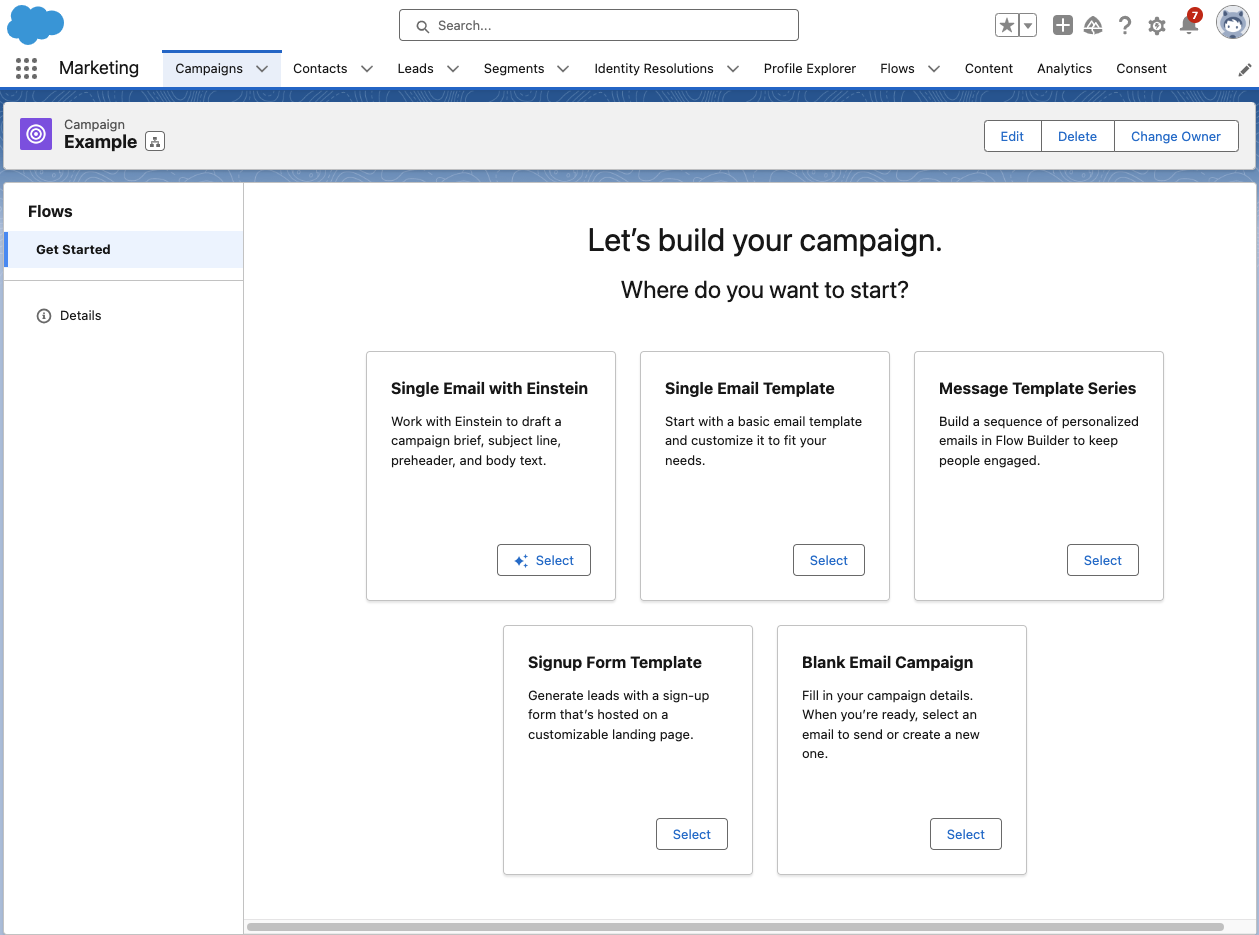
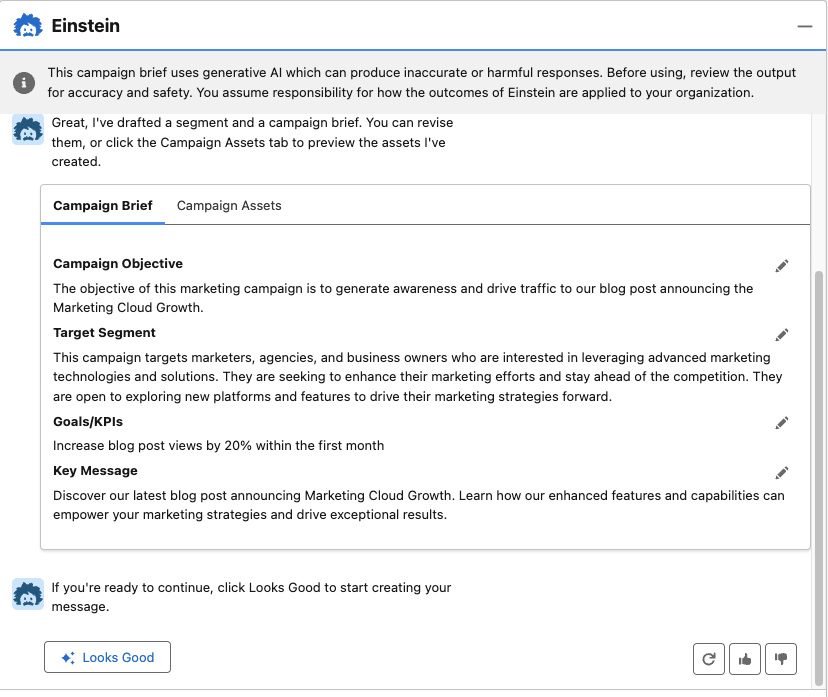
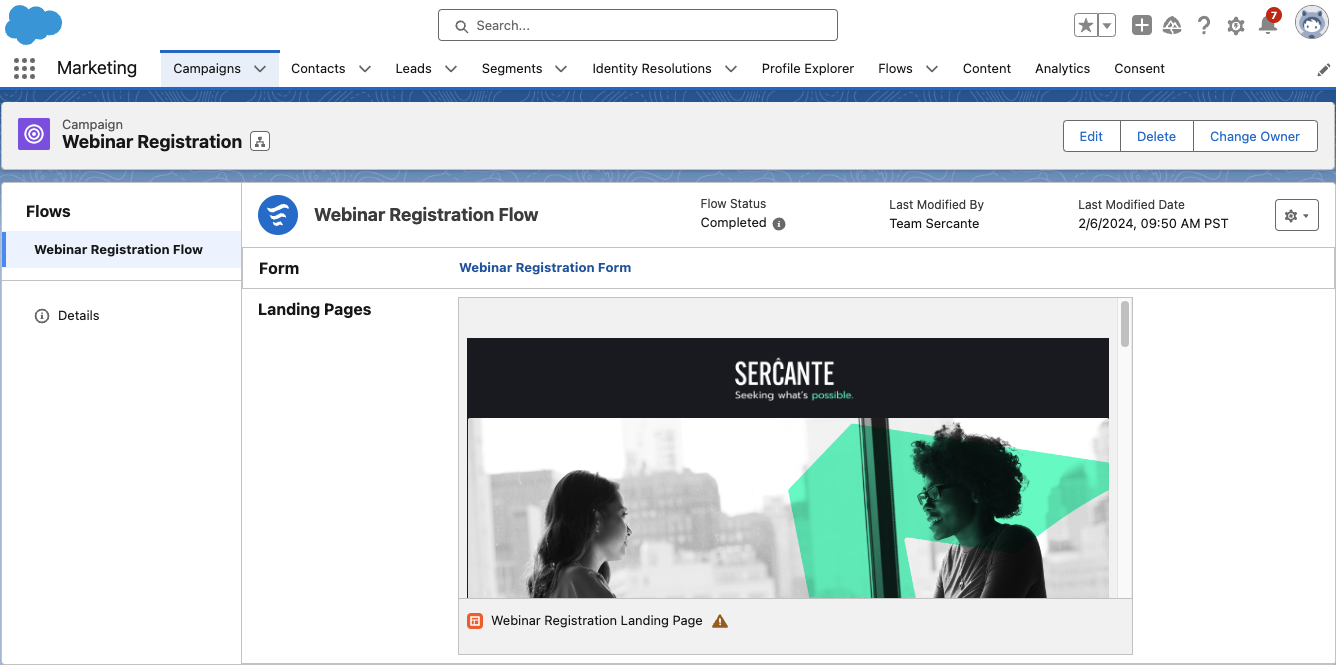
More AI functionality is coming to Account Engagement! With the Spring ‘24 release, Account Engagement Advanced and Premium editions can now utilize generative AI to create Landing Pages, Forms, and List Emails. When creating or editing assets, Einstein Assistant will prompt you to describe what you’re building to auto-generate copy or details for each asset type.

  • Landing Pages: Einstein Assistant will suggest a name, tags, title, and description.
  • Forms: Einstein Assistant will suggest a name, tags, “look and feel” tab description, headlines, and paragraphs. 
  • List Emails: Einstein Assistant will suggest subject line, header, and body copy content.

Once this feature is available, Einstein Assistant will need to be enabled per Account Engagement Business Unit

Interested in what else Einstein for Account Engagement can do? Check out our previous blog posts!

Updated Lightning Email Builder

The Lightning Email Builder is getting an update! Details are sparse on what additional features this new builder will bring to the table, but I am excited to see the Lightning Builders continue to grow. What we know for now is that users will be able to choose between the new builder and the existing builder when creating or editing Email Content. This feature won’t be out until after the Spring ‘24 release, so keep an eye out for more info once the updated builder is released. 

Check out our blog post, Everything to Know About the Pardot Lightning Email Builder, for more on the existing features and functionality.

Account Engagement + Data Cloud

The connection between Account Engagement and Data Cloud continues to grow stronger, allowing you to better personalize your marketing efforts. With the Spring ‘24 release, you can import your email engagement data into Data Cloud and create an email engagement data stream. Ensure you’ve connected your Account Engagement Business Units to Data Cloud with the new connector that was released as part of Summer ‘23.

2024 Email Platform Changes

Gmail and Yahoo recently announced changes to their spam prevention methods that create new requirements for bulk senders. These changes have three main impacts for Account Engagement users:

  1. Ensure your Account Engagement sending domain is verified with DKIM.
  2. Provide a one-click unsubscribe that is processed within a two-day timeframe.
    • Account Engagement users are already covered with native functionality. All Account Engagement emails automatically contain a list-unsubscribe header and an email preference center and/or unsubscribe link is required on all emails. Account Engagement processes unsubscribes immediately, so no need to worry about the two-day window. 
  3. Keep Spam Rates below 0.3%
    • Account Engagement requires users to keep Spam Rates below 0.1%, so users are again covered with native functionality. 

Other Updates

The Twitter Connector is officially retired as of October 31st, 2023

Last August, Twitter, or “X”, changed its API terms, which in turn broke the Account Engagement to Twitter connector. Without this connector, users will no longer be able to use Social Posting for Twitter and can no longer ingest engagement statistics for existing Twitter posts. 

API Updates

Version 5 of the Account Engagement API now supports creating and managing forms and returns start and stop fields for Engagement Studio Programs. Version 5 has also been updated to provide better error reporting when using the Bulk Asset Copy Flow.

Get Help Understanding Salesforce Spring ’24 Release Enhancements

Contact the team at Sercante to get help implementing these enhancements in your Salesforce org. And leave us a comment below to let us know what you think about the Spring ’24 Release.

Marketing Cloud Engagement is a great tool and it offers a wide range of functionality and various capabilities. But, as with all software, there are always limitations that leave you wanting more. That’s where Marketing Cloud extensions become essential.

Thanks to the strong Salesforce ecosystem, the openness of the platform, and the love it receives from its customers, users, and enthusiasts, there are so many extensions, apps, and add-ons that can help enhance your Marketing Cloud experience.

Listed below are some of my favorites from my seven years of working with Salesforce Marketing Cloud (SFMC).

Top Marketing Cloud Extensions

SFMC Companion

This Chrome Extension is a fond favorite of mine and it is particularly useful for those “busy” Marketing Cloud accounts and for anyone who spends hours down rabbit holes trying to understand whether a particular Data Extension is still being used, or is even still relevant.

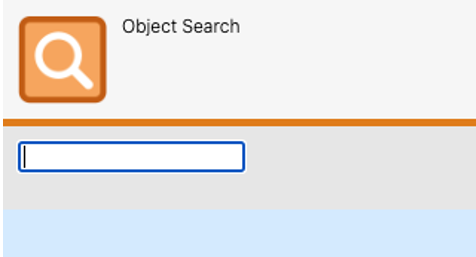
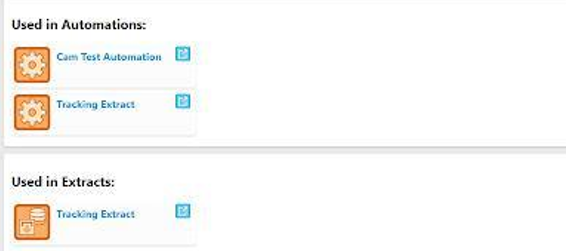
SFMC Companion offers a useful search functionality that allows you to look for any asset or object using a free-text search field. Furthermore, whilst on any SFMC asset or object, the ‘Inspect’ tool will show all components referencing or using that particular asset or object.

Thanks to SFMC Companion there is no longer a need to have several tabs open simultaneously just to understand whether a Data Extension can be deleted. 

Evergage Launcher

This might technically be cheating as it’s practically a necessity for implementing Marketing Cloud Personalization but I’ve always enjoyed using it.

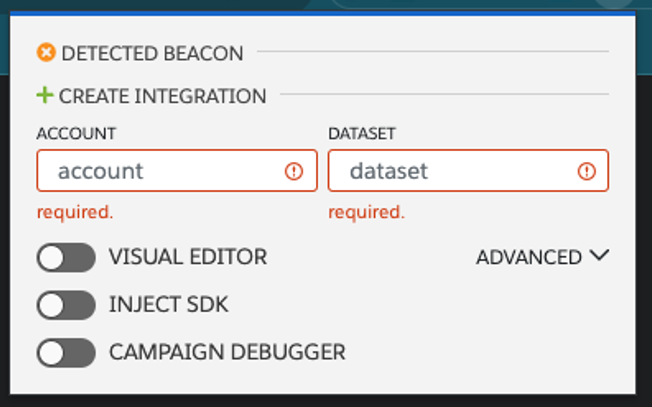
This extension helps identify whether the Marketing Cloud Personalization (MCP) SDK has been added to the website, so you no longer need to pester your IT team, and it is also where you can launch the Visual Editor. 

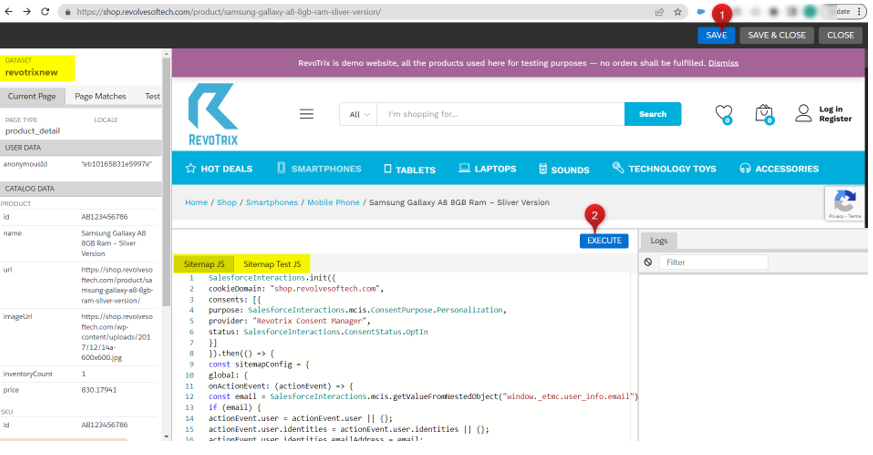
The Visual Editor is by far the easiest way to build your JS Sitemap, which is a huge part of any MCP implementation. Users also have the ability to see their work whilst on the page – this comes in handy when creating personalization campaigns, another feature accessible via the Evergage Launcher. 

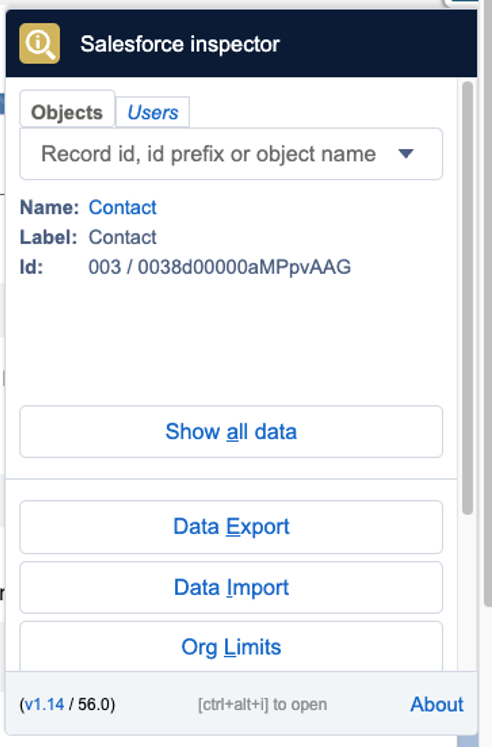
Salesforce Inspector

Whilst this is not specifically related to SFMC, it is worth installing. Most SFMC accounts use Salesforce CRM data (it’s very rare not to have Marketing Cloud Connect).

Therefore, with such a reliance on Core Salesforce data, this extension can save you a lot of time. If you quickly need to check the API field names or the field type, or even example values, Salesforce Inspector is your tool.

Furthermore, Salesforce Inspector lets you easily import and export data which is incredibly useful if you need to prepare test data for UAT.

Top Marketing Cloud Apps

It’s worth mentioning that for the following section, I’ve loosely used the term “Apps” as it covers everything from App Exchange products to Mobile Apps.

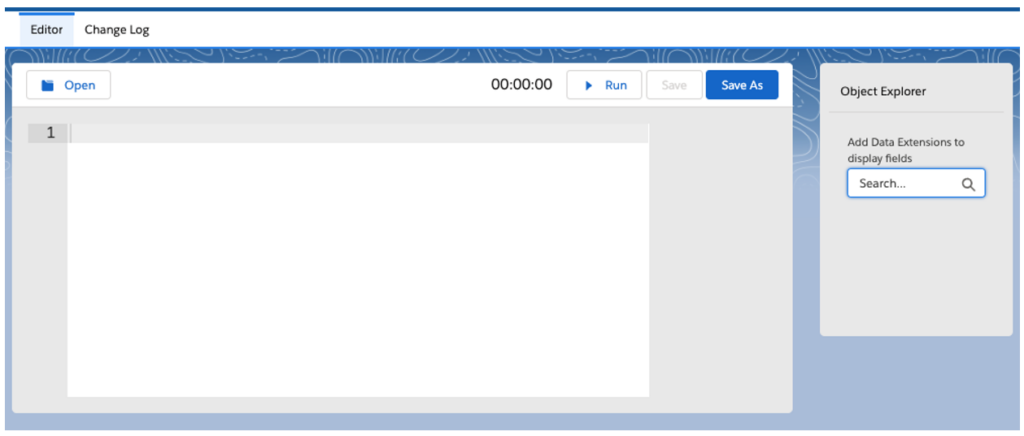
Query Studio

Perhaps one of Marketing Cloud’s best-kept secrets, but Query Studio is an incredibly useful app to add to your SFMC instance. If you’ve ever wanted to test your SQL skills without having to create an automation, then this might be for you.

Query Studio allows you to quickly build queries in the Marketing Cloud without needing to create and configure an automation. Once you’re happy with your selection, Query Studio can use your query to create Data Extensions automatically.
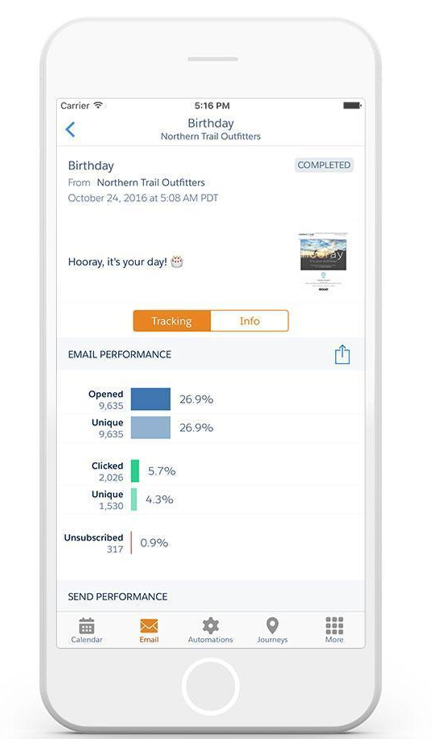
Marketing Cloud Mobile App

Ever needed to quickly track email performance or to check that you definitely paused that Journey, but you don’t have access to your laptop? The Marketing Cloud Mobile App might just be able to help.

However, whilst it’s useful to have instant access to your SFMC account with just your phone, it is worth pointing out that there are some SFMC features that are not available in the mobile App, so don’t throw away the laptop just yet.

You can find the app in both the Google Play Store and Apple Store.

SiteCore

Technically two for the price of one as there is both a Web CMS app and a DAM app but they’ll both help bolster your SFMC instance with the world-leading CMS. Although, it is probably worth pointing out that these apps are far from cheap.

If, however, you’re lucky enough to have one of these licenses, you can drag-and-drop approved SiteCore assets directly from the SFMC Email Editor. Alternatively, you can send contact data and behavior back to your Sitecore Experience Database to close the loop on asset performance.

DESelect Segment

Full disclosure, I’ve never had the pleasure of working with this particular app but I had to include it as it solves, what I think, is one of the biggest issues SFMC clients face when procuring SFMC… segmentation. DESelect brings drag-and-drop segmentation to Marketing Cloud and reduces the need for marketing teams to have SQL knowledge.
Again, it’s worth pointing out that whilst there is a free version available you will have to pay to increase usage, users and features (i.e., saturation control and deduplication). However, depending on your team’s skillset this app could well be worth considering.

Bonus Content

If the technical skills aren’t your team’s forte and AMPscript is constantly causing you trouble, check out ampscript.io, a useful tool that helps validate AMPscript code and highlights any AMPscript that may result in potential syntax errors.

Get more details about AMPscript in this blog post from Kayla Border.

Top Marketing Cloud Add-Ons

SalesWings

Ever needed Lead Scoring in SFMC? Say hello to SalesWings! This add-on is easy to install and is a highly cost-effective way of plugging the SFMC Lead Scoring hole.

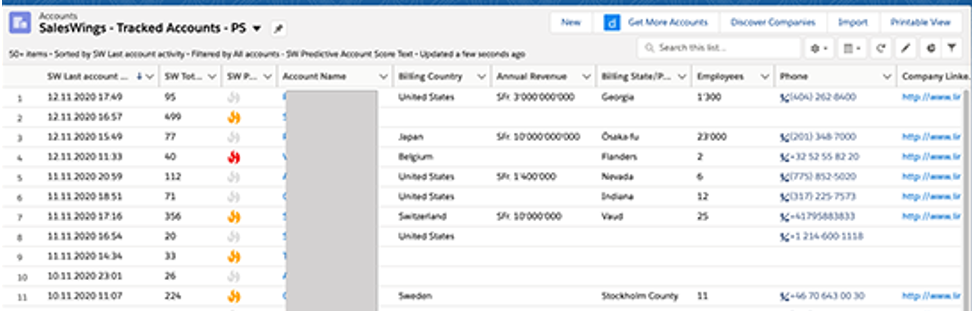
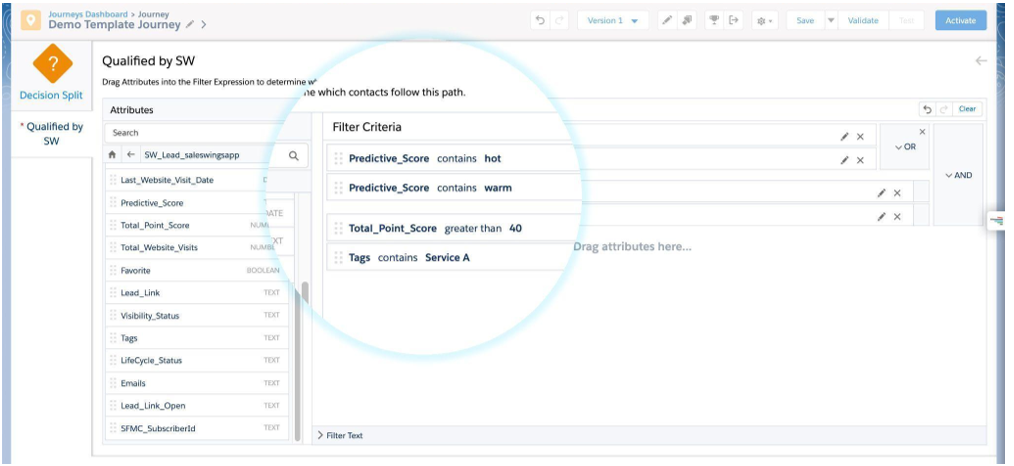
SalesWings tracks website activity and couples it with data from CRM before scoring and grading customers using a flexible scoring model. SalesWings data can be shared with Salesforce CRM as well as used in future SFMC segmentation.
Litmus

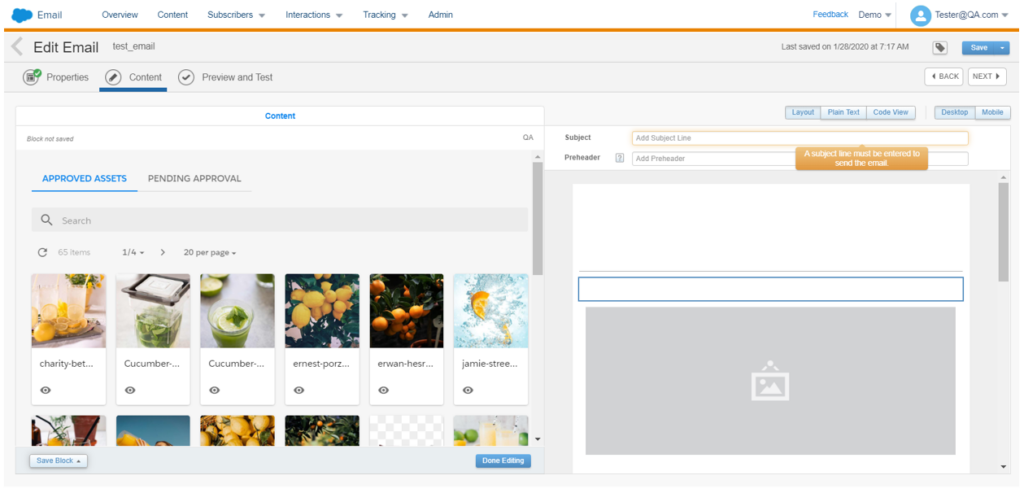
If you’re lucky enough to have both a Litmus and SFMC account, then you should definitely consider integrating the two. Yes, SFMC allows you to preview emails, but with an integrated Litmus account, you get so much more.

With an integrated account you can sync emails from the Litmus builder to SFMC or build in SFMC and test as you go. You can test dynamic content and individual personalization with the integrated email previews and, perhaps most impressively, share email performance with Litmus to create a single view of performance.

Use Marketing Cloud extensions to make the most of the platform

Going back to my previous comment, all software products have their limitations, but it is Salesforce’s ecosystem that has encouraged enthusiasts to build upon its offerings which, as shown above, has led to some innovative solutions that could give your SFMC instance that much-needed capability boost.

So if you’ve been contemplating if the grass is greener on the other side it could be worth exploring the depths of the Salesforce Community — chances are there is already a solution to your problem out there.

A Campaign Member’s First Associated Date records the date a Lead/Contact became a member of a Salesforce Campaign, and it’s a great metric to use in your reporting. First Associated Date can be used to show how many Leads/Contacts a Campaign touched in a given time period, how long the Lead/Contact was in the campaign before they moved to a “Responded” status, or how long the Lead/Contact was in the campaign before an associated Opportunity was opened. However, sometimes the Campaign Member’s first associated date gets skewed. 

Common causes of this are:

  • Lead/Contact should have been added to the campaign on September 15th, but was stuck in the Account Engagement sync queue until October 1st
  • New Leads from an event we’re not uploaded into Salesforce until a few weeks after the event
  • Campaign Members were brought over from another Salesforce org during a migration
  • Sales didn’t enter a new Lead they were working with until after the Opportunity was created

If you are relying on Campaign Member First Associated Date for your reporting, any of the above causes can really throw off your data and make a Campaign, or a time period, look less successful than it actually was. Luckily, you can backdate this field with a few system permissions and the help of Data Loader!

You can insert, but not update!

Before we get into the nitty-gritty of how to do this, it’s important to note that you can’t update the Campaign Member First Associated Date of existing Campaign members. You can only insert new Campaign Members with a backdated first associated date. However, you can use Data Loader to export Campaign Members, their Campaign Status, their dates, etc. from a Campaign, delete the Campaign Members, then re-add them to the Campaign with new dates. 

Permissions needed

The first step to updating First Associated Date is enabling “Set Audit Fields Upon Record Creation”.

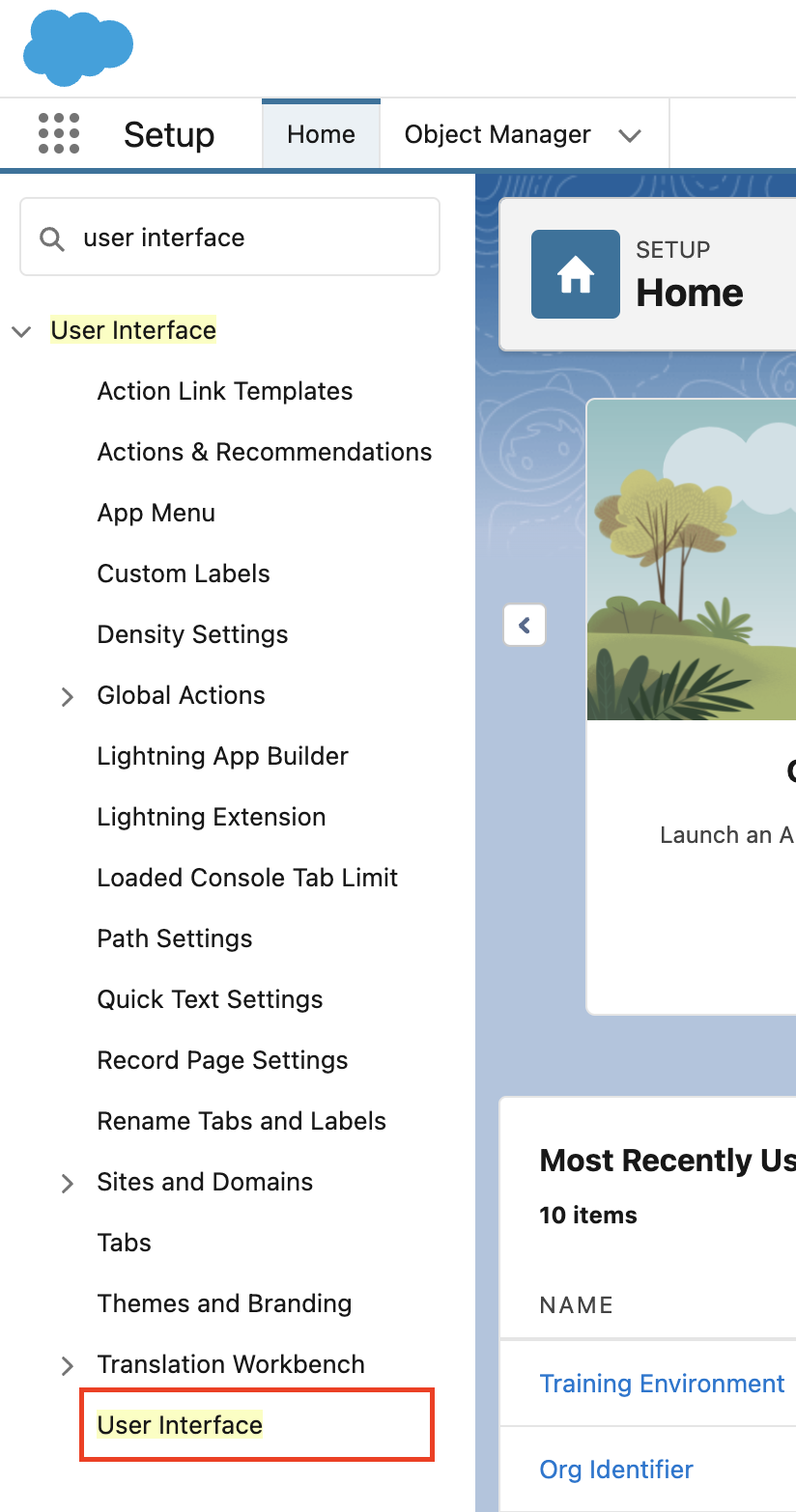
  1. Navigate to Setup > User Interface 
Salesforce screenshot
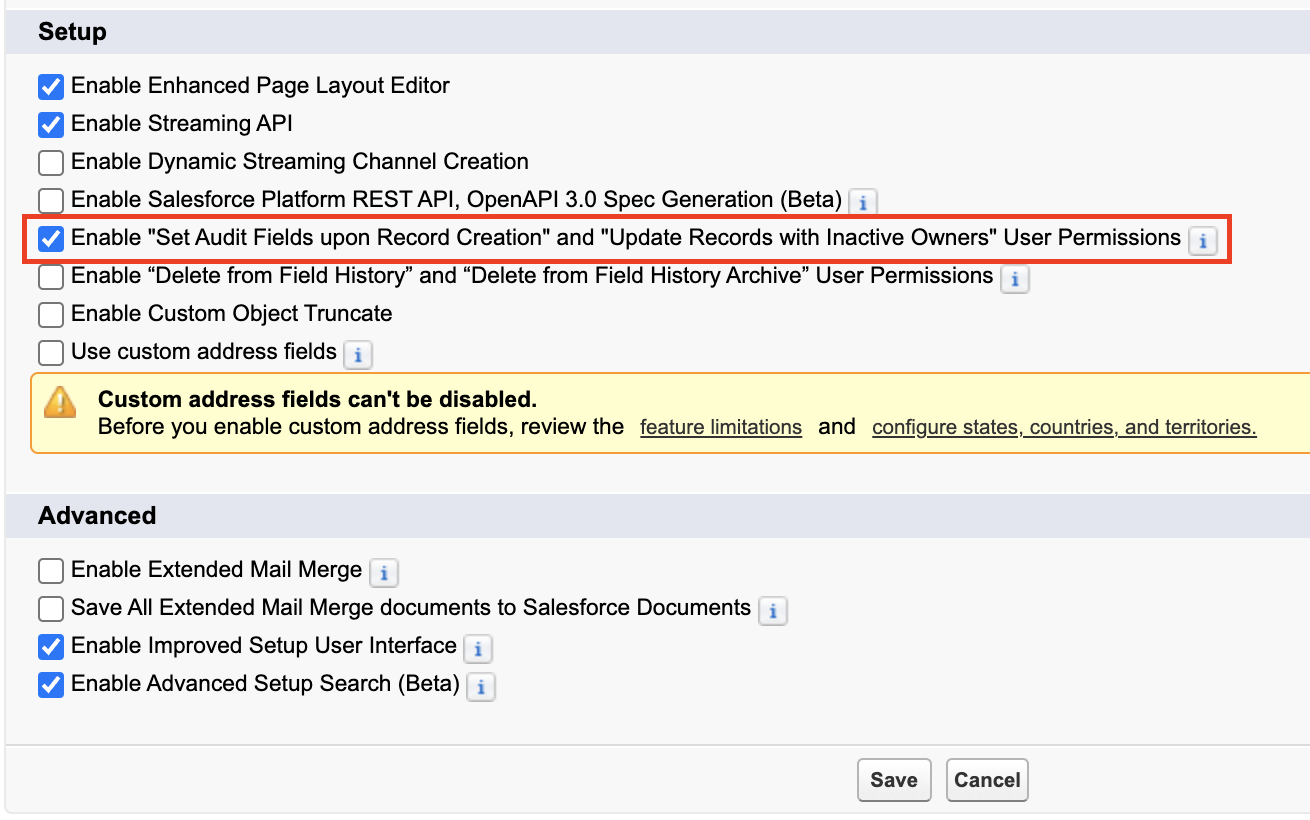
  1. Ensure the “Enable “Set Audit Fields upon Record Creation” and “Update Records with Inactive Owners” User Permissions” option is selected
Salesforce screenshot
  1. Select Save

Next, create a Permission Set for “Set Audit Fields Upon Record Creation” and assign this Permission Set to the user(s) who will handle the Data Loader imports. 

  1. Navigate to Setup > Permission Sets
  2. Select New
  3. Name your Permission Set “Set Audit Fields Upon Creation”
  4. Select Save
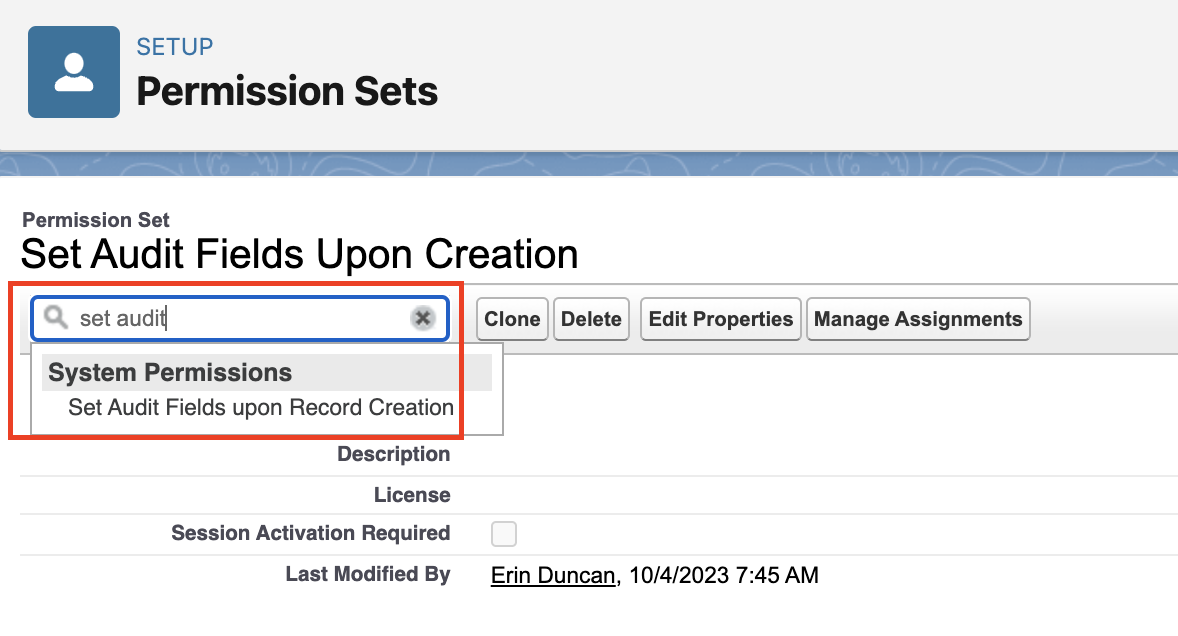
  5. Within your new permission set, type “Set Audit” into the “Find Settings” box
  6. Select Set Audit Fields Upon Creation
Salesforce screenshot
  1. Select Edit on the resulting page and select the Set Audit Fields Upon Creation checkbox 
  2. Select Save
  3. Select Manage Assignments 
  4. Select Add Assignments
  5. Select any users who will be handling the Data Loader imports of Campaign Members, then select Next and Assign

Import your data

Finally, get your Data ready for import! At a minimum, you’ll want to make sure your file includes:

  • Campaign ID
  • Lead ID and/or Contact ID
    • If you are importing both Leads and Contacts into the Campaign, I recommend splitting the import into 2 files. 
  • Campaign Member Status (if different from the Campaign’s default Status)
  • Campaign Member first associated date
    • Ensure the column is formatted using one of the options below, otherwise you will get an error.
      • MM/DD/YYYY (example: 04/23/2012)
      • DD/MM/YYYY (example: 23/04/2012)
      • YYYY-MM-DD (example: 2012-03-25)

To import the data

  1. Open Data Loader and login
    • Note: Updating Campaign Member First Associated Date is not possible with the Data Import Wizard, only Data Loader.
  2. Select Insert
    • Note: The ability to map to Campaign Member First Associated Date will not be available if you select Update or Upsert.
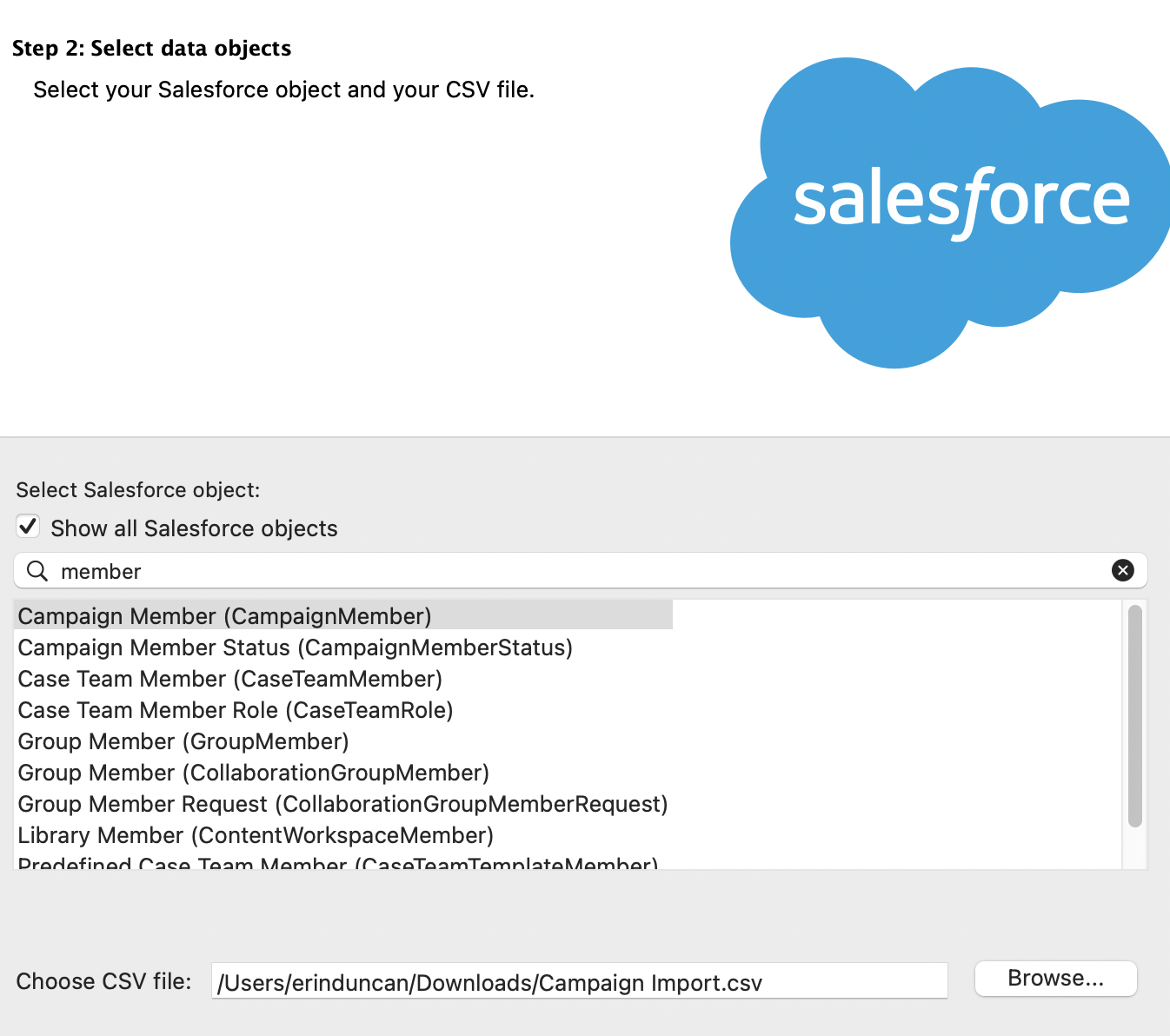
  3. Check the Show all Salesforce Objects checkbox and search for CampaignMember
Salesforce screenshot
  1. Select your CSV file and click Next
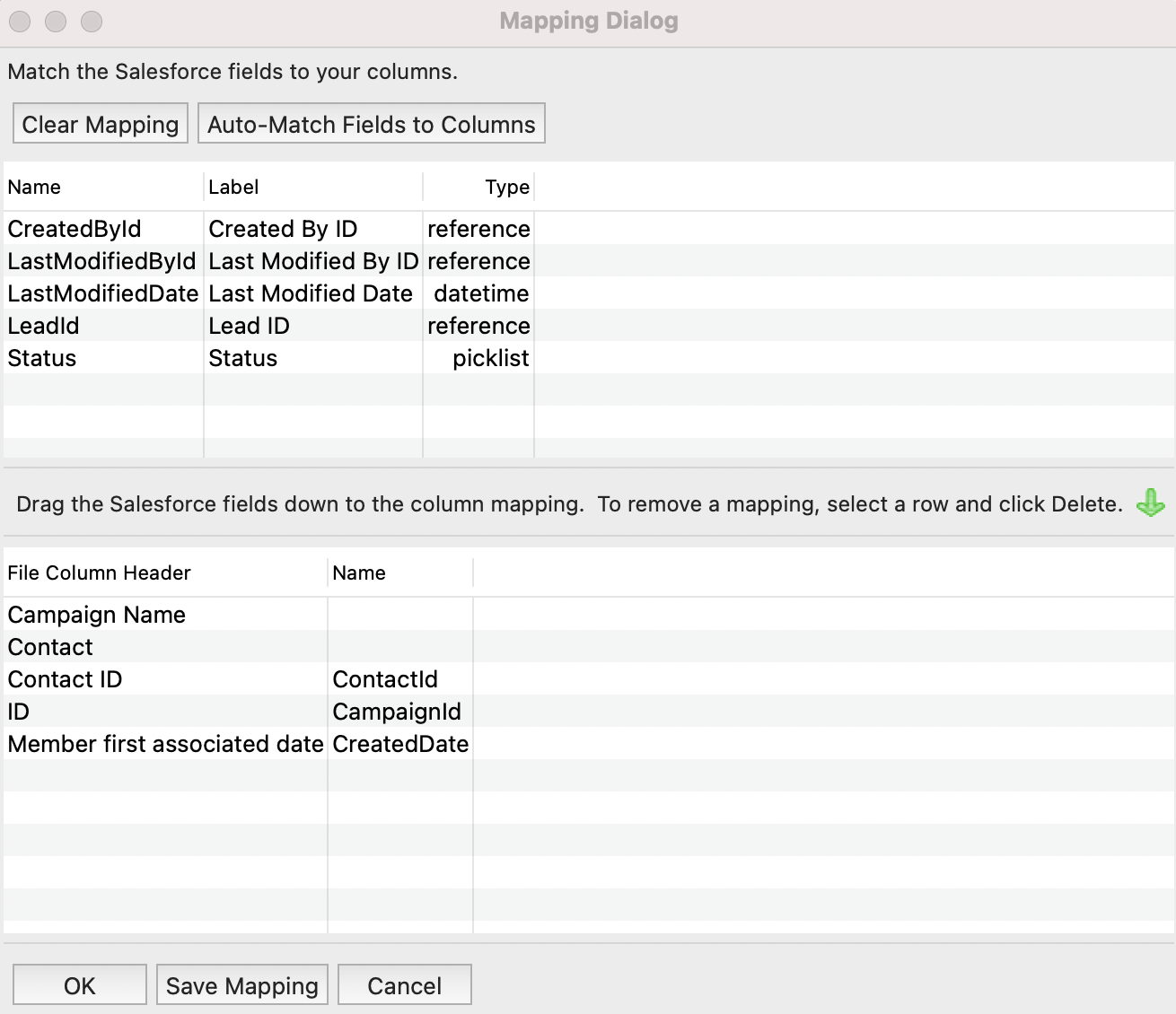
  2. Select Create or Edit a Map and map your fields
    • CreatedDate is the field you’ll need to map to the Member First Associated Date column
Salesforce screenshot
  1. Select OK > Next > Finish

And Voila, beautiful, accurate Campaign Member data!

Dreamforce 2023 has come and gone, and wow, it did not disappoint. Not only was this my first Dreamforce, I had the honor of co-presenting the Marketing Cloud Release Highlights session with two amazing members of Salesforce product team:  Ruth Bolster, product marketing manager, and Whitni Freeman, lead solution engineer.

In this session, we covered key Winter ’24 release highlights across each of the Marketing Cloud products:

  • Data Cloud
  • Intelligence
  • Engagement
  • Account Engagement 
  • Personalization

Here’s a recap of the Marketing Cloud Winter ‘24 release features covered…

Highlight #1: Segment Intelligence (Data Cloud)

Source: Salesforce

A new Data Cloud for Marketing feature, Segment Intelligence connects and harmonizes customer and marketing performance data — like revenue data, first party data, as well as paid media data — so you can understand how your segments are interacting with your marketing.

Using out of the box dashboards, you can see how segments are performing across channels, and gives you an executive understanding of how segments are performing across channels.

Plus, you can use Einstein to optimize existing segments, or create new ones based on performance data.

With all that data in one place this allows marketers to have a more holistic view of how segments are doing, without being bogged down by time consuming data management and reconciliation. And having those insights to optimize channel performance by segment – that level of visibility and adaptability means more impactful and relevant marketing campaigns, which leads to better marketing ROI. 
And the built in dashboards and connections means that marketers can get started right away!

This feature will be available for select customers starting in October, and will be available to all customers later this winter. 

Highlight #2: AI-Powered Segment Creation (Data Cloud)

Source: Salesforce

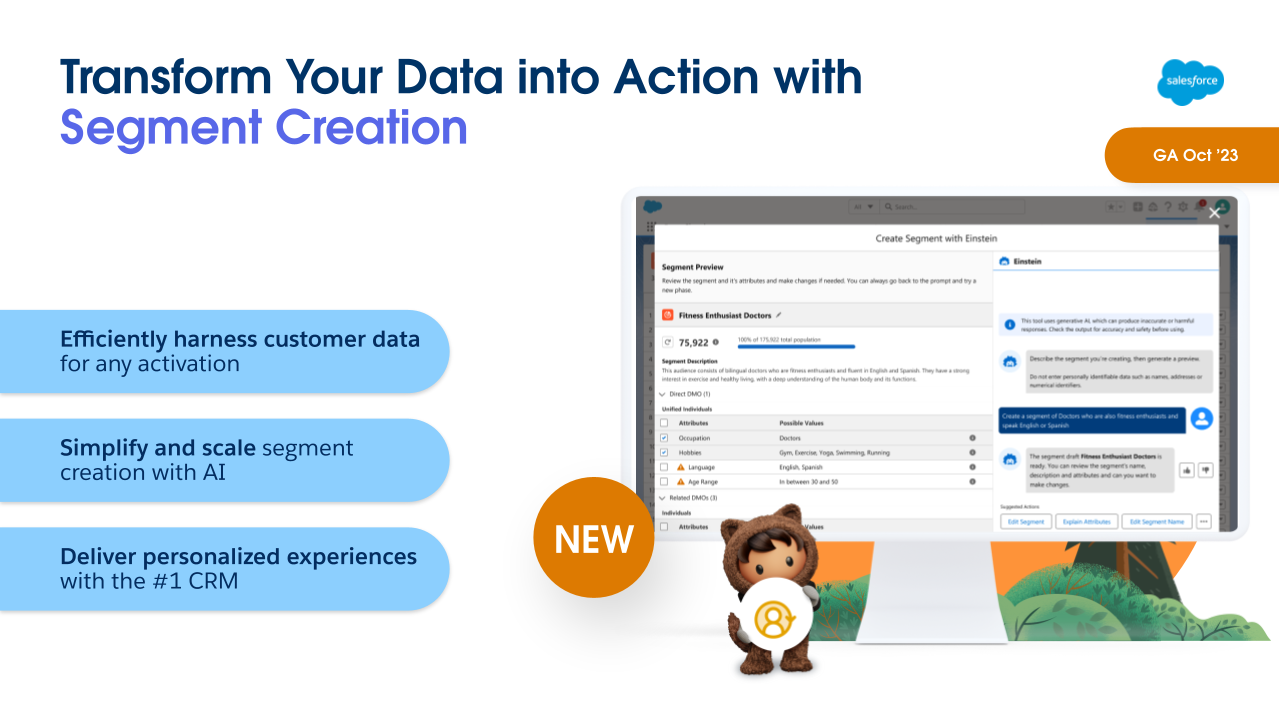
Another Winter ‘24 feature for Data Cloud for Marketing is Segment Creation. Powered by Einstein, this allows marketers to build complex segments using a descriptive prompt. 

So, for example, I can just tell Einstein “Big spenders in North America who made a purchase in the last 3 months and love hiking”, and it will generate the segment for me, showing what that segment looks like, and the attributes used.  

This means that marketers can build their segments without having to be a data scientist to do it. Being able to pull data based on specific criteria has often required technical knowledge of the data model to know where to look, and SQL skills to query the data to know how to access it. This feature will allow marketers to be more self-sufficient to get the data they need when they need it. 

This will be Generally Available in October for Data Cloud Customers.

Highlight #3: Intelligence GA4 Connector (Intelligence)

Source: Salesforce

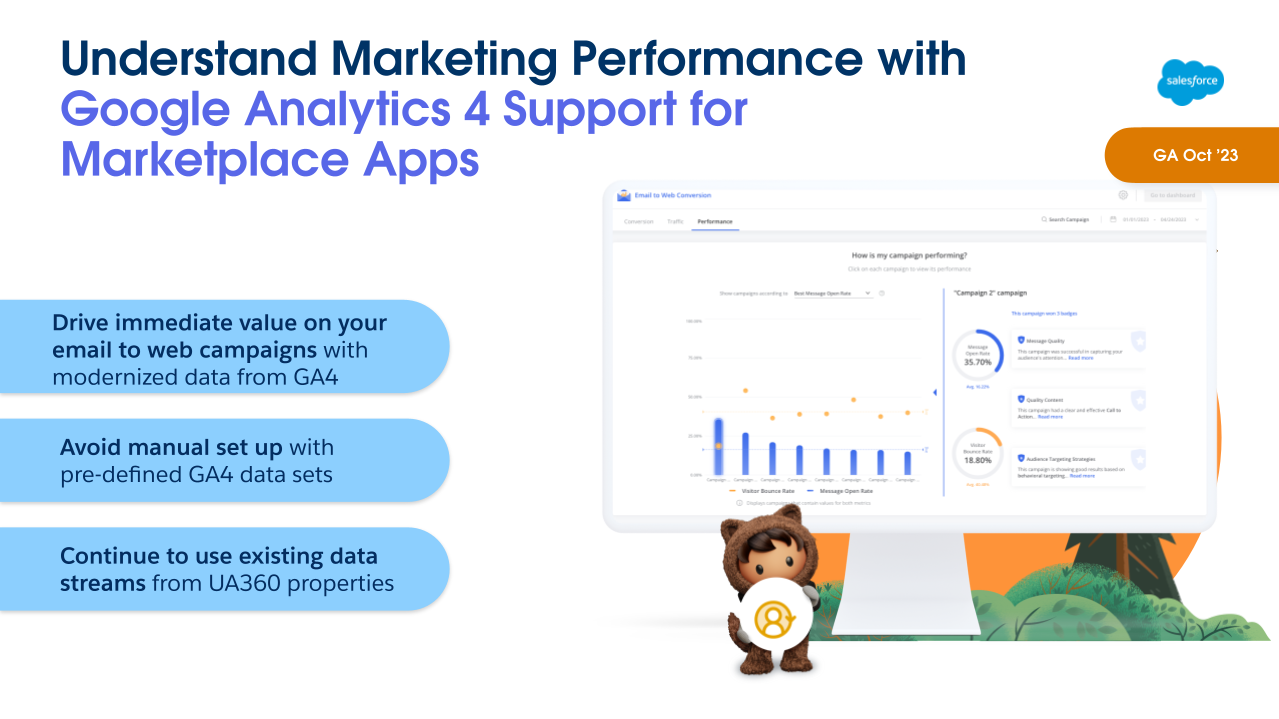
As of Winter ‘24, Marketing Cloud Intelligence will have a built-in GA4 connector and pre-defined data sets available to ingest GA4 data. Marketing data is the foundation of Marketing Cloud Intelligence. Its data models, dashboards and guidance are built for marketers. There are already more than 100 native connectors available, and now with GA4 data connector this is a natural addition to the platform to have relevant marketing data in one place.

How this will work: When setting up data streams, GA4 properties will appear under the ‘Website’ dropdown. These new properties will be supported in API connectors as well as Marketplace apps.

Marketplace apps will replace previous UA 360 websites and support the new GA4 web properties, dimensions, and other fields for data retrieval. 

One thing to keep in mind: Due to the differences between GA4 and UA properties, the new connector will pull different, yet very similar, datasets into the platform when the GA4 property is selected, so your visualization may need to be tweaked when setting up the data stream for the first time. Marketplace will discontinue support of UA360 properties after the GA4 support begins. 

Highlight #4: Trigger Action on GA4 Data (Engagement)

Source: Salesforce

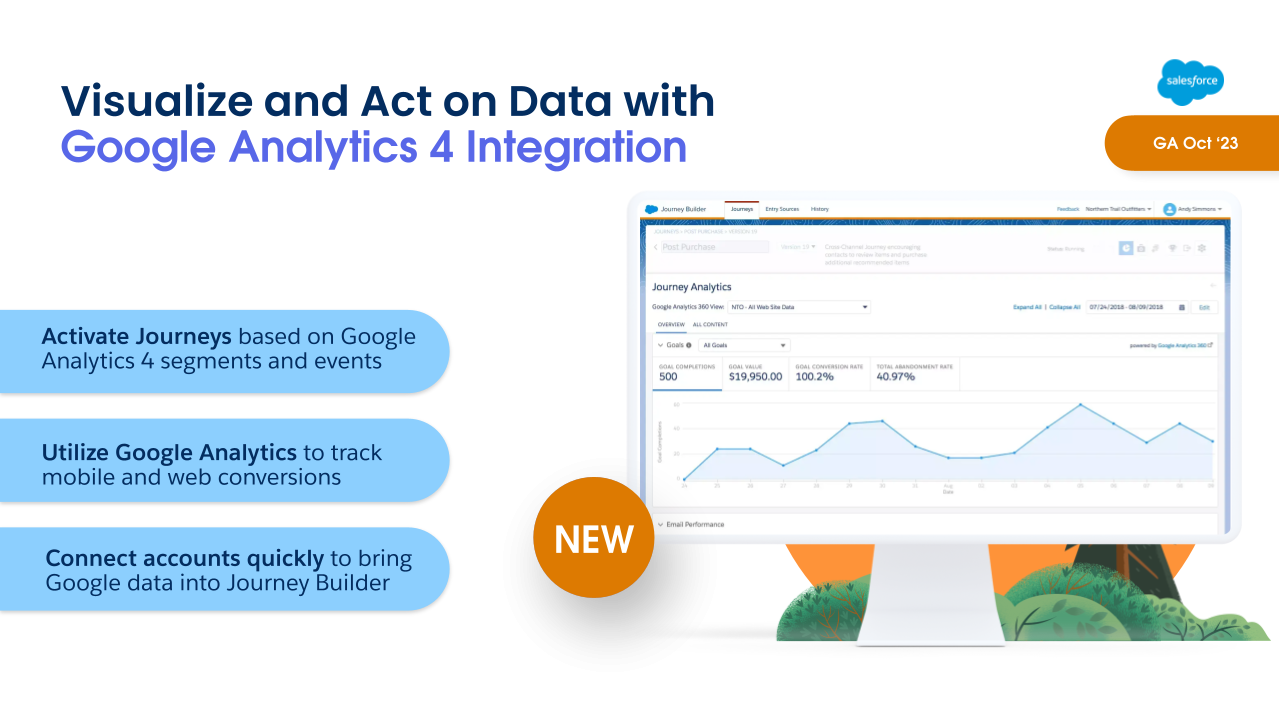
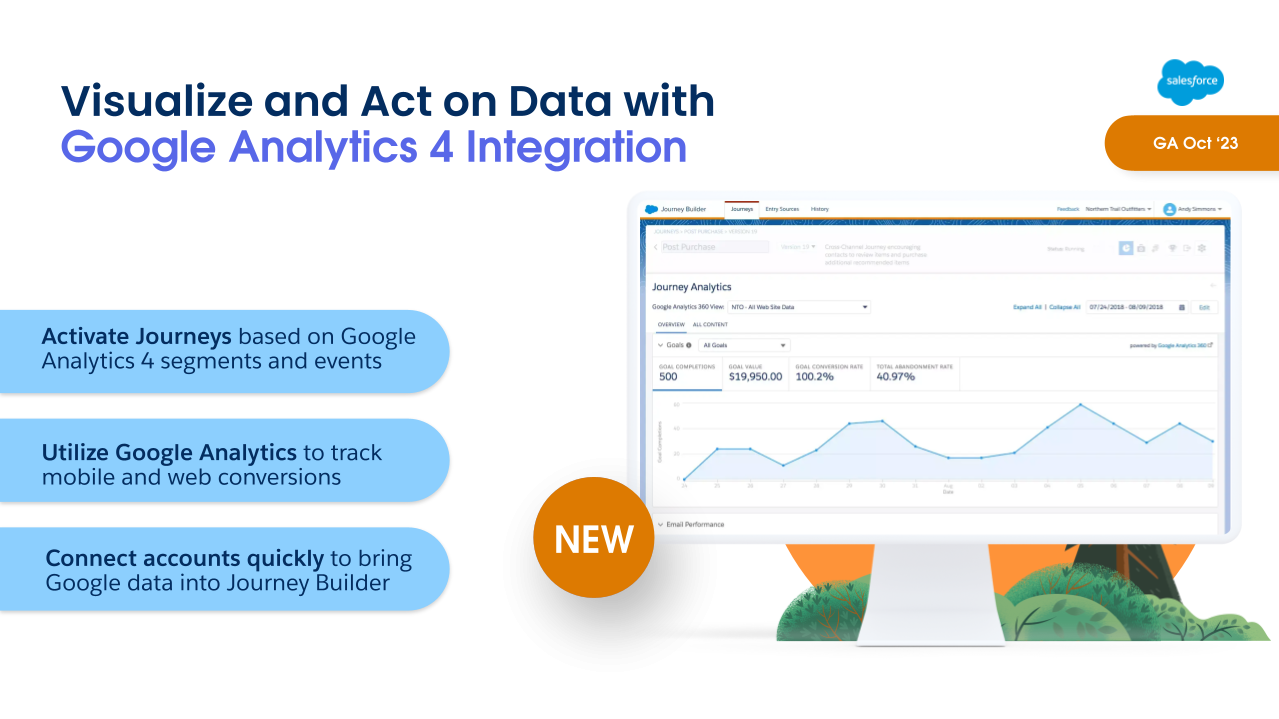
Marketing Cloud Engagement has some goodies in the Winter ‘24 Release as well. The first is Google Analytics 4 Integration, which lets marketers activate journeys based on Google Analytics 4 segments and events.

This new integration will include two key features in one:

  • Visual dashboards embedded within Engagement reporting so that marketers can see real time impact on revenue, AOV, and conversion metrics. 
  • Audience activation, which allows marketers to create engagement and re-engagement campaigns based on customer interactions using that GA4 data.
    • So for example, if you had a customer that viewed your product pages for backpacks and hiking boots, then abandon the session, you can use audience activation to trigger an abandoned browse journey.  This also allows you to get cross-channel insights across mobile, web, and email.

There is a fully paid version which includes both Reporting and Audience Activation.  There is also a free version that will feature the Reporting feature only.

Highlight #5: AI-Powered Email Content Creation  (Engagement)

Source: Salesforce

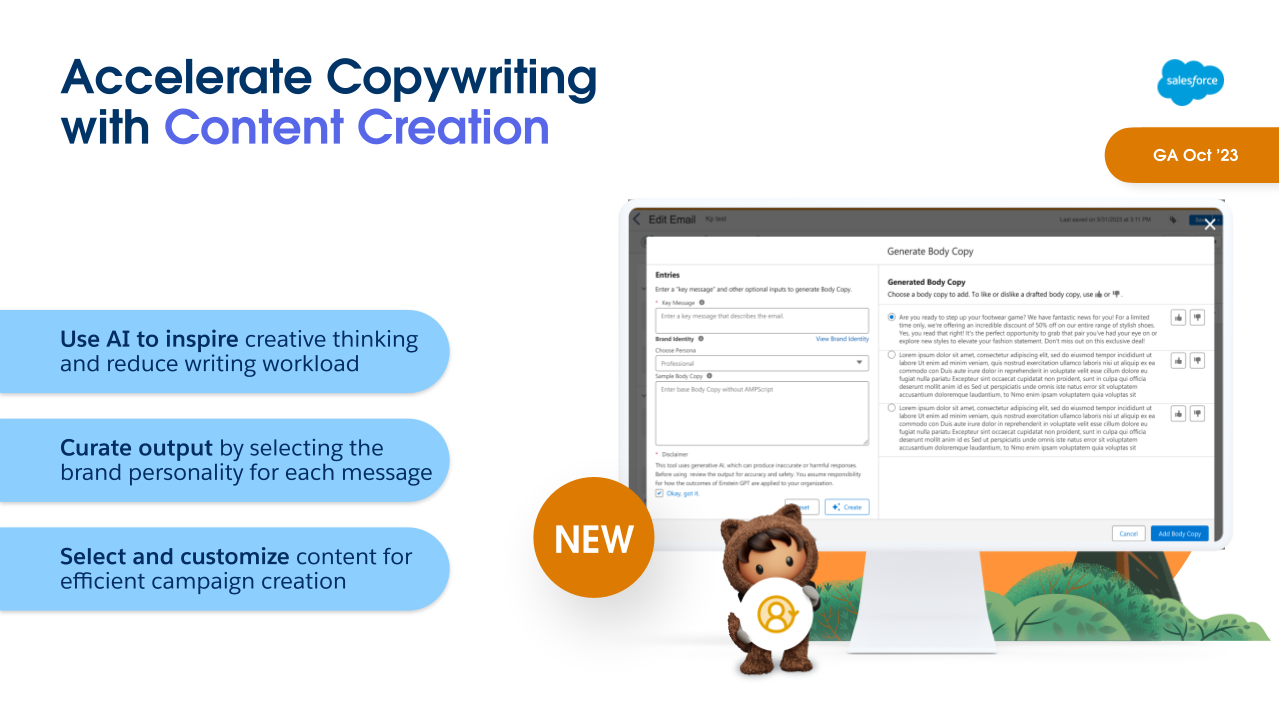
AI is coming to Marketing Cloud Engagement with Email Content Creation, including Typeface partnership!

Marketers can set up and specify personalities with brand voice and tone, and using natural language prompts can get draft ideas on subject, body copy and images. With the ability to give feedback on what works and what doesn’t this lets the model learn and improve over time.  

Marketers can consider this a tool to help them get a first draft in place. They still have control over the content throughout. They’re given choices based on their prompts, which they can use, like or dislike. 

That human element and judgment is a crucial part of the whole process.

Content Creation will be available in Marketing Cloud Engagement this October, and it is currently scheduled to be in Marketing Cloud Account Engagement next February

Highlight #6: Transfer Assets from Sandbox to Production (Account Engagement)

Source: Salesforce

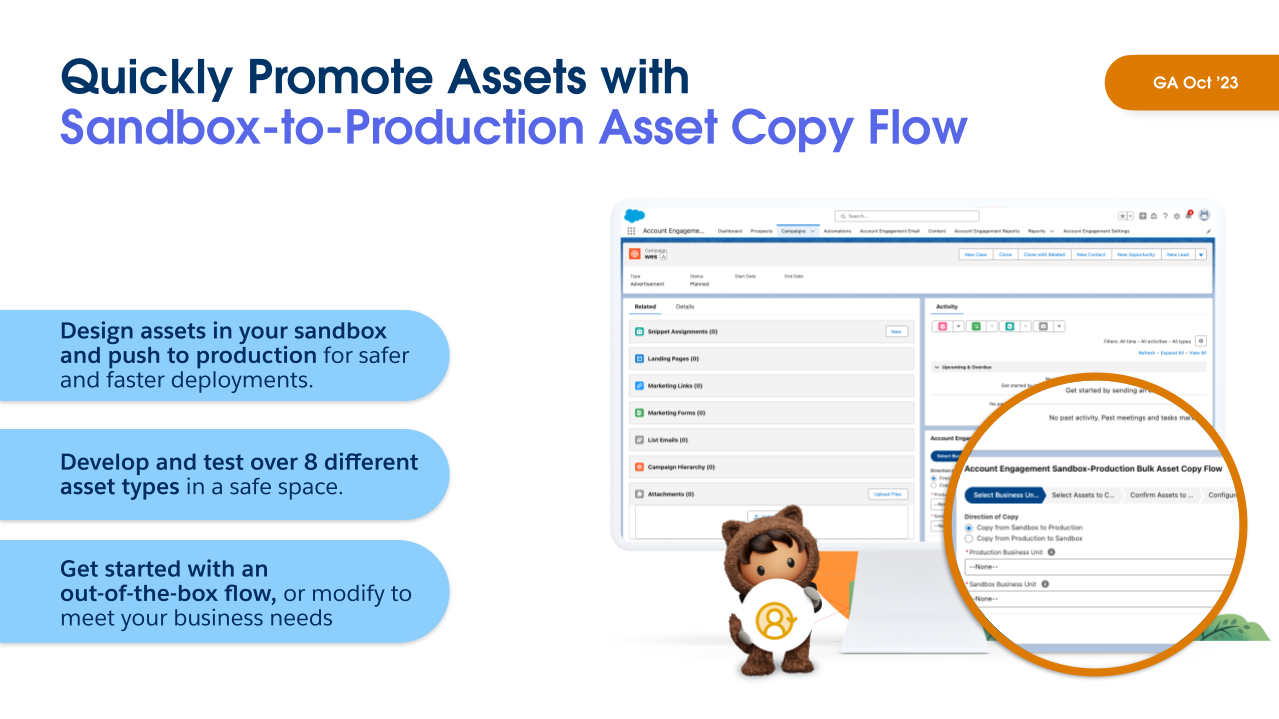
Speaking of Account Engagement… With the Summer ‘23 Release  we saw the ability to move assets between business units, which is fantastic! But that still left a gap with sandboxes. Anyone that has used Salesforce sandboxes has been used to building and promoting configurations, and unfortunately that hasn’t been possible with Account Engagement sandboxes, which has been painful to work around. Any assets built in a sandbox had to be built again in production, which is of course time-consuming and also prone to error if something is missed.

In the Winter ’24 release, marketers can now copy assets from sandbox to production using Salesforce Flow. After installing the flow on your campaign, all you need to do is select your sandbox environment and your production environment, select your assets, and then copy it over. And this supports 8 asset types, including email templates, dynamic content, form handlers, custom redirects, custom fields, landing pages, and more.  

This allows for a more useful Account Engagement sandbox, to perform all asset testing and avoid conflicts – and all that test data – when trying to build in production. Not to mention saving time because you won’t have to build assets multiple times. You can even use this to set up a QA process, giving a subset of users access to build in the Sandbox only and then have another subset of users review the assets and push them to production when approved.

This was first mentioned in Erin Duncan’s post on Winter ‘23 Highlights for Account Engagement. 

Highlight #7: Real-Time Event Stream (Personalization)  

Source: Salesforce

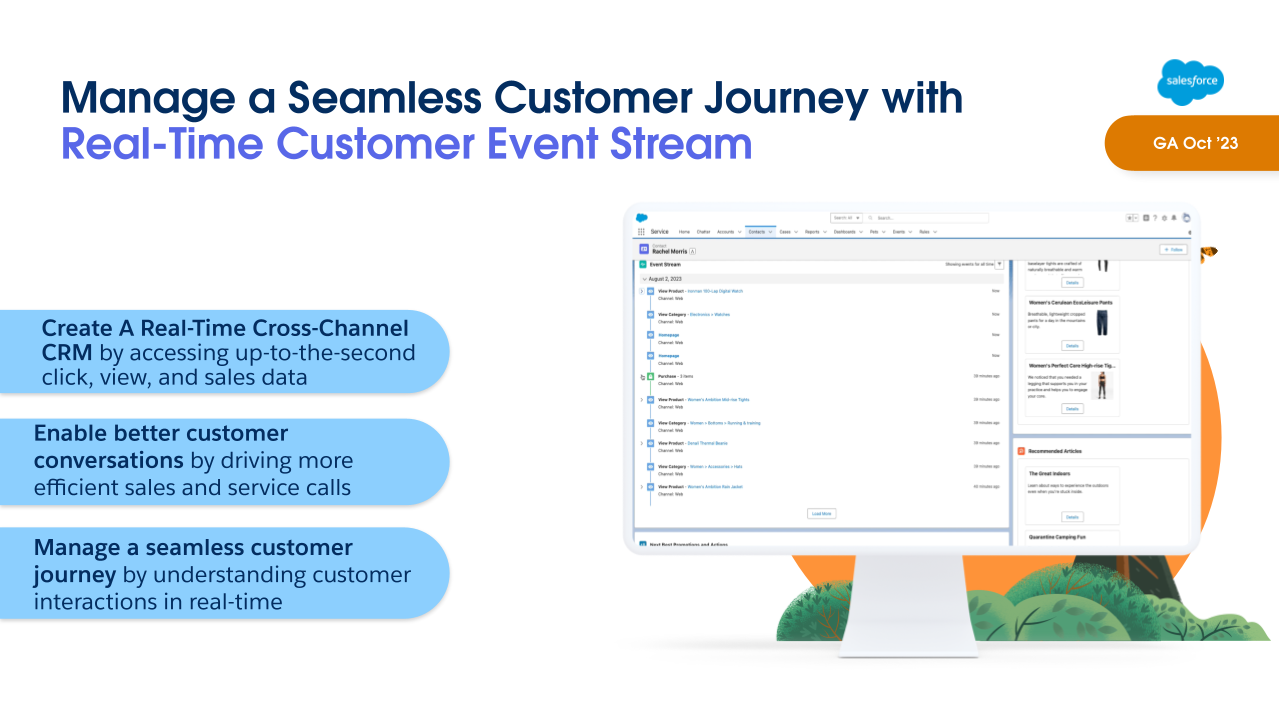
With Winter ‘24 Release, Personalization will now include Real Time Customer Event Stream, a Lightning component that can be added to record pages, giving users a real-time view of the marketing assets that a lead or contact has interacted with. 

This gives sales and service teams better insight into the types of content their customers have been engaging with. They can then have more relevant and informed conversations with them about their current needs and interests, and provide a better overall customer experience.

Learn more about the Marketing Cloud release highlights

If you want to learn more about the Marketing Cloud release features covered, here are a few resources:

What do you think about these Marketing Cloud release highlights? Let us know in the comments.

It’s that time – Salesforce Winter ‘24 release notes are out! Here are the key Salesforce platform features marketers and Salesforce admins should know about.

20 Platform Highlights from the Salesforce Winter ‘24 Release

Highlight#1: Migrate to Hyperforce with Hyperforce Assistant (Generally Available)

If you haven’t heard, Salesforce is undergoing a modernization of their infrastructure with Hyperforce, and undertaking steps to move customer orgs to Hyperforce. To help prepare for the migration, Salesforce has made their Hyperforce Assistant generally available, and updated with improved features to help orgs get ready for the move.

If you’re starting your journey to make the jump to Hyperforce we have more details here: Prepare Your Salesforce Org for the Migration to Hyperforce

Permissions & Record Access

Highlight#2: Report on Custom Permission Set and Permission Set Group Assignments

This is the first of many ideas that were delivered in this release. With this update you can create a report type that you can use to report on which users are assigned specific custom permission sets or permission set groups, or look at all of the assignments by user. This is just for custom permission sets and permission set groups, no word yet on when this would be available for standard permission sets and standard permission set groups.

Highlight #3  What’s Enabled in a Permission Set More Easily (Beta)

Admins who have spent so much time trying to uncover the permissions included in a permission set are going to love this. Another idea exchange request, it’s now easier than ever to see the enabled object, user, and field permissions on one page. You can even see the permission set groups a permission set is included in!

Highlight #4 User Access Policy Filters Improved (Beta)

Until now you could create User Access Policies referencing only one permission set, permission set group, or managed package license in your user access policy filters. With this update you can reference a total of three, giving you more flexibility to define your policy criteria.

What to know more about User Access Policies? Jason Ventura covered this in the post Salesforce Summer ’23: User Access Management Updates 

Highlight #5 Report on Who Has Access to Accounts from Manual Shares and Account Teams

Admins and users will have a new way to understand better who has Read or Edit Access to an Account through Account Teams or Manual Sharing. By creating a report type it’s now possible to see which users and groups have access. Another idea was delivered!

Highlight #6 Report on Public Group Members

Another helpful report that’s going to save clicks! With this new custom report type, Admins will be able to more easily view which users, roles or groups are members of public groups.

Automation Updates

Highlight #7 Reactive Components now GA

With the general release of reactive flow screen components, admins will able to build more interactive single page applications, creating a more dynamic user experience.

Highlight #8 Create Custom Error Messages in Record-Triggered Flows

Another Idea Exchange idea delivered! Flownatics everywhere will be cheering for this. Now admins can customize the error that users see on record triggered flows. You can control one or more messages that will appear, what the messages will be, and when you want them to appear. You can even set them to appear as a window on the record page, or as an inline error on a specific field, similar to validation rules.

In the example below, you can see the Custom Error message element where I’ve configured 2 messages to appear if an opportunity has been created or updated and the stage is advanced and no Opportunity Contact Roles are found. One error will appear in a window on the record page, and the other will appear inline on the Stage field.

When active, the flow will display the configured error messages when the criteria has been met:

Highlight #9 Transform Your Data in Flows (Beta)

This is a new element for flow that lets users map data from a data source to a new target data destination. This can follow the HTTP Callout action that grabs data from an external location, and transforms the data before saving to a Salesforce object. Another use can be to transform field values while mapping from one object to another.

Highlight #10 Save a Flow Without Configuring Some Elements

How many times have you started to build a flow and have partially added elements, only to find you have to exit an element before fully completing the configuration. In the past you had to lose the partial configuration already completed, or add dummy data just to get the element to save, and remember to go back and update later. With this new feature, you now exit Start and Create Record elements before fully configuring them. According to Salesforce this is the “first steps to support saving a draft of a flow at any point in the building process”.

Highlight #11 Use Wait Elements in More Types of Flows

Marketers would be familiar with the ability to add a wait step in a customer journey (Marketing Cloud) or Engagement Studio Program (Account Engagement). The new Wait for Amount of Time and Wait Until Date elements are now available in schedule-triggered flows, autolaunched flows, and orchestrations. This adds more flexibility to being able to pause a flow interview for different use cases. The previous Pause element has also been renamed ‘Wait with Conditions’ for clarity.

Highlight #12 Flow Builder user interface moved to right panel

The element properties are now displayed in a panel on the right side of the screen instead of as a popup. So far this appears to be working for Start, Get, Create, Update, Transform (Beta), and Delete.

Highlight #13 Data Cloud Triggered Flows

For orgs with access to Data Cloud, you will be able to create new Data Cloud-triggered flows from the new Flow screen. After selecting Data Cloud-triggered flow, you will be prompted to configure your Start conditions specific to your Data Cloud object.

Highlight #14 Get Data Cloud Records More Easily in Flow Builder

Another Data Cloud related enhancement, admins can more easily choose between Salesforce objects and Data Cloud objects. Based on the choice more options are provided to specify the criteria.

Highlight #15 Use Filters to Find Record-Triggered Flows Quickly

Orgs with increasing numbers of flows will benefit from this handy additional filtering capability that lets you zero in on the flows you’re looking for. You can now filter on flows by Status, Package State or Process Type.

Highlight #16 Migrate to Flow Updates

In the meantime, admins still working on moving legacy automations like workflow rules and process builder to flow may appreciate that the Migrate to Flow tool has been updated to accommodate more use cases:

If you’re in the process of migrating your workflow rules and process builders to flow, have you checked out our guide and tools to help with that migration? Check out Automation Facelift: Migrate Workflow Rules and Process Builder to Salesforce Flow

Cool Admin Updates

Highlight #17 Visualize Lightning Reports with Summary Formulas as You Create Them

I don’t know about you but I still struggle with using PARENTGROUPVAL or PREVGROUPVAL. In Classic there was a great feature that helped build the summary with these functions, and showed how they would work in your report. Now this feature is available in Lightning!

Highlight #18 Select Who Has Access To a Sandbox

When creating or refreshing a sandbox for your team to build or test a new configuration any active user in production could access the sandbox. Now, admins can limit access to specific users by adding them to a group. This then freezes all other users in that sandbox, so they can’t access it (unless you unfreeze them). Only the users in the group will be unfrozen automatically. And the “.invalid” won’t be added to their email addresses either. Bonus! Now, apparently this may not be immediately available when orgs are upgraded to WInter ’24. According to the release notes, this will be available “in production orgs when they’re upgraded to the Winter ’24 release starting in mid-October 2023.”

Highlight #19 & 20 Lead & Contact Intelligence VIews

Last but not least…. As part of Winter ’24 release, orgs will now have access to a more actionable lead and contact lists that can help users segment their leads, and take action to build their pipe and grow customer relationships. In one page you can create segments and view key metrics, prioritize important records, view activity history of individual records and make calls or send emails without leaving the list.

Other Notable Updates

Which Salesforce Winter ‘24 features are you excited about? Let us know in the comments!

For Account Engagement users, the most exciting feature coming with the Salesforce Winter ‘24 release is the ability to get more precise with wait steps in Engagement Studio Programs.  Gone are the days waiting a full day to trigger an action, we can now set wait steps anywhere from 2-8 hours. This provides more flexibility with our programs and what we are able to do.

How do we get started with shorter wait steps in Engagement Studio?

In Engagement Studio, we’ve always had the ability to add wait steps. We were able to do this in day long increments after an event took place. We’ve used these for things like, sending follow up emails after a form fill, or sending an additional email days after an initial send. 

Sometimes, a day seemed like too long of a wait, but that was all we had to work with. 

Now, we can use these new hour increments. When adding an action to an Engagement Studio Program, click “wait”, then toggle to “hours” and set the desired amount of hours. That’s it!

When you should use hour wait steps…

Wondering how you can make the most of this feature? We’ve compiled a list of scenarios that we think would be best suited for a short, hours-long wait period.

  • Welcome Programs
    • Prospects signed up for your mailing list or were imported? Add an hour wait step to send that first welcome email instead of waiting days.
  • Post Form Follow Up Emails from Sales Team Members
    • If your follow up emails are sent immediately, prospects know it’s automated, and waiting days to follow up can lead you to miss out on an opportunity. With a wait step of just a couple hours, it gives your prospects time to finish looking at your website, gives your internal assignment processes time to complete, and feels more personal than an automated reply.
  • System Processing Time For List Evaluation
    • When using automations that evaluate which lists a prospect is on, a two hour wait step will ensure your dynamic lists have time to run and prospects newly added to the list are included.
  • Custom Redirect/ Page Action Follow Ups
    • Set up custom redirects or page actions on high priority pages and have them funnel leads into an Engagement Studio Program. From there, suggest the next step a prospect should take or the next piece of content the prospect might be interested in a few hours after they have left your website.

Time to get started with shorter wait times in Engagement Studio

This feature is one that hundreds of trailblazers have been asking for because it can be so useful in customizing programs. Once it becomes available, we recommend revisiting your existing engagement studio programs and seeing if this would be a better fit for some of the current day long wait steps you are currently using.  

Being able to take action in hours, rather than days can really help personalize the experience you give to prospects.

Want to learn more about how to create the most effective Engagement Studio Programs? Consider taking  our Workshop: Engagement Studio for Marketers.

No more posts to show