Are you ready to ignite your digital marketing efforts? The collaboration between Marketing Cloud Account Engagement and Advertising Audiences, both powerful tools in their own right, will skyrocket your success in digital marketing. In this blog post, we’ll show you how Account Engagement and Advertising are powerful tools when they’re coupled with one another.
Marketing Cloud Account Engagement
Account Engagement is the Salesforce B2B marketing automation software. Its main uses are account-based marketing, cross-channel campaigns, and lead generation. And though it does so much more than that to optimize your marketing efforts and provide out-of-this-world analytics, it cannot help you run your digital advertising campaigns.
Marketing Cloud Advertising
Advertising Audiences, powered by Marketing Cloud Advertising, seamlessly integrates with online advertising platforms, including social media, Google Ads, and more, to target your Prospects specifically. It enables marketers to easily reach existing customers, generate new leads, suppress a subset of Prospects, and re-engage.
This all sounds great, right? Absolutely! But wouldn’t it be cool if your advertising efforts were linked to your marketing automation efforts?
Why should I connect Account Engagement with Advertising Audiences?
That’s easy! Pairing these tools can help you to automate your processes, improve cross-channel campaigns, and expand your footprint. Who doesn’t want this for their business?
Automate Processes
Getting leads from social media campaigns is often a manual process of exporting and importing. Bleh! Who has time for that? With this integration, you can automate lead transfers directly from your social media and paid ad campaigns to Account Engagement. This also lessens the chance of human error and ensures that you are staying within legal guidelines at a global level.
Improve Campaigns
There are many digital touchpoints: email, Facebook, LinkedIn, Instagram, Google Ads, etc. With Account Engagement and Advertising Audiences, you can unite all of these touch points into a centralized hub and be able to track and report on them seamlessly. This combo gives you a more accurate preview of sources and measures of what is and isn’t working for your company. It also allows you to use first-party data to create and target lookalike audiences, improving your chances of getting new leads.
Expand Your Footprint
When running campaigns via media buys and email, you can now target and re-engage inactive Prospects, target Prospects based on behavior, and enable exclusions based on data, demographics, or purchase history. And this is all done in real time. Does this not seem like a great return on investment?
I’m ready to launch Advertising and Account Engagement. How do I make this happen?
The setup can be cumbersome and often requires work with a Salesforce Partner, but it’s quite straightforward if you are comfortable in the Salesforce ecosystem.
The good news is that it’s done once it is in place. It’s all about building new audiences or tweaking existing audiences from then on.
You will need access to Sales Cloud, Marketing Cloud Account Engagement, and Marketing Cloud Advertising to get started. You will also need to ensure that all connectors are active.
Here’s a high-level look at what it takes to get this launched:
Sales Cloud
Create a Salesforce Campaign
Build a Salesforce Report
Account Engagement
Build automation(s) to populate your audience(s):
Automation Rule
Page Actions
Completion Actions
Engagement Studio
Advertising Audiences
Generate a Data Import
Create an Automation
Build your Audience
If you are ready to expand your digital footprint, the obvious next step is having all the tools you need at your fingertips. The power of Account Engagement combined with Advertising Audiences is among the most effective tools.
WITness Success 2023 was undoubtedly empowering. As a first-time attendee, I found the experience to be quite remarkable. A gathering of women in tech and allies in Minneapolis, Minnesota, offered me and fellow Sercante employees the opportunity to learn and network with like-minded Salesforce professionals.
WITness Success is an annual event planned and hosted by the Salesforce Women in Tech user group with a mission to “empower, support, and invest in Salesforce Women in Tech.” With membership at 4000+ members and continuous growth, I only see this conference becoming more prominent and better as we move toward the future.
Empowering Women in Tech
There were a multitude of moments that left me feeling truly empowered, but there are a few that specifically stand out to me. I had the honor and privilege of being able to speak at WITness Success, which left me feeling like I could do anything, alongside an inspiring session I was able to attend that left me feeling a sense of renewed energy and confidence.
Accessibility in Digital Marketing
I was honored to be chosen as a speaker for WITness, and not only to be chosen but to be able to speak on a topic I am passionate about — accessibility in digital marketing.
Was I anxious? Absolutely! Was I terrified I would mess up, or no one would show up? 1000%, yes! Did I power through, have a wonderful presentation, and have amazing discussions afterward? Sure did! The unknown can be fearful but also bring you to new heights.
Women in Tech showed me that by allowing this experience and inspiring me to continue speaking and sharing my thoughts on such an important topic.
Microaggressions as a Woman in the Workplace
Shahida Robertson-Davis’ session on microaggressions left me in a state of awe. I never truly realized or registered what microaggressions were or that they were happening to me, and more importantly, they were happening to others around me, and I was silent.
Shahida offered relatable examples, and insightful conversations during and after the session and gave us the tools to speak up for ourselves and others if needed. Overall, this was a great session to kick off my experience at WITness and left a lasting imprint I will carry with me.
Supporting Women in Tech
We ended our first day of the event with a tradition that spouted nothing but support and honor of fellow women — the Ally dinner. And at the end of that dinner, the Trailheart Award was presented to someone so deserving it came as no surprise. This was the icing on the cake to an eventful first day and left us feeling proud to be who we are doing what we do.
The Ally Dinner and Women’s Entrepreneur Panel
The cocktail hour and dinner to follow was a wonderful experience full of networking and exchanging of stories, hard truths, and a peek into the future. For me, it was the panel of female entrepreneurs that stood out to me. The panel was composed of Hayley Tuller, Tiffany Spencer, and Marisa Hambleton.
These women shared about their support people and allies, and how they have achieved success in the world of technology, and how they continue to support and mentor other women in tech.
Tiffany is the founder of a non-profit, Tech Forward, runs her own consulting business, Tech Forward Solutions, and is the founder of Dreamin’ in Color; through this work, she inspires and mentors young men and women daily.
Founder and CEO at MH2X, Marisa strives each day to empower men and women as they seek their best by helping them implement Salesforce solutions.
All three left me feeling inspired and wanting to do more to support my fellow women in tech.
Guilda Hilaire Presented the Trailheart Award
Following the amazing panel of women, the Trailheart Award was given out in honor of the legacy Tami Esling left behind. This award is given to a woman in the Salesforce ecosystem who “gives to this community wholeheartedly and without the expected reciprocation of notoriety.”
After speaking about the award, it was no surprise to anyone in that room that the recipient for this year was Guilda Hilaire, Director, Product Marketing at Salesforce. I was fortunate enough to have met Guilda for the first time at this conference (I was starstruck!), and she is everything that this award signifies and more. To see so many people recognizing and sharing their support for Guilda, was something to behold.
Congratulations, Guilda!
Investing in Women in Tech
When investing in women, that was the entire conference. Every opportunity and session presented itself as doing just that, providing support and guidance to invest in our future and our roles in tech overall and specifically within the Salesforce Ecosystem. However, two specific sessions stood out most to me and resonated with me as an investment — the networking and the coloring sessions.
Mentor/Mentee Speed Networking
Talk about making a spin-off of speed dating; this event crushed it! So many participants joined, and somehow, we worked out to an even number of mentors and mentees. The session was 90 minutes, but it flew by as we went down the line, collaborating and speaking with one another. I was looking for guidance on expanding my footprint within the Salesforce community and was driven to be a mentee for this round, though I could see myself joining as a mentor the next time.
The entire experience was uplifting, and I got such great advice; plus I met a few people I could connect with. This session should be offered across all Dreamin’ events, allowing new and up-and-coming Trailblazers to network without pressure to create small talk. Dive into the conversation and get valuable feedback that you can expand upon beyond the conference setting.
Mental Health + Illness Group Coloring Session
Who doesn’t like to color? What an incredible experience it was to step away from the hecticness that every conference has to take a breath, talk in small groups or work alone, and simply color or do a puzzle, or fill in the crossword puzzle.
This was exactly what I needed, a break in my day to calm my jitters, and I was fortunate enough that this session took place right before my speaking session, so I was cool, calm, and collected until I stood up at the podium and the nerves went all wacky again. But seriously, I think this was an awesome session sponsored by the Mental Health + Illness community group, and based on attendance, I was not the only one who felt that way.
Taking time to invest in ourselves goes beyond our learning and growth, it includes our physical and mental health as well. We can’t be great women in tech if we aren’t taking care of ourselves.
WITness Success final thoughts
Was WITness Success worth it? Yes! Will I be attending again next year? Of course! The only question left to answer is whether or not I will see you there. I hope the answer is ABSOLUTELY!
Prospect inactivity tells us just as much about a prospect as their activity does. An inactive prospect has a lower interest level and less openness to learn more about your organization than prospects who are active.
In this blog, we will address what makes a Prospect inactive vs. active, how inactive Prospects can impact your organization, and ways to clean up your database.
Inactive Prospects in Account Engagementvs. Active Prospects
Inactive Prospects exist in every instance of Account Engagement, but what makes a Prospect inactive? I can tell you what doesn’t change their status to active.
The following Prospect activities will NOT change a Prospect status from Inactive to Active:
Email Sends
Email Opens
Email Bounces
Opportunity Creation
So what does change a Prospect’s status from inactive to active?
These are the activity indicators we’re looking for:
Form Submission
Page Visits
Link Clicks
Inactive Prospects can also be Prospects who are classified as “Active” but have not taken any action (i.e. form submission, page visit, or link click) in a predetermined amount of time (i.e., 6 months or 1 year). The timeline should be well thought out and considered by the marketing team. You should also adjust accordingly if needed based on the typical time it takes for the sales process to reach completion.
The Impact of Inactive Prospects
Housing inactive prospects in your org can have detrimental results to your instance if not consistently maintained. A couple of big reasons include deliverability and spam complaints, but there are more. See the full list of potential risks below.
Email Deliverability
When speaking to email deliverability, we are assessing the likelihood your email will reach its intended inbox without bouncing or being marked as spam. Prospects who have not opened any emails for a period of time or perhaps have abandoned their mailbox will be sent to spam or bounce This directly impacts your organization’s deliverability.
Furthermore, in alignment with the Account Engagement permission-based marketing policy, emails that are below 90% deliverability may trigger the Account Engagement deliverability team to check with you on your account performance and potentially freeze it.
Diluted Marketing Metrics
By sending emails to inactive Prospects, you are potentially receiving inaccurate metrics on your email performance. If you include inactive Prospects among active Prospects in your campaigns, you are skewing your open, click-through, and conversion rates by bringing them down. This leads to inaccurate portrayal of your campaign’s success.
Paid Prospects
Did you know that you pay for your Prospects? Account Engagement is set up in a way that you pay for your Mailable Prospects. Keep in mind that an inactive Prospect is not necessarily and unmailable Prospect. You can have a multitude of inactive and disengaged Prospects sitting in your account that you are paying for. Cleaning them out allows for more room for highly engaged Prospects to filter in.
Spam Reports
When we reference spam, we are referring to sender reputation, specifically how healthy your IP address is seen by target inboxes. Email services such as Google or Outlook use algorithms to filter out emails as they come in. Senders who have received consistent positive engagements, such as opens and clicks, are accepted without issues. However, senders who have been marked by negative interactions, such as deletion without opens or marking as spam, are automatically filtered into the spam folder, impacting the health of your sending IP address. This ultimately could lead to your IP address being blacklisted.
To begin, this clean up process should be done quarterly or on a routine basis as you see fit. And as a friendly reminder, any Prospect you delete goes to the Recycle Bin and can be pulled out at any time.
Use Dynamic Lists
Build a series of Dynamic Lists using a specific set of criteria to collect Inactive Prospects and then mass delete them via a Table Action, sending them to the recycle bin.
Such lists may include:
Prospect has been emailed at least 1x in the last 90 days AND Prospect time last activity days ago is greater than 90 days. Again, you can set how many days feels best for your organization. You can also build multiple Dynamic Lists based on a variety of time limits.
Prospect has been emailed at least 1x in the last 90 days AND Prospect time last activity days ago is greater than 90 days AND Prospect score is below 100. Same thing here, customize the numbers to fit what is best for your organization.
Remove Junk Data
Any test emails you’ve created or spam Prospects who have filled out Forms are also taking up prime real estate in your mailable database. We recommend cleaning out any junk data that is not actively used for testing purposes.
Read this blog for a complete list of Dynamic List criteria.
Create a Re-engagement Program
After cleaning up your database you may still have Inactive Prospects that you believe are still marketable.
Now, it’s time to enter Engagement Studio. Build a re-engagement program that targets Inactive Prospects in an attempt to nurture them. Anyone who still does not engage by the end of the program, can also be removed from your database. SalesforceBen offers a “Sunset Program” for this exact situation.
Shift your focus to from inactive prospects to active ones
Remember, Prospect inactivity tells us a lot about someone’s interest level in your organization. By being aware of what characteristics represent an Inactive Prospect, being aware of how that can affect your database, and taking actions to clean it up, you will see continued growth.
Need help making hard decisions about inactive prospects? That’s what we’re here for. Reach out to the team at Sercante for help navigating your prospect cleanup and re-engagement efforts.
As a marketing administrator within Salesforce, it is essential to understand your audiences and create a winning audience segmentation strategy. Without segmenting your audience, you will target the same group of people each time. That can lead to increasing opt-outs, spam, and a direct impact on your sending reputation.
The goal of sending mass emails is to target the right audience so you provide value to the people who are likely to interact with your brand. And that’s exactly what audience segmentation accomplishes.
Use these strategies to segment your audience so you can deliver the right marketing messages to the right groups of people every time — no matter if you’re a Salesforce Marketing Cloud Engagement or Account Engagement user.
Audience Segmentation Strategies for Marketers Who Use Salesforce
Whether you are a Marketing Cloud Engagement (A.K.A. SFMC) Administrator or an Account Engagement (Pardot) Administrator, fundamental principles apply across the board when it comes to audience segmentation.
Below are tactics you can use within Salesforce Marketing Cloud Engagement and Account Engagement.
Who is actively engaging with your brand?
Use web tracking, social, and ads to learn how visitors interact with your brand. You can compile a group of individuals to target based on clicks, form completions, and pages visited.
For example, if you have a visitor who clicks an ad on social media and is taken to your website, where they download the content that you promised them with your ad, you can make the assumption that the visitor is interested in that product.
What preferences do your customers share?
Let’s say you are sending an invitation for an upcoming webinar. Segment your target audience based on previous ad clicks, webinar attendees, or downloaded resources. By building an audience list based on shared preferences, you will see an increase in webinar registrations and attendance.
For example, look at the specific campaigns you’ve launched in the past. Think about how you can categorize the products or services that were the main focus. Maybe you had a marketing campaign to drive awareness about a product that would result in a one-time and low-cost purchase. And you had another campaign advertising a product that requires a high-cost ongoing purchase. The people who engaged with the high-cost product but didn’t necessarily purchase the item may be good candidates for a segmentation list that includes people with bigger budgets to potentially spend.
Who are you actively targeting to attain as a new customer?
If you could create a map of ideal customers, what attributes would they share? Is it a specific set of companies? Perhaps, it’s a specific product or service you can provide them?
Decide on those attributes and build your segmentation strategy and buyer personas. Target this audience and help sales close the deals on your ideal customer.
Which individuals have expressly subscribed to what topics?
Take advantage of your Email Preference Center. You can create targeted campaigns that run on an ongoing basis and continue to nurture your target audience based on their expressed interests.
Ensure that your Email Preference Center offers a variety of targets, including product interests and types of communication. For example, the Sercante Email Preference Center allows email subscribers to sign up for only emails related to the services that interest them, like Salesforce consulting, integrations, or training.
Suppress individuals based on a subset of criteria
Counterintuitive to who you want to target with your email marketing, who do you want to ignore? Considering who you don’t want to receive a message from is as important as who should receive it. There will likely be a default suppression list, including competitors, employees, spam, etc., but you may also want to create specific one-off suppression lists too, such as email frequency or inactive customers.
Account Engagement (Pardot) Audience Segmentation Best Practices
Now that you have a few ideas on strategy, let’s talk about building segmentation within Marketing Cloud Account Engagement (Pardot) . Let’s review the list creation options and the different ways to add Prospects. Keep in mind, there may be times when you use multiple list types for a single send.
Static Prospect Lists
Static lists are controlled by you, the administrator. You set the rules and criteria for who joins and comes off the list. There are several ways to add to a static list, both manual and automated.
Imports
The most common way for building a static list is via prospect imports. When importing, you have the option to import via CRM ID or Email. If the list has existing prospects, you want to import via CRM ID. If they are brand new prospects, use the import via email option.
Within the import wizard, you will be given the option to add to a list via an existing list or by creating a new list. Once complete, review the import report for the total number of prospects created or updated.
Table Actions
Adding a subset of prospects that already exist within Pardot can be done via Table Actions.
To add a subset using Table Actions, follow these steps:
Navigate to your prospect table.
Set your filters, such as view and creation time frame.
Check the boxes of those you want to add to the static list.
Use the table action at the bottom of the table and “Add to List.”
Public Lists
Public Lists can be created as dynamic or static, but most default to static and are controlled by the Email Preference Center. These lists are subscribed to directly by the Prospect. Individual Prospects are able to subscribe and unsubscribe as they see fit based on their preferences.
Completion Actions
The “Add to List” completion action exists on most Pardot assets, including forms, form handlers, files, custom redirects, emails, and page actions. Completion Actions include both standard and conditional and allow you to set specific parameters when adding to a list.
Automation Rules
An automation rule is criteria-based. You can set multiple criteria pertaining to a Prospect by using “Match All” and/or “Match Any” statements. Based on this criteria, you then set an action, such as “Add to list,” which will populate a static list.
The good thing about using an automation rule to populate your static lists is that they are retroactive, so they will collect past and present matches and take action on them.
Dynamic Prospect Lists
Similar to automation rules, dynamic lists are criteria-based. Unlike static lists, these are outside of your control.
Once you set the criteria, the list will automatically add or remove prospects based on that criteria. These lists cannot be manually manipulated.
Campaign Membership
While there are several settings and criteria you can use to create dynamic lists, one of the most popular strategies is to build lists based upon campaign membership. This is especially beneficial when collaborating with sales teams.
If your sales team is adding Leads and Contacts to Salesforce Campaigns, perhaps based on a recent trade show, you can build a dynamic list in Pardot based on that campaign membership.
Marketing Cloud Engagement Segmentation Best Practices
Lastly, let’s look at how to best create segments in Marketing Cloud Engagement. Subscriber data can come from many different sources into Marketing Cloud and can be stored in two ways:
Lists
Data Extensions
Lists
A List is a collection of your subscribers. Lists are best used when you have a small dataset (500,000 or fewer subscribers) that you need to manage quickly and efficiently.
Lists share a format with your All Subscribers table and typically include Email Address, Subscriber Key, Status and any profile attributes you have created in your account.
Creating a List
To create a List:
Navigate to the Subscribers tab within Email Studio.
Within the My Lists folder structure, you can click ‘Create’ at the top right of the page to create a new List, assigning a name, external key, description, and placing the list in any folder you have created.
Once the list is created, it can be populated by manual or automated import.
Groups
A Group is a filtered list. Creating a Group allows you to build a subset of subscribers from a list based on rules or by splitting list subscribers by count or percentage of the total list being filtered.
The rules used to build a Group can be saved as a Data Filter, which can be used to automate the process to refresh membership in your group.
Creating a Group
To create a Group:
Navigate to the Subscribers tab within Email Studio.
Within the My Groups folder structure, you can click ‘Create’ at the top right of the page to create a new group.
Select whether the group you are creating is a Filtered Group or Random Group, then select the source List.
When creating a Filtered Group, drag any attributes or measures from the left side panel to the canvas and define the filter criteria.
To create a Random Group, after selecting Random Group and your source list, click ‘Add Group’ to add as many random splits as needed to get the desired number of random segments.
Once your filters or splits have been properly configured, click ‘Save & Build’ to create and populate your groups.
Once created, unless automated using a data filter, Groups need to be refreshed manually to be up-to-date.
Data Extensions
Data Extensions are more complex than lists and offer greater flexibility in managing contact data. While lists can only contain Subscriber information, Data Extensions are more flexible and can contain relational data.
Data Extensions data can be filtered in a similar fashion to Groups, and can also be combined with or filtered by data in other Data Extensions using SQL activities in Automation Studio.
Creating a Data Extension
Follow these steps to create a data extension:
On the Subscribers tab in Email Studio, select a folder within the Data Extensions folder and then click ‘Create’ at the top right.
Here, you select which type of Data Extension you want to create. Standard Data Extensions require you to define the fields of your Data Extension.
After defining the name and data retention policy for your data extension, you must define the fields in the table, choosing from several data types, including Text, Date, Number, and Boolean. You can also set the length and default value for each field.
Once you have defined all fields needed in your Data Extension, click ‘Create’ to finalize your Data Extension.
This Data Extension can now be populated by manual or automated file imports, API calls, SQL Query activities, or AMPScript.
Filtered and Random data extensions function in much the same way as Groups. Filtered Data Extensions require selection of a source Data Extension, then definition of any filter criteria. Random Data Extensions will produce a number of data extensions of randomly split rows based on the number of splits defined in the setup.
Go forth and segment your audience like a Salesforce marketing pro
Marketing Cloud offers multiple routes to implementing segmentation and audience targeting, regardless of platform. By taking into consideration your audience personas, incorporating key email marketing segmentation strategies, and applying the correct segmentation tools, you will be able to spread brand awareness swiftly. Have any cool stories of marketing segmentation success? Tell us in the comments. Or reach out to the team at Sercante to get help with your audience segmentation strategy.
Thank you to Zachary Norman for contributing to this post!
A form on a landing page or your website is often the final step in a nurturing process and represents the crucial point of conversion. According to Manifest, 81% of people will abandon a form after beginning to fill it out. And of that 81%, more than half (67%) will not return to complete the form.
So how do we, as marketers, improve our game and increase conversions while decreasing form abandonment? By using five native tools at your disposal within the Marketing Cloud Account Engagement (Pardot) forms tool.
Five Ways to Increase Pardot Form Submissions and Decrease Form Abandonment
When marketers first start using forms within Pardot, they’re probably inclined to keep things simple and have a primary focus on collecting information they see as required or important to their sales process. However, you can leverage a few things within Pardot to decrease form abandonment and up your marketing game.
Use Dependent Fields
Keep the form simple and limit the number of fields using dependent fields. When you are seeking relatable information based on specific field values, dependent fields are the best way to capture that additional insight.
For example, if you are a global company, you can ask for the user’s country. And if they respond with the United States, then you can ask for their state. Or if they respond with Canada, you can ask which province they are from. Whereas, if they respond with the United Kingdom, no additional information is required.
Dependent fields eliminate unnecessary questions, shorten the form, and personalize the experience for each Prospect.
Set Up Progressive Profiling
Another great way to help shorten your forms, but still collect the required information is through progressive profiling. This tool enables you to ask new questions based on each return to a form, eliminating previously completed questions from prior form fills.
For example, if you already know their company, the next time they return to the form, you can now ask for a job title to dig in further. This is one of the best tools at your disposal as a marketer because it ensures a positive user experience for the Prospect and helps keep the sales team happy by collecting details for lead assignment, segmentation, and increased nurturing via targeted Engagement Studio Programs.
Have Clear Calls to Action
Calls to action are the short persuasive text used on the form button to close the deal. You want to be straightforward while keeping it short and simple. I would recommend starting with a verb and following up with an adverb or subject thereafter.
For example, a clear call to action could say: “Download Your e-book Now” or “Subscribe Today.”
Ultimately, use language that promises them the delivery of something your reader wants.
Use Autoresponders
Creating an experience for Prospects is crucial in seeing them return to want more. This can be accomplished by ensuring that you follow through on your delivery when a form is completed through autoresponders and/or thank you pages.
Take advantage of the redirect and follow-up by creating a personalized experience by offering them a thank you message, a downloaded asset, and/or highlighting similar content they may be interested in.
By directing them to additional content, you can use your Progressive Profiling and they can gain additional insight into your organization and how you can help solve their issues.
Enable Completion Actions
Completion Actions are similar to your Autoresponders, as they are unseen heroes of the form experience but play a critical role in delivering what was promised. A Completion Action is an action that Pardot will automatically make on your behalf as soon as the form is completed.
Actions could include:
Delivering gated content
Adding to subscription lists
Notifying users
Adding prospects to nurture programs
Creating a task to follow up with the prospect
It’s the final touch to the entire experience and will keep your prospects returning for more.
Create Better Pardot Forms to Get More Conversions
With these out-of-the-box Pardot tools at your disposal, you can easily decrease form abandonment and increase Prospect engagement, growing your pipeline and improving your nurture game. Interested in learning more about how to get started or how to expand your Pardot form game? Contact us today!
With Marketing Cloud Account Engagement (Pardot), you have the power to drive conversions through Landing Pages. This is a crucial tool in your marketing toolbox to help drive sales goals, but it needs to be used effectively in order to be successful. Providing a great first impression to win over your customer begins with you ensuring specific qualities are in place to drive expected performance and engagement.
What is a landing page?
Landing pages are targeted web pages built by marketing teams to drive traffic from campaigns, including email links, social media posts, or digital ads. The key difference between a landing page and a standard website is that a landing page focuses on a single action with the end goal of generating new leads through targeted confersions.
Website vs. Landing Page
Key differences, in addition to the call-to-action, between a website page and a landing page include:
Single CTA – Websites have multiple points of navigation and include several points of conversion, whereas a landing page often has no navigation and focuses on one singular point of action.
Focused message to convert – Websites tend to be content heavy and filled with information from a multitude of channels, including company details, business offerings, careers, etc. A landing page uses a single persuasive message to convert a specific subset of your target audience to do something.
Keep visitors on the page – Websites link to additional pages, social sites, or sign ups for email communications. Landing pages typically don’t have standout links that would potentially drive traffic off its page.
Why use a landing page?
A landing page is used to convert new leads in exchange for them receiving something they find valuable. Such valuable items could include:
Offer Codes or Discounts
White Papers or Articles
Newsletter Registration
Webinar or Event Attendance
Free eBooks, Blogs, or Infographics
Free Software Trials
Online Course Enrollment
Pre-Orders or Interest Levels
Best Practices
Now that we have a better understanding of what a landing page is and how it can be used to drive conversions, let’s review a few best practices when it comes to building a landing page.
Focus on One Point of Conversion
A landing page should have one singular focus or goal for the visitor to take action on. When you have more than one item to focus on, the chances of hitting a conversion drops. That’s why we recommend:
Limited, if any navigation on your landing page
Social icons should be reserved for the footer rather than called out in copy
Your conversion point, whether that be a button or a form, should be located at the top of the page to draw the visitor’s attention to it from their initial landing.
Use Consistent Language
When driving traffic from an outside source to your landing page, you want to keep mirroring that language in both locations.
What you promise with your ad, should be delivered on the landing page. Without consistency and not keeping your “promise,” you may lose trust and a potential customer.
Use Inspiring Calls to Action
Ensure that your CTA button is obvious to your visitors by putting it in a well-placed position, using contrasting colors to make it stand out, and by using action words. Remember, visitors are seeking a solution to their problem and the CTA should be that solution!
Not only should the words be clear and concise, but you should ensure the CTA is above the fold of the page. Here’s a blog post that dives deeper into CTA best practices.
Consider Interactive Elements
Entice your visitors and drive them to a central point of action using interactive elements, which include:
These offer engaging content, eye-catching art, and allows you to collect additional insights about your audience, all while showing off your organization’s unique personality.
Design for All User Experiences
As of November 2022, studies have shown that 59.5% of all web traffic is coming from mobile devices. Despite this, several organizations are still not building their websites and landing pages to be responsive. This results in a very poor user experience.
Instead, take the time to build responsive landing pages that adapt automatically to each user. If not, you will lose valuable leads.
Pardot user? Use these templates to build your landing pages.
Be Considerate of Forms
Let’s say you get traffic to your landing page and the page looks great, but the form has 6+ required fields with invasive questions. This will drive that traffic OFF of your page.
Instead, you should aim to have your form have no more than 5 fields and target more basic details, such as first, last name, company, and email.
From there, enable Progressive Profiling, to continuously ask more questions of your customers. In addition, whenever asking an open-ended question, try to do so using drop-down menus, radio buttons, or checkboxes, rather than open text to create a better experience.
Thank You Content is a Must
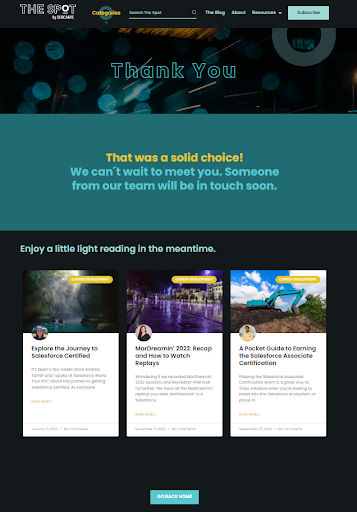
Redirecting your landing page traffic to a thank you page not only wraps up the present and puts a bow on the experience, it also allows you, as the marketer, to retarget them and drive additional traffic to like-minded content. For example, you can drive them to additional product pages, resources, engage on social media, or drive them to contact a sales team member immediately.
Need additional help? Contact Sercante today for help with templates or strategy!