Product Note:Marketing Cloud Growth and Advanced are editions of Marketing Cloud Next and have also been referred to as Agentforce Marketing.
During the Marketing & Commerce Keynote at Dreamforce 2024, Salesforce announced the latest edition of Marketing Cloud built on Data Cloud — Marketing Cloud Advanced Edition! Expected to be released in November 2024, this new edition expands the features and functionalities of Marketing Cloud Growth Edition, released in February of this year.
What Comes with Advanced Edition?
Let’s dive into what Marketing Cloud Advanced Edition brings to the table.
Path Experiment
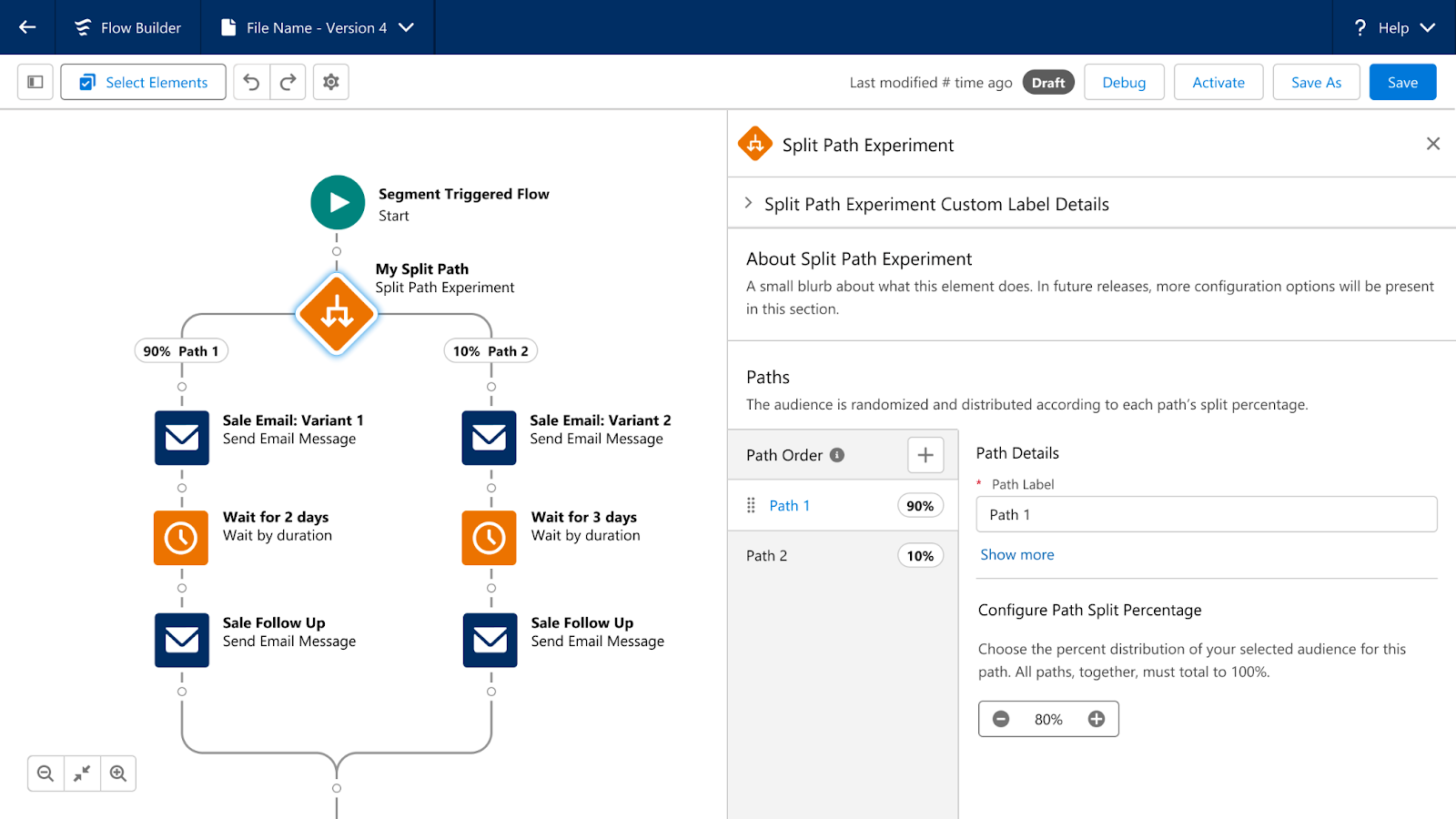
Path Experiment allows Marketers to maximize engagement with your audience through testing. This new feature allows marketers to test variations within marketing content, such as different subject lines, variations in channels, such as sending an SMS instead of an email, and even variations in cadence, such as sending an email in 3 days versus 1. Path experiment allows marketers to test up to 10 paths within a single experiment, customize the distribution percentage across the paths, and automatically randomize individuals between the paths to help ensure fair, unbiased results. There is no limit to the number of Path Experiments that can be included in one Flow.
Einstein Engagement Frequency
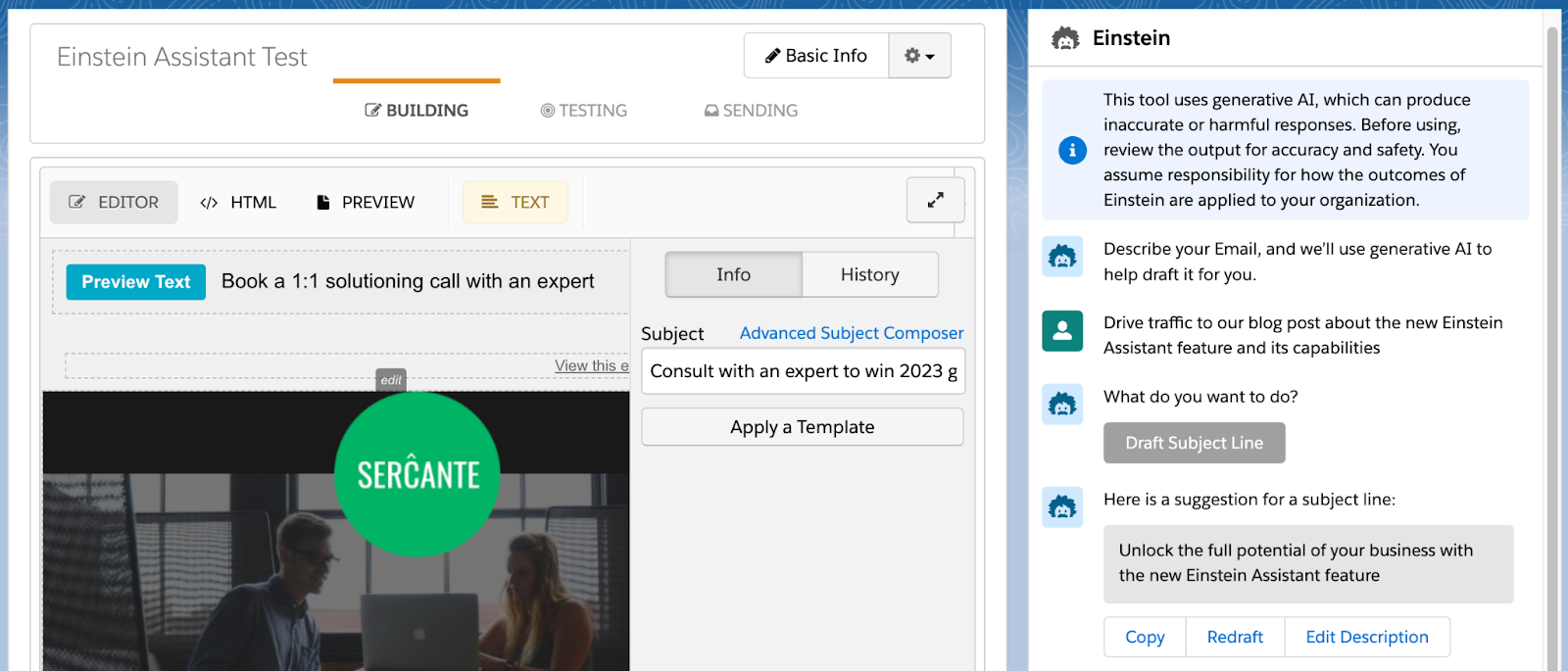
Einstein’s capabilities will also be expanded in Marketing Cloud Advanced Edition. First, we have Einstein Engagement Frequency which assists Marketers in sending the right number of messages to their audience. Einstein Engagement Frequency provides insights into the distribution of email sends and subscriber engagement, suggesting the optimal frequency to maximize engagement. This data can then be used to create segments, allowing marketers to suppress or target subscribers who are over or under-saturated.
Einstein Engagement Scoring
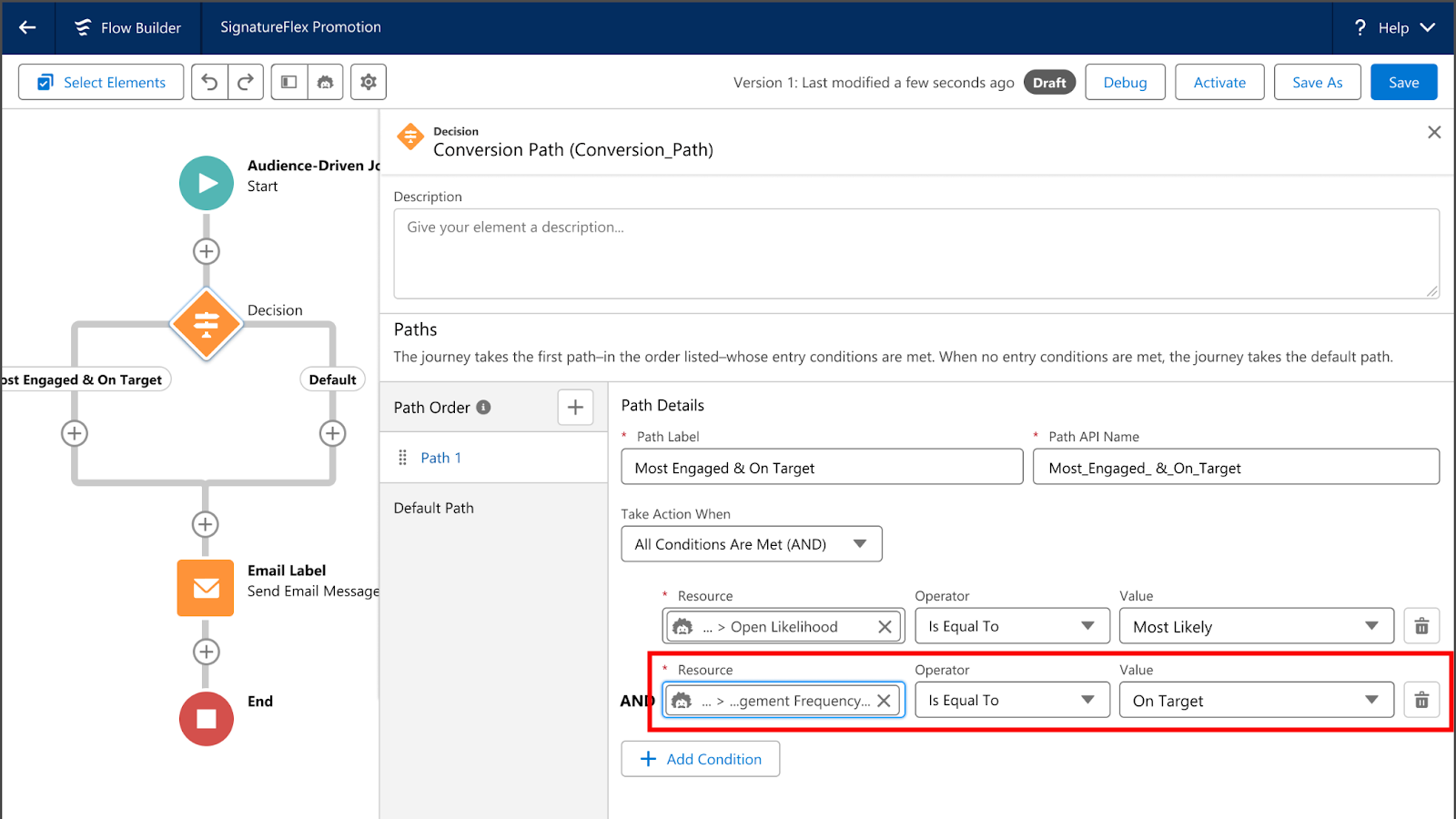
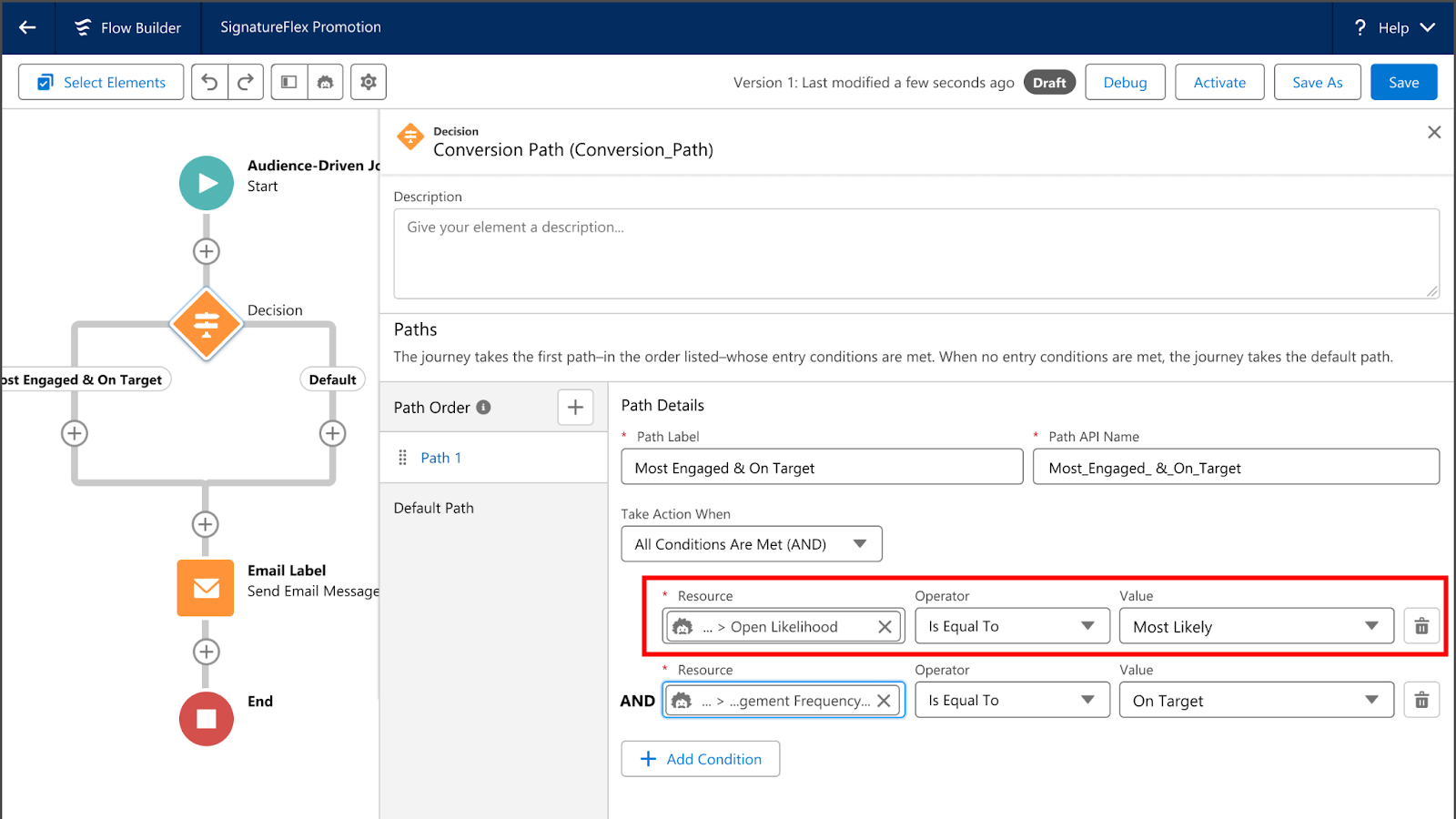
Next, we have Einstein Engagement Scoring, which helps predict how likely each subscriber is to open, click, and stay subscribed to an email communication. Einstein Engagement Scoring’s data can be used to create segments, send subscribers down different Flow paths, or even help personalize content more effectively.
Unified Conversations with SMS
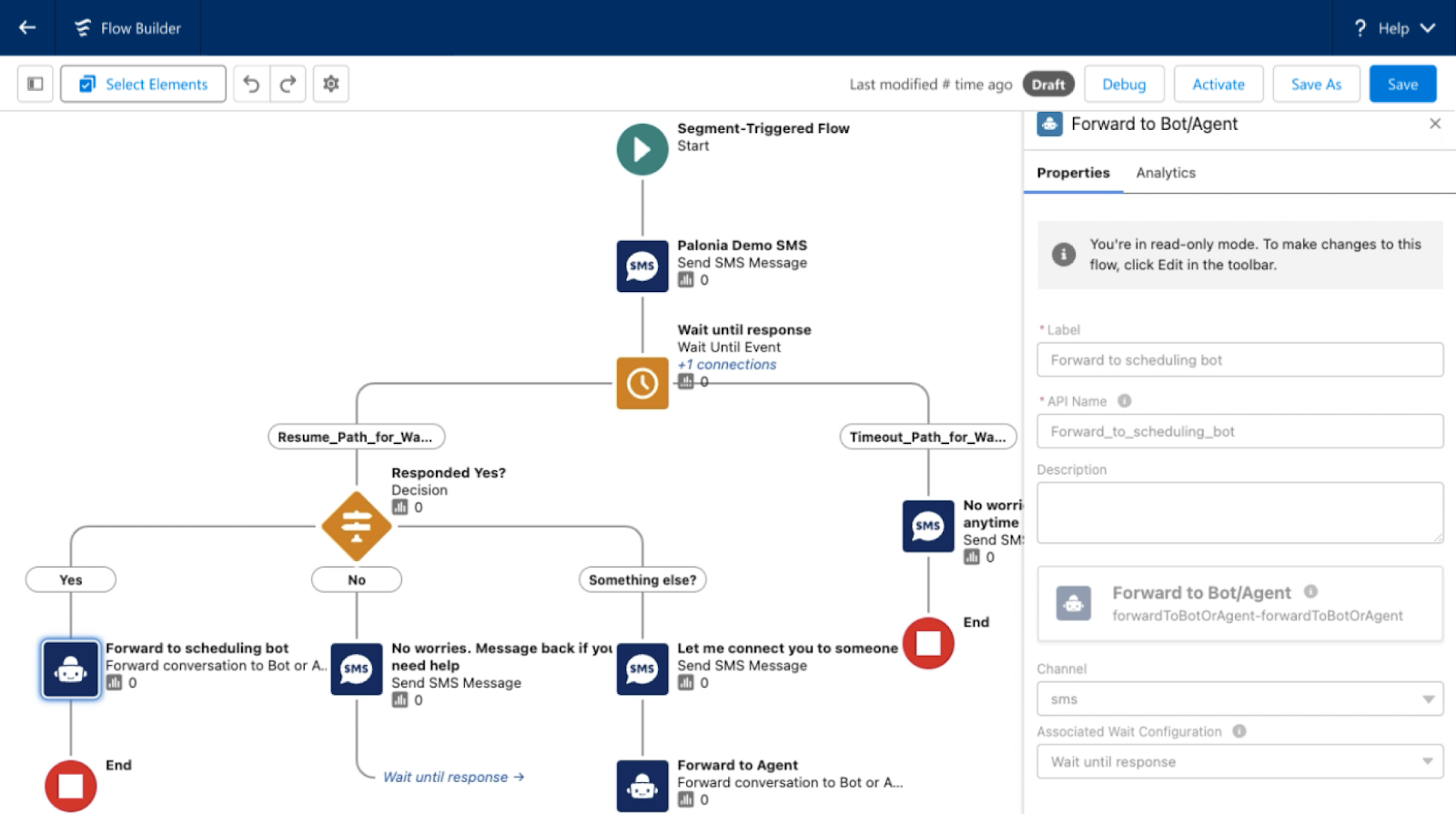
With the new Digital Engagement add-on, Marketing Cloud Advanced Edition enables marketers to transform one-way promotions into a conversation with their audience. Marketers can respond to messages in real time using the unified customer data within Data Cloud and automate interactions with connected chatbots.
Looking Toward the Future
What other features and functionality would you like to see Salesforce bring to Marketing Cloud Growth or Advanced Edition? Let us know in the comments!
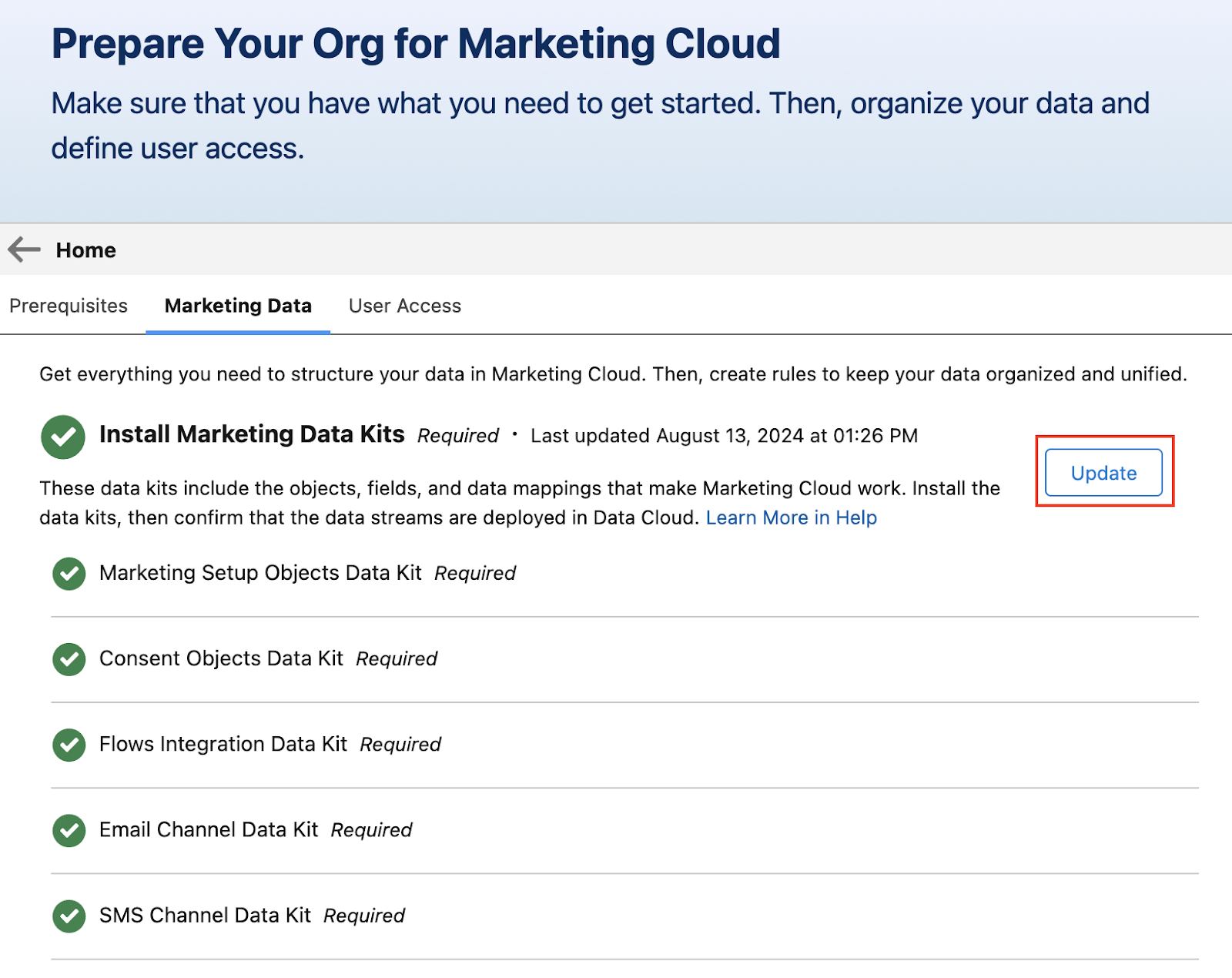
First things first. Salesforce is working to make Marketing Cloud Growth (aka MCG) easier to manage and keep updated as additional features and functionalities are added. With the Winter ’25 release, users with the Marketing Cloud Admin permission set can now access the setup assistant for easier implementation of MCG. All Data Kits can also be updated with the click of a button on the Marketing Data tab.
Some Data Kits do require you to then deploy the update within Data Cloud’s ingestion data streams. See this help article for guidance.
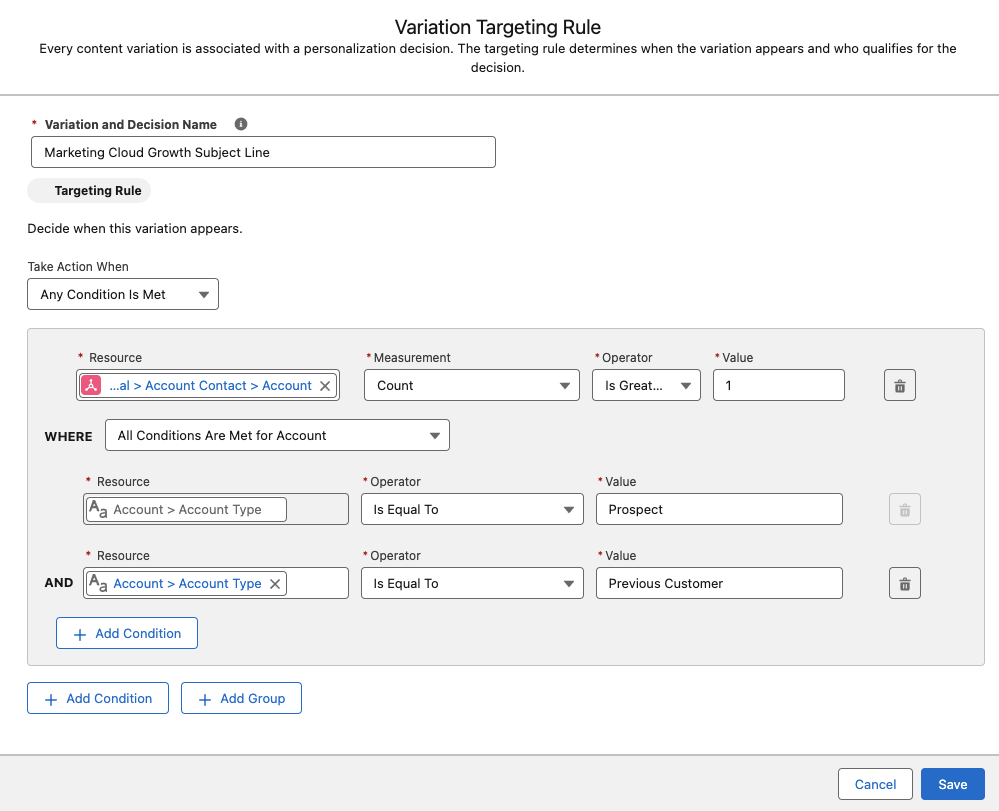
I love seeing my favorite Marketing Cloud Account Engagement (Pardot) features show up in MKG! With this release, MCG users can now build Dynamic Content for email subject lines, email preheaders, and email components and even use Einstein Co-Pilot to help with the copy.
While in the Email Builder, users can create content variations and determine the logic for when a variation is shown.
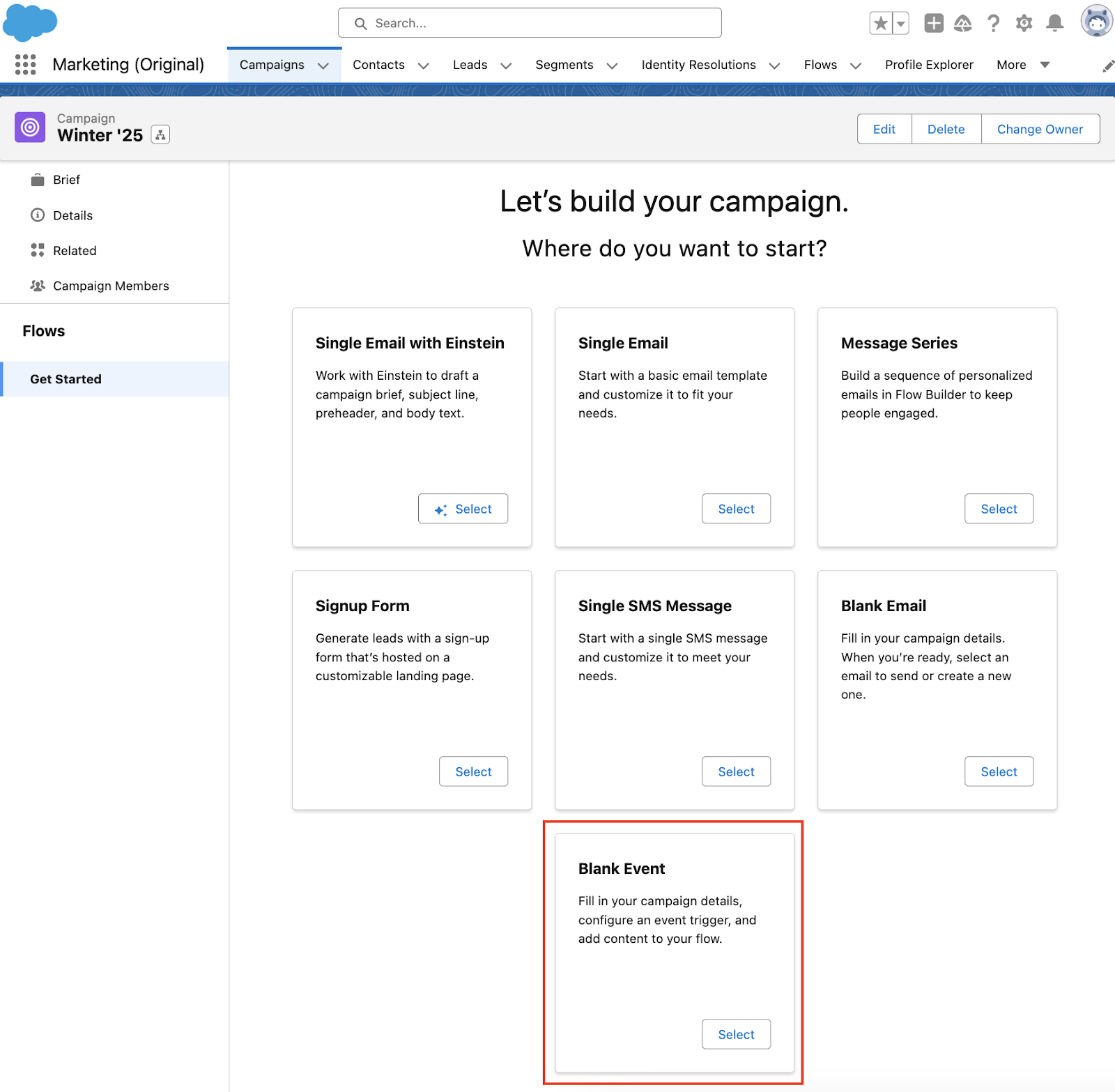
A new Campaign template is coming to MCG that will enable Marketers to easily send event-based email messages to their audience. This new campaign can be used when a prospect or client performs an action, such as making a purchase. MCG can then personalize the email with event data. For our “making a purchase” example, the email could contain the order confirmation and details about said order.
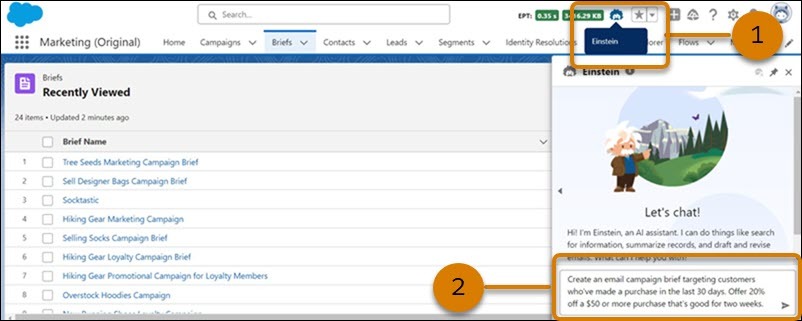
Einstein Co-Pilot continues to expand across Salesforce applications to not only deliver a consistent user experience, but also answer questions and generate content that is grounded in your unique data. Einstein Co-Pilot is generally available for MCG as part of the Winter release and can assist in generating campaigns and copy. If you have already implemented MCG and are currently using Einstein Co-Create, you will need to make some changes to switch to Co-Pilot. Steps to make the switch are coming soon.
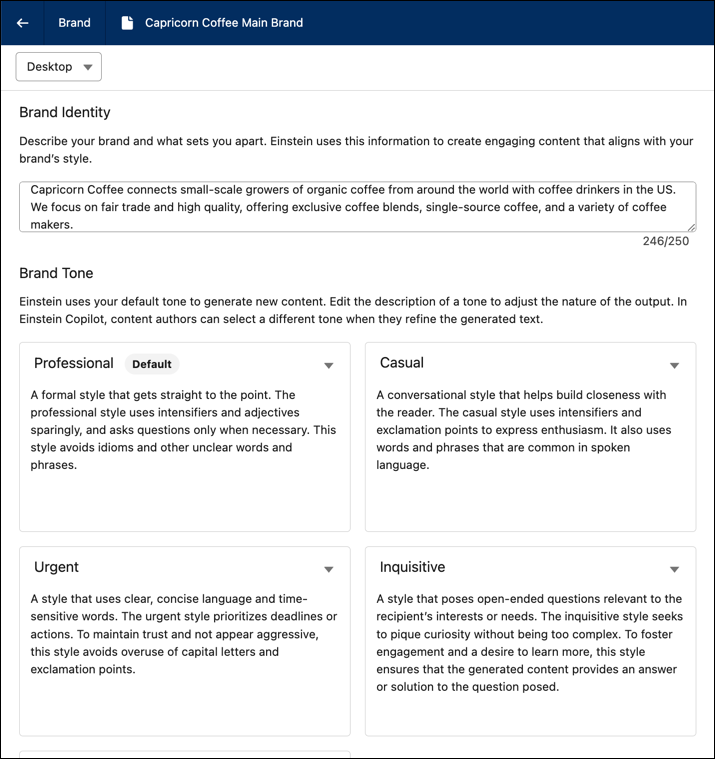
Marketing Cloud Growth’s Brand Guidelines are being extended to include Brand Identity and Brand Tone. These brand details help Einstein Co-Pilot better generate content that matches your unique brand and allows you to quickly revise content using a different tone when needed.
Similar to Campaign influence, Opportunity influence will assist marketers in identifying which campaigns were impactful for opportunities. First-touch and last-touch attribution models will be available as part of the Winter release, allowing marketers to report on which campaigns are most effective during the different stages of the customer’s journey. Opportunity influence will require some backend setup and configuration for accurate reporting, so stay tuned for a more detailed blog post once this feature is available!
And more!
Einstein Data Prism helps generate more accurate segments by enriching the Data Cloud schema with semantic descriptions.
Easily share content across workspaces. This addition is especially helpful if you are using Salesforce CMS for multiple applications, for example MCG and MCAE Lightning Builder.
That is a LOT of updates, and I’m happy to see it! What is your favorite feature coming to Marketing Cloud Growth in the Winter ‘25 release? Let us know in the comments.
The Salesforce Winter ‘25 release notes are out! Let’s dive into Winter ’25 highlights and what Account Engagement (f.k.a. Pardot) users can expect to see come October.
Back in 2021 we got the Email Uniqueness field that told us whether or not a Prospect’s email address was unique to the prospect. Although this field is super handy, you can’t export its data and it only tells you if there is a duplicate email somewhere in the system.
Now, All Account Engagement editions are getting bonafide duplicate management capabilities.
As part of the Winter ‘25 release, Account Engagement Optimizer will help users keep their database squeaky clean by enabling them to view and merge duplicate prospect records.
If you receive system notification emails from Account Engagement, for instance the Daily Prospect Activity report, then you know these emails typically include pi.pardot.com (a.k.a. Pardot Classic) links rather than the, now standard, Account Engagement Lightning App links.
Fortunately, with the Salesforce Winter ‘25 release, all orgs will be updated to have their Account Engagement system emails to use Lightning App links, directing users to the right app or prospect without having to log into pi.pardot.com.
Now the only link this update won’t fix is the “Account Engagement URL” field on Salesforce Leads and Contacts. This field will continue to have a pi.pardot.com link. However, you can create a Formula field on the Lead and Contact objects to display the Lightning link instead.
Making sure you update the section in red with your own Salesforce URL. While the Pardot Classic App will forever hold a piece of my heart. I’m excited to see this last remaining vestige of the Classic interface go away.
Account Engagement and Data Cloud’s integration continues to grow with each release. Orgs will now be able to connect form, landing page, and tracked website engagement data to Data Cloud for personalized marketing efforts, calculated insights, and improved segmentation.
Speaking of Data Cloud Segments, Account Engagement can now have 25 Data Cloud segments per business unit (an increase from 5)! Currently the segment increase only applies to Account Engagement users with Growth or Plus edition.
One of the worst feelings as an admin of any system is accidentally deleting something you shouldn’t have. Even worse is when it is a permanent deletion.
Thankfully, Salesforce is helping you avoid that feeling of dread and doom but allowing for these table actions to be paused or outright canceled. Deletion requests can be paused/canceled in the Table Action Manager found within Account Engagement Optimizer.
Get help understanding the Salesforce Winter ‘25 release and how it affects Account Engagement orgs
What questions do you have about the new features coming to Account Engagement? Let us know in the comments or reach out to the team at Sercante to start a conversation.
Product Note:Marketing Cloud Growth and Advanced are editions of Marketing Cloud Next and have also been referred to as Agentforce Marketing.
In February 2024, Salesforce released Marketing Cloud Growth Edition, its first marketing automation platform built fully on the Einstein 1 Platform (a.k.a. “On Core”). Marketing Cloud Growth Edition has been rapidly evolving and expanding the features of this new solution ever since, and Account Engagement (f.k.a. Pardot) users are about to get a taste of it.
Update! In the Dreamforce ‘24 Marketing Keynote, Salesforce announced that all Account Engagement orgs can get Marketing Cloud Growth provisioned at no additional cost. Previously, this offer was only for orgs with Growth Edition Account Engagement, but it now includes all orgs with a current edition of Account Engagement. A banner notifying all Account Engagement orgs that they can now get access to Marketing Cloud Growth Edition was published on October 15th. This blog has been updated to reflect the most recent news around this offering.
In this post, we’ll cover how to take advantage of the offer and use Marketing Cloud Growth alongside Account Engagement.
A Note on Naming
Now the naming of this new tool has caused quite a bit of confusion in the Salesforce community as it seems to change on a weekly basis. When launched, this new solution was referred to as “Marketing Cloud Growth Edition” or “Marketing Cloud on the Einstein 1 Platform”. During Dreamforce, Advanced Edition was announced, so this solution became “Marketing Cloud Growth or Advanced Edition” or “Marketing Cloud built on Data Cloud”. Finally, during the Winter ‘25 release, this tool started showing up in Salesforce documentation as just “Marketing Cloud” or the “Marketing Cloud App”, much to the chagrin of Marketing Cloud Engagement users. Now, if you are using Marketing Cloud Growth with Account Engagement, it is being referred to as “Account Engagement on Marketing Cloud” but also “Account Engagement powered by Data Cloud”.
Confused? Yes, me too. But all this is to say there is one new Salesforce Marketing tool that is built on core to bring users a truly unified marketing experience. For simplicity, we will continue to refer to this tool as “Marketing Cloud Growth” for this blog post.
What Account Engagement Users Need to Access Marketing Cloud Growth Edition
A current instance of a Marketing Cloud Account Engagement This includes Growth, Plus, Advanced, and Premium editions of Marketing Cloud Account Engagement (MCAE). Your MCAE Admins can view your Edition by going to the Account Engagement Settings tab.
Data Cloud Data Cloud not only unifies customer data for use within Marketing Cloud Growth, but also ensures data continuity between Account Engagement and Marketing Cloud Growth. Free Data Cloud is available for orgs with Enterprise and Unlimited Edition Salesforce customers. If you have a lower edition of Salesforce, check out more information on provisioning and access here.
If you are brand new to Data Cloud or don’t have a Data Cloud Architect at your disposal, don’t fret! Marketing Cloud Growth comes with Data Kits that help map your Marketing and CRM Data to Data Cloud. The free Data Cloud SKU + Marketing Cloud Growth’s out of the box data kits will cover everything most orgs need to get started, but if you’d like assistance with additional Data Cloud Data Streams or want to dive into more advanced Data Cloud use cases, we’re happy to help!
Data Cloud Credits
Marketing Cloud Growth uses Data Cloud’s credits to fuel its activities. So, although MCAE users will get Marketing Cloud Growth at no additional charge, orgs still need to purchase credits to fuel Marketing Cloud Growth. Think of it like you’re being given a car, but you still have to purchase the gas to make it run.
If you’re new to Data Cloud’s consumption model, our previous blog post and this Trailhead module will help give you an idea of how this works and the different types of credits available. If you’re using the Free Data Cloud SKU to get started, note that this does include some credits to fuel data ingestion and unification. However, orgs will need to reach out to their AE to purchase the credits that fuel sending emails, sending SMS, compiling Segments, and using Einstein.
You don’t necessarily have to purchase these credits before implementing Marketing Cloud Growth for testing purposes, but you may be limited in the features you can play around with without them.
Getting Started
Here are a few things to keep in mind as you start using Account Engagement and Marketing Cloud Growth side by side.
Understanding Consent and Subscriptions
Consent works a little differently between the two systems.
Account Engagement has a permission-based marketing policy, meaning that although there is no default “Opt-in” field, users must certify that they only contact prospects who have expressly consented to receive marketing communications.
In Marketing Cloud Growth Edition, consent is a bit more rigid. To send marketing communications, each prospect must have a Consent Record comprising of:
The Contact Point (email or phone number)
The Marketing Channel (Email, SMS, etc.)
The Communication Subscription (Webinars, Events, Product updates, etc.)
The Date and Time the prospect opted in
More considerations for Consent and Subscriptions are available in this Salesforce Help article.
Import Consent Data
Before you import consent data, make sure the contact point exists in Marketing Cloud Growth Edition. A consent import can update consent information for existing contact points, but it can’t create new leads or contacts or update other fields (at least as of the Winter ‘25 release).
First, export your list from Account Engagement:
In Account Engagement, navigate to Prospects > Segmentation > Segmentation Lists
Locate and open the preference list you would like to import into Growth
Within Marketing Cloud Growth, navigate to the Consent tab
Ensure you are on the Consent Imports tab, then select + Import
Select your Channel, Communication Subscription, and whether this list is opted in or opted out
Select Next
Upload your CSV, select Next
Review the import preview and select Import
Select Done
Send Account Engagement Images to CMS
Use images in both Account Engagement and Marketing Cloud Growth by enabling “Copy to CMS”.
In Salesforce, navigate to Marketing Setup > Copy to CMS
Use the dropdown menu next to your Account Engagement business unit to select Enable
Repeat for additional Account Engagement business units
This will create a CMS Workspace named, “Content Workspace for Marketing Cloud Account Engagement – Copied Content – [business unit name]”. To avoid issues, do not change the workspace name or remove the B2BMA Integration user as a contributor.
Copy Images from Account Engagement to the Growth Edition CMS Workspace
Next, you’ll need to copy the images from Account Engagement to your new CMS Workspace.
In Account Engagement, navigate to Content > Files
Use the checkboxes on the left-hand side to select the files you would like to move. Once selected, use the dropdown menu at the bottom of the table to select Copy to CMS
Select Go
Use the New Growth Edition Email Editing Experience
Now you can build emails that are available in both Account Engagement and Growth Edition. When creating or editing Email Content in the Lightning Email Builder, select New Email Experience to use Marketing Cloud Growth Edition’s editor.
Account Engagement Campaign Considerations
Account Engagement and Marketing Cloud Growth Edition cannot currently share campaigns, so you’ll want to have distinct naming conventions to easily identify which campaigns belong to each platform. You can also keep Marketing Cloud Growth’s campaigns from syncing to Account Engagement by creating a new campaign record type for Growth.
Read more about Campaigns for Marketing Cloud Growth in this help article.
Using Account Engagement & Growth Edition Together
Current users of Account Engagement probably have long-standing engagement studio programs that are set up to run on a recurring basis. Account Engagement thrives in this situation and provides flexibility for enrolling prospects and ensuring that the marketing journey you want to happen actually happens. Let’s look at instances where you can use this existing functionality with all the bells and whistles Growth offers.
Use cases for combining the two platforms
SMS functionality. In Account Engagement, You may have a pre-existing engagement studio program set up for every event your company puts on, thanking attendees for joining and sharing pertinent details. If you want to send a reminder text message to people who have registered for the event, you can now take advantage of native Marketing Cloud Growth functionality to do so.
Using cross-object personalization. Say you have a recurring monthly email sent out to your customers letting them know their account status, YTD savings with your company, and other information pertinent to the customer on an ongoing basis. If this information is stored within custom objects, it’s difficult to populate an Account Engagement email with those details. With Marketing Cloud Growth Edition, users can create Data Graphs for cross-object personalization, allowing marketers to personalize emails with data from any object.
Custom processes for post-form-fill actions. Another great example of how you can use Marketing Cloud Growth Edition alongside Account Engagement is when you want to implement a custom process when someone submits a form.
Since Growth uses Flow for automation, the actions taken after a form is completed can be customized to each unique need. For instance, you can standardize field values or send data to several objects within Salesforce before the Lead/Contact record is updated.
There you have it
You are now ready to start experiencing Marketing Cloud Growth Edition. The future of Salesforce marketing is bright and evolving every day.
Stay tuned for Growth’s next iterations. In the meantime, use these resources to get started:
Marketers can now send Operational (aka Transactional) emails via Engagement Studio Programs! This is a game changer for any orgs that need to send renewal reminders, shipping notices, invoices etc. through Account Engagement. To use this new feature, ensure Operational emails are enabled in your Account Engagement Business Unit and make sure you’re familiar with what does, and does not, count as Operational.
Salesforce CMS workspaces rolled out for Account Engagement users with the Lightning Builders. However, if you are using both the Classic and Lightning builders, you’ve likely struggled with your content being in two places. With this new feature, you can easily copy images from your Account Engagement Business Unit over to CMS to help ensure everything is in one easily accessible place.
If you’re not yet using the Account Engagement Optimizer, I highly recommend checking it out. This feature provides critical insights into the performance of your Account Engagement Business Unit and highlights actionable measures to keep your org running smoothly. With the Summer ‘24 release, a new messaging section is being added to Optimizer to make it even easier to view alerts and feature recommendations.
Product Note:Marketing Cloud Growth and Advanced are editions of Marketing Cloud Next and have also been referred to as Agentforce Marketing.
Even though Marketing Cloud Growth Edition just launched in February, it’s already receiving a ton of new features as part of the Salesforce Summer ‘24 release! I feel like this will be par for the course for Growth Edition and I personally cannot wait to see what this application will be able to do by Dreamforce. Below are just a few of the highlights coming to Growth Edition in the upcoming release.
Flow functionality for Growth Edition is, well, growing as part of the Summer ‘24 release. Users can now create Marketing Consent records directly from form fills, set criteria for when records should exit a Flow, and check for and manage duplicates. Data Graph attributes can also be pulled in, allowing Marketers to work with related objects within their Flow logic.
Personalize your marketing assets with data from related objects! If you’ve ever wanted to pull in a Record’s Account Owner’s information or their most recent Opportunity details to personalize your marketing asset, you’ve likely experienced how this is a more complex ask than most people think. However, with the help of Data Cloud Data Graphs, Marketers can now add other objects and fields as related attributes and then use those attributes as merge fields within the Flow.
Campaigns continue to be a central part of any Marketing initiative. With the Summer ‘24 release, Growth Edition is getting a few new functionalities that will make working with Campaigns even more seamless. Users can now add templated flows to campaigns, easily preview and test campaign content, and quickly send communications to Campaign members.
One of my favorite features of Growth Edition, Brand Guidelines, is moving from Beta to Generally Available. With this move, Marketers can now specify new aspects of their branding, such as spacing, borders, and text formatting. Marketers can also view how their branding will look within assets while configuring their guidelines. Separate Brand Guidelines can also be created for Desktop and Mobile versions of Landing Pages to ensure a great viewing experience no matter the device.
Engagement Scoring in Growth Edition can now be customized to fit your company’s needs. The updated scoring functionality allows you to add your own Engagement Score Rules (up to 30) and add or subtract points when a record meets a rule. Fit Scoring is also being introduced as part of this update. Fit Scoring is similar to Account Engagement Grading, whereas its goal is to tell Marketing and Sales how closely the individual and their company matches the ideal client persona. Fit Scoring rules can be added for the individual and/or their Account.
Again, this is just some of Marketing Cloud Growth Edition’s Summer ‘24 features. If you’re interested in using Growth Edition, I highly recommend reading through the full notes to see the long list of features coming your way!