Category

Community

We’re getting ready for TrailblazerDX 2023 (formerly TrailheadDX) — which was previously known as the big Salesforce community conference event for anyone who builds on the Salesforce platform using developer or declarative solutions. However, we’re finding that people who fill roles from all corners of the Salesforce ecosystem are traveling to TDX in recent years. That can include Salesforce admins and general users, consultants, and analysts in addition to developers and architects.

In this post, we’ll cover all the things our marketing friends should know about the 2023 TrailblazerDX conference.

2023 TrailblazerDX Details

TrailblazerDX is taking place March 7-8, 2023, in San Francisco as well as virtually through Salesforce+ live streams and on demand after the event ends. Salesforce is expecting around 25,000 attendees who can choose from 200+ technical sessions, product demos, workshops, and hands-on learning.

Go here to check out the official Salesforce description for the event.

If you’re a marketer or support a marketing team from any one of those roles and nerd out about the backend of Salesforce, then there’s a good chance you’ll want to catch a few TrailblazerDX sessions this year. 

Sercante Team TDX Sessions

Team Sercante will be out in full force at TrailblazerDX. If you’re going to be there in person, let us know so we can meet up to chat. 

You can find our dragons dropping knowledge during these sessions:

Account Engagement Extensibility: Automation to the Extreme

Tuesday, March 7 | 12 PM PT | Learn More

Learn how to expand communication channels and expand the event experience with marketing app extensions. Discover how to reduce manual efforts with API V5 for Flow.

Speakers:

Discover How Data Cloud for Marketing Unifies Customer Data

Tuesday, March 7 | 1:30 PM PT | Learn More

Customers are constantly changing and your data needs to evolve with them. Learn how to make every digital moment smarter using the power of unified data within Data Cloud for Marketing.

Speakers:

  • Adam Erstelle, VP of Technology, Sercante
  • Heather Rinke, Salesforce Product Director, Sercante

Evaluate and Make Critical Design Decisions 

Wednesday, March 8 | 12 PM PT | Learn More

Learn how an admin, architect, consultant, and developer approach critical design decisions. See how each role evaluates challenges when solving for specific user needs.

Panelists:

  • Skye Tyler, Solution Architect, Exponent Partners
  • Adam Erstelle, VP of Technology, Sercante
  • Karmel James, Senior Salesforce Administrator , Viz.ai
  • Hayley Tuller, Founding Partner & Head of Services, Navigators
  • Michelle Hansen, Principal, Slalom

Marketing-focused TrailblazerDX sessions

We’re always on the lookout for sessions our fellow marketers should catch. 

You’ll want to attend these sessions if you’re attending TrailblazerDX in real life this year. But if you’re not gonna be there in person, then check out the full schedule of sessions you can watch virtually on Salesforce+.

Dive into Data: CRMA vs. Salesforce Reports and Dashboards

Tuesday, March 7 | 1 PM PT | Learn More

Review Salesforce reports and dashboards and introduce learners to the world of CRM Analytics. Compare product features, uncover nuances, and take your analytics insights to the next level.

Speakers:

  • Rahul Shah, Manager, APAC Delivery, Salesforce
  • Mari Greenburg, Principal Instructor , Salesforce

Best Practices for Implementing Data Cloud

Tuesday, March 7 | 12 PM PT | Learn More

Learn to unlock value across the implementation journey for Data Cloud, Salesforce’s customer data platform, from use case discovery to data ingestion, unification, segmentation, and activation.

Speakers:

  • Arvind Raman, Director, Cloud Solution Alliances , Salesforce
  • Andrew Lee, Product Marketing Manager, Salesforce

Find Your Community in the Cloud

Tuesday, March 7 | 12 PM PT | Learn More

New to the Salesforce ecosystem? Building professional connections and strong relationships requires work. Learn how to forge your own path and create your community with Salesforce.

Speakers:

Marketer Networking Knowledge Hour

Tuesday, March 7 | 12:30 PM PT | Learn More

Marketing is as hot as a firecracker, but how do you ignite that spark? Marketers need to constantly be plugged in. Learn about the power of brand advocacy and nurturing community to achieve success.

Community Cove Networking Event

Maximize Mobile Engagement

Tuesday, March 7 | 3 PM PT | Learn More

Learn how to increase user engagement with your mobile app by taking advantage of event-driven journeys, in-app experiences, and push messages.

Speakers:

  • Caitlin Dwyer, Senior Product Manager, Salesforce
  • Monica Marathe, Product Manager, Salesforce

An Architect’s Guide to Cross-Cloud with Data Cloud

Tuesday, March 7 | 3:30 PM PT | Learn More

Learn the foundations of successful cross-cloud architecture across the Lightning Platform, Commerce Cloud, Marketing Cloud, and Data Cloud from data mapping to integration to environment management.

Speakers:

  • Craig Poirier, Sr. Director, Slalom
  • Mike King, Sr. Director, Global Salesforce Commerce, Slalom
  • Gillian Reynolds, Slalom

Deep Dive into Marketing App Extensions for MCAE (Pardot)

Tuesday, March 7 | 3:30 PM PT | Learn More

In this session, we will examine the different use cases for MCAE External Actions & Activities and demonstrate how to leverage external actions within Engagement Studio to send a webhook.

Speakers:

  • Brandon Walton, Consultant, Cypress Learning Solutions
  • Tasha Rucker, Founder, Principal Consultant, ReadyCRM

Architect the Ultimate ABM Experience

Wednesday, March 8 | 11 AM PT | Learn More

Learn how Copado leverages Sales Cloud to connect and power ABM journeys across digital ads, BDR outreach, automated nurtures, sales engagement, and field programs.

Speakers:

  • Cameron Tyler, Senior Director, Demand Generation, Copado
  • Halie Vining, Sr. Director of Field Marketing, Copado

Explore the Marketing Cloud Programming Languages

Wednesday, March 8 | 11:30 AM PT | Learn More

In this session we will cover the programming languages available on the Marketing Cloud Platform and how to use them. We will explore AMPscript, SSJS, GTL, SQL, and more.

Speakers:

  • Danielle Larregui, Marketing Cloud Developer Advocate, Salesforce

5 Tips to Optimize Your Data Lifecycle

Wednesday, March 8 | 12:30 PM PT | Learn More

During this session you will learn the five stages of the data lifecycle, common mistakes, how Salesforce can support your data lifecycle  and actionable advice for optimizing the data lifecycle.

Speakers:

  • Andrew Fragias, Product Manager, Validity

Activate Customer Data in Journey Builder

Wednesday, March 8 | 1 PM PT | Learn More

Data is the key to personalizing customer journeys. Learn how to activate data from the Customer Data Platform to inform, activate, and alter journeys in Marketing Cloud Engagement.

Speakers:

  • Abbe Spaans, Senior Director, Product Management, Salesforce
  • Miku Konsolas, Principal Architect, Salesforce
  • Tyler Staley, Director of Product Management, Salesforce

Dynamic Content: Personalization Taken to the Next Level

Wednesday, March 8 | 1 PM PT | Learn More

In this session you’ll learn how dynamic content and personalization can reduce unneeded friction points in the buyer’s journey. Powered by Marketing Cloud Account Engagement (Pardot).

Speakers:

Personalize Customer Journeys with Vonage Communication APIs

Wednesday, March 8 | 1:30 PM PT | Learn More

Businesses need to streamline customer journeys across channels. Learn to create customized conversations with Salesforce CRM and Vonage communications APIs and bring together data, systems and users.

Speakers:

  • Oscar Rodriguez, Senior Director Global Solutions Engineering, Vonage

Increase Productivity: Customizing the Marketing Cloud

Wednesday, March 8 | 3:30 PM PT | Learn More

Learn how to leverage Package Manager and custom activities to supercharge your customer engagement with Marketing Cloud and empower your marketing teams to do more.

Speakers:

  • Mark Rosato, Senior Solution Engineer, Salesforce

TrailblazerDX 2023 Musical Guest: Fallout Boy

Did we mention Fallout Boy is the TDX musical guest this year? 

Those of us who aren’t attending IRL are fighting the FOMO in hopes that the show will be broadcasted live on Salesforce+.


Image: Salesforce

See you at TDX 2023!

So, TrailheaDX was known as the developer conference, but TrailblazerDX opens the doors for everyone on the Salesforce platform to learn how it works. 

And while marketers don’t always get the attention they deserve, we see lots of exciting things on the horizon for our pals. It’s especially evident at this year’s TrailblazerDX conference.

Attending TrailblazerDX in person?

If you’re lucky enough to catch TrailblazerDX in person this year, then we should meet up! 

Visit this page to let us know you’re going. We’ll reach out to find the perfect time to talk. And remember to say “hi” to our dragons who are part of the following TDX sessions:

  • Discover How Data Cloud for Marketing Unifies Customer Data | Learn More
  • Account Engagement Extensibility: Automation to the Extreme | Learn More
  • Evaluate and Make Critical Design Decisions | Learn More

Have a favorite memory from last year’s TrailblazerDX conference? Tell us about it in the comments.

Like the title says — if you’re a Salesforce user, then you should be deleting your marketing contacts on a regular basis.

Okay, hear me out.

Of course I don’t mean all your contacts. And I don’t even necessarily mean delete delete (in some cases). Let me explain.

As marketers, we hoard and protect our contacts like dragons guarding our treasure. Our instinct is to grow — and keep — our contacts database as large as possible. After all, more contacts mean more people for the ever-demanding funnel.

But I’m here to tell you: stop it.

Why? Because as with many things in life, quality over quantity is what should matter here, even within the gaping maw that is the top of the funnel. 

And for more reasons than you think. Here are the three main ones.

Reason #1: Salesforce Puts a Cap on Contacts

Let’s start with the purely technical and perhaps thoroughly obvious: Salesforce gives you a finite number of contacts to keep. The number you can have varies depending on the plan you’re on and the optional number contact block add-ons you purchase.

No matter how adequate that number may seem at the time, it will start being not enough very shortly if you don’t have any safeguards in place.

Furthermore, the criteria for what counts towards this limit differs between Marketing Cloud Engagement (or MCE, formerly Marketing Cloud) and Marketing Cloud Account Engagement (MCAE, formerly Pardot… I know one day we’ll get used to the rebrand).

In Marketing Cloud Engagement:

MCE EditionProCorporateEnterprise
Base Contact Count15k45k500k

Any Contact record (aka, any record on a sendable data extension with a unique ContactKey) on the All Contacts list counts towards MCE’s Contact Count limit. This includes:

  • Mobile contacts
  • Email subscribers
  • Any contacts from synchronized data sources (e.g., Salesforce objects). 

This is also why it is best practice to use a single ContactKey across Mobile, Email, and Synced Data Sources to prevent duplicates from unnecessarily eating up your Contact Count. 

You can monitor your Contact Count using the All Contacts list in Contact Builder.

Fun gotcha moment: If you’re syncing Salesforce Leads and Contacts and a Lead converts into a Contact, MCE will still count that synced Lead record and the new synced Contact record as two Contacts because they will still have two separate ContactKeys.
Fun gotcha moment #2: Even if you reduce the number of records on your synced sendable data extension, your All Contacts list count may not change. 

You will need to do some additional manual work here to enable contacts deletion from MCE if you haven’t done so already. Go to Contact Builder > Contacts Configuration and then choose the contacts you want to delete. 

If you want to mass delete a large number of contacts, you will either need to:
a) import a list of contacts back into MCE (counter-intuitive, I know) and then configure MCE to delete your contacts based off of that list 
– or –
b) create a REST API call to mass delete your contacts.

In Marketing Cloud Account Engagement (Pardot):

MCAE EditionGrowthPlusAdvancedPremium
Contact Blocks10k (additional 10k blocks are $100/month10k (additional 10k blocks are $150/month)10k (additional 10k blocks are $300/month)75k (additional 10k blocks are $400/month)

Fortunately, this is more straightforward. Any prospect record with a mailable status counts towards your mailable database limit. 

That’s it. You can keep an eye on your mailable database limit from the Pardot Settings tab.

Reason #2: Privacy Features Aren’t Going Away

In September 2021 as part of the iOS 15 updates, Apple rolled out Mail Privacy functionality that allowed its users to easily create throwaway email addresses for form fills (a common practice that many were already doing, Apple just automated it). 

Eight years prior to that, Google had broken up its Gmail inbox into tabbed categories in a better effort to keep “less important” emails — like marketing emails — from clogging up your immediate inbox. This year, Google will officially sunset its use of third-party cookies for tracking.

Suffice to say: more privacy features are coming into play and more consumers are concerned with how their data is being collected, stored, and used.

This is all great for consumer privacy, but less so for our marketing efforts.

Without intervention, we could face the possibility of having a database where a sizable portion of our contacts are, at best, completely unengaged, or, at worst, aren’t actually legitimate contacts in the first place.

Reason #3: You’re Skewing Your Metrics

Now take the nightmare scenario in Reason #2 and think about what this does to our precious email metrics. If we consistently send to a database of unengaged or non-legitimate contacts, leading to artificially low open rates and potentially high bounce rates, we’re skewing our own engagement rates from the start.

And if we’re relying on our engagement rates to determine campaign KPIs and attribution, we’ll have already introduced flawed data into our analysis.

How to Keep Your Marketing Contact Database as Clean as Possible

Okay, you’ve made some good points, I hopefully assume you’re thinking. So what can I do?

Well I’m glad you asked, because I have some tips for both Marketing Cloud Engagement and Marketing Cloud Account Engagement users.

Implement a Cold Leads Strategy

This is where I’m asking you to look deep inside yourself and fight against the marketer’s urge to hold onto all your contacts (or leads or prospects or whatever terminology you want to use here) for as long as possible under the hope that they’ll re-engage if you happen to send the right message at the right time.

Sure, you can always purchase additional space for more contacts, but why keep throwing more money after bad? Showing a little less mercy now will improve your marketing efforts later. As an additional consideration for MCE users, you also have to contend with a cap on how many communications you can send per subscription term. So why waste them?

Use Automations to Keep Your Database Clean

To start with, you can automate this process through features like: Automation Rules and Engagement Studio Programs (for MCAE) or Automation Studio and Journey Builder journeys (for MCE)

But the rough idea is to do the following:

Step 1: Put a quantifiable limit on how long you’ll consider someone who hasn’t engaged with any of your communications as “active.” This can be an actual time limit or after a certain number of consecutively unopened emails.

Step 2: Move these cold contacts somewhere else. Take them out of your regular communications, whether it’s through tags, a separate list segment, or a separate data extension. It’s time to put these contacts on a separate slower, low-frequency campaign.

Step 3: Send them an email again in a few weeks, maybe even months. Maybe send them another one later if you’re still full of hope. Give them a few more last chances to show engagement. The goal here is to check for a pulse, not necessarily to market anything at this point. This may also be the place where you can A/B test a few subject lines with pretty low stakes.

Step 4: If they re-engage: great! You can return them to the fold (or better still, use this opportunity to find out what their content preferences are by pointing them to an email preference center and letting them self-select their interests). If they don’t engage, get rid of them. 

  • Put them in the recycle bin if you’re a Marketing Cloud Account Engagement user (bonus: if you keep these prospects in the recycle bin, MCAE will automatically restore the prospect if they show signs of activity later on). 
  • Or, delete their record and unsync them in Marketing Cloud Engagement (we’ll talk about how to do this in a moment). 
  • You may even want to consider deleting the corresponding Salesforce record, because Salesforce has a data storage limit too.

If the idea of permanent deletion is too daunting, you can always export them to a spreadsheet and archive them elsewhere. You’ll still have the contact information, but it won’t be taking up space within your database.

Clean Out Your Hard Bounces

Make it routine to regularly clean out (or update) your contacts who have a hard bounce status. 

  • In addition to viewing your engagement metrics for each email send, MCAE also offers a helpful overall Email Bounce report on your prospects (you can find this under Pardot Reports > Marketing Assets > Emails > Email Bounces). 
  • With MCE, you can automate a query of the Bounce Data view and Subscriber statuses in Automation Studio.

Yes, both MCE and MCAE will (eventually) stop emailing any address with a hard bounce status. Yes, MCAE will automatically render a prospect with a hard bounce status as unmailable, meaning that the prospect won’t count towards your contact limit.

But in MCE, even if you can’t send emails to a Contact with a Bounced status, the contact will still count towards your Contact Count. And whether you’re using MCE or MCAE, if the contact has a corresponding Salesforce record, that record will also contribute to Salesforce’s overall data storage limit.

Furthermore, discrepancies between your segmentation lists or data extension numbers and what your email deliverability numbers actually are could cause some initial confusion among any users who aren’t aware of the automated mechanisms MCAE and MCE use to keep you from sending to unmailable addresses.

Be Selective about Salesforce Syncing

Being selective about who in your Salesforce database gets synced to MCE or MCAE will not only ensure that you aren’t sending marketing emails to contacts who shouldn’t be getting them (e.g. contacts who have not explicitly opted in, partners, vendors, and other operational contacts), but will also help you manage your contacts cap. 

In both cases, you will need to have automations in place that will determine the criteria for your sync trigger.

Now with MCE, let’s talk about the vexing problem of Leads and Contacts and the potential for duplicates. As mentioned earlier, even if your synced Salesforce Lead converts into a now synced Contact, your now defunct Lead record will still count towards your Contact Count. 

How to manage this? Build criteria into the automation that updates your MCE boolean syncing field to unsync the Lead when it converts. 

The Leads object has a number of different Lead Conversion-related fields you can use for your criteria — I like using the IsConverted boolean field, for example.

Use a Double Opt-in Signup Process

Using a double opt-in signup process for when a new contact is created is good practice to comply with various global data privacy laws and confirm a contact’s genuine interest in receiving your marketing emails. It also has the helpful benefit of verifying whether or not the email address on record is real. 

While this isn’t a 100% foolproof guarantee that a contact still isn’t using a throwaway email address, it will cut down on the number of outright junk emails entering your database.

Pay Attention to Auto-Replies

The deluge of autoresponders and out-of-office replies that result when you send an email to a large list can be a painful constant in a marketer’s life depending on a) whether you’re using MCE or MCAE (MCE has pretty robust Reply Mail Management functionality) and b) what processes you or your organization have set up to manage auto-replies. 

But there’s a silver lining to all this: what is being said in these auto-replies can be telling, especially in cases where the auto-reply lets you know that the contact is no longer going to be using the email address you have on record for them (usually in cases where the contact used an educational or organizational email address).

Creating a filter for key phrases often found in auto-replies where a contact is moving on from their organization (“moving on,” “leaving,” “no longer affiliated,” etc.) can give you a heads-up on removing that contact from your own database instead of waiting for the pending hard bounce when that email account is deactivated (which can range from very soon to months to never, depending on the organization’s offboarding process, or lack thereof). 

Save yourself from another auto-reply in your inbox, the contact taking up space in your database, and sending who-knows-how-many emails to an abandoned address.

Keeping Your Database Clean is an Ongoing Thing

Contact caps in your marketing database can feel like imaginary numbers to contacts-hungry marketers until their Salesforce Account Executive sends that dreaded over-limits notification. While it’s tempting to simply pay more to keep expanding your database cap, the cost does add up and it doesn’t address the root issues that could be impacting your database.

Without a little routine maintenance and ruthlessness to weed out your unengaged contacts and outright bad email addresses, your database can very easily become a hot mess, and any cleanup efforts thereafter will only become more challenging the longer it is allowed to go on. 

But a smart strategy (with help from a little automation) to filter and clean up your marketing database will not only be more cost-effective, but will maintain the integrity of your data.

Have any hot tips to share for keeping your contact list clean? Tell us in the comments.

You thought putting tea and honey together was good? Well, we’re pleased to announce Jenna Molby’s whole library of Salesforce blog posts and tools now live on The Spot with insights from 50+ marketing pros.

The same way André 3000 pairs perfectly with Big Boi, or Brie with Champagne, Jenna Molby and The Spot are the Yin to each other’s Yang.

This is gonna be super helpful next time you’re trying to create a fancy landing page. Or finally earn the certification you’ve been eyeing. With one place to go for all the guidance you’re looking for, the sky’s the limit to what you can do.

Jenna Molby and The Spot are together at last

So what exactly does this partnership mean? Here’s what to expect:

New guest author on The Spot

Jenna Molby now has a HUGE bubble on The Spot. Seriously — her spot is almost the size of our OG blogger, Andrea Tarrell. Go see for yourself here

Like Elsa and Anna, Jenna Molby and The Spot are the perfect compliment to one another. Don’t just take our word for it though. Jenna explains it all in this video.

You’ll find all of Jenna Molby’s Salesforce blog posts on The Spot from now on. You’ll also get redirected to The Spot when Salesforce posts on Jenna’s website come up in search results.

The reason all of my Salesforce content is moving to The Spot is that Andrea and her team at Sercante have always been great at supporting not only me, but the greater ecosystem. – Jenna Molby

Top 5 blog posts in the collection

Wondering what’s included in the collection that’s moving to The Spot? Here are the top 5 blog posts from jennamolby.com, which are all posts that now live on The Spot website. 

1. Ultimate Guide to Capturing UTM Parameters in Pardot

UTM parameters are tags you add to a URL. Use this guide when you’re ready to implement them to use in Pardot.

Read Blog Post

2. How to Use Pardot Form Handlers

Pardot form handlers allow you to use forms to post your data to Pardot. We’ll give you the lowdown on how they work and when to use them.

Read Blog Post

3. Salesforce Pardot Specialist Certification Practice Exam

Ace your Salesforce Certified Pardot Specialist exam by using this practice exam to test your Pardot knowledge

Read Blog Post

4. 6 Ways to Use JavaScript to Enhance Your Pardot Forms

Want to do something with your Pardot form that is not available in the editor? Try using JavaScript! Here’s a guide to get you started.

Read Blog Post

5. MQL Reporting in Salesforce: Tips, Tricks and Examples

In this post, we’ll share example MQL reports and some tips and tricks for creating reports in Salesforce.

Read Blog Post

All the tools in one place

Anyone who knows Jenna Molby’s name already has her tools bookmarked in their browsers. Now, you’ll find things like her calendar link, form style, and landing page style generators living in harmony with freebies from Sercante Labs.

You can find all of the free tools on this page.

Here’s a sampling:

Google Calendar Link Generator

Use this Google Calendar Link Generator to create calendar links that can be used on your web pages, landing pages and emails.

Try it Now

ICS Link Generator for Microsoft Outlook & Apple iCalendar

Use this ICS Link Generator to create calendar files that are compatible with Microsoft Outlook & Apple iCalendar.

Try it Now

Bulletproof Pardot Email Button Generator

Create beautiful buttons for your Pardot emails. Simply select your button style to generate HTML for a Pardot email or landing page template.

Try it Now

Pardot Form Style Generator

Use this tool to customize your Pardot forms in four easy steps.

Try it Now

2 Free Pardot Landing Page Templates For Events

Create beautiful responsive landing pages in Pardot by using one of these two free landing templates specifically built for use in event marketing campaigns.

Try it Now

Jenna claimed her spot — and so can you

No matter your goals, you can claim a spot among the community. Whether you’re here for guidance through new features, ongoing solutioning help, or resume-building criteria, The Spot has you covered. 

Here are resources you can use that go beyond blog posts and free tools. Now, get in there and do all the ingenious marketing automation things you know are possible. And let us know when you need support that goes beyond what these resources can do.

Become a guest blogger

We’re looking for passionate marketing technology bloggers to share their knowledge and experiences with others in the community.  Visit this page to learn more about contributing to The Spot.

Join the Pardashian community

The Pardashians Slack is a community where Marketing Cloud Account Engagement (formerly Pardot) and Marketing Cloud users can grow their skills together. Click here and complete the application to join.

Watch MarDreamin’ replays

Get ready for a 3-day virtual conference focused on all things marketing on the Salesforce platform. You can access session replays here and learn at your own pace.

Find or post a job

The Spot for Pardot Jobs is a place to find your next gig or team member when you use Salesforce marketing tools. 

It’s been a few weeks since Andrea Tarrell and I spoke at Salesforce World Tour NYC about the journey to getting Salesforce certified. As someone with five years of experience in the ecosystem, I have been able to earn many Salesforce certifications along the way and have always wanted to help others achieve their certification goals as they have helped me. 

That’s why I am still so happy I was able to join Andrea as a co-presenter. Our team was excited to share our certification journeys and knowledge with the community, and we hope this post that recaps our World Tour presentation is helpful as you work toward earning Salesforce certified designations.

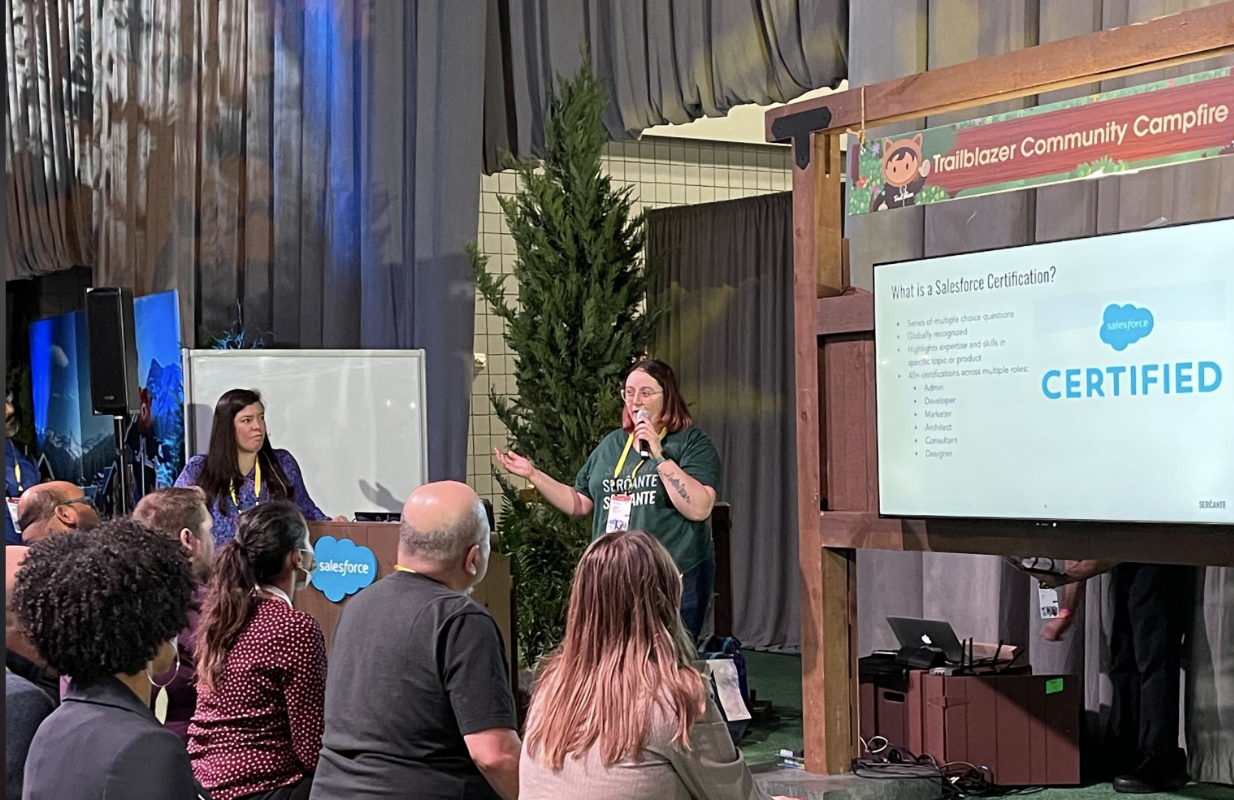
Jordyn Jaffer and Andrea Tarrell presenting at Salesforce World Tour New York in December 2022.

Salesforce Certified 101

If you’ve been in the ecosystem for a little bit, then you’re probably familiar with the process of becoming Salesforce certified and what certifications are available. But, you should still pay attention. 

The Salesforce certification program is constantly evolving. What used to be a collection of a handful of certifications has expanded to over 40 certifications across Salesforce roles over the years. The certifications are typically connected to a specific role customer and partner role persona that Salesforce has defined.

Salesforce Certified Persona Roles

 Salesforce certified personas are spread across six roles:

  • Admin
  • Developer
  • Marketer
  • Designer
  • Consultant
  • Architect

These certifications are globally recognized achievements that Trailblazers can earn to highlight their expertise and skills in a specific topic or product. Varying in skill level from the initial Salesforce Administrator exam up to the Technical Architect board review, there are plenty of certifications for you to consider in your journey. 

Check out the amazing visual on this page, which our friends at SalesforceBen put together to highlight the different certification pathways available to you.

Certification Exam Details

Each exam typically consists of 60-65 multiple choice questions. You’ll notice that each exam provides a specific percentage of questions you need to answer correctly to successfully pass the exam. 

These passing percentages are important to pay attention to as you prepare for your exam date. For example, you may be able to pass the Data Architect exam with only 58% of the questions correct, but the newer Business Analyst certification needs 72% correct for you to pass. 

For those who have attempted exams but might not have passed, some exams are moving toward just 3 multiple choice answers for each question and could make the experience easier for those who have a hard time picking the best answer for each question.

Why Should You Get Salesforce Certified?

So now you have some knowledge of what Salesforce certifications are, but you might be wondering “why should I bother getting certified?” 

Boost Your Career

As mentioned earlier, Salesforce certifications are widely recognized and can even potentially help when transitioning into other careers. That’s because they showcase transferable industry skills. They are also considered a resume-worthy accomplishment that will definitely help you stand out in the job market. 

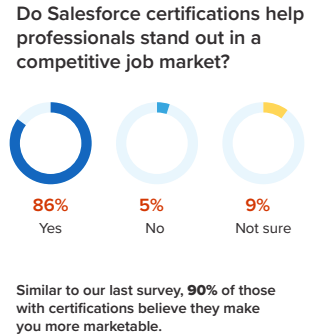
According to a survey from the 2022-23 Mason Frank Careers and Hiring Guide, 86% of respondents said Salesforce certifications help professionals stand out in a competitive job market, and 90% of Salesforce certified respondents said their certifications make them more marketable. 

Source: Mason Frank

Prove it to Yourself

For myself and many others, certifications have become a source of personal gratification. If you are doubting yourself when it comes to a specific topic, it’s amazing when you’re able to prove to yourself and to others that you have the knowledge of that Salesforce topic. 

It is worth noting that going after a Salesforce certification with minimal experience is not usually advised as a certification can never stand in the way of actual experience of a Salesforce product/feature. Finally, certifications showcase your commitment to your personal and professional development and can ultimately provide you an opportunity to boost your earning potential.

Story Time! How We Got Our Salesforce Certifications

Andrea and I have had very different experiences when it came to our Salesforce journeys, as with everyone else. But I love that our journeys have slightly connected as we both strive to provide the best experience to our clients at Sercante. 

I knew who Andrea was, especially since we were both based in Atlanta for two years. But I never imagined working for her company or speaking next to her at a Salesforce event. 

This is why I love when trailblazers share their journeys; people realize that they can have similar experiences as long as they show a willingness to learn and lean on the community. Who knows, maybe you’ll join us at Sercante in the future as well… (we’re hiring!)

Andrea’s Certification Journey

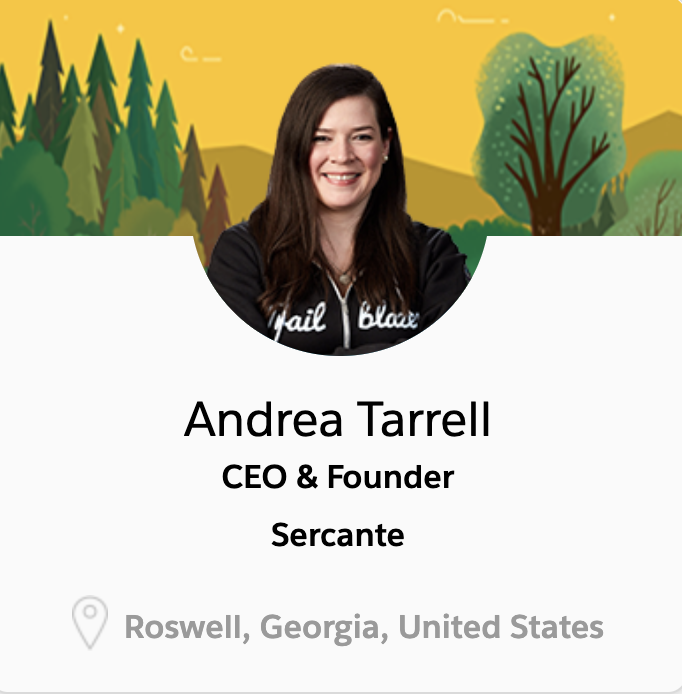
Andrea Tarrell, CEO and founder of Sercante and The Spot, began her Salesforce career as most of us have: as an accidental admin. 

Working as the one-woman marketing department for an insurance brokerage, Andrea was tasked with learning Salesforce at HNI Risk as the company didn’t have a Salesforce administrator at the time.

Andrea wasn’t interested in getting a certification during this time because she didn’t see the value in them. But, she started to appreciate the Salesforce ecosystem when she caught the Salesforce bug at Dreamforce in 2011. “Without exaggeration, attending Dreamforce was truly a pivotal moment in my career trajectory,” Andrea said. This was also her first introduction to Marketing Cloud Account Engagement (Pardot), and the experience led her to implementing Pardot at HNI shortly after.

Joining the Salesforce Partner Community

During the Summer of 2016, Andrea decided to leave the Wisconsin area to head down to Atlanta, Georgia without any jobs or friends in place. She later joined the Salesforce partner, Configuro, as the Pardot practice lead and director of marketing and suddenly had a reason to get certified. 

Salesforce consultancies usually request their employees get certain certifications to determine their tier ranking in the Salesforce AppExchange. So, Andrea knew she had to make up for lost time. 

Over the course of a year at Configuro, she achieved six Salesforce certifications, including the retired Marketing Cloud Social Specialist certification. During this time, she also leaned on the Trailblazer Community heavily to network as much as she could.

Founding a Salesforce Consulting Firm

After starting The Spot for Pardot (now officially The Spot) in September 2017, Andrea started to consider opening up her own consultancy as well. Sercante was born and has grown into a nearly 70-employee consultancy with expertise in Salesforce, Marketing Cloud Account Engagement (Pardot), Marketing Cloud Engagement (OG Marketing Cloud/Exact Target), and various other services such as analytics and digital services. 

Andrea noticed a new fire to continue learning things relevant to her clients early on and achieved an additional six certifications over the course of a few months. She has also been named a Salesforce MVP as well as a Salesforce Marketing Champion and serves on a few Partner Advisory Boards as she continues to strive to make marketers successful on the Salesforce platform.

Still not sure about getting Salesforce certified? Read Andrea’s hot take on the value of certifications in this blog post.

My Certification Journey

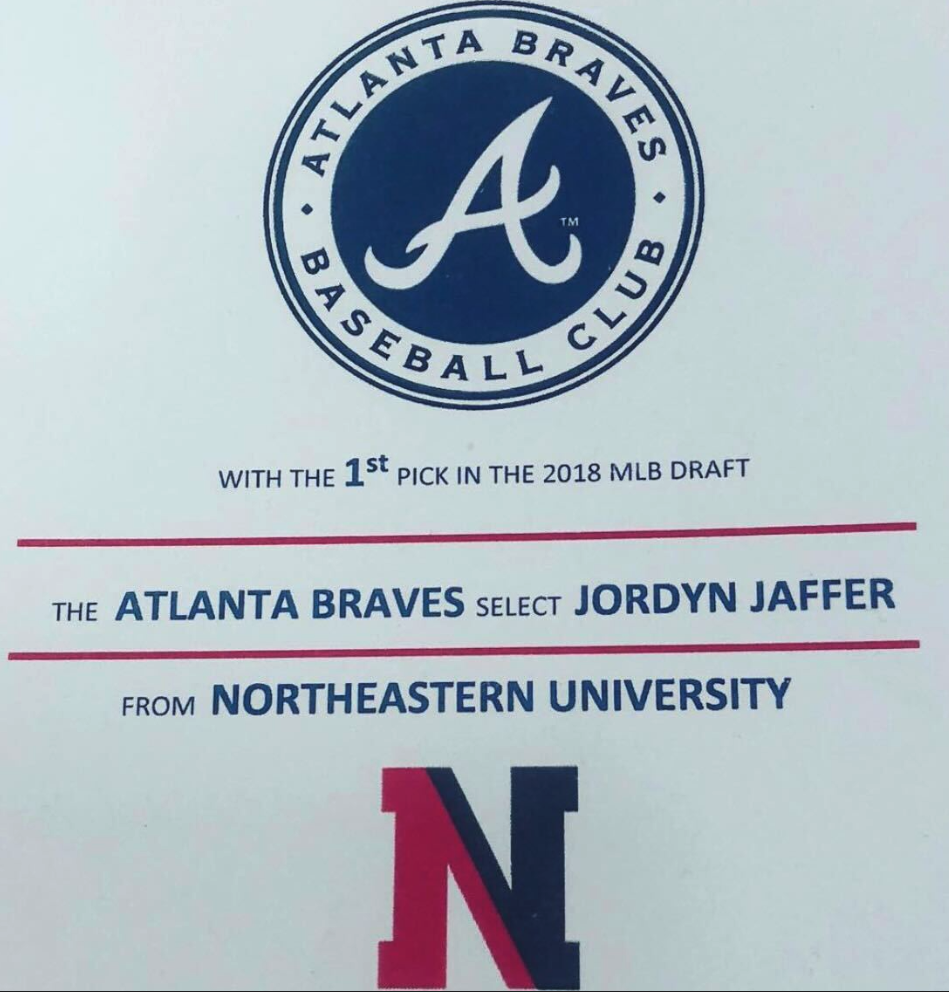
Similar to Andrea, my Salesforce career began right out of college when I moved down to Atlanta, Georgia to join the Atlanta Braves as a CRM and Analytics Trainee. 

The Braves were using Microsoft Dynamics at the time, and they were beginning their migration to Salesforce. While completing data analysis tasks, I started to learn Salesforce on my own when I saw a need within the organization. 

Getting Promoted to an Accidental Admin Role

By the time we went live with the implementation in July 2018, I was promoted to CRM specialist and served as the Salesforce and Pardot admin while working closely with the newly hired Salesforce developer. I went for my first certification in December of that year. Then I tackled three more in an effort to prove to myself and my coworkers that I was worthy of the Salesforce and Pardot admin role. 

When I decided to move on from my role at the Atlanta Braves, I took three certifications in the same weekend (Sales Cloud, Service Cloud, and Advanced Admin) to bolster my resume for future roles right before I left Atlanta.

Focusing on Community

In December 2019, I moved back up to Boston, Massachusetts with no job prospects in place. Thankfully, I was able to find a job with my alma mater, Northeastern University. 

During this time, I took a step back from my focus on learning to focusing on getting more involved in the Salesforce community. I was happy to serve as a co-leader of the Boston Women in Tech community group. 

The community group leadership role inspired me to apply for a spot in the inaugural Salesforce Marketing Champion class, to which I was accepted. It was definitely a shock to me at the time since I was no longer in a marketing-related role when I worked at Northeastern. That’s why I worked to earn my Pardot Consultant certification.  I wanted to prove that I was worthy of being a Marketing Champion. 

After achieving the Pardot Consultant certification, I earned one more certification during two years at Northeastern: Education Cloud Consultant. I ended my time with Northeastern just one certification shy of my ultimate 10 certification goal.

Becoming a Salesforce Consultant

Now onto my third and current Salesforce job. I started my consulting career with Sercante in September 2021. I came in with certification goals in mind, but working at Sercante has provided me with a new perspective on certifications. 

My focus should not only be on my personal growth, but also on the company’s growth as we look to take on new clients with different needs. I went for three certifications in the first few months to reach my goal of 10 and display some of the more recent experience I had, such as Experience Cloud from Northeastern, and Nonprofit Cloud from my first major Salesforce implementation at Sercante.

Now as I have moved into a more technical role at Sercante and have failed exams that I was nowhere ready to take (looking at you CPQ Specialist), my career and certification goals have become more defined. I am now looking to move toward the Application Architect and B2B Solution Architect certifications over the next year while continuing to learn new features and products to serve my clients’ needs. 

If you want to learn more about my overall Salesforce journey and my answer to the commonly asked question: “Can someone have too many certifications?” stay tuned for more articles from me. You can also get my take on how to keep imposter syndrome at bay in this blog post.

Tips for Success

Now that you’ve learned about Andrea’s and my certification journey, you may be wondering what certification you should work toward. While I believe everyone’s journey is different and do not need to follow the same path, we wanted to highlight which certifications are best to start with depending on which role path makes the most sense for you.

Which Salesforce Certification to Earn First

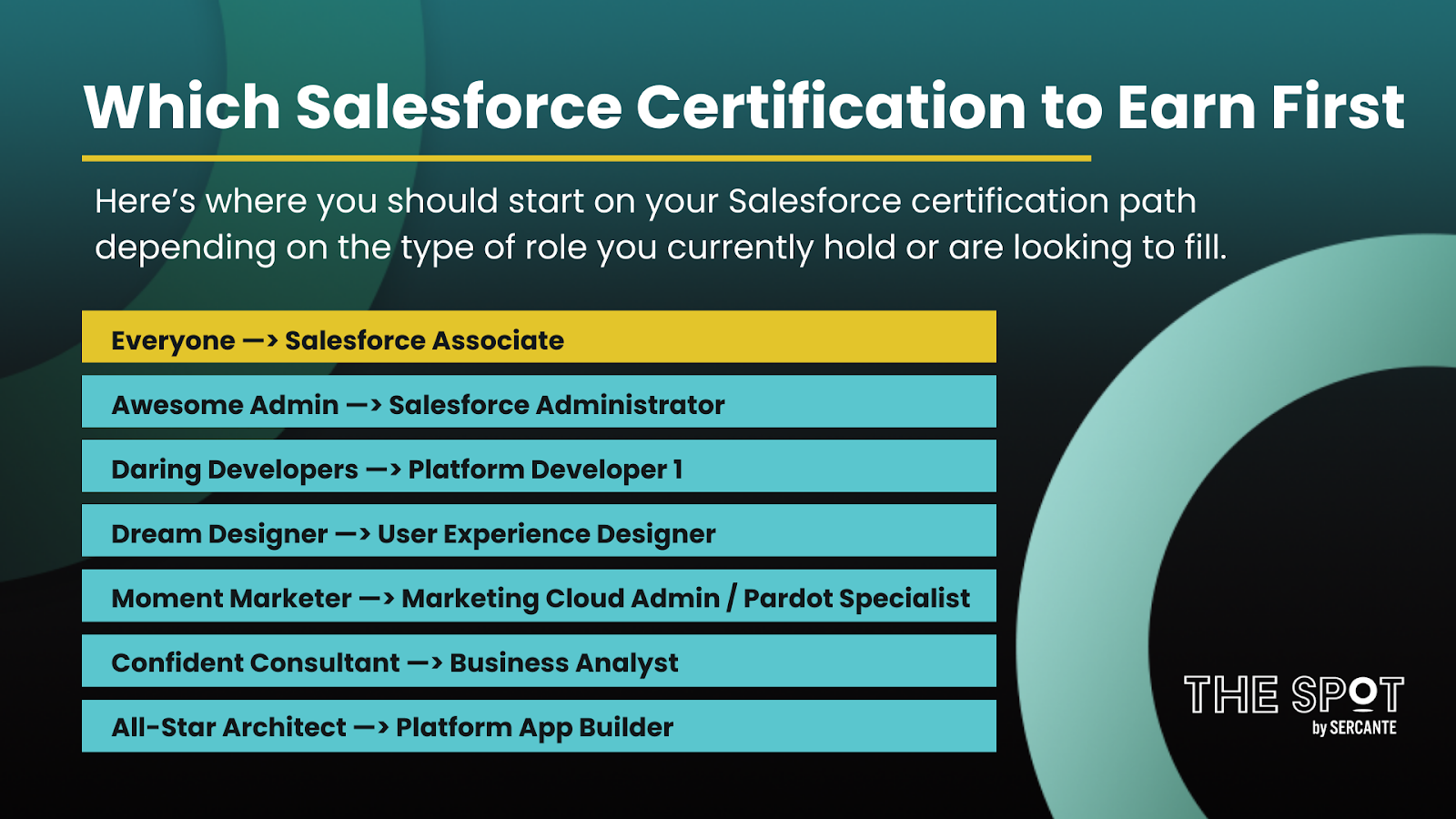
Here’s where you should start on your Salesforce certification path depending on the type of role you currently hold or are looking to fill.

Which Salesforce Certification to Earn First

Everyone —> Salesforce Associate
Awesome Admin —> Salesforce Administrator
Daring Developers —> Platform Developer 1
Dream Designer —> User Experience Designer
Moment Marketer —> Marketing Cloud Administrator / Pardot Specialist
Confident Consultant —> Business Analyst
All-Star Architect —> Platform App Builder

Regardless of which role path you take, we also recommend that you start with the new Salesforce Associate certification as a great introduction to the Salesforce platform as a whole. Read a guide to earning that certification in this blog post.

How to Study for Salesforce Certification Exams

When if comes to studying for your exams, there are multiple places you can go to get the expertise and knowledge you need to take the exam:

  • Trailhead: This should be your first stop on any certification journey as you’ll be able to find the following for nearly every certification. View all Salesforce credential guides here.
    • Certification Exam Guides
    • Certification Trailmixes
    • Superbadges
  • Community User Groups: There are user groups all over the world that are run by members of the community, similar to myself. The discussion topic of the meetings vary by time of year and by group, but some might be specific to certain certifications. I helped develop an annual (virtual) certification camp amongst the Boston groups that have met two years now and already have plans to come back in Fall 2023 to tackle another certification. Find all Trailblazer Community Group listings here.
  • Training Courses: You will find many training courses out there, but I highly recommend you look at reviews and make sure the content in the course is accurate. If you are in the marketing space, I highly recommend you check out one of Sercante’s training courses in the new year. I’m taking the Salesforce Marketing Cloud Bootcamp Course starting in January and would love to see some of you there as well!
  • Salesforce Certification Days: These are half day webinars that Salesforce periodically runs for multiple certifications such as Admin, Sales Cloud Consultant, Platform Developer 1, and more.
  • Amplify Study Groups: Amplify is a nonprofit organization that amplifies historically excluded voices in technology, and those who support them, to become fearless leaders. They offer study groups to their members, typically on a seasonal basis, for certain certifications. You can also sign up to be a facilitator for these study groups as well if you’re looking to share your knowledge. Become a member here.
  • Blog Posts: This one might seem obvious as you’re already on our blog site, but many Salesforce blogs share articles on specific certifications to help provide tips and tricks on how to pass them. Here’s the blogs that Sercante has produced so far:

Next Steps Toward Getting Salesforce Certified

We hope the resources and perspectives in this post are helpful to you as you work toward your own Salesforce certifications.

Hot Tip: Check out this page to read more about the certification journeys of my colleagues. 

We would also love to hear from you on your certification journeys! Please leave a comment below or mention us online using the #certificationjourney hashtag.

As 2022 comes to an end, it’s time to reflect on all of the ways our dear readers interacted with The Spot over the past 12 months.

This was certainly the biggest year yet for The Spot since Andrea Tarrell started the blog in 2017. For one thing, we widened our focus to include all tools marketers touch when Salesforce is part of the tech stack. On top of that, the resource got a spankin’ new name, website, branding updates, and lots of new authors who contributed content. (You can read all about the updates in this blog post.)

However, we’ve always had one focus in mind that honors the spirit that inspired Andrea to start this blog in the first place: sharing knowledge so everyone can grow. And we did a whole lot of that in the past year.

Now for the good stuff. Read on to see all the stats that made 2022 wonderful for The Spot community.

The Spot Wrapped Stats

We’re sure you have that one post you always refer to while you’re knocking out a task. Or the one you pull up when you need a gut check along the way.

Better yet, you’ve hopefully uncovered a new gem or author in the past year that made you feel confident you could implement a new feature or strategy.

Here are the stats behind The Spot so you can see how everyone is using this resource.

Top Blog Posts in 2022

Now, for the thing we know you’re here to find out: what were the most popular posts on The Spot in 2022? Here are the posts that really resonated with our readers in 2022.

Top 10 New Posts in 2022

The Spot 2022 Blog Contributors

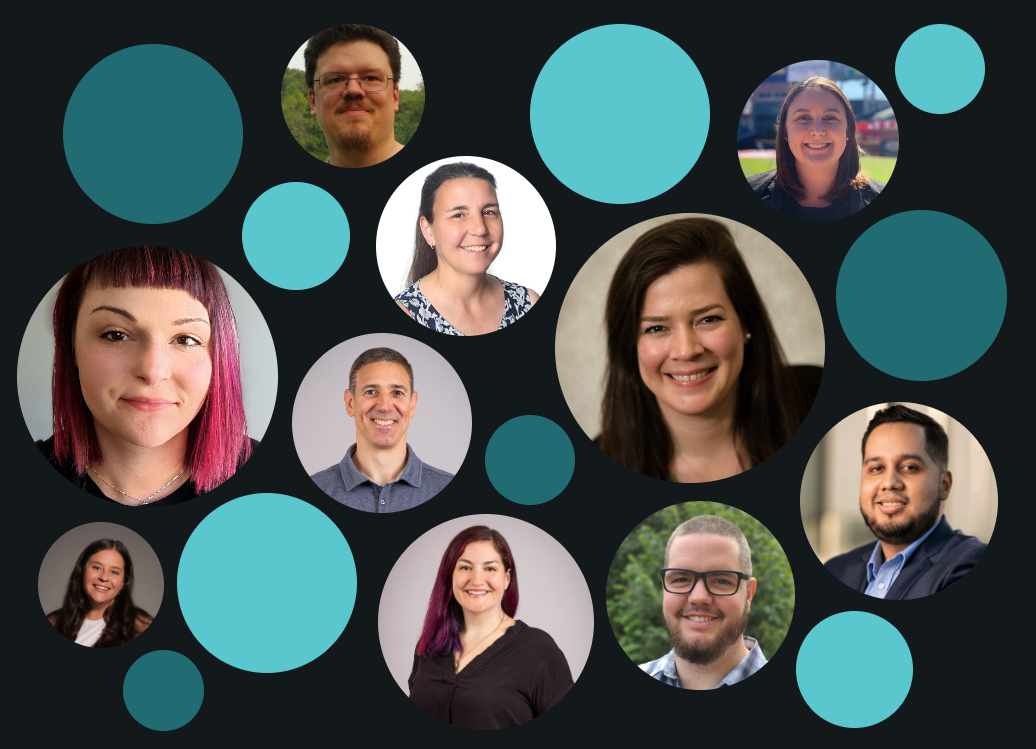
Little known fact: The author ‘spots’ on our About webpage here grow depending on the all-time total number of blog posts each author has written for The Spot. 

With that in mind, here’s who has the biggest spots as of December 21, 2022:

Andrea Tarrell, Erin Duncan, Ambre Juryea-Amole, Adam Erstelle, Marcos Duran, Mike Morris, Jordyn Jaffer, Mike Cruezer, Kirsten Schlau

Become a Guest Contributor for The Spot

See anyone you know? Picturing yourself among the crew? We welcome guest posts from the community, and we even have paid contributor opportunities available.

Learn all about becoming a guest blogger for The Spot on this page.

Top Contributors on The Spot in 2022

These top contributors poured their hearts into blog posts for The Spot in 2022, which means they wrote more posts than any other contributors. Click on their names to view their author biographies and a list of all the posts they’ve written for The Spot.

These are the top 10 blog contributors from 2022 in descending order:

  1. Ambre Juryea-Amole
  2. Erin Duncan
  3. Kirsten Schlau
  4. Dominique Beaudin
  5. Jordyn Jaffer
  6. Mike Morris
  7. Laura Curtis
  8. Marcos Duran
  9. Adam Erstelle 
  10. Andrea Tarrell

I have an unfair advantage here because “content” is in my job title and I’m part of the marketing team at Sercante. But I am forever amazed by our top contributors who consistently deliver high-impact content on a regular basis while delighting our clients at the same time.

Way to go, team Sercante!

The Spot 2022 Audience Breakdown

So here’s a little information about you — our readers.

The Spot Readership Stats

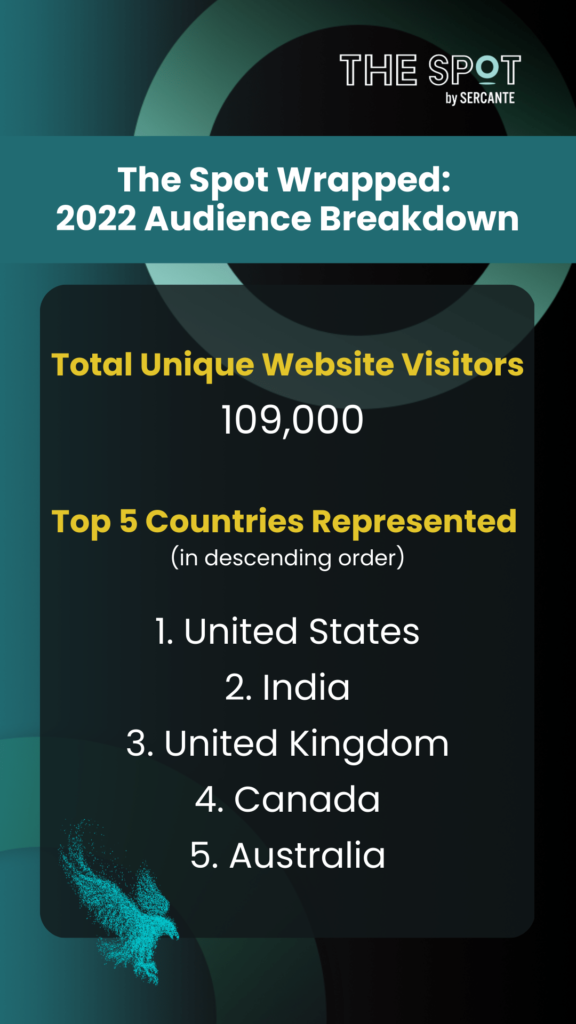
  • Total unique website visitors in 2022 – 109,000
  • Top 5 countries (in descending order)
    • United States
    • India
    • United Kingdom
    • Canada
    • Australia

Your Favorite Topics in 2022

These were the most popular blog posts by topic in 2022.

Looking Toward an Even Bigger Year in 2023

Thank you for being here and reflecting on the past 12 months with us. We’re busy cooking up our plans to grow this resource along with the Salesforce platform in 2023. And we can’t wait to connect with you and continue to deliver helpful content and connect with the community in the coming months.

Want to see more? Make sure you’re on our subscriber list by completing the form on this page. Or, drop a comment below to let us know what you want to see more of on The Spot.

About a mile and a half west of their Midtown Manhattan office tower, Salesforce hosted their World Tour New York for Winter 2022 at the Jacob Javits Center in NYC.

The usual characters were walking around, like Einstein, the Genie rabbit (Marc Benioff’s admitted favorite) and the Trailblazing bear. But amongst the crowds and the usual pomp there was a clear theme that permeated through the entire event.

Salesforce World Tour NYC Theme: Are you a customer company?

From the keynote session, through to many of the product updates and case studies, Salesforce asked the question; are you a customer company? And to that rhetorical question, they had the answer. 

Using many of the tools you may already be familiar with, such as Slack or B2BMA, Salesforce Customer 360 helps you build an organization that is focused on the customer and their needs. But really what we’re talking about here is harnessing the incredible tools in the Salesforce ecosystem to create efficiencies and easier access to data.

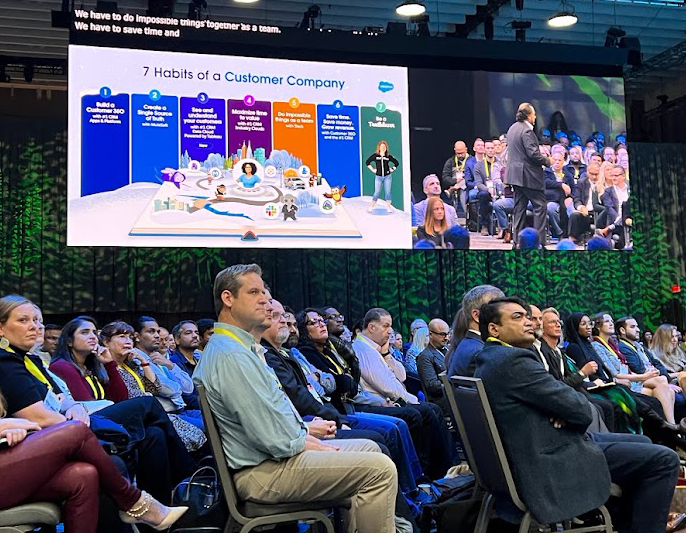
The 7 Habits of a Customer Company (keynote address)

During the Salesforce World Tour keynote address, Salesforce CEO, Marc Benioff highlighted what he calls the 7 Habits of a Customer Company. 

  1. Salesforce Customer 360: is not so much a single product offering, but the concept of utilizing Salesforce tools to create a complete view of your customer, shared by various departments like sales, marketing, service, etc. The Customer 360 puts your customer in the center.
  2. Create a single source of truth. Most organizations have data throughout different systems. There wasn’t an easy way for customers to connect all of their data and integrate it into one platform. Mulesoft helps companies connect data from different sources to create one single source of truth.
  3. See and understand your customer. Because of the many different data storage needs companies have, they have created their own data lakes to house information. This causes “data silos” and during his keynote address, Benioff admitted this was their [Salesforce’s] mistake. Introducing, Salesforce Genie Customer Data Cloud, which is a new data warehouse product, powered by Tableau, that is deeply integrated with Salesforce and offers real-time, automated access to your data. 
  4. Maximize time to value. Using Industry Clouds, organizations can save on customizations because these various industry clouds already contain the language and processes different organizations use, such as nonprofit, education and financial clouds. Think of it as a template for your Sales Cloud org that contains the industry-specific customizations you need.
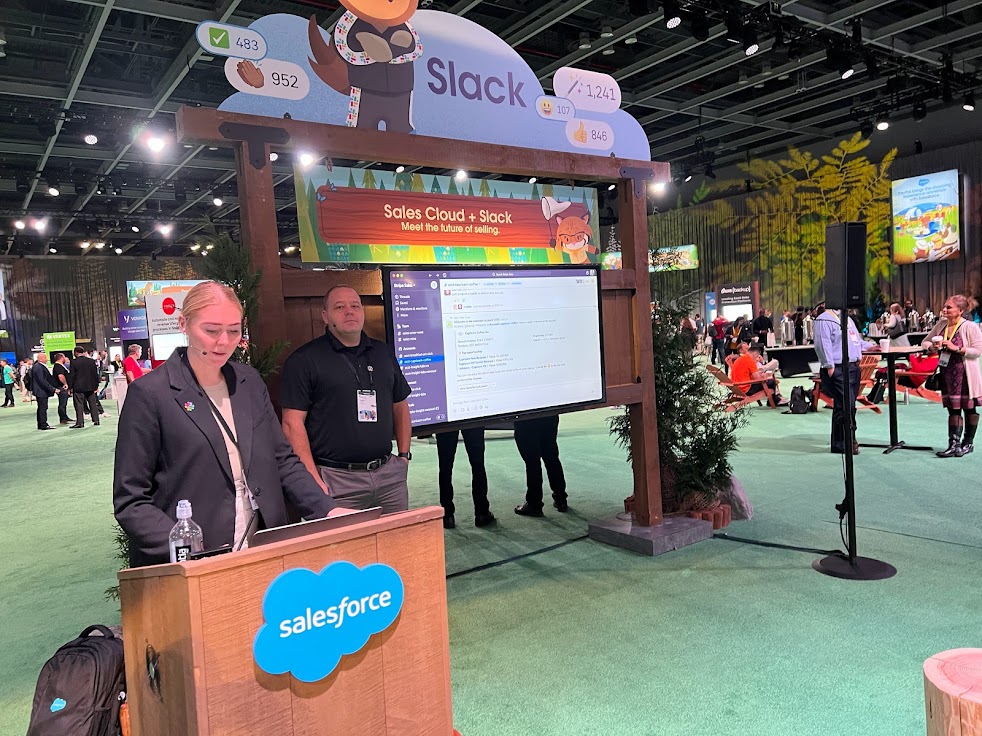
  5. Do impossible things as a team. Slack is a terrific collaboration tool and since being acquired by Salesforce in July 2021, the integration has continued to improve. I watched a terrific demo in the Campground (exhibitor area) of Slack’s integration and it really was impressive. Teams can collaborate on Accounts and Opportunities, pull in various stakeholders and work together to close business. Doing “impossible things” may be a bit of hyperbole, but the value for teams (geographically separated more now than ever before) is obvious.
  6. Save time, save money and grow revenue. Salesforce president and CMO, Sarah Franklin gave  kudos to the “Success Ecosystem” that includes partners, app developers and support teams. Furthermore, the innovation from these players in the ecosystem results in more automated processes, faster service response times and lower support costs resulting in efficiencies and profits.  
  7. Finally, Trailblazers! The folks that make the magic happen for organizations every day. Growth in the Trailblazer community has created what Franklin called a “Trailblazer economy,” referring to millions of new jobs, business revenue and community members/groups. I love my black Trailblazer zip-up sweatshirt and wear it with pride.

Introducing Net Zero Cloud

Sustainability is a core value for Salesforce as an organization. Their goal is to achieve net zero emissions by 2050. Recognizing that this is important to many companies, Salesforce has introduced Net Zero Cloud. 

This new cloud product offers a management platform for a company’s carbon footprint. It helps you track and manage your environmental impact. You can run emissions forecasting and simulations, optimize different areas for efficiency and even work with your suppliers on their environmental goals. Additionally, the carbon accounting features let you convert your energy consumption into carbon emission data. 

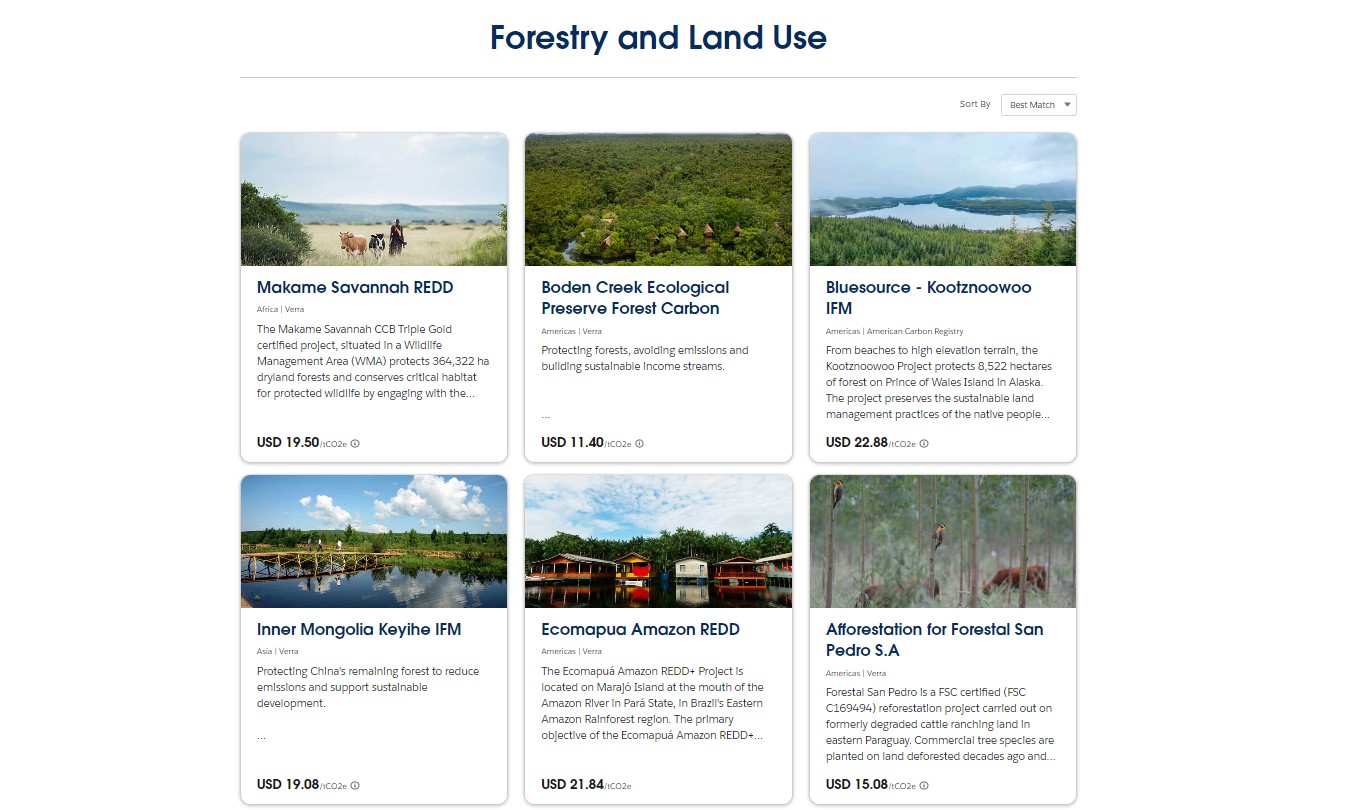
The Net Zero Marketplace also provides a place for companies to purchase carbon credits to offset their environmental impact.

Wandering into the Salesforce World Tour Campground

The Campground, Salesforce-speak for exhibitor hall, was abuzz with tons of activity. There were several mini theaters with tree-stump seats providing short presentations on everything from Customer 360, Slack integrations, demos and case studies. 

Trailblazer Forest was always a busy spot for seasoned Trailblazers and admins just beginning their education journey to meet up and learn more about the latest offerings, pick up some cool swag (I left empty handed), and show off their skills. 

I grabbed a seat, err, tree stump at the Customer Success Theater to watch a presentation on the 6 Guiding Principles for CRM Adoption, but missed out when the required headsets were all taken. But don’t feel too bad for me, I spent that time catching up with a great client in the partner’s hangout nearby. 

Though it may seem trivial, I loved the way Salesforce designed the Campground. Those of us that have been to other industry trade shows know that you typically find yourself in large concrete rooms, walking between narrow pathways, desperately seeking coffee or a restroom. However, the Campground was nicely decorated with lots of signs, decorations and plenty of space between exhibits (except during peak hours), with multiple opportunities to grab a snack, coffee or a drink.

The Slack demo I watched was terrific. It was sort of a “day in the life” approach to a demo and you got to see how an organization was able to collaborate with an account and eventually an opportunity. No meetings, no endless email chains, just collaboration. It was impressive.

My Favorite Session: Delivering Success as a Salesforce Admin, the Skill Every Admin Needs…

I was expecting this session to be a general overview of tips for Salesforce admins, but the focus was on one single thing. Arguably, one of the most important skills every admin needs to master. Flows. For a brief introduction, check out this terrific overview of Flows.

What was once done using complex Apex code can often be done with Flows in a simple drag/drop interface, using the same “journey paths” look and feel of Pardot’s Engagement Studio. And what is probably being done right now in your org by Workflows Rules and Process Builder will eventually need to be a Flow. 

Note: Workflow Rules and Process Rules are being retired in Winter 2023.

Overall, the session inspired me to sharpen my own Flow skills so that I can take advantage of all of the new functionality that will (pardon the pun) flow through Salesforce Flows. It’s essential that every Salesforce admin is able to automate both simple and complex business processes and Flows is the future.

Salesforce World Tour is Worth the Effort to Attend

Salesforce hosts these events all over the world and if you’re fortunate enough to be a reasonable distance from one of the host cities, it’s worth it for anyone that interacts with Salesforce as part of their role. 

The learning opportunities are practically limitless, in fact, there is no way to take in all the sessions you want simply because many sessions are scheduled concurrently, which forces you to make some tough decisions. 

The event is sponsored by the few dozen or so exhibitors that are usually represented by some of the big players in the AppExchange. But the event is well organized and designed to get you excited about everything available in the massive Salesforce ecosystem. It’s certainly not simply a trade show where endless rows of booths vie for your attention. Not at all. It’s an education event. You’ll leave inspired to try something new, explore a new product, or seek to sharpen your skills in one area of your work. 

A few tips for your next World Tour:

  1. Arrive before the exhibit hall opens. I arrived about 30 minutes before the event opened and that gave me the opportunity to grab my credentials and get the lay of the land without rushing. It’s just too massive and the lines get too long to wait until you’re trying to get to your first session.
  2. Figure out specifically what vendors and sessions you want to visit. Make sure you know what you want to learn more about and plan around it. If you rely on wandering around looking for something interesting you’ll likely miss sessions that you would otherwise be interested in. There’s too much to see and do.
  3. Similar to the first tip, arrive as quickly as possible to each session. I missed several sessions simply because I was too late to get a seat or the privacy headphones. Thankfully, the venue had coffee and refreshments on every level so I didn’t need to go out of my way for a cup of coffee, which I am always willing to do.

And make sure you check out this blog post from Andrea Tarrell to make sure you get the most out of Salesforce community events in the future.

No more posts to show