Category

Pro Tips

If you’ve spent years building Dynamic Lists and Engagement Studio programs, opening Data 360 for the first time can feel overwhelming. Unified Individuals, Segments, Calculated Insights, Data Spaces; it looks like a whole new world. But here’s the thing: it’s not.

At its core, segmentation hasn’t changed. You’re still trying to get the right message to the right person at the right time. What has changed is how much data you have to work with. Instead of building audiences from Prospect records and email engagement alone, Data 360 lets you layer in website activity, CRM data, opportunity history, subscription preferences, and more.

Here’s how to bridge what you already know with what you’ll find in Data 360.

The Biggest Mindset Shift: From Lists to Audiences

In Account Engagement, everything starts with a list.

  • Need a webinar audience? Build a list.
  • Need a re-engagement campaign? Build a list.
  • Need a nurture track? Build a list.

In Data 360, you build reusable audience definitions instead. One segment can power multiple campaigns, journeys, and channels. You’re not creating a new list for every initiative. Think of it this way:

  • Account Engagement: Campaign → Build List → Send Message
  • Data 360: Define Audience → Activate Anywhere

The shift from campaign-specific lists to reusable audiences is the most important concept to internalize before you start building.

Terminology Translation

Before you build anything, here’s the cheat sheet:

Account EngagementData 360 What It Means
ProspectUnified IndividualThe person you’re marketing to
Dynamic ListSegmentA reusable audience built from defined criteria
Dynamic List RulesSegment CriteriaThe logic used to determine audience membership
List MemberSegment MemberSomeone who qualifies for the audience
Prospect ActivityEngagement DataBehavioral data used for targeting
Marketing ListPublished SegmentA ready-to-use audience for activation
Score & GradeAttributesSignals used to identify high-intent audiences

Once that mapping clicks, the platform becomes a lot less intimidating.

Before You Build: Know Your Data

One thing that surprises most Account Engagement users is how much data is available in Data 360. Depending on your setup, you may have access to:

  • Prospect data
  • CRM data
  • Email engagement
  • Forms
  • Landing Pages
  • Website activity
  • Preference center subscriptions
  • Opportunity data
  • External data sources

This is where Data 360 starts to shine.

In Account Engagement, we ask: “Who opened my email in the last 30 days?”

In Data 360, we ask: “Who opened my email in the last 30 days, visited my pricing page, and doesn’t currently have an open opportunity?”

That’s a fundamentally more sophisticated audience, and it’s exactly why organizations are investing in Data 360.

One important caveat: Not every org has the same data sources connected. Before building complex segments, take time to understand what’s actually flowing into Data 360 and how frequently it refreshes. Knowing your data inventory upfront will save you a lot of troubleshooting later.

Building Your First Segment 

Navigate to Data Cloud > Segments and select New. You’ll see four segment types:

How to build your first segment

Standard Segments are your go-to. These are the closest equivalents to Account Engagement Dynamic Lists and support the vast majority of marketing use cases. Start here.

Waterfall Segments let you prioritize audiences and prevent contacts from qualifying for multiple competing campaigns simultaneously — useful when running multiple offers at once.

Real-Time Segments evaluate audiences on demand for use cases requiring immediate qualification. Powerful, but they come with limitations.

Once you’ve selected Standard Segment, there are four ways to build your audience.

Option 1: Use the Visual Builder 

The Visual Builder offers the most flexibility and is where most marketers spend the majority of their time. The process is straightforward:

  1. Create a New Segment
  2. Select your Data Space (most often your Default Data Space)
  3. Choose the object you want to segment on (most often Unified Individual)
Using the Visual Builder when creating a new segment
  1. Name your Segment
  2. Configure your publishing settings
  3. Drag attributes onto the canvas and define your criteria
  4. Save and publish

Understanding Direct Attributes vs. Related Attributes

This is one of the biggest mindset shifts for Account Engagement users.

When building criteria in the Visual Builder, you’ll typically see two types of attributes:

Direct Attributes

Direct Attributes live directly on the object you’re segmenting against.

For example, if you’re building a segment on the Unified Individual object, direct attributes might include:

  • First Name
  • Last Name
  • Country
  • State
  • Preferred Language

Think of these as fields that belong directly to the person.

Example: Country = United States

This is a simple, direct attribute filter.

Related Attributes

Related Attributes come from connected objects that are related to the object you’re segmenting on.

Examples include:

  • Email engagement activity
  • Opportunities
  • Campaign Membership
  • Website activity
  • Orders
  • Cases

Think of these as records associated with the person rather than fields that live directly on the person.

Example: Opened an email in the last 30 days

The email open isn’t stored directly on the Unified Individual record. It’s stored on a related engagement object.

When Should You Use Each?

A simple rule:

  • Use Direct Attributes when filtering on profile or demographic information.
  • Use Related Attributes when filtering on behavior, engagement, transactions, or relationships.

If you’re asking “Who is this person?” you’re usually looking at Direct Attributes.

If you’re asking “What has this person done?” you’re usually looking at Related Attributes.

Understanding that distinction makes segment building much easier and helps explain why some criteria appear in different areas of the builder.

Option 2: Use Quick Filters 

Need a common audience fast? Quick Filters offer predefined criteria for standard scenarios like:

  • New Contacts created today
  • New Leads created today
  • Recent Campaign Members
  • Contacts related to a won Opportunity

Access Quick Filters by navigating to Campaign while in the Marketing Cloud Next app. Open a campaign and select Select Segment. It’s a great starting point if you’re brand new to the platform.

Accessing quick filters by going to Campaign
Once in campaign select "Select Segment."

Option 3: Use Einstein to Build a Draft 

Not sure where to begin? Einstein Segment Creation lets you describe the audience you want in plain language:

How to build a draft using Einstein Segment Creation

Show me subscribers who opened an email in the last 30 days, visited our pricing page, and are subscribed to product updates. 

Einstein generates a draft segment you can review, refine, and publish. Think of it as a shortcut to a first draft and always validate the output before going live.

Option 4: Use a Dynamic Segment

If you find yourself creating the same types of audiences repeatedly, Dynamic Builders can help streamline the process. Instead of starting from scratch each time, Dynamic Builders let you create reusable audience templates with configurable criteria. Marketers can then generate new segments from those templates by simply selecting or updating a few values, helping ensure consistency across campaigns while reducing manual effort. They’re especially useful for organizations with standardized audience definitions or recurring segmentation needs, allowing teams to scale segmentation without rebuilding the same logic over and over.

Which option should you choose? If you’re just getting started, use Quick Filters for common audiences or the Visual Builder for custom logic. Einstein Segment Creation is a great way to generate a first draft from natural language, while Dynamic Builders are best when your organization wants to standardize and reuse the same audience patterns across multiple campaigns.

Tips, Gotchas, and Things I Tell Every Client

Use the IN Operator Instead of Stacking OR Conditions

If your CRM has multiple versions of the same value, the IN operator saves you a lot of time. Instead of building three separate OR conditions, write: 

Country IN (USA, US, United States)

It supports up to 100 values. Clean, readable, and much easier to maintain.

Understand Measurements, Operators, and Values

When working with behavioral data, Data 360 often asks you to combine three pieces:

  • Measurement
  • Operator
  • Value

For example: Email Opens → Count → At Least → 1

This translates to: “The person has opened at least one email.”

Another example: Email Clicks → Count → Greater Than → 5

This translates to: “The person has clicked more than five emails.”

Think of it like a sentence: Measurement + Operator + Value = Audience Rule

Examples:

  • Count At Least 1
  • Count Equals 0
  • Sum Greater Than 1000
  • Count Between 5 and 10

If a segment returns unexpected results, this combination is often the first place I investigate. The measurement may be correct, but the operator or value may not align with the business requirement.

Use Include and Exclude Intentionally

One of the most common mistakes I see is placing all data requirements into the “Include” section. Instead, think of Include as those who belong and Exclude as those who don’t belong. Separating those concepts creates cleaner segments and makes troubleshooting much easier.

Include Criteria: Country IN (USA, US, United States)

Exclude Criteria: Emailed in the last 3 days

Use EQUALS When Your Data Is Clean

When a field is standardized, and you only need one exact match, EQUALS is the right call. Country EQUALS USA will only return records where the value is exactly “USA.” No flexibility, but that’s the point.

Build Frequency and Recency Into Your Logic

This is where Data 360 starts to feel genuinely different from Account Engagement. You can filter by:

  • Has been emailed X times in the last Y days is great for suppression. If someone has received 3 emails in the last 7 days, you probably don’t want to send them a fourth.
  • Has not engaged in X days is your re-engagement and deliverability workhorse. Use it to identify lapsed subscribers before they become a problem.
  • Subscribed to [Preference] will build audiences based on what contacts have explicitly opted into. Increasingly important for compliance and deliverability.

Always Preview Before You Publish

Segment Preview lets you check audience size, sample records, and whether your include/exclude logic is working as intended. A few minutes here can save hours of troubleshooting later.

Account for Processing Time

Data 360 isn’t always instantaneous. Initial data ingestion can take days, depending on volume. Segment calculations take time and Dynamic Lists connected to a Data 360 Segment can take up to three hours to populate the first time. If nothing shows up immediately, give it time before assuming something is broken.

Not All Account Engagement Activity Is Automatically Available

A common misconception: not every historical activity flows into Data 360 by default. What’s available depends on your connector configuration and the Filter By Date you set when connecting. Before building complex engagement-based segments, confirm what data is actually being ingested.

Data 360 Doesn’t Honor CRM Visibility Rules

This one surprises many Salesforce Admins. Users can segment records in Data 360 that they can’t see in the CRM. If access control matters for your org, address it before rolling out segmentation broadly. The most reliable controls are user permissions and Business Units.

From Segment to Activation

One of the biggest misconceptions I encounter: adopting Data 360 means abandoning Account Engagement. It doesn’t. One of my favorite use cases is building sophisticated audiences in Data 360 and activating them directly through Account Engagement via the Data 360 Connector. To connect a Data 360 Segment to Account Engagement:

  1. Navigate to Account Engagement → Segmentation → Lists
  2. Create a Dynamic List
  3. Select Data Cloud Segment as the Dynamic List Type
  4. Choose your published segment

The first sync takes up to three hours. After that, membership updates automatically whenever the segment refreshes. Once connected, the Dynamic List works anywhere in Account Engagement, including Engagement Studio, Automation Rules, List Emails, Completion Actions, and Reporting. Data 360 identifies the audience. Account Engagement engages it. That’s where the value compounds.

Three Segments to Build First

Not sure where to start? These three are worth building in almost every org.

Recently Engaged Contacts: people actively interacting with your brand. Use for webinar invitations, product launches, or newsletters.

  • Opened an email in the last 30 days, OR
  • Clicked an email in the last 30 days, OR
  • Visited your website in the last 30 days

Inactive Subscribers (90+ Days): Subscribers who’ve gone quiet. Use for re-engagement campaigns, deliverability cleanup, or preference center outreach. This audience frequently surfaces new pipeline.

  • Opted in, AND
  • No opens in 90 days, OR
  • No clicks in 90 days

Preference Center Subscribers: Contacts who’ve told you exactly what they want. Use for targeted newsletters, product announcements, or event promotions.

  • Opt in to Product Updates

Data 360 segmentation isn’t replacing the skills you’ve built in Account Engagement; it’s extending them. You’re still defining criteria, building audiences, and activating campaigns. The difference is you now have richer data and more ways to use it. Start simple. Build a Quick Filter segment, get comfortable with the interface, then move into the Visual Builder. Before long, you’ll stop asking how to recreate Dynamic Lists and start asking what was possible all along.

Think about your last pipeline review. How many times did you hear “oh yeah, I just haven’t updated that”? Meanwhile, marketers, RevOps, and sales leaders are left with limited pipeline visibility, wondering which campaigns are actually moving the needle, and how far off the team will be from the original forecast. This CRM data quality issue is the symptom of a much bigger problem. And it’s quietly costing you revenue. With how much the CRM can impact sales performance and the buyer’s experience, it’s critical that marketing, sales, and operations leadership understand the case for CRM optimization.

For most revenue teams, the CRM has become the thing sellers tolerate rather than the thing that helps them win. That’s not a people problem. It’s a design problem. Sellers are wrestling with clunky interfaces and manual processes, while hunting down intel in fragmented systems, and buyers feel the friction when they’re waiting to be followed up with, or have to repeat themselves on a call.

In Sercante l Trilliad’s playbook, The CRM Paradox: Why Your System is Killing Pipeline (And How to Fix It), it dives into the statistics and impacts on sellers, buyers, and the overall business when the CRM is not set up to be aligned with how sellers actually sell, and includes a proven framework for identifying the friction and how to start solving it. Get the highlights on the case for CRM optimization below and download the playbook to get all the details.

Download the CRM Optimization Playbook

The case for CRM optimization: Your real cost of a “broken” CRM

CRMs weren’t originally built for sellers. They were built for reporting, tracking, and management oversight. So when we drop a seller into a system designed for someone else’s job, friction is the natural result.

The numbers tell the story:

  • 48% of sales leaders say their CRM is more of a burden than a help (Forbes).
  • 76% of salespeople say their CRM is too complex, time-consuming, and outdated (Medium).
  • Companies with low CRM adoption have reported closing  14% fewer deals (ARP Ideas).

Here’s the cycle every revenue leader knows but rarely names: friction leads to low CRM adoption. Low adoption leads to bad data. Bad data leads to obscured buyer views, bad forecasts—and lost revenue.

You’ve most likely felt the downstream cost of seller friction firsthand.

For marketers: 

  • The leaky funnel: Marketing hands off a lead and loses sight of it. Without tracking, delayed follow-ups let hot leads go cold.
  • Painful ROI reporting: Low CRM data quality hides campaign impact, making it impossible to prove what actually drove the deal.
  • Limited personalization: Poor data tracking means limited customer insight, stopping teams from building the tailored experiences today’s buyers expect.

For sales leaders:

  • Blind forecasting: Low CRM adoption leads to inaccurate deal data, forcing leaders to guess on pipeline numbers, making forecasting challenging.  
  • Limited coaching: Without the right deal context in the system of record, managers can’t spot where sellers are stuck or guide them effectively.

For RevOps:

  • Funnel visibility gaps: Siloed intelligence makes it impossible to accurately track funnel velocity and shifting conversion rates.  
  • Legacy drag: Outdated setups force teams to build manual workarounds rather than scalable, automated workflows, making the data issue worse as well as efficiency.

For customer success: 

  • Reactive support: A lack of proactive data insights means CSMs can’t identify or save at-risk accounts before they decide to churn.
  • Eroded kickoff trust: Passing accounts with limited sales context creates a clunky onboarding experience that kills lifetime value.

Where the CRM friction actually lives

Before you can fix it, you have to find it. In most organizations, the drag clusters in five predictable places.

  1. Administrative burden. Sellers spend 60%+ of their time on manual data entry instead of selling (Salesforce). Every redundant field and extra click is selling time you’re paying for and not getting.
  2. The seller’s CRM perception. If sellers don’t see the CRM as being useful and only have frustrating experiences when using it, their view of the CRM will only continue to lead to low CRM adoption.
  3. Siloed intelligence. Critical deal context lives in Slack, email, and “shadow” spreadsheets—everywhere except the system of record. When the insight isn’t where the seller is working, it may as well not exist.
  4. Legacy configuration. Many orgs are running a CRM built for 2018 reporting needs, not 2026 workflows. The business changed. The setup didn’t.
  5. The marketing visibility gap. This is the one that quietly breaks cross-functional trust. Marketing hands off a lead and loses sight of it. Sales picks it up with no context. And no one can prove what actually drove the deal.

Ask yourself: Which of these five is costing my team the most right now? You probably already know the answer.

Your buyer feels every bit of it

Here’s the part that’s easy to miss from inside a pipeline dashboard: internal friction never stays internal. If your sellers are fighting their tools, they aren’t fighting for your buyers.

In Part III of Sercante l Trilliad’s series, Built to Buy, industry experts explore what a broken seller experience looks like from the buyer’s side of the table:

  • The delayed hand-off. A hot marketing lead goes cold because the assignment logic is broken or buried in a rep’s queue. The buyer raised their hand—and heard nothing back.
  • The interrogation session. A prospect repeats their pain points, budget, and scope on a call because the marketing context never synced to the record. To them, it feels like your left hand doesn’t know what your right hand is doing.
  • The missing follow-up. A customized proposal arrives days late because the seller is drowning in admin instead of engaging. By then, attention has moved on.
Watch Part III of Built to Buy Series: A Better CRM For Sellers = A Better Experience for Buyers

Your customer doesn’t think, “Am I in a marketing, sales, or success experience?” They just know they’re having an experience—and they want it to be easy. When your departments feel out of sync, buyers quietly move to a competitor who feels organized. A CRM that feels clunky to your seller feels clunky to your buyer.

Getting started on your CRM optimization

The key to getting started is acknowledging the impact that the state of the CRM has on your business for sellers, your buyers, and every department. Then it’s about spotting where the friction actually lives and mapping out the next steps for solving it. 

If you’d like to fast-track getting started with your CRM optimization, reach out to the Sercante l Trilliad team for a Seller Experience Audit. Then, receive a clear blueprint for quick wins with a big impact and a roadmap for your ideal CRM seller experience.

Contact us for your CRM Seller Experience audit

Agentforce Marketing has quickly become a focal point for Salesforce Marketers. However, many Account Engagement customers are still trying to understand how this new platform operates and how it fits alongside their current tools. While Agentforce Marketing is designed to encompass all the features of Account Engagement, it introduces distinct features and a completely new lexicon. To bridge the gap, let’s dive into the Account Engagement that you know and love and how these features are translated, in name and functionality, to Agentforce Marketing. 

What’s in a Name?

Let’s start with what initially trips users up – the product name. A common question I get from users is whether this new platform is called “Agentforce Marketing” or “Marketing Cloud Next” and the answer is both! 

“Agentforce Marketing” appears to be the name that will stick around in the long term, but “Marketing Cloud Next” is used in most of the help articles and guides about this new platform. My guess is “Marketing Cloud Next” may be phased out as the tool grows and evolves. For the time being, both names are correct and refer to the latest Marketing Automation Tools from Salesforce. 

There are also a few other names you may run into, including

  • Marketing Cloud Growth: This refers to the “Growth” edition of Agentforce Marketing.
  • Marketing Cloud Advanced: This refers to the “Advanced” edition of Agentforce Marketing.
  • Marketing Cloud on Core: This name was adopted by the community pre “Marketing Cloud Next”. It helped us designate a difference between OG “Marketing Cloud” (aka Marketing Cloud Engagement) and the new platform. “On Core” designates that this Marketing Platform, unlike Engagement or Account Engagement, is truly built on the core Salesforce platform. 
  • Account Engagement +: This term is more Salesforce SKU-based and refers to Account Engagement users who are also using the Agentforce Marketing Platform alongside their Account Engagement org. 
  • Engagement + / Marketing Cloud +: Similar to the above, this is Salesforce SKU-based and refers to Marketing Cloud Engagement customers using the Agentforce Marketing Platform alongside their Engagement org. 

Features and Terminology

Prospects

In Account Engagement, a Prospect refers to an identified individual. Prospects can remain solely in Account Engagement or sync to Salesforce Leads and Contacts. The equivalent of a Prospect in Agentforce Marketing is a Unified Individual.

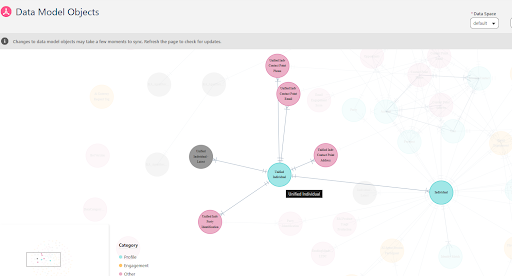
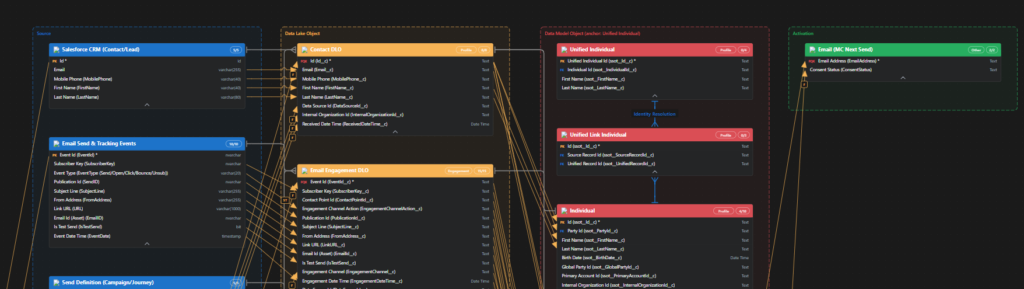
A Unified Individual is a consolidated record of metadata related to multiple Prospect, Lead, and Contact records for the same person. To put this in simpler terms, say you have multiple Lead and Contact records for the same individual within your CRM. Each of these records has different information about said customer and each record retains its own engagement and activity data. This disparate view of your customer gives your teams an incomplete and sometimes incorrect picture of your customer. Data 360 unites these disparate records using Identity Resolution rules and provides your team with a consolidated and complete view of each customer, the Unified Individual. 

Learn more about Unified Individuals in the Data and Identity in Data 360 Trailhead Module.

Now, a few releases ago, Salesforce also added a Prospect object to CRM. This means that marketers can create pre-lead or unqualified records directly in Salesforce to mimic the same functionality we have in Account Engagement. Currently the CRM Prospect record cannot sync with Account Engagement Prospects, but I expect functionality around the Prospect CRM object to grow and this could be something we see in a few releases. 

Lists

In Account Engagement, there are two main List types: 

  • Static Lists are built one time and only update with manual changes.
  • Dynamic Lists are rule-based and automatically update when a Prospect’s data changes.

The equivalent of a List in Agentforce Marketing is a Data 360 Segment

Data 360 Segments consist of Unified Individuals that match filtering rule criteria that you set. Similar to Account Engagement Dynamic Lists, you can assign multiple rule criteria to a Segment with AND/OR logic between each rule. You can also match a field against multiple values using the “Is In” operator. The image below shows an example of a Segment using multiple rule criteria in Agentforce Marketing.

A Segment using multiple rule criteria in Agentforce Marketing

Whether a Data 360 Segment is static or dynamic depends on its publish schedule. You can set a Segment to “Do Not Schedule”, essentially making the list static, or configure a publish schedule to refresh your Segment as needed. The image below depicts the Edit Properties window in Agentforce Marketing where the publish schedule is defined.

The edit Properties window in Agentforce Marketing where the publish schedule is defined.

Segments can be used in Agentforce Marketing or, with the Data 360 Connector, synced down to Account Engagement as a Dynamic List.

Now, if you prefer to curate your list rather than use Segment rules, you can either add Leads/Contacts to your Campaign and then create a Segment of Campaign Members: 

Selecting a segment

Or, after the Summer ‘26 release, utilize the new List and Audience Flow features to circumvent the need for a Data 360 Segment.

Learn more about segments in the Segmentation in Data 360 Trailhead Module.

Engagement Studio Program

Engagement Studio Programs enable you to automate multi-touch customer journeys using triggers, rules, and actions. These programs nurture Prospects through the sales funnel and ensure timely and relevant communications. The Agentforce Marketing equivalent to Engagement Studio Programs is Flow Builder

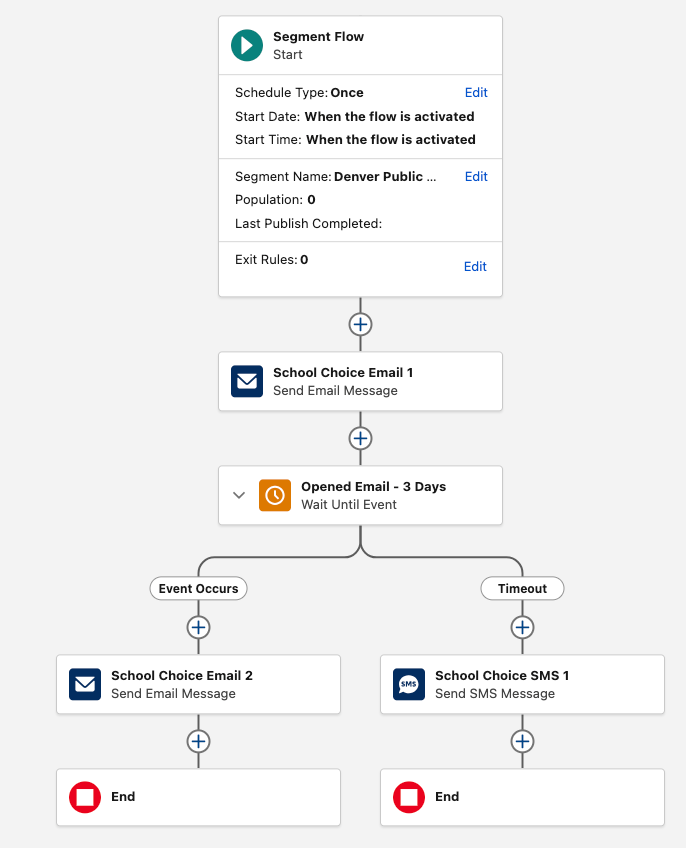
Flow Builder is the automation engine of Agentforce Marketing, helping you build and execute complex, multi-channel marketing campaigns. Engagement Studio Programs and Flow Builder have a lot of overlap: They both have a top-down vertical layout, use elements as steps within the program/flow, and allow you to customize processes down different paths based on conditions. 

Learn more about Flows in the Flow Builder Basics Trailhead Module and the Understanding Campaigns and Flows in Marketing Cloud Next help article. 

Completion Action

In Account Engagement, Completion Actions trigger when a Prospect takes a specific action, such as filling out a form. The Agentforce Marketing equivalent of this is Automation Event-Triggered Flows

Automation Event-Triggered Flows, sometimes referred to as Form-Triggered Flows or just Event-Triggered Flows, trigger when an individual takes an action. Automation Event-Triggered Flows allow you to trigger a single action or build an entire customer journey to nurture the individual after an event. 

Agentforce Marketing includes several pre-configured events and Engagement Signals can be used to build any additional desired events. 

Automation Rule

Account Engagement Automation Rules are repeatable, criteria-based rules that find matching Prospects and apply actions to them. The Agentforce Marketing equivalent to Automation Rules is Flow Builder, but the type of flow depends on your criteria. 

Scoring and Grading

Account Engagement uses Scoring and Grading to help you identify, qualify, and prioritize Prospects in your org. 

In Account Engagement, Scoring indicates how engaged a Prospect is by assigning numerical points to each activity the Prospect performs, its Agentforce Marketing equivalent is Engagement Scoring. Similar to Account Engagement Scoring, Agentforce Marketing’s Engagement Scoring assigns numerical points to activities. A default scoring system is provided, but you can fully customize the conditions and points. 

In Account Engagement, Grading indicates how closely the prospect fits your ideal customer by evaluating pre-configured criteria and assigning a letter grade. The Agentforce Marketing equivalent of Grading is Fit Scoring. Similar to Engagement Scoring, Fit Scoring assigns numerical points to individuals if they match your fit criteria. Fit Scoring conditions and points can also be fully customized. 

In Account Engagement, Prospects do not have a metric that reflects a combination of the Score and Grade. Score and Grade are kept as completely separate metrics, but can be used together to establish a qualification threshold. In Agentforce Marketing, individuals do have a combined rating called Overall Score. The Overall Score will always be between 0 and 100. The Overall Score is initially 50% Engagement and 50% Fit, but this can be customized as needed as well. 

The image below shows how Agentforce Marketing’s score weights can be customized.

How Agentforce Marketing’s score weights can be customized

With Advanced Edition you can also score the fit, engagement, and intent  of your Accounts

Mailability

In Account Engagement, a prospect’s mailability or mailable status refers to whether or not they can receive marketing emails. If an Account Engagement Prospect has a hard bounce, five soft bounces, has unsubscribed themselves, or has been manually opted out, they are considered unmailable. 

Agentforce Marketing uses Consent for a more comprehensive approach to mailability. Within Agentforce Marketing, individuals set their subscription preferences to indicate the channel they want to receive communication within (Email, SMS, WhatsApp) and the subscription (newsletter, events, product updates etc.). For example, an individual may subscribe to receive event updates via SMS and receive your newsletter via email. Agentforce Marketing will create a consent record within Data 360 for each choice. 

Learn more about consent differences between the two systems in the Understanding Consent Differences Between Account Engagement and Marketing Cloud Next help article. 

If you plan on using Account Engagement and Agentforce Marketing side-by-side, it may be beneficial to align consent between the two systems

A/B Testing

In Account Engagement, A/B Testing allows you to optimize your email content by sending two versions of an email to a small subset of your recipient list. The engagement data of these two email variations is used to determine a winning version that is then sent to the remaining subset of your recipient list. Agentforce Marketing’s equivalent is Path Experiment, however Path Experiment allows you to do much more than send just two variations of a single email. 

Path Experiment, which is available for the Advanced Edition of Agentforce Marketing, allows you to experiment with up to 10 different versions of a customer journey to determine the most effective path. This means you can test content variations (i.e. which subject line gets more opens?), channel variations (i.e. do you get more opens with email or sms?), and even cadence variations (do we get better results sending more or less emails?). Similar to A/B Testing, Path Experiment allows you to test with a subset of your audience before sending your remaining audience members down the winning path. 

Learn more about Path Experiment in the Marketing Cloud Flow Element: Path Experiment help article. 

Sender Domains

In Account Engagement, Sender Domains define where you can send emails from. For example, if my Sender is [email protected] then Salesforce.com is my Sender Domain. The Agentforce Marketing equivalent is Authenticated Domains. For both sender and authenticated domains you will need to work with your IT team to create DNS records. These records help improve the deliverability of your emails by defining you as a legitimate sender.

Learn more about Authenticated Domains in the Domain Settings in Marketing Cloud Next help article. 

Dynamic Content

In Account Engagement, Dynamic Content enables you to create field-based variations of content. If the Prospect’s field matches the designated field value, then they will see that content variation on your website or within your marketing assets. Agentforce Marketing also has Dynamic Content, but it has more advanced functionality. 

Agentforce Marketing’s Dynamic Content functionality allows you to personalize your email based on fields or any data source connected to your individual. For example, you can build the variations based off of Account data or data from an event the recipient recently attended. You can also personalize multiple sections of your marketing assets, or personalization points,  within one Dynamic Content variation. This allows you to dynamically update nearly every aspect of an email more efficiently. 

Agentforce Marketing Dynamic Content relies on: 

  1. Personalization Point: An element of content that’s eligible for a personalization decision. For example, an email’s subject line and preheader or an image component within the email are “points” that you can personalize.
  2. Personalization Decision: Criteria that determines who’s eligible to receive a personalization response.
  3. Targeting Rule: Conditions for showing a specific variation.

Learn more about Dynamic Content in the How Dynamic Content and Salesforce Personalization Work Together help article. 

Page Actions

In Account Engagement, Page Actions trigger additional actions after a Prospect views a specific page of your website. In Agentforce Marketing, you can accomplish the same goal using website tracking and the Website Engagement Data Model Object (DMO). 

The Website Engagement DMO records website page views and clicks, and engagement signals can be created to zero in on specific page view activities. For example, you can create an Engagement Signal that records when a visitor lands on your Pricing page, a good indicator that they may be interested in making a purchase. These Engagement Signals can then be used to trigger Automation Event-Triggered Flows so you can further automate next steps. 

Learn more about website engagement and Engagement Signals in the Marketing Cloud Next: Custom Event-Triggered Flow blog post. 

Campaign

Account Engagement uses both Salesforce and Account Engagement Campaigns. Account Engagement Campaigns are considered thematic touchpoints (similar to a source in other systems), while Salesforce campaigns are a Salesforce CRM object used to plan, manage, and track marketing initiatives. Salesforce and Account Engagement Campaigns are united with the Connected Campaigns feature.

Agentforce Marketing utilizes the Salesforce CRM Campaigns object for both purposes. Campaigns are not only a record that helps organize the audience, assets, and metrics for a specific marketing effort, but they also indicate a touchpoint for your individual. 

Campaigns serve as a centralized hub for a marketing initiative within Agentforce Marketing. Within a Campaign you will find all the relevant information for your Campaign including your Campaign Brief, Campaign Members, associated flows, and reports. 

Where to find your Campaign brief, members, associated flows, and reports

The user interface shown above is unique to viewing Campaigns within the Marketing app. Don’t let the user interface confuse you though, this is the default Salesforce Campaign object that is used by other processes and applications within Salesforce. 

Campaign Influence

In Account Engagement, Campaign Influence helps you tie marketing efforts to your opportunities to see which campaigns are the most influential and successful. Account Engagement Campaign Influence can be a little hands-on, requiring you to add all Leads/Contacts that engage with your Campaign as Campaign Members. Agentforce Marketing uses Opportunity Influence to automate and streamline influence. Opportunity Influence uses engagement data to automatically tie Opportunity revenue back to a specific Campaign without the need for Campaign Membership. 

Learn more about Opportunity Influence in the Attribute Revenue to a Specific Campaign help article. 

AI Assistant

In Account Engagement, AI Assistant is generative AI that assists in drafting forms and landing pages as well as creating email subject lines, headers, and body copy. Agentforce Marketing uses Agentforce and Generative AI to assist with generating copy and so much more. Agentforce Marketing not only helps you generate forms, landing pages, and email content, but can also streamline the entire campaign creation process with the Campaign Creation and Content Builder agents. 

Learn more about Agentforce Marketing’s AI features in the AI in Marketing Cloud Next Trailhead Module.The above gives you an overview of how terminology and features translate between Account Engagement and Agentforce Marketing. If you are ready to take the next step in your Agentforce Marketing journey, check out our A Strategic Path to Navigating Marketing Cloud Convergence blog post or contact us!

ChatGPT Welcome to Ads Manager Beta message

In case you missed it, last week OpenAI announced that their ad network is now open for a public beta.

If you’re a “bleeding edge” type, you probably already signed up for an Ads Manager Beta account.  If you’re more of “an early middle” type, perhaps you’re taking a wait-and-see approach.

I would strongly advocate for early experimentation with this – it is most certainly going to become a core part of the B2B marketing mix over the next 12 months.  Early learnings can help you determine quickly if/how you pivot your marketing spend and focus for the balance of 2026.

What’s on offer from OpenAI

Back in February, OpenAI announced it was trialing ads with a few select partners. On May 5, 2026, OpenAI announced it was making a self-serve advertising platform available for public beta, with no minimum spend requirement.

This is welcome news to any B2B marketers who have seen traffic dip as a result of LLMs cannibalizing click-through traffic from Google.

Capabilities of ChatGPT Ads

This ad platform is early, and we should expect that it will evolve rapidly.  Think early days of Google and Facebook. 

The rules will change, and the best practices will change, it is the definition of a moving target.  But for now, here’s what we’re working with:

Audience

Through the news Ads Manager Beta, advertisers can reach logged-in users over the age of 18 in the US, Canada, Australia, and New Zealand.  Ads will be shown to Free users and “Go” tier users (lowest tier of paid accounts). All other paid accounts will not be shown ads.

Targeting

You can target based on “context hints” or descriptive phrases of the type of conversations you’d like to be placed in.  OpenAI will use these hints as matching signals alongside the content of your landing page and ad copy.

Certain sensitive topics (health, mental health, politics) are excluded from targeting.

Ad Format

Ads can contain:

  • Your brand name
  • Favicon
  • Headline
  • Description
  • Image
  • Link

Here’s a rough mockup of what that would look like for a user:

ChatGPT Ad mockup

Pricing

ParameterDetail
CPC (Cost Per Click)Clicks objective. Recommended starting max bid: $3-5 USD. Custom max bids available. B2B campaigns may see higher CPCs ($8-15) due to audience depth.
CPM (Cost Per Thousand)Reach objective. Default max bid: $60 CPM. Suitable for brand awareness and early-funnel exposure.
Auction typeRelevance-weighted second-price auction. Winning ad pays just above the second-highest relevant bid.
Minimum budgetNo published minimum as of self-serve launch. Recommended test budget: $2,000-5,000 per month for meaningful data collection.

Measurement

In-platform metrics include:

  • Impressions
  • Clicks
  • Spend
  • CTR
  • Average CPC/CPM, conversions

UTM parameters persist through ad clicks. Remember to set utm_source=chatgpt before launching ads—retroactive attribution is impossible!

What’s NOT Possible with ChatGPT Ads

Demographic Targeting

You cannot target ads based on demographics.  This is a tough pill to swallow in B2B when potential buyers often fit a defined set of criteria, or when you are focused on an ABM strategy.

A lot of B2B marketing starts with asking: “Who is our buyer?”

With ChatGPT Ads, we need to ask: “What question does our best buyer ask right before they need us?”

Agency Managed Accounts

Every business that wants to run ads on ChatGPT needs to sign up for its’ own account at: https://ads.openai.com/.  You can add users from your agency after the account is approved and provisioned.

Integration

As of this publish date, ChatGPT Ads does not have connectors with any CRM or marketing analytics platforms.

Advanced Measurement

I can’t stress this enough: the platform is early.  It’s basic.  There is data you can get from other platforms that you will not get yet with ChatGPT Ads.  But OpenAI has a vested interest in getting this feature stood up – the more you can measure the path to revenue, the more advertisers are going to be willing to pour money into a channel.

Predictability

“Inventory ceilings” are likely going to be an issue for early movers. I would estimate about 20-25% of all ChatGPT users meet the criteria to be shown ads through this beta.  What percentage of those users are B2B decision makers with intent for your particular product?  It’s impossible to get a precise estimate of that with the tools OpenAI has made available today. 

You may find yourself allocating $20K to a pilot and only spending $12K based on how often users are looking for what you’re promoting – but that in and of itself is a valuable insight that can tell you how to prioritize this in your marketing mix.

What are the other LLMs & AI Platforms doing?

Google / Gemini

Not really in the AI ad game yet. Traditional Google Ads placements are sometimes surfaced in Google Search AI overviews. No native conversational ads in Gemini – yet.

Microsoft Copilot

Already selling ads. Ads appear within Copilot responses and other AI surfaces (Bing, Edge) through existing Microsoft Advertising inventory, including Performance Max, Multimedia, and Search campaigns.

Claude

Staunchly anti-ad.  So much so that they made a Super Bowl commercial about it.

Meta AI (Consumer Chat)

No built-in ad slots in chatbot outputs, though Meta uses AI signals to inform ads across its properties.

Perplexity AI

Focused on subscriptions and business features. No current in-chat ads.

What should you do next with ChatGPT Ads?

I would recommend leaning in and experimenting with this early.  Costs at this stage will be lower (with less competition for clicks and impressions), and the early learnings are extremely valuable.

To do a meaningful test, I would suggest a budget of $2K+ per month over a 60-90 day window.

Because this is brand new, you’re not going to find team members or agencies with “years of experience” implementing this strategy…. so you should pick someone to manage it that has a data-driven mindset, is agile/iterative, and has the bandwidth to actively manage this and ensure it is successful.

I suspect that the biggest learning curve is going to be how to write “context hints.”  There’s going to be a little bit of art here since it’s different from how other platforms operate.  Context hints should be written in the user’s language, with the right specificity, mapped to the decision stage you want to capture your audience in – it’s going to take a high degree of user empathy to get this right.

Just Global is actively sharing their early learnings on ChatGPT Ads.  If you’re ready to dive into the “how” and initial best practices, check out their e-book!

Just Global l Trilliad Life on the Edge: B2B Growth in the Age of AI Download Ebook

With the upcoming June 2026 updates Salesforce has just announced, Salesforce is once again raising the bar for platform security. While these updates are designed to keep your data safer than ever, they do require some proactive heavy lifting from admins to ensure integrations don’t break and user access remains seamless.

In line with the messaging we’ve seen from Salesforce recently—focusing on the intersection of AI, Data, and Trust—these enhancements are mandatory. We want to make sure you’re ahead of the curve. Let’s dive into the core security requirements and what you need to do to prepare.

Email Domain Verification 

  • What is changing: Salesforce now strictly requires all outbound email-sending domains to be verified. To verify a domain, you must establish ownership using either DKIM key (recommended) or a verified entry in the authorized email domains list. As part of this change, Salesforce will no longer deliver emails from unverified domains, even if the specific sender’s individual email address was previously verified.
  • Why it matters: Email deliverability is becoming stricter globally, with major mail providers increasingly filtering or rejecting unauthenticated domains. If your organization attempts to send an email from an unverified domain, the delivery will fail and the email will be silently dropped. It won’t generate a bounce notification or an error message for your automations.
  • Who is impacted: Any emails sent directly from the Salesforce platform, which includes emails sent via the Email Composer, Apex email, Flow-triggered emails and even system-generated emails like notifications of a new Lead or Opportunity assignment.
  • Timeline: Enforcement began rolling out to sandboxes in March 2026, and production orgs in April 2026. 
  • How to prepare: 
    • You can check the verification status in your org by going to Deliverability settings in Setup and enter your domain in the Check Domain Verification section.
    • Ensure your email sending domains are verified using one of the following methods:
    • Enable a Safety Net: To minimize immediate business disruption while waiting for domain verification, enable “Use a substitute email address for unverified domains” on the Deliverability Setup page. 
Domain verification section

MFA Mandatory for All Users

  • What is changing:  While Multi-Factor Authentication (MFA) has been a contractual “requirement” for some time, Salesforce is moving toward technical enforcement for all UI logins (i.e. the login.salesforce.com page). This means any user logging into the Salesforce UI must use Multi-Factor Authentication. The ability to toggle this off for specific profiles or bypass it via legacy settings is being deprecated.
  • Why it matters: Data breaches are commonly linked to compromised credentials. Making MFA a technical requirement for every single user, ensures that even if a password is compromised via social engineering, your org remains protected.
  • Who is impacted: All users logging into Salesforce (direct UI or SSO logins) in production or sandbox orgs and do not have one of these permissions: System Administrator profile, Modify All Data, View All Data, Customize Application, or Author Apex. (Users with these permissions are considered “privileged” and have their own MFA requirements, see the next section)
  • Timeline: Enforcement is rolling out in waves, starting in Sandboxes on June 22, 2026, and production orgs starting July 20th.
    • Ahead of enforcement, orgs that have the setting “Require multi-factor authentication (MFA) for all direct UI logins to your Salesforce org”  disabled may start seeing this pop-up message as a heads-up on the upcoming enforcement.
    • Orgs with that have been updated will see the “Require multi-factor authentication (MFA) for all direct UI logins to your Salesforce org” setting (under Setup > Session Settings)  enabled and greyed out.
MFA Reminder pop-up message
  • How to prepare:
    • Audit users still not using MFA to assess who will be impacted. Use the “Identity Verification Methods Report” to view the methods being used by your organization.
    • Identify users relying on the “Waive Multi-Factor Authentication for Exempt Users” permission. To restore this exemption for valid use cases (e.g., automated testing tools), you can contact Salesforce Support for approval.
    • Identify the MFA methods available for your users and determine how they choose a method during initial registration.
    • If you are using Single Sign-On (SSO) through another identity provider (e.g. Okta, Entra), make sure that provider is using MFA and sending valid signals to validate MFA was used (for more information, see Salesforce’s breakdown of signal requirements).
    • Ensure users are prepared for the change and how to register their MFA method.  
  • More information: Prepare for MFA Enforcement for All Employee Users

Phishing-Resistant MFA for Admins or Privileged Users

  • What is changing: Salesforce is introducing a requirement for phishing-resistant MFA for users with “privileged” access. This means moving away from verification codes and toward FIDO2/WebAuthn-based passkeys, hardware security keys (e.g. YubiKeys) or built-in authenticators (e.g. Windows Hello or FaceID) that use FIDO2/WebAuthn standards.
  • Why it matters: Admins hold the keys to the kingdom. Phishing-resistant methods ensure a stronger protection against identity-based threats, and ensures access is tied to authorized users. 
  • Who is impacted: 
  • This change affects all users logging into Salesforce (direct UI or SSO logins) in production or sandbox orgs who meet any of the following conditions:
    • Users assigned with the System Administrator profile
    • Users assigned with any one of these privileged permissions: Modify All Data, View All Data, Customize Application, or Author Apex
  • Once in effect, users will be prompted to register their phishing-resistant MFA method on their next login. 
What it will look like to register the phishing-resistant MFA method on the next login.
  • Timeline: This change will be introduced in sandboxes starting June 22, 2026, and in production orgs starting July 1, 2026
  • How to prepare:

Containment for “High Risk” Connections

  • What is changing: Salesforce will automatically detect and contain traffic that:
    • Are from “High-Risk” connections through Connected App or API usage.
      • Examples of “high risk” connections include anonymizing VPNs (e.g. NordVPN, ExpressVPN, Surfshark, or ProtonVPN), Proxies (e.g. HideMyAss or KProxy) or high-risk IP addresses (e.g. public wifi, blocklisted IPs)
      • Connected App or API usage may include integrations, plugins (e.g. Salesforce Inspector Reloaded) or use of CLI tools.
    • Are significant, novel deviations from typical user login activity based on network, client, authentication events, and geolocation. (detected through an AI-driven monitoring system)
    • If a high risk connection is identified, the following actions will be taken:
      • The affected user account will be frozen.
      • All OAuth refresh tokens granted to the user will be revoked.
      • An email will be delivered to org admins from Salesforce Security (See Administrator Notifications below).
      • The affected user will need to contact their org admin to restore access to their account.
  • Why it matters: This enhancement is aimed at protecting against suspicious activity via anonymizing VPNs, proxies, or high-risk IP addresses; credential harvesting; and token theft. 
  • Timeline: This change started April 24, 2026
  • How to prepare:
    • Ensure users running integrations, plugins or connects are not doing so from high-risk sources
    • If automated containment affects a user, review their session and restore access by unfreezing their user
    • Users will need to avoid connecting from high-risk connections to prevent re-containment. They will also need reauthorize any connected apps
    • If your only admin account is locked out, contact Salesforce Support by phone to have your account reactivated  
  • More information: Preventing Connections from Anonymizing VPNs, Proxies and High-Risk IP Addresses

Step-Up Authentication for Reports

  • What is changing: Salesforce is introducing “Step-Up Authentication.” Even if a user is already logged in, they will be prompted to re-verify their identity (via MFA) when they attempt to run or view reports if a configurable amount of time has passed since their last step-up challenge.
What it looks like when a user is prompted to re-verify their identity (via MFA)
  • Why it matters: This change is intended to prevent malicious data breaches or unauthorized transfer of data to external locations. Given that report views and exports can be susceptible to scraping or unauthorized external use, the step-up authentication ensures these actions require a stronger authentication challenge.
  • Who is affected: This change impacts all users (direct login or SSO) who run or export reports.
  • Timeline: Sandboxes will see this available starting May 27, 026 and enforced starting June 3, 2026. Production orgs will see this available starting May 27, 026 and enforced starting June 10, 2026. 
  • How to prepare:
    • Ensure all users (especially SSO users) have a registered Salesforce MFA method, a valid email, or an SMS phone number, as they will need this to pass the challenge.
    • Review and Configure the Policy: In Setup, go to Identity Verification settings and adjust the cool-down period threshold if your business requires a timeframe different from the 120-minute default.

The Bottom Line

June 2026 is right around the corner. By leaning into preparing for these enhancements now, you’re not just racing to a deadline—you’re hardening your business against the next generation of digital threats.

As you prepare for the rollout, keep these three steps top of mind:

  • Audit: Identify which users will be impacted by the permission changes.
  • Test: Run your critical processes in a Sandbox environment.
  • Educate: Ensure your stakeholders understand the ‘why’ behind the new security protocols.

With a clear plan in place, the transition to a more secure Salesforce platform will be a seamless one.Need a hand getting your security posture ready for 2026? The Sercante team is ready to help you audit and prepare your org for these upcoming changes and your overall security posture. Reach out today!

The B2B sales engine is at a tipping point. While revenue leaders have more access to technology and data than ever, the majority of a seller’s time is still lost to non-selling tasks. Even when sellers do engage, traditional training often fails to stick under the pressure of real-world conversations. In response, many teams have deployed siloed AI point solutions, yet these efficiency plays rarely impact the bottom line. To move the needle, leaders must shift from mere activity to true AI seller effectiveness, transforming AI from a basic writing assistant into a strategic co-pilot that expands revenue capacity and win rates.

This critical shift in approach was also identified as a must for leaders to make this year, in Trilliad’s 2026 Growth Imperatives. The traditional sales development playbook isn’t working. Therefore, it’s time to adjust to a strategy that holistically creates a sales performance system.

Unlock your data
The Era of Precision Growth in B2B
Trilliad Growth Imperatives 2026
Download eBook

The State of AI in Sales

The pursuit of AI efficiency in 2025 often led to simply accelerating unchanged, low-yield sales behaviors. To avoid this, organizations must recognize where the true value of intelligence lies:

  • Selling vs. Shuffling: Only 29% of a seller’s time is actually spent selling, with the rest lost to administrative tasks, manual data entry, and prospecting (Salesforce).
  • The Pilot Problem: A staggering 87% of AI projects fail due to poor data quality (RAND), while 70% fail due to a lack of operational enablement (ADAPTOVATE).
  • Systemic Intelligence: When asked where the most untapped ROI for AI exists, 42.4% of leaders pointed to system-level AI, tools built to enhance organizational intelligence, compared to only 5.3% who prioritized seller-level productivity tools (Varicent).
The State of AI in Enterprise
Closing the Gap Between Investment and Impact
Why 95% of AI pilots fail to deliver results
The 4-pillar playbook to fix it
Download Report

Unlocking true AI seller effectiveness goes beyond singular tools. It requires a holistic view of how intelligence empowers the entire revenue organization.

“Last year was the year of efficiency. This is the year of effectiveness. If sellers can do more of the same bad behaviors faster, that does not drive growth. Effectiveness is what turns efficiency into real results.” 

–  Seth Marrs, Chief Strategy Officer, Sandler, 2026 Growth Imperatives

By shifting the mandate to effectiveness, leaders ensure that every efficiency gain is anchored in better outcomes, not just faster cycles.

Shifting from Episodic Sales Development to Durable Performance Systems

For too long, B2B organizations have treated sales development as a series of episodic events, one-time workshops, or annual resets that decay as soon as the team returns to the field. To drive lasting growth, sales performance must be engineered as an always-on system that operates with the same analytical rigor as forecasting or finance.

The most critical hurdle to this transition is the Ebbinghaus Forgetting Curve. Without intentional reinforcement, humans forget 75% of new information in just six days (Harvard Business Review) and up to 84% within 90 days (Ardent Learning). In the context of 2026, training decay isn’t just an educational hurdle it is a strategic business risk that directly threatens sales revenue stability.

Just as Sercante builds change enablement plans focused on continual reinforcement to ensure technology adoption, sales leaders must move toward a mindset of performance engineering. This ensures that your investment in a sales methodology actually sticks when a seller is facing a high-stakes negotiation.

Unlocking AI Seller Effectiveness

The path to seller excellence is paved with data. By prioritizing an integrated data layer, organizations can identify top-performing behaviors and fuel AI that personalizes reinforcement at scale.

Establishing your data foundation

Modern revenue organizations are often drowning in data but starving for insight. Despite managing an average of over 600 applications (WalkMe Inc.), sellers frequently lack the deep buyer context, such as specific pricing views or topics consumed, needed to lead high-value conversations.

The solution isn’t to connect every disparate system at once. That pursuit of “data perfection” only stalls progress. Instead, focus on untrapping the right data for the right outcome. Start by defining the desired end-experience: What data would empower your sellers to lead with insight tomorrow? This customer-centric lens serves as the ultimate filter for your sales AI roadmap.

Discover what's possible with the AI Roadmap
Learn More

Using AI to scale personalized sales development

With a solid data foundation, sales leaders can move from subjective coaching to evidence-based interventions. AI can monitor actual customer interactions in real-time to identify skill gaps and trigger personalized support for sellers. Some examples of what that could look like are: 

  • Real-Time Behavioral Monitoring: AI detects the moment a seller stops setting upfront contracts or skips deep pain discovery.
  • Triggered “Just-in-Time” Reinforcement: If a seller struggles to articulate value against a specific competitor, the system automatically pushes a relevant AI role-play scenario to their dashboard.
  • Exemplar Pattern Matching: Technology identifies the unique behaviors of top-performers and codifies them into the training system for the entire team.
  • Evidence-Based Coaching: Managers focus their energy only on the specific areas where data shows a seller is struggling, replacing generic sessions with precision coaching.

This shift turns the sales process into a self-optimizing, sales training reinforcement loop, closing the execution gap in real-time.

Sandler seller training reinforcement loop

(Source: Sandler)

“Technology now allows us to have an always-on view of sales performance. That means we can move from point-in-time training events to sustained sales performance systems that reinforce, measure, and improve performance over time.” 

– David Braun, President, Sandler, 2026 Growth Imperatives

When AI Seller Effectiveness Impacts the Bottom Line

Focusing on AI-powered effectiveness rather than just efficiency creates a 15% growth in revenue capacity per seller (Sandler). By automating non-selling tasks and reinvesting that time into high-yield, reinforced selling behaviors, organizations achieve significant revenue expansion.

Furthermore, systematic reinforcement leads to 10% higher win rates (Sandler). When training moves from an activity checkbox to constant feedback loops, sellers are empowered to handle larger quotas with evidence-based precision.

Shifting your mindset: Critical questions for sales leaders

To guide your transition to a progressive sales performance system, move beyond asking “Did we train them?” and instead ask:

  • Behavioral Clues: Which specific selling behaviors correlate with our highest-win-rate deals? 
  • Data Visibility: Can our sellers easily access the customer data they need to understand buyer pain points? 
  • Risk Identification: Where exactly is training decay occurring before it impacts the quarterly forecast? 
  • Resource Allocation: Is our development spend personalized to individual skill gaps or wasted on generalization? 
  • Performance Measurement: Can we connect our performance investment to measurable financial outcomes for the CFO?

Answering these questions not only starts to guide the team toward shifting its mindset. The exercise can also help to prioritize the data that will need to be unlocked and the AI initiatives to prioritize first to reach the most impactful sales goals.

Taking your next steps

Unlocking AI seller effectiveness requires a fundamental shift from episodic workshops to durable sales performance systems. It mandates an integrated data layer that provides sellers with context, identifies exemplar behaviors, and proves ROI to the highest levels of the organization. Getting started requires taking a step back to consider: What data can your team access today? Where is training decay hurting your win rates? Then get started by prioritizing the right data to access and the most impactful AI to set up for your sales goals.

If you’d like support with making the transition from siloed AI efficiency to AI seller effectiveness, reach out to the Sercante team. We partner with growth leaders daily to optimize CRM environments and technology stacks that empower sellers to expand their revenue potential. 

Unlock sales growth with an optimized CRM seller experience
Contact Us

No more posts to show